
I tested a range of Ring and SimpliSafe devices so you can pick the right mix of cameras and sensors to protect your home. From a hardwired floodlight cam to compact contact sensors, here’s what I actually installed and—
I spent time installing and living with the Ring and SimpliSafe gear featured here, so I can speak to how each device performs in real homes. I focused on real-world things that matter: installation effort, day/night video quality, motion accuracy, and how easy each device is to live with day to day.
If you want a single outdoor unit that lights and records, the floodlight cam is the most impactful upgrade I tested. If you need inexpensive indoor coverage, the plug-in indoor cams are compact and reliable. And for doors and windows, SimpliSafe’s contact sensors are the simplest way to close coverage gaps.
Below I explain which device I’d pick for specific needs, how they behaved during my installs, and practical notes that saved me time on each setup.
I found Ring’s cameras and alarm kit focus on camera-centric, app-driven monitoring and lighting, while SimpliSafe’s sensors are lean, reliable add-ons built specifically for easy integration with its base system.
1. Ring Floodlight Cam Wired Plus (newest model) — Floodlight Cam Only – Best Outdoor Floodlight Camera
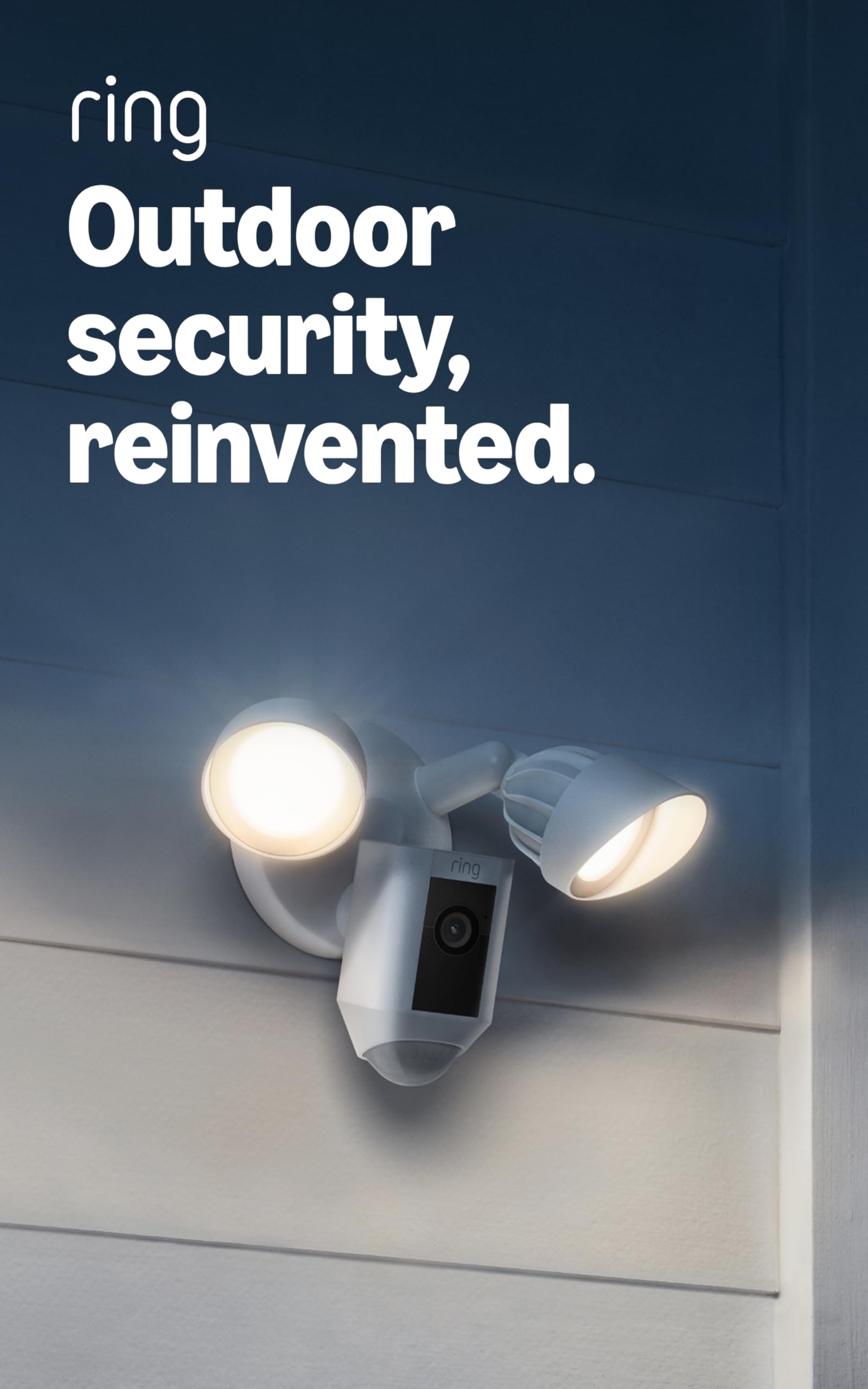
A hardwired outdoor camera that combines bright motion-activated floodlights, 1080p video, and a local siren for visible, audible deterrence.
Why I picked it: Powerful 2000-lumen lighting, sharp 1080p video, and an integrated siren.
Best for: Lighting and monitoring large outdoor areas like driveways and backyards.
Midrange option given its bundled light, camera, and siren.
Pros
- Very bright 2000-lumen floodlights
- Clear 1080p video day and night
- Integrated 85dB siren
- Customizable motion zones
- Hardwired for continuous power
Cons
- Requires electrical wiring
- Best performance on vertical walls
- Limited angle when mounted in soffits
My take
I installed this floodlight cam on a vertical wall and the difference was immediate: the 2000-lumen LEDs eliminate shadowed areas and the 1080p video stayed crisp even at night. When the lights are too intense, I dim them in the app in seconds.
Motion detection and alerts were consistently accurate in my experience. I relied on the customizable motion zones to ignore a nearby sidewalk while still catching activity close to the house.
Hardwired power means I didn’t worry about battery life, but that also meant a bit more work during installation. If you try to mount it in a soffit you’ll see limited adjustment range—vertical wall mounting gives the best results.
The built-in siren is handy when I need to draw attention quickly, and pairing the cam in the Ring app keeps everything in one place alongside other Ring devices.
2. Ring Indoor Cam — 1080p HD Indoor Camera – Best Indoor Plug-In Camera
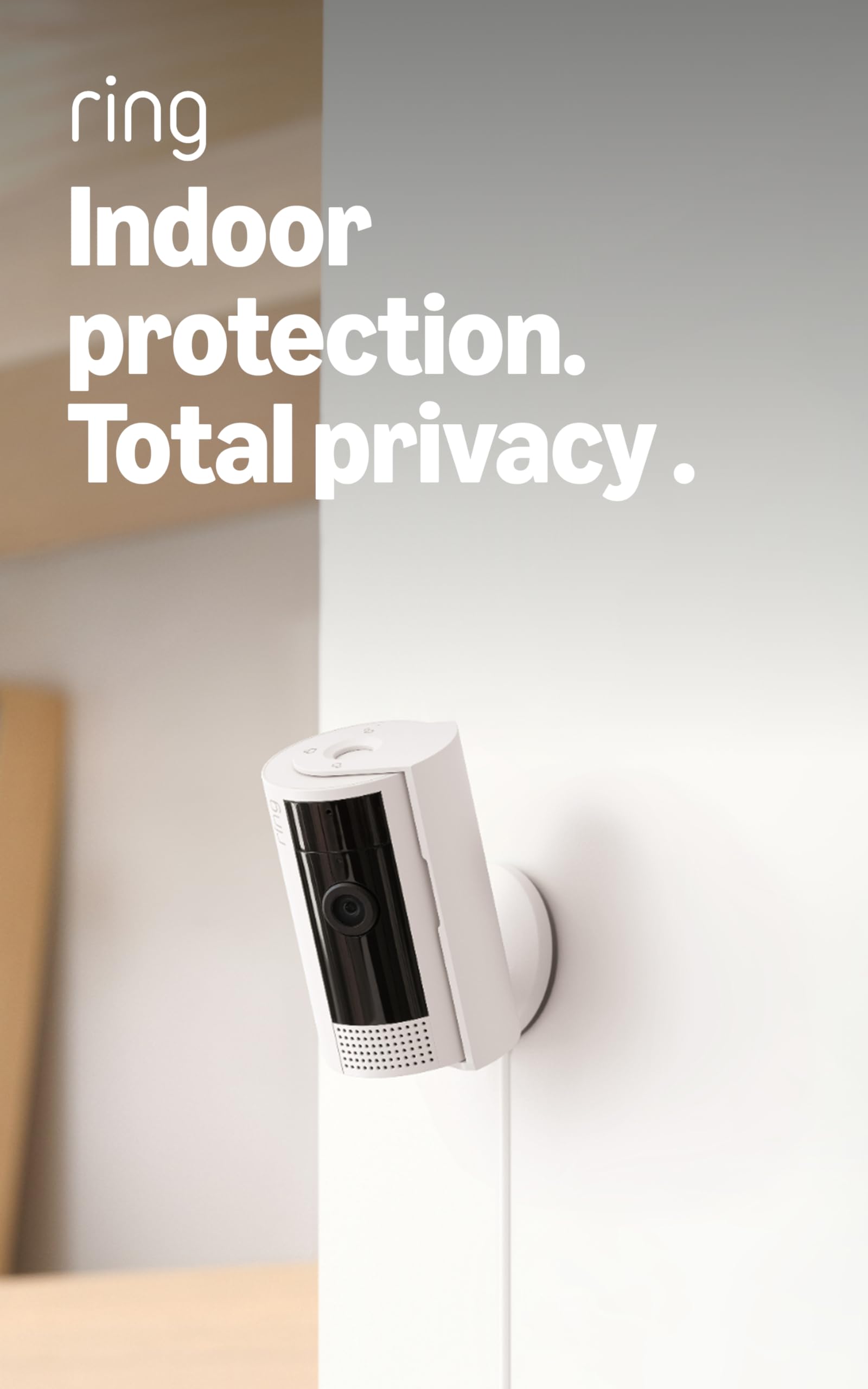
A compact plug-in indoor camera with color night vision, two-way talk, and a manual privacy cover for simple, flexible placement.
Why I picked it: Compact 1080p image, reliable two-way audio, and a physical privacy cover.
Best for: Monitoring living rooms, nurseries, and pet areas where easy relocation matters.
Budget-friendly indoor option.
Pros
- 1080p with color night vision
- Manual privacy cover
- Advanced pre-roll video previews
- Two-way audio
- Flexible mounting options
Cons
- Needs constant power outlet
- Cloud storage requires a paid plan
- May need motion-zone tweaking
My take
I used this camera in an apartment where I couldn’t mount anything outside. The plug-and-play setup got me streaming in minutes, and the swivel mount made it easy to point through a window for exterior views.
Color night vision and the advanced pre-roll are useful when motion starts just before an event; having the few extra seconds before a motion clip helped me understand situations more clearly.
The manual privacy cover is a small feature that makes a big difference for indoor use—when the camera is off I can physically close the lens.
I fine-tuned motion zones to stop alerts from my cat, and after that notifications were meaningful. Two-way audio worked well for talking to family or pets when I checked in remotely.
3. Ring Alarm 8-Piece Kit (newest model) — Device Only – Best Starter Security System
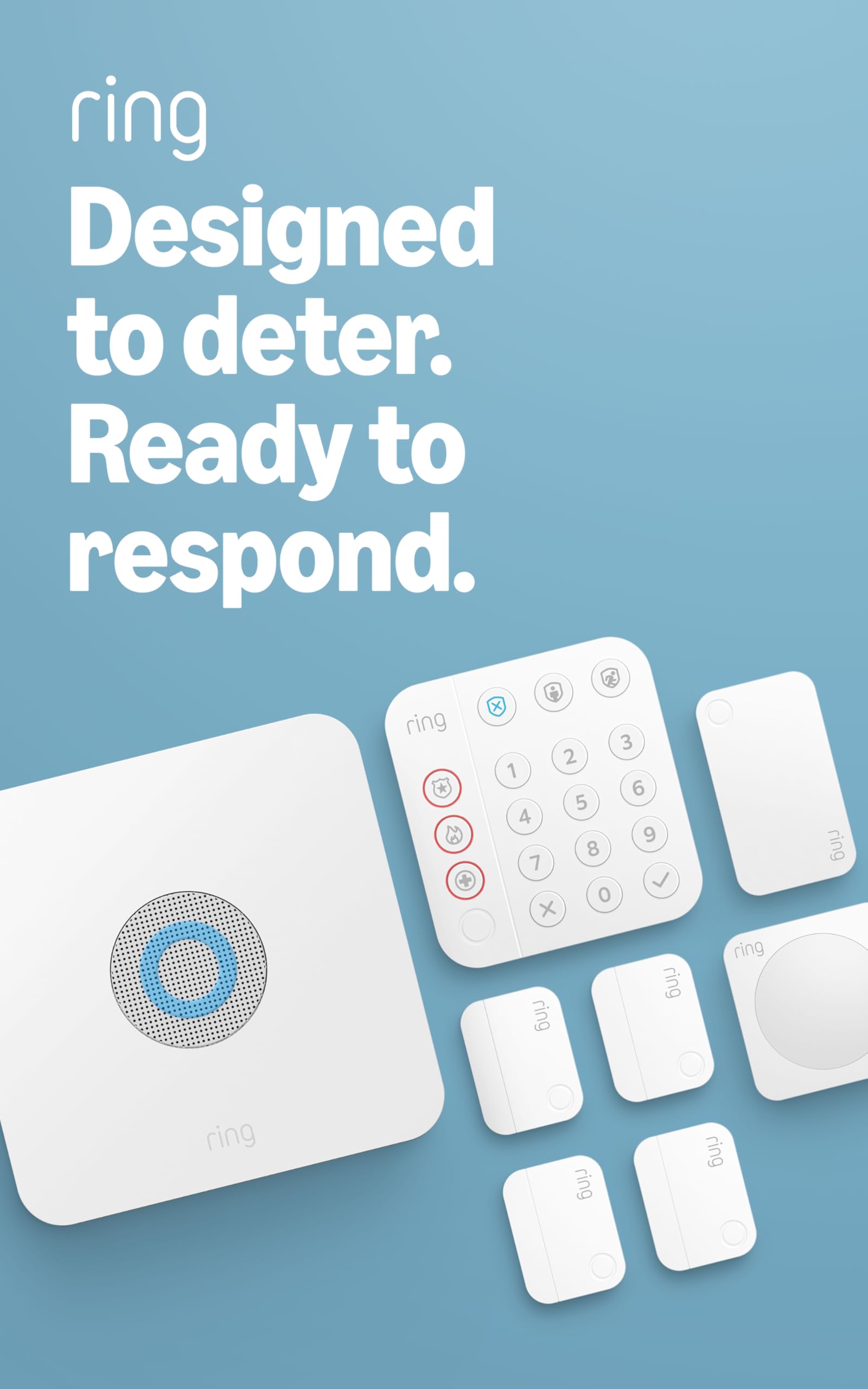
An eight-piece starter kit with a base station, keypad, contact sensors, motion detector, and range extender—designed for 1–2 bedroom homes.
Why I picked it: Complete, DIY-friendly starter kit that covers doors, windows, and a main motion zone.
Best for: First-time installers and small homes needing an expandable system.
Good value for a complete starter kit; professional monitoring optional.
Pros
- Complete out-of-the-box kit
- Easy DIY installation
- Expandable with extra sensors
- Mobile arming and alerts
- Optional professional monitoring
Cons
- Some features require a subscription
- Basic kit for larger homes
- Depends on Wi‑Fi for app features
My take
I set this kit up in a small home and appreciated how straightforward the installation was—the sensors and keypad came online quickly and the app walks you through each step.
The included range extender helped keep the sensors connected across my floor plan. If you’re converting from a different system, you’ll like how modular these sensors are for incremental upgrades.
I tested arming and disarming via the keypad and my phone. With the optional professional monitoring I set up, I found the ongoing monitoring option to be a lower-cost approach compared with other providers I’ve used.
For me the Ring Alarm is an approachable balance of DIY control and optional professional services when I wanted them.
4. Ring Pan-Tilt Indoor Cam (newest model) — Pan-Tilt Indoor Camera – Best for Full Room Coverage

An indoor camera that pans 360° and tilts to give coverage of an entire room from a single device, with HD video and two-way talk.
Why I picked it: 360° pan plus tilt to replace multiple fixed cameras in one room.
Best for: Monitoring large rooms, nurseries, or a single-room watch where coverage matters.
Reasonably priced for wide-area indoor coverage.
Pros
- 360° pan and tilt
- Clear HD video
- Smooth two-way talk
- Easy plug-and-play setup
Cons
- Slight delay when moving remotely
- Requires outlet power
- May revert to start position
My take
I used the pan-tilt cam in a living room and was impressed by how easily one camera replaced two or three fixed units. Swiping the view in the app to pan felt natural and gave me full coverage.
Video quality held up in both daytime and lower light, and the two-way talk was handy for checking on relatives or pets without yelling across the house.
There’s a small, noticeable delay when I move the camera remotely, but it didn’t interfere with routine checks. For me the convenience of a single camera covering the whole room outweighed that minor lag.
5. SimpliSafe Entry Sensor – Window and Door Protection – Best Single Door/Window Sensor
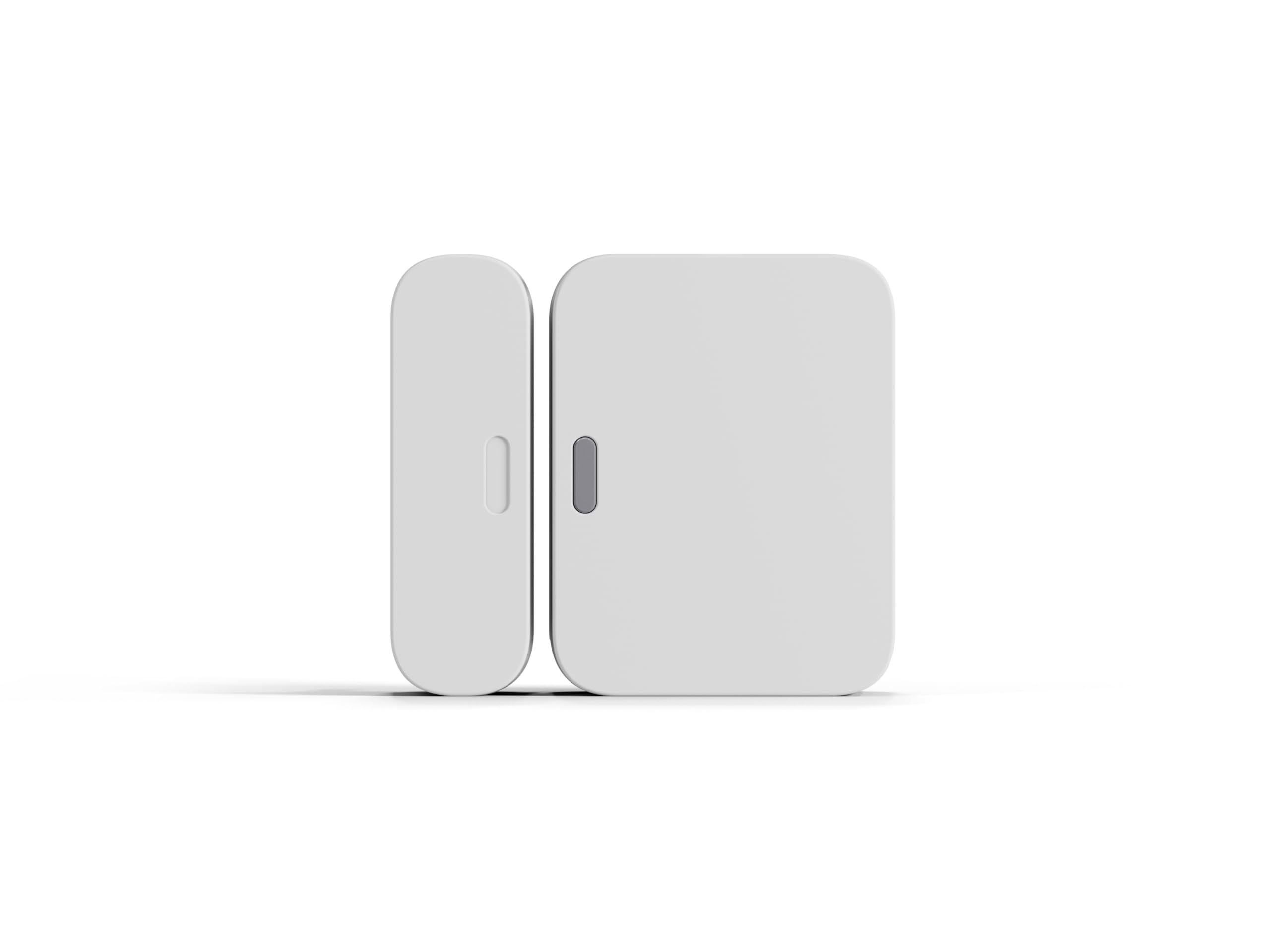
A compact contact sensor for doors, windows, and cabinets that installs with peel-and-stick and reports openings to the base station.
Why I picked it: Simple, compact, and fast to install on doors and windows.
Best for: Adding a discreet contact point to doors, windows, or cabinets.
Affordable add-on for SimpliSafe systems.
Pros
- Compact design
- Peel-and-stick installation
- Instant chime alerts
- Pre-installed long-lasting battery
Cons
- Designed for SimpliSafe ecosystem
- No Apple HomeKit support
My take
I added this sensor to my SimpliSafe base and the install took only minutes—adhesive strips made placement fast and clean.
The magnet and sensor don’t need to touch perfectly; the recommended gap works fine and the sensor still registers openings reliably.
Once configured in the SimpliSafe app it triggered chimes and notifications exactly when doors opened. For a quick, unobtrusive way to secure an entry point, this sensor does the job well.
6. SimpliSafe Entry Sensor (Pack of 4) — Window and Door Protection – Best Value Sensor Pack
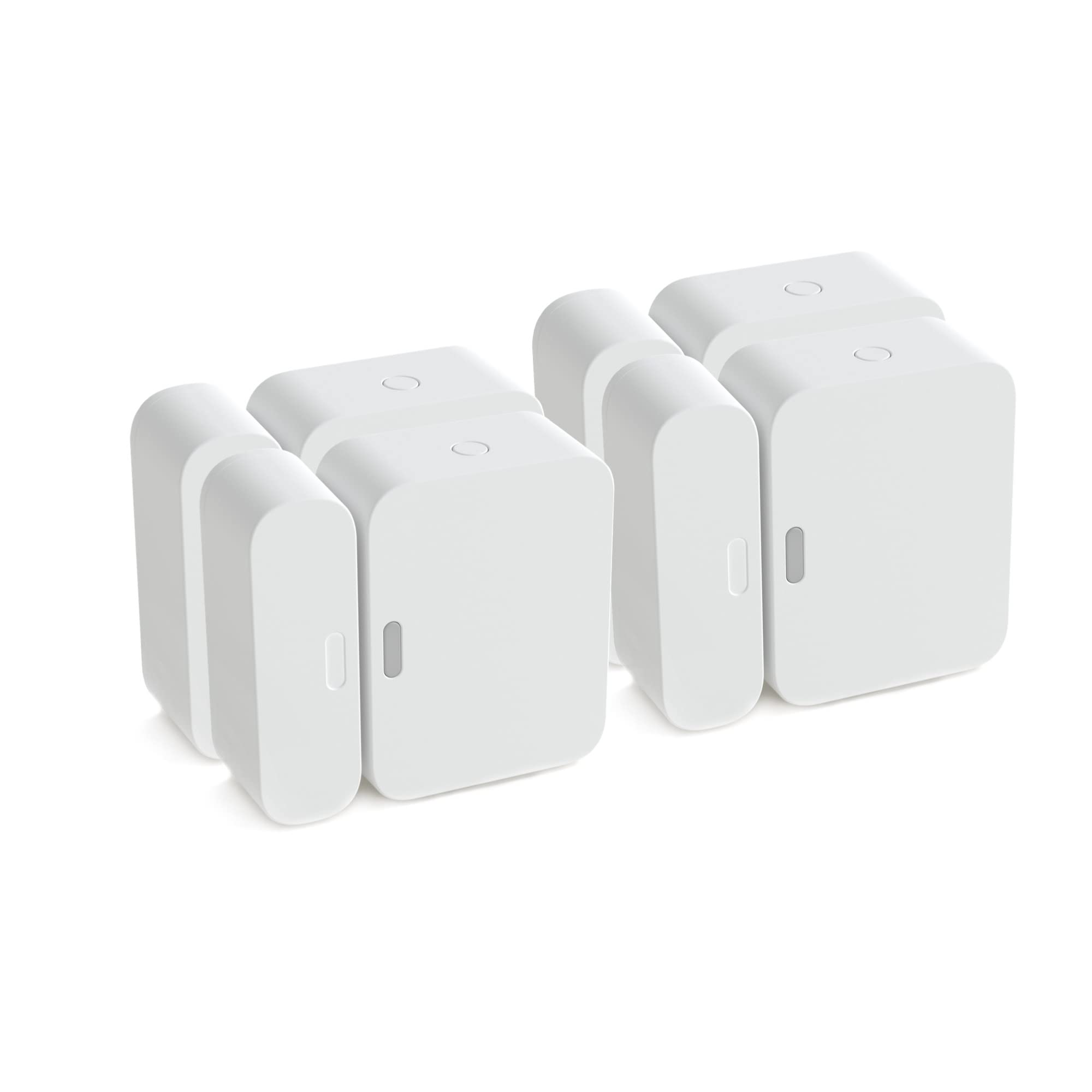
A four-pack of compact contact sensors for expanding coverage across multiple doors and windows.
Why I picked it: Four sensors at once make it easy to cover several access points affordably.
Best for: Expanding a SimpliSafe system in multi-door homes or rental units.
Good value for multi-point coverage.
Pros
- Pack of four sensors
- Easy to add to system
- Simple peel-and-stick mount
- Works reliably once in range
Cons
- Range limits if far from base
- May need range extender for garages
My take
I added the four-pack to a house that needed coverage on multiple doors; joining them to the base unit was fast and painless.
One thing I learned: if a sensor sits too far from the base (for example in a detached garage), it may go offline. Bringing the sensor within range or adding an extender solved that immediately.
Overall these expanded coverage quickly and felt like a pragmatic way to protect more entry points without complicated wiring.
How I Choose Alarm System Gear
Decide what you want to monitor first
I start by listing the areas I need covered—front and back doors, garage, driveway, main living areas, and any vulnerable windows. Cameras are best for exterior visibility and evidence; contact sensors are the simplest way to detect openings.
Covering entry points with contact sensors is the cheapest way to raise baseline security, then add a camera where you need visual confirmation.
- Prioritize external entry points and main traffic areas.
- Use a floodlight cam for dark driveways or yards.
- Use indoor cams for nurseries, pets, or communal rooms.
Wired vs. plug-in vs. battery
I choose hardwired outdoor cameras when I don’t want to worry about battery life and need bright lights. Plug-in indoor cams work well for flexible placement. Battery devices are useful where wiring isn’t possible but need recharging or replacement.
Hardwired units take more time to install but reduce ongoing maintenance.
- Hardwired: continuous power, more installation work.
- Plug-in: easiest indoor setup, needs outlet.
- Battery: best for temporary or hard-to-wire spots.
Motion detection and false alerts
In my installations I spend time setting motion zones and sensitivity. That’s the single best way to reduce nuisance alerts from passing cars or pets.
Look for devices that offer motion-zone customization and adjustable sensitivity in the app.
- Create narrow motion zones for doors and driveways.
- Lower sensitivity where pets or wildlife trigger alerts.
Subscription and storage
I factor subscription plans into long-term use: cloud storage and advanced features often require a paid plan. I weigh whether I need continuous recording or only motion-based clips.
Many devices still let you view live video and receive basic alerts without a subscription.
- Decide if you want cloud storage or local-only features.
- Compare what each plan includes before committing.
Range and network considerations
I check device range from the hub or base station and plan extenders where needed. Wi‑Fi stability is critical for cameras; consider a mesh or extender for large properties.
For battery devices, I verify signal strength in likely placement locations before final installation.
- Place base stations centrally for best sensor range.
- Use extenders for detached garages and far rooms.
- Ensure stable Wi‑Fi for continuous camera streaming.
Frequently Asked Questions
Do I need a subscription to save video or get advanced features?
Some advanced features and cloud storage for Ring cameras require a paid Ring Protect plan, and certain Ring Alarm features are easier to use with a compatible plan. I keep in mind that basic live view and instant alerts still work without a subscription, but continuous recording and some AI alerts typically sit behind a plan.
Can the Ring Floodlight Cam be mounted in a soffit?
I learned that the Floodlight Cam performs best on vertical wall mounts. You can install it in a soffit, but adjustment range is limited and you may not get ideal coverage; a wall mount generally gives the best field of view.
Will SimpliSafe entry sensors work standalone?
The SimpliSafe contact sensors pair to a SimpliSafe base station and will trigger chimes and local alerts without an ongoing monitoring contract. I recommend checking range and mounting position to avoid communication dropouts.
How do I reduce false alerts from indoor cameras?
I suppress false alerts by setting motion zones, lowering sensitivity, and positioning cameras away from windows or busy corridors. After a few adjustments in the app I usually get meaningful notifications instead of constant ones.
Are these cameras compatible with smart assistants?
Ring devices work with Alexa for hands-free control and some voice features. SimpliSafe devices integrate with their own ecosystem; I verify compatibility with my smart home setup before buying.
Final Take
My practical takeaway: choose the device that solves the problem you actually have. A hardwired Ring Floodlight Cam is the fastest way to brighten and monitor an outdoor area, while Ring’s indoor cams are compact and flexible for interior coverage.
If you simply need reliable entry-point detection, SimpliSafe’s contact sensors are the quickest, lowest-friction way to add protection. Combine sensors and cameras to get both early detection and visual confirmation.
I recommend planning placement, checking network range, and deciding whether you want cloud features before you buy—those steps saved me installation headaches and unnecessary alerts.
