
I tested six popular MIDI keyboards and a solid stand to find the right controller for beatmaking, compact studio work, and full-size playing. Here’s what I use and why.
I spend time making beats, sketching song ideas, and performing with compact controllers and larger keybeds alike. Over months of using these units in the studio and on the go, I’ve learned which designs actually speed up my workflow and which features I’d trade for portability.
This roundup reflects my hands-on experience: controllers I’ve plugged into DAWs, used for live sketching, and relied on when space or speed mattered. I focused on feel, build, software integration, and real-world workflow impact.
If I want a compact, all-in-one beat machine I reach for the Akai MPK Mini MK3. For tight portability the Akai LPK25 or Novation Launchkey Mini win. When I need full-range playability I prefer the M-Audio Keystation 49 MK3. The Liquid Z-style stand is the rugged support I trust on stage or in the studio.
1. Akai Professional MPK Mini MK3 — 25-Key Portable Beat Controller – Best Overall
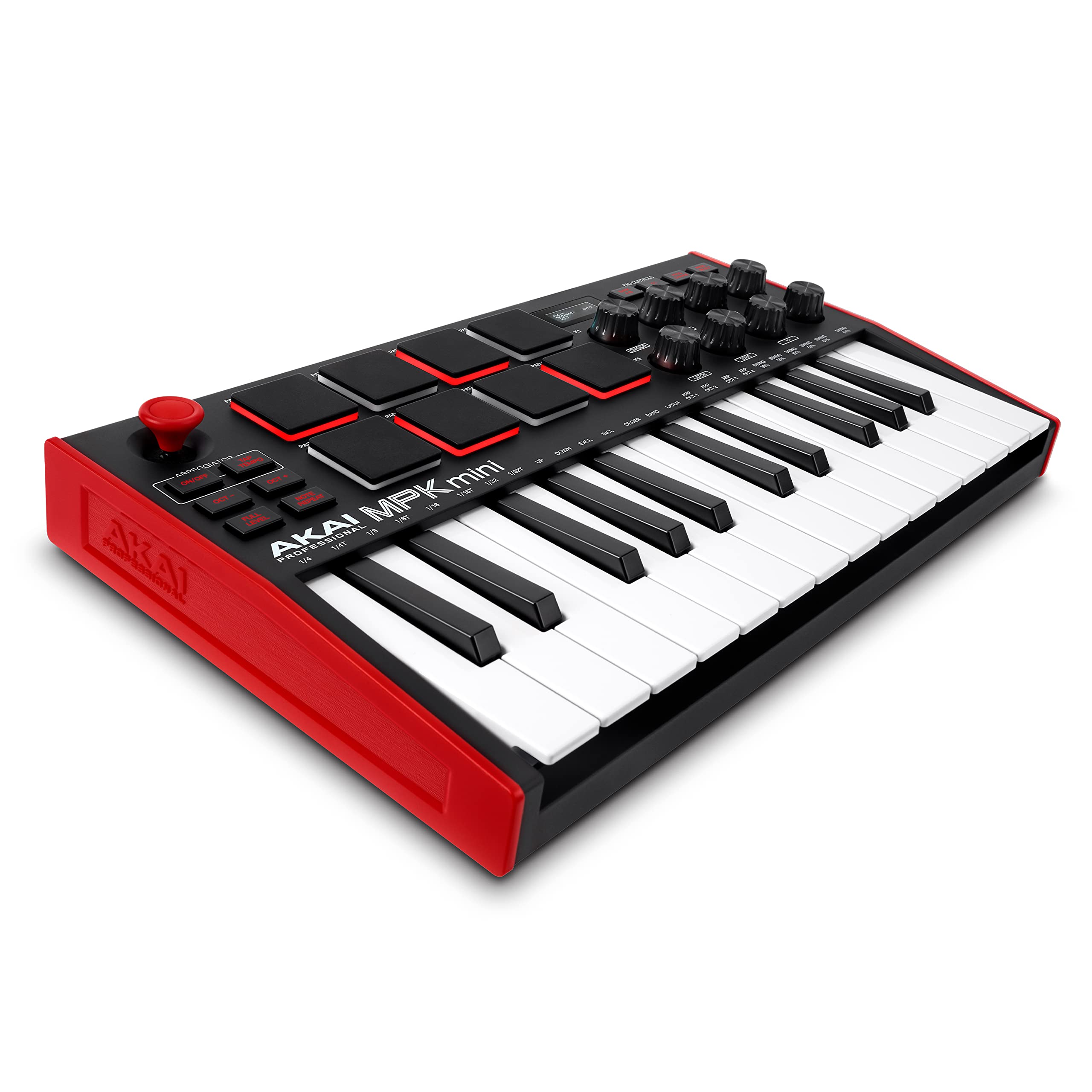
I picked the MPK Mini MK3 as my everyday compact controller because it combines an excellent mini keybed with hands-on beat production tools and deep software integration.
Why I picked it: Compact, responsive keys plus MPC-style pads and NKS compatibility.
Best for: Beatmakers and mobile producers who need pads, knobs, and a playable keybed.
Affordable for what it delivers — strong value for portable production.
Pros
- Compact but full-featured layout
- Responsive Gen2 dynamic keybed
- Eight velocity-sensitive MPC pads
- Smooth, assignable 360-degree knobs
- NKS integration with Native Instruments
Cons
- Mini keys limit wide two-handed parts
- Fewer controls than larger controllers
My take
In daily use the MPK Mini MK3 strikes the right balance between portability and expressive control. The Gen2 keybed captures dynamics better than older mini controllers I’ve used, so melodies and small passages feel musical rather than toy-like.
The eight MPC-style pads are instant writing tools — they respond quickly and I never noticed any lag when programming drums or triggering samples. The 4-way joystick gives me fluid pitch and modulation control that’s more musical than a pair of small wheels.
NKS support and the bundled software package mean I can browse and load sounds without interrupting my session. Setup is pure plug-and-play on my desktop and laptop, and the build feels tougher than its size suggests.
If you need more than two octaves for extended piano parts, this isn’t the only tool you’ll use, but for beatmaking, sketching ideas, and traveling between studios, this is my go-to.
2. Liquid Stands Z-Style Adjustable Keyboard Stand — Heavy-Duty Support – Best Stand
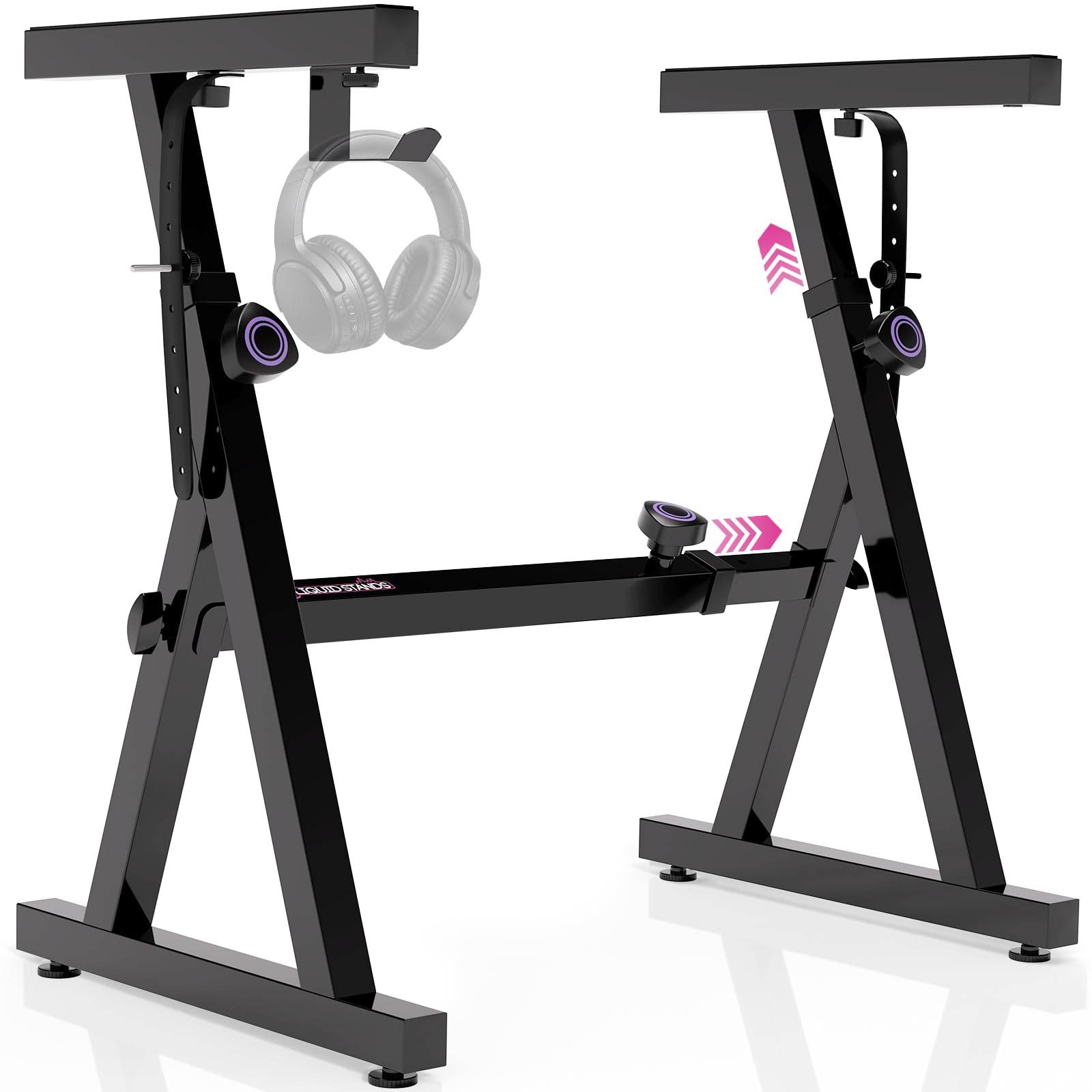
I use the Liquid Z-style stand when I want stability and quick setup for everything from compact controllers to heavier stage keyboards.
Why I picked it: Extremely sturdy Z-frame with adjustable height and width.
Best for: Musicians who need a reliable stand for home, studio, or gigging.
A durable, midrange investment that outperforms cheaper X-style options.
Pros
- Solid Z-frame stability
- Adjusts height and width easily
- High 250-pound weight capacity
- Includes anchoring straps and headphone hook
- Packs flat for transport
Cons
- Crossbar can limit legroom for tall players
- Heavier than basic X-stands
My take
I assembled this stand in under five minutes and appreciated how well it locks into position. The Z-style frame feels overbuilt in a good way — much more stable than the X-style stands I’ve used on stage.
The anchoring straps and anti-skid foam pads give me confidence when I mount larger keyboards or synths. I’ve hauled this to rehearsals and it never felt like the keyboard might tip.
If you’re moving between seated and standing setups, the height and width adjustments make the switch painless. The only real drawback I’ve encountered is that the crossbar sits where my knees sometimes hit when I sit very low, so taller players should check fit.
3. Akai Professional LPK25 — Ultra-Portable 25-Key MIDI Controller – Best for Portability
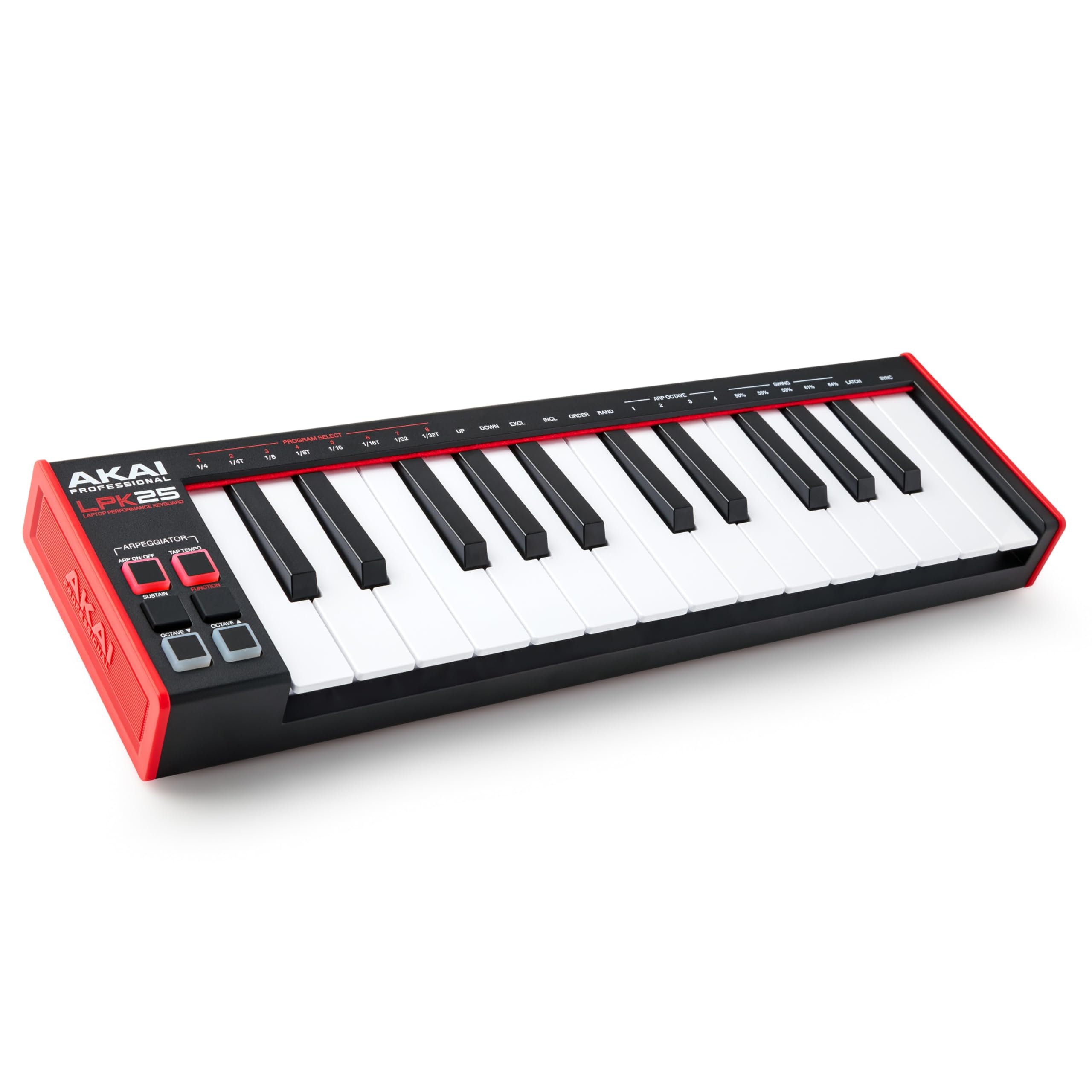
When I need a keyboard that disappears in my bag but still plays with nuance, I reach for the LPK25 — it’s tiny, responsive, and bus-powered.
Why I picked it: Serious portability with responsive Gen2 keys and basic performance tools.
Best for: Producers and writers who sketch ideas away from the studio.
Budget-friendly and excellent for travel and laptop workflows.
Pros
- Extremely compact and lightweight
- Responsive Gen2 keys with velocity
- USB bus-powered plug-and-play
- Octave transpose and sustain button
- Built-in arpeggiator and presets
Cons
- Two-octave range limits full pieces
- No pads or assignable knobs onboard
My take
I keep an LPK25 in my laptop bag for when inspiration hits on the road. Despite its size it plays with a responsiveness that surprised me — notches above many ultra-cheap mini keyboards.
Setup is as simple as plugging into USB; my DAW recognized it instantly and I was recording MIDI within seconds. The octave buttons and sustain function let me reach around the limited key count effectively.
This isn’t a control surface loaded with extras, and I don’t expect deep hands-on mapping. What it does, it does very well: fast idea capture in tiny spaces.
4. M-AUDIO Keystation 49 MK3 — 49 Full-Size Velocity-Sensitive Keys – Best for Players
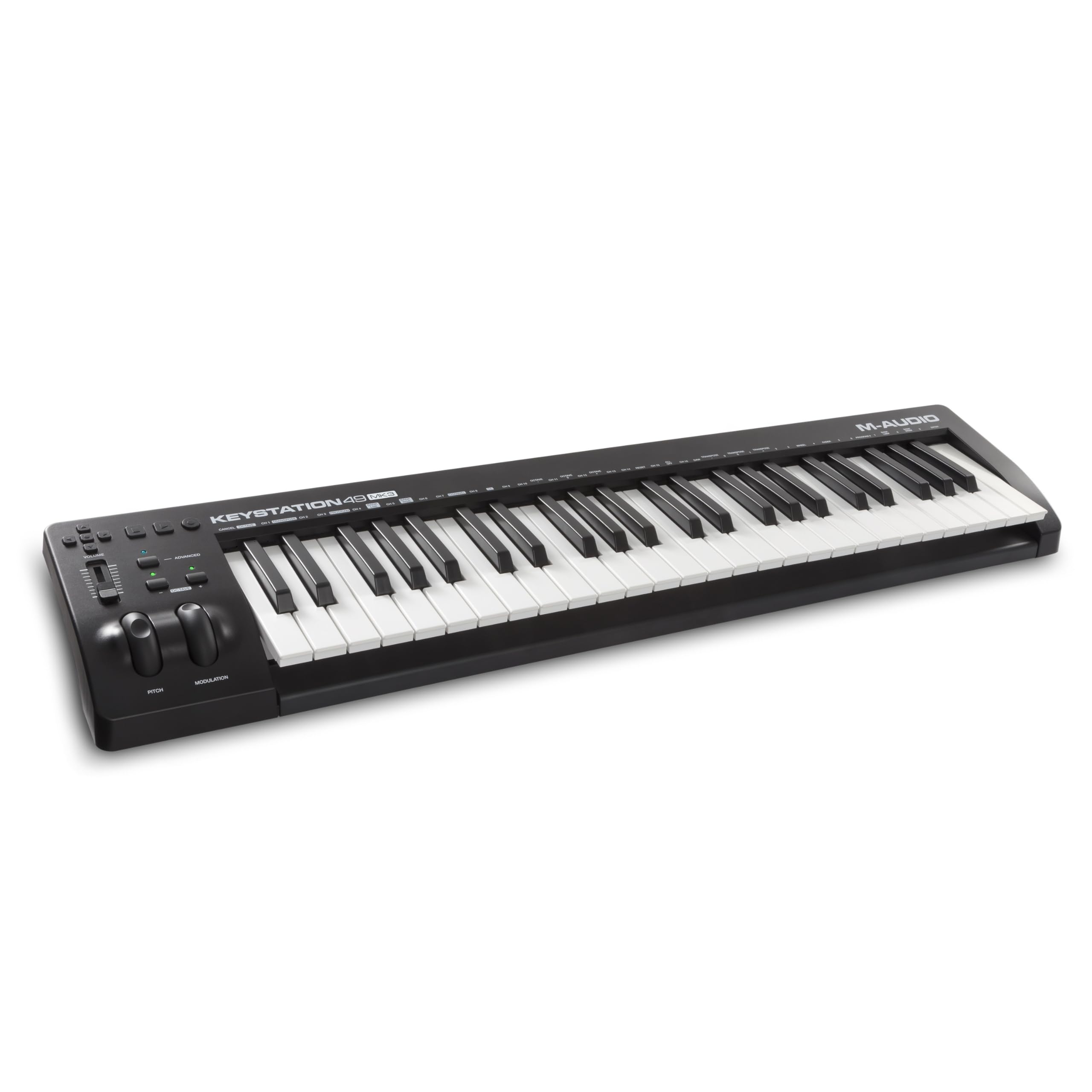
I rely on the Keystation 49 MK3 when I want a natural, full-range feel without hauling an 88-key instrument.
Why I picked it: Full-size keys and essential performance controls for expressive playing.
Best for: Keyboardists who need longer ranges and simple DAW control.
A sensible midrange choice for serious home studios.
Pros
- 49 full-size velocity-sensitive keys
- Pitch and modulation wheels
- Transport and directional controls
- Sustain pedal input included
- Generous software bundle
Cons
- Keys are synth-action, not weighted
- Occasional power-cycle issues on older rigs
My take
Playing on the Keystation feels natural for recording leads, chords, and basslines. The full-size keybed captures subtle dynamics better than mini controllers, and octave switching is perfectly placed for quick range jumps.
I appreciate the transport controls during tracking — being able to play and manage the DAW without leaning on the mouse keeps me in the groove. The pitch and modulation wheels add useful expressiveness for synth patches.
The included virtual instruments and DAW options gave me immediate creative material straight out of the box. In one setup with older hardware I had to power-cycle once, but in daily use on modern systems it’s been rock solid.
5. Alesis V25 MKII — 25 Full-Size Keys with Pads and Assignable Controls – Best for Beginners
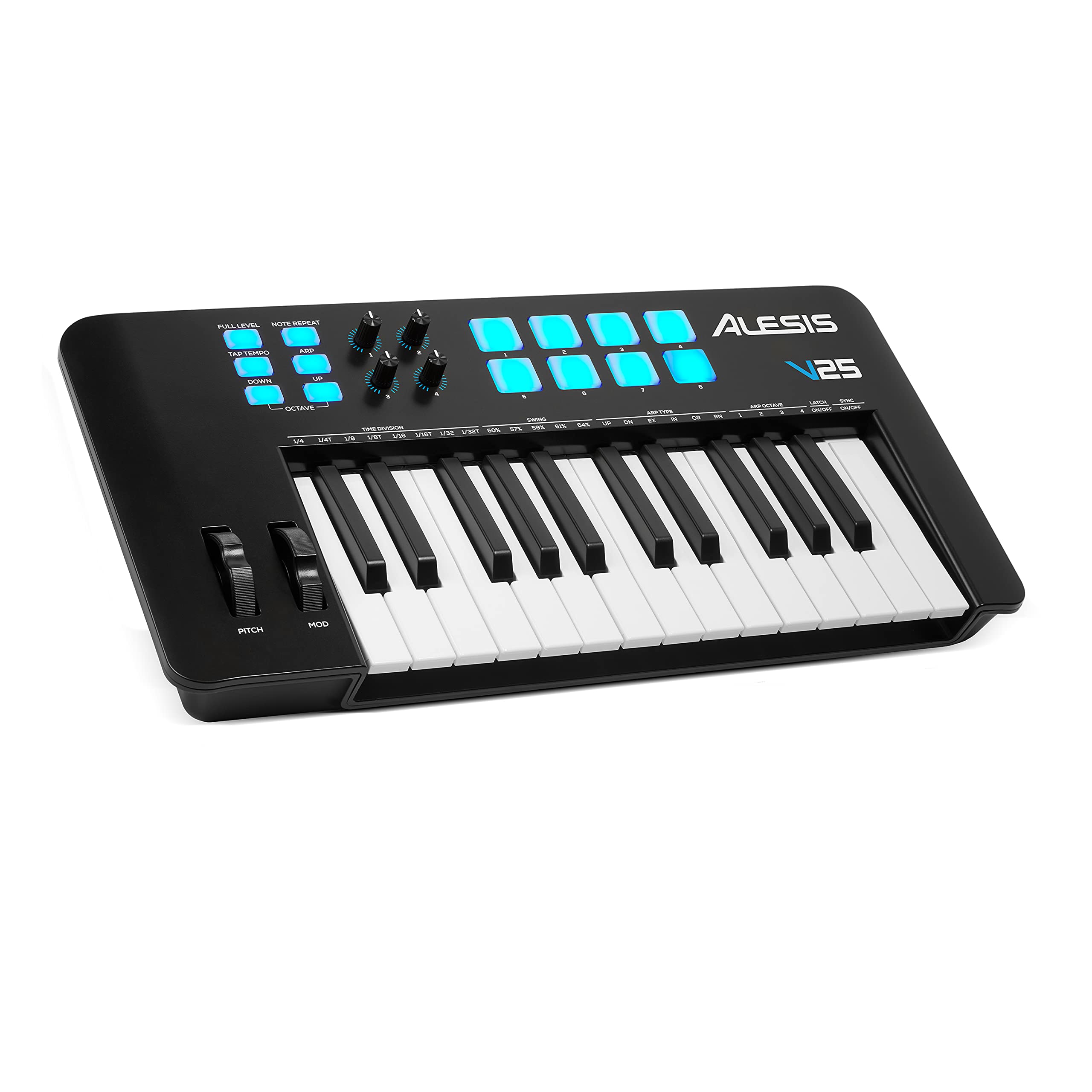
I recommend the Alesis V25 MKII to students and first-time producers because it pairs full-size keys with drum pads and assignable controls that accelerate learning.
Why I picked it: Full-size, velocity-sensitive keys plus pads and editable controls.
Best for: Beginners wanting a playable keybed and hands-on beat making.
Great value for a first full-size 25-key controller.
Pros
- 25 full-size, velocity-sensitive keys
- Eight velocity-sensitive backlit pads
- Four assignable knobs
- Arpeggiator and note repeat
- Sustain pedal input and software bundle
Cons
- Keys can feel slightly stiff at first
- Some tuning may require editor or firmware
My take
For a month-long stretch I used the V25 MKII as my main practice board and was impressed by how quickly a newcomer can get results. The full-size keys make learning muscle memory much easier than mini keys.
The pads are responsive and fun to program; my teenager quickly put together full arrangements using the included MPC Beats suite. When I wanted different velocity behavior, Alesis’ editor let me adjust the curve — a one-time tweak that improved playability.
This is the kind of controller that gets out of the way and helps you create, from piano practice to beat production.
6. Novation Launchkey Mini 25 MK4 — 25-Key DAW-Focused Controller – Best for DAW Integration
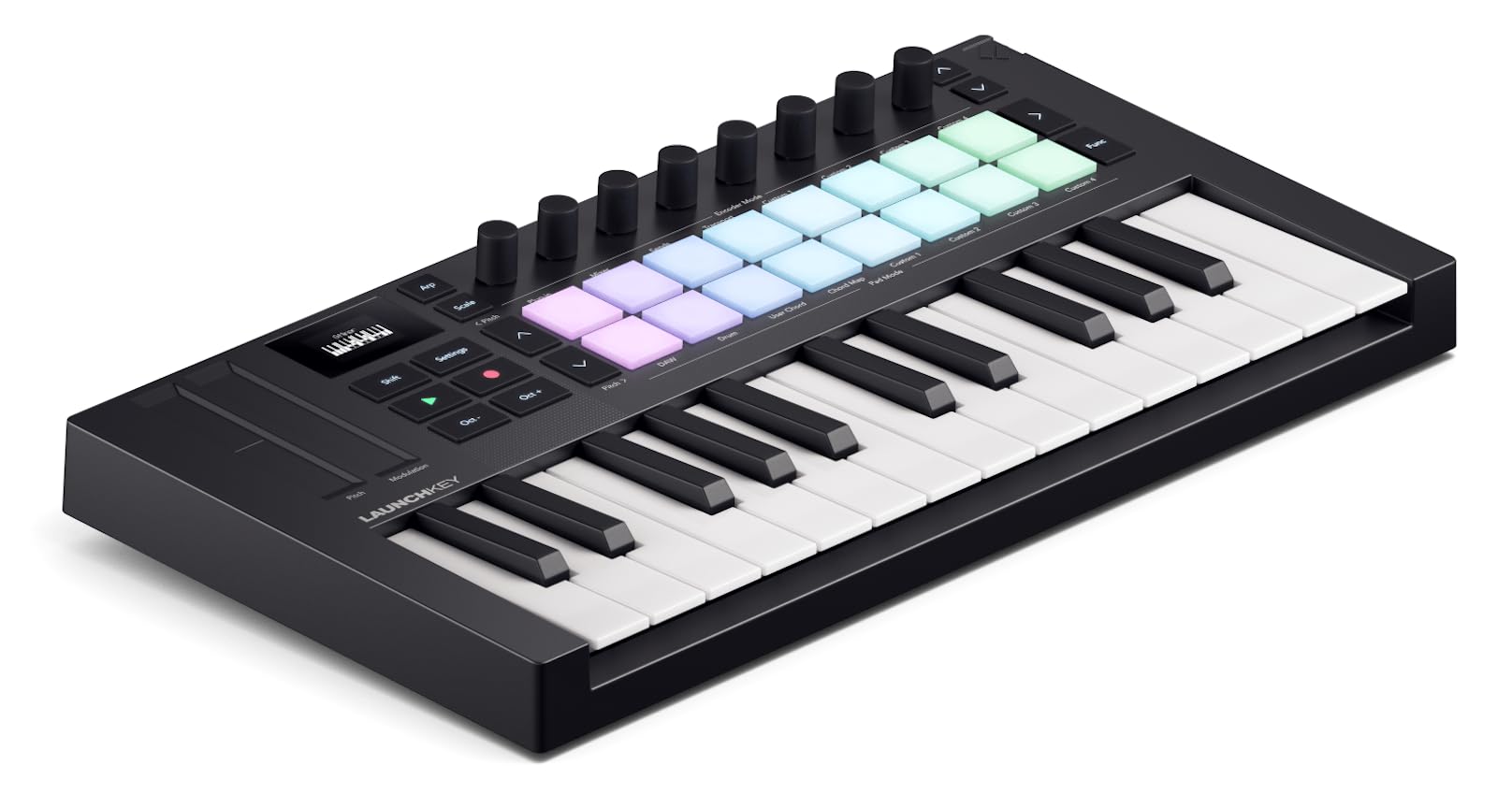
I turn to the Launchkey Mini MK4 when I want deep, frictionless integration with Ableton and other DAWs and powerful creative modes like Scale and Chord.
Why I picked it: Superior DAW mapping plus creative modes and 16 expressive pads.
Best for: Ableton users and producers who want instant hands-on control.
A bit pricier than basic minis, but packed with workflow features.
Pros
- Extensive DAW integration
- 16 responsive FSR pads with aftertouch
- Scale, Chord, and arpeggiator tools
- NKS-ready for Native Instruments
- Compact, travel-friendly design
Cons
- Mini keys still limit longer performances
- Some users worry about velocity consistency
My take
The Launchkey Mini MK4 is the most DAW-focused compact controller I’ve used. Its integration with Ableton and other major DAWs removes a lot of menu-diving — I map mixer and device controls in seconds.
The 16 pads are a standout: they’re great for finger drumming, clip launching, and even chord triggering. I also use Scale and Chord modes to sketch progressions quickly without hunting for voicings.
Physically it’s very compact yet feels better built than many older mini controllers. If I’m traveling with a laptop and want a complete creative surface, this is the one I grab.
How I Choose a MIDI Keyboard
Keybed and Size
I start with how the keyboard feels under my fingers. Full-size velocity-sensitive keys matter when I’m playing long chords and expressive lines; mini keys work fine for sketches and portability.
Think about octave coverage: 25-key controllers are great for ideas, but I add octave switching or a larger board when I need extended range.
- Full-size keys: better for practicing and nuanced playing
- Mini keys: best for portability and limited workspace
- Octave buttons let 2–3 octaves cover most needs
Pads, Knobs, and Wheels
When I’m programming beats, pads are indispensable. Look for velocity-sensitive pads with features like Note Repeat and Full Level for quick drum programming.
Assignable knobs and faders turn a keyboard into a mixing and sound-shaping surface, saving me trips to the mouse.
- Pads: choose velocity-sensitive pads for realistic dynamics
- Knobs/faders: useful for plugin tweaks and mixing
- Pitch/mod wheels or joystick: adds musical expression
DAW Integration and Software
I value tight DAW integration because it reduces setup friction. Controllers that map to Ableton, Logic, and other DAWs give instant control of mixer and device parameters.
Bundled software matters less to me than stable integration, but included instruments and lessons can accelerate learning.
- NKS or DAW templates speed workflow
- Bundled DAW/plugins provide immediate creative tools
- Check iOS/USB power compatibility if you use tablets
Portability and Build Quality
If I commute with gear, weight and footprint are priorities. For studio-first setups I prefer solid build and full-size controls over ultralight designs.
Consider extra features like sustain pedal inputs, headphone hooks on stands, and anchoring straps for live use.
- Compact controllers fit in backpacks easily
- Sturdy stands and straps protect gear on the road
- Metal or reinforced plastic frames last longer
Frequently Asked Questions
Do mini keys feel playable for real music?
Yes — mini keys can be very playable for melodies and production work. I use them for sketching and beat-making, but for long-form piano work I prefer full-size keys.
Will these controllers work with my DAW out of the box?
Most of the controllers I tested are plug-and-play on Mac and PC. I always recommend updating firmware and installing any vendor templates for the smoothest integration.
Do I need a stand for a lightweight controller?
I use a sturdy stand even for small controllers when I’m performing. A Z-style stand gives better stability than an X-style and is my preferred choice for stage work.
Final Take
Choosing a MIDI keyboard is about matching feel, workflow, and portability to the music you make. I keep the Akai MPK Mini MK3 in rotation for everyday production, the Novation Launchkey Mini when I want deep DAW control, and the Keystation 49 MK3 when I need full-sized keys.
If you’re gigging or moving equipment often, I trust the Liquid Z-style stand to keep instruments secure. Pick the option that best fits your typical session — I base my choices on what keeps me writing and performing without friction.
