
I tested a range of standing desks and converters so you can pick the right sit‑stand solution for your space, workflow, and budget. These are the products I’d recommend after hands‑on use.
I’ve spent weeks swapping between converters, frame kits, and full electric desktops to find what actually makes standing work for a real workflow.
In this roundup I focused on stability, ease of switching between sitting and standing, installation friction, and how each option performs under a normal work load.
Below I call out the strengths and tradeoffs of each pick so you can match a desk to your space and how you work.
If you want to convert an existing desk, I favor the two-tier converters for keyboard positioning; if you want a full replacement, the dual-motor electric desk felt like an investment in long-term comfort.
1. Vari Varidesk Pro Plus 36 Standing Desk Converter — 11 Height Settings, Spring Lift, Two-Tier – Best for Dual Monitors
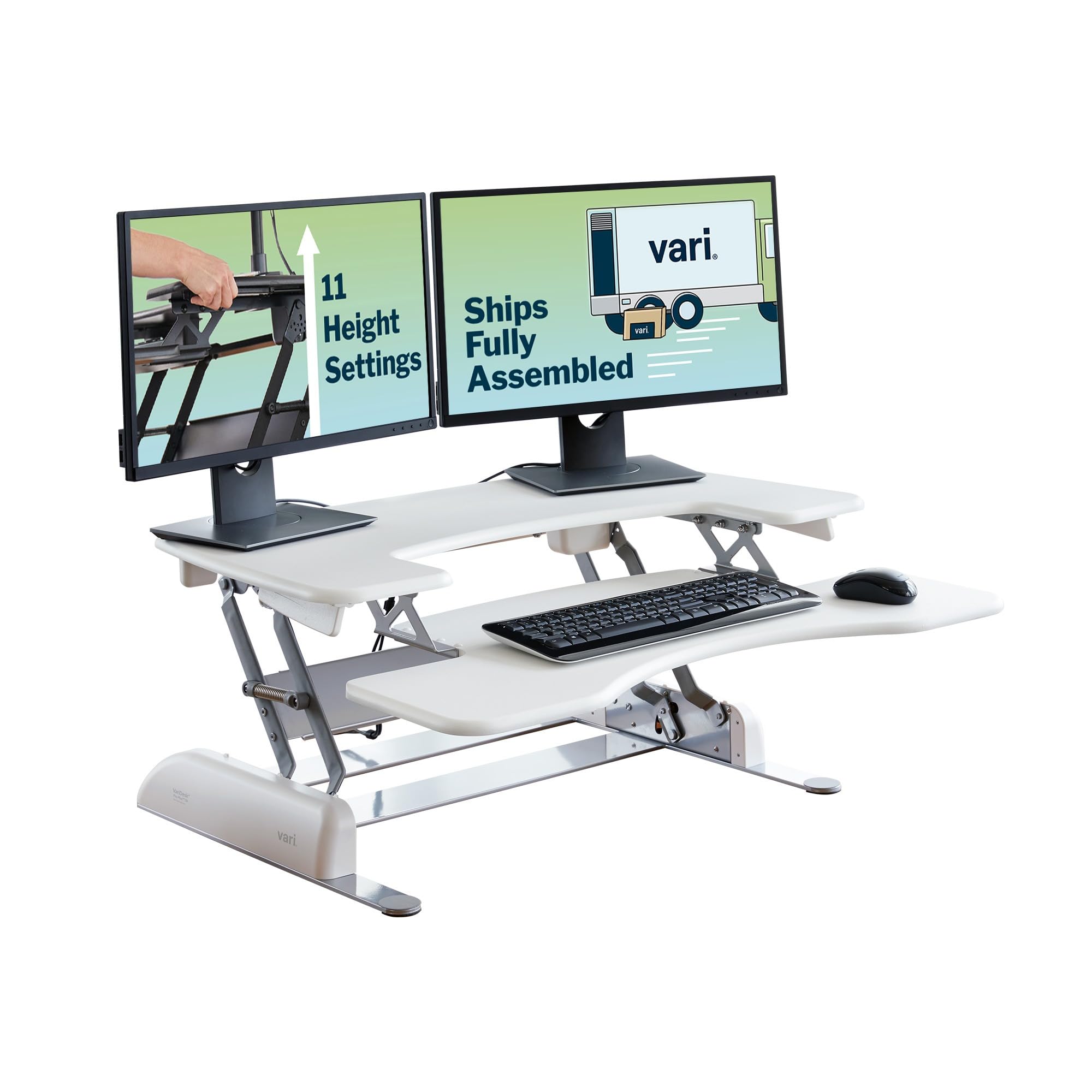
A two-tier desktop converter built to handle dual monitors and frequent height changes, arriving fully assembled and designed for day‑to‑day durability.
Why I picked it: Spacious top tier, rock-solid construction, and a smooth spring-assisted lift that I used all day without fuss.
Best for: People who want to convert an existing desk into a stable dual-monitor sit‑stand workstation.
A premium converter — higher up front, built for longevity and heavy daily use.
Pros
- Plenty of surface for two monitors
- No assembly out of the box
- Thick steel, very stable
- Smooth spring-assisted lift
- Lifetime warranty
Cons
- Large footprint on smaller desks
- Heavy to move if you rearrange often
- Not a full desk replacement
My take
I put a 24" monitor, a laptop, keyboard and a couple of desk accessories on this unit and it lifted effortlessly; the top tier really swallows two screens if you need them.
The steel construction and 3D laminate feel like a step up from cheaper converters — I was comfortable leaning on it gently at standing height, though I wouldn't use it as a full support.
Switching from sit to stand is fast thanks to the spring-assisted rowing lift and the foam-wrapped handles protect your hands from pinch points during adjustments.
Because it arrives fully assembled I started using it right away; if you want a straightforward, heavy-duty converter for a shared office or home setup, this is the one I reach for.
2. Vari Classic Electric Standing Desk — Dual Motor, Memory Presets, Stable T-Style Legs (72" x 30") – Best Full-Size Electric Desk
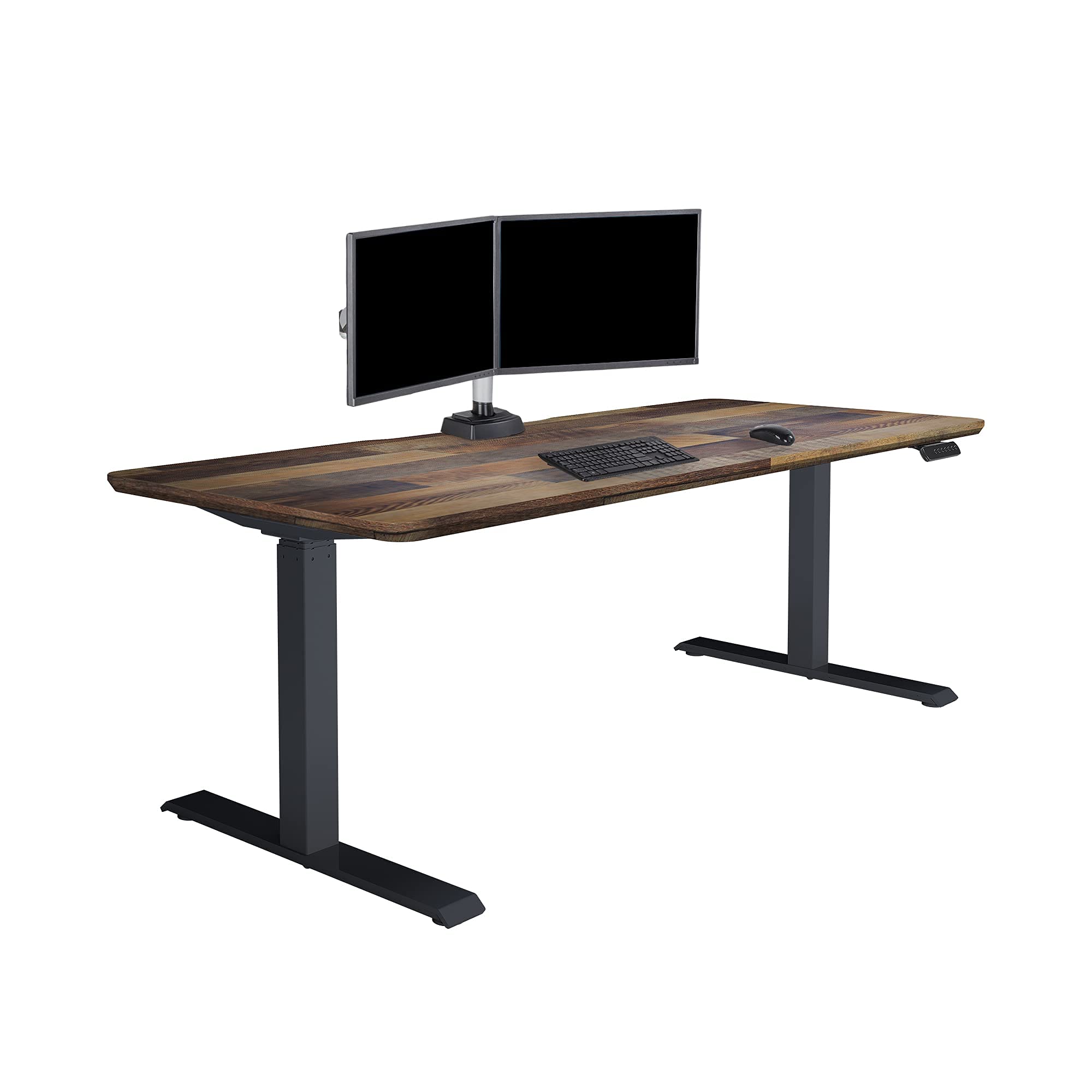
A full electric sit‑stand desk with dual motors, programmable presets, and a one‑piece tabletop designed to replace your current desk for a long-term standing solution.
Why I picked it: Dual motors and a stable T‑style base gave me whisper‑quiet, reliable height changes and a genuinely solid workspace.
Best for: Anyone replacing their desk for a large, stable sit‑stand surface—great for gaming, creators, and home offices.
An investment-grade electric desk — more expensive but built to feel like an office-grade upgrade.
Pros
- Dual-power motors for smooth lift
- Quick, tool-free assembly
- Stable T-style legs
- Programmable height presets
- Premium build quality
Cons
- Heavy to move once assembled
- No integrated cable tray included
- Higher upfront cost
My take
Putting this desk together was one of the easiest big furniture assemblies I’ve done — the quick-attach system genuinely speeds the process and I had it ready in under 30 minutes.
Once assembled the desk felt corporate-grade: the top is thick and solid, edges are clean, and the dual motors raised and lowered my workstation quietly even with multiple monitors and peripherals attached.
I programmed my sitting and standing heights in seconds and used those presets all day; the motion was smooth enough that I wasn’t distracted during calls.
I did add a cable management tray afterward to clean up the look, but that was my only cosmetic change. If you want a true replacement desk that performs reliably, this is the model I recommend.
3. Vari VariDesk Pro Plus 30 — Two-Tier Sit-to-Stand Converter, 11 Height Settings, Weighted Base – Best Compact Converter
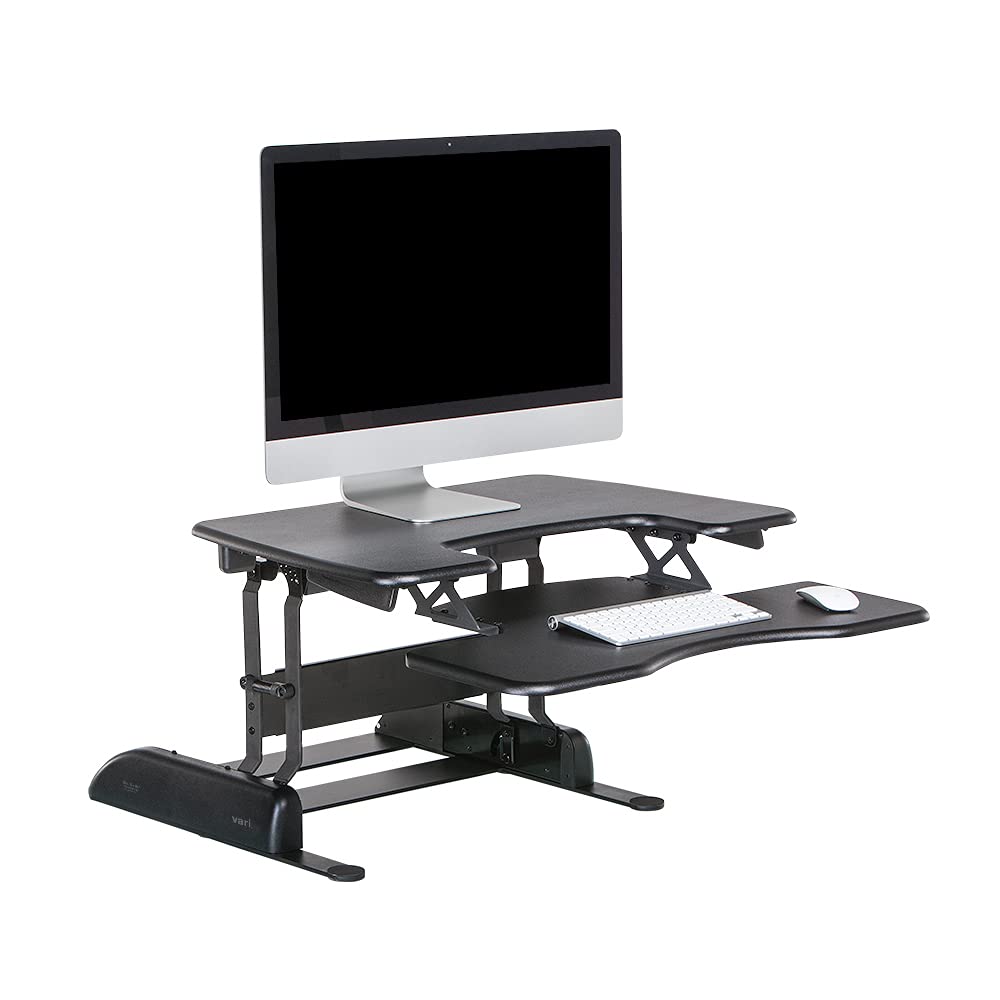
A smaller two-tier converter that gives the same spring-assisted lift and stability as the larger model, ideal when you don’t want to replace your existing desk.
Why I picked it: Balanced rise range and a heavy base that stayed steady at taller settings during my tests.
Best for: People who want a space-saving converter that still offers multiple height stops and solid stability.
A midrange converter with the durability of a well‑made mechanical lift.
Pros
- 11 height settings
- Weighted base for stability
- Spring-assisted, smooth lift
- Ready to use out of box
- Good for single or dual displays
Cons
- Smaller surface than 36" model
- Still a heavy unit to reposition
- Takes desk depth space
My take
I kept my favorite desk and added this converter; the rowing-lift movement raises and lowers quickly and I can lock in a comfortable standing height within seconds.
Even at the highest setting the platform felt steady under a dual-screen plus keyboard setup — not completely immovable, but perfectly usable for typing and general work.
Because it ships fully assembled I avoided the fuss of tools and got to testing posture changes immediately, and the 11 stops made it easy to find the sweet spot for my height.
If you like your current desk but want an ergonomic upgrade, this is a compact, reliable way to get there.
4. ErGear Electric Stand Up Desk Frame — 4 Memory Height Settings, Anti-Collision, Heavy-Duty Steel Base – Best Budget Frame
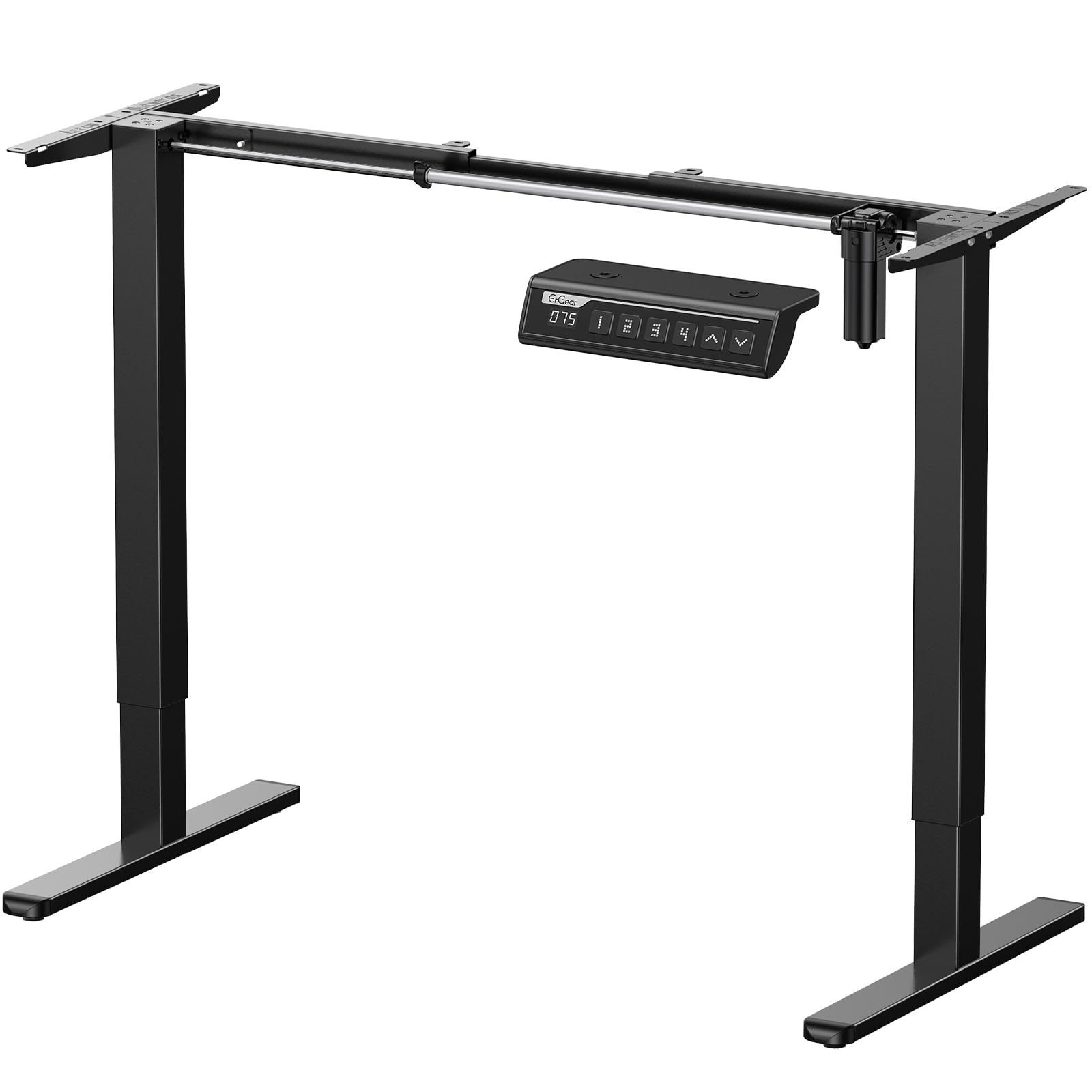
A frame-only electric solution that gives full sit‑stand functionality for custom desktops, with memory presets and anti‑collision technology.
Why I picked it: I appreciated the flexibility to pick my own top and the quiet dual-motor action for a lower price than many complete electric desks.
Best for: People who want a sturdy, programmable frame and plan to use a custom desktop or repurpose an existing tabletop.
A budget-friendly frame option — cheaper than full desks but requires buying or making a top.
Pros
- Wide height range
- 4 memory presets
- Supports up to 176 lbs
- Anti-collision safety
- Quiet operation
Cons
- Frame-only; needs a desktop
- Noticeable wobble at full extension
- Smaller feet can affect stability
My take
I put a heavy wood top on this frame and it handled the weight without straining the motors; the lift was smooth and the memory presets saved me a lot of fiddling.
Assembly was straightforward and the labeled hardware keeps the process from getting confusing — I still recommend a second person when you mount a large tabletop.
At maximum extension I noticed a slight wobble, especially when centered oddly, so I moved the legs for a better balance and that reduced movement noticeably.
For anyone who wants a custom surface without paying full desk premiums, this frame gave me the most flexibility for the money.
5. VIVO Ultra-Slim Single Top Height Adjustable Desk Riser — Compact 26" Sit-Stand Converter – Best for Tight Spaces
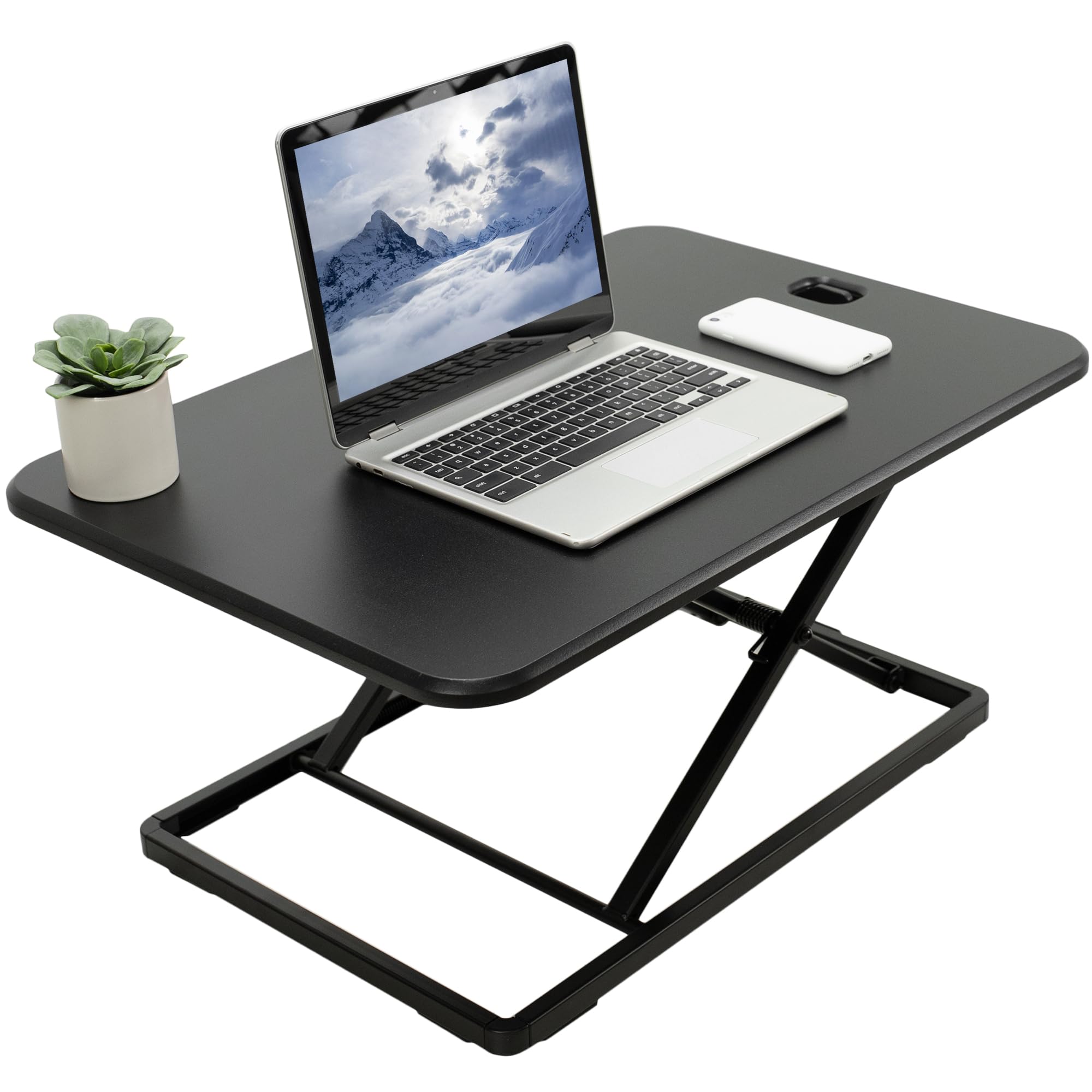
A slim single-top riser that’s ready out of the box and designed for small desks where a compact footprint matters more than large surface area.
Why I picked it: Its ultra-slim profile and preassembled convenience made standing simple on my smaller work surface.
Best for: Small desks, laptop users, or anyone who needs a compact riser to stand more often.
An affordable, space-conscious choice for squeezing standing time into a small workspace.
Pros
- Ultra-slim footprint
- No assembly required
- Smooth, intuitive adjustment
- Five lockable heights
- Great value
Cons
- Limited weight capacity
- Feels cramped with full keyboard+mouse
- Not ideal for dual monitors
My take
I loved how quickly I could raise and lower this riser — the spring action is intuitive and easy to control as I switched positions throughout the day.
It’s small enough that I could use a walking pad under my desk and get thousands more steps without reconfiguring my setup.
Be mindful of the surface width: with a full-size keyboard and mouse the space can feel tight, so I recommend measuring your peripherals before you buy.
For a compact, budget-friendly way to stand more often, this is the riser I keep in my small home office rotation.
6. FlexPro Hero Corner 37" Standing Desk Converter — 2-Level Sit-to-Stand Workspace for Cubicles & L-Shaped Desks – Best for Corners & L-Shaped Desks
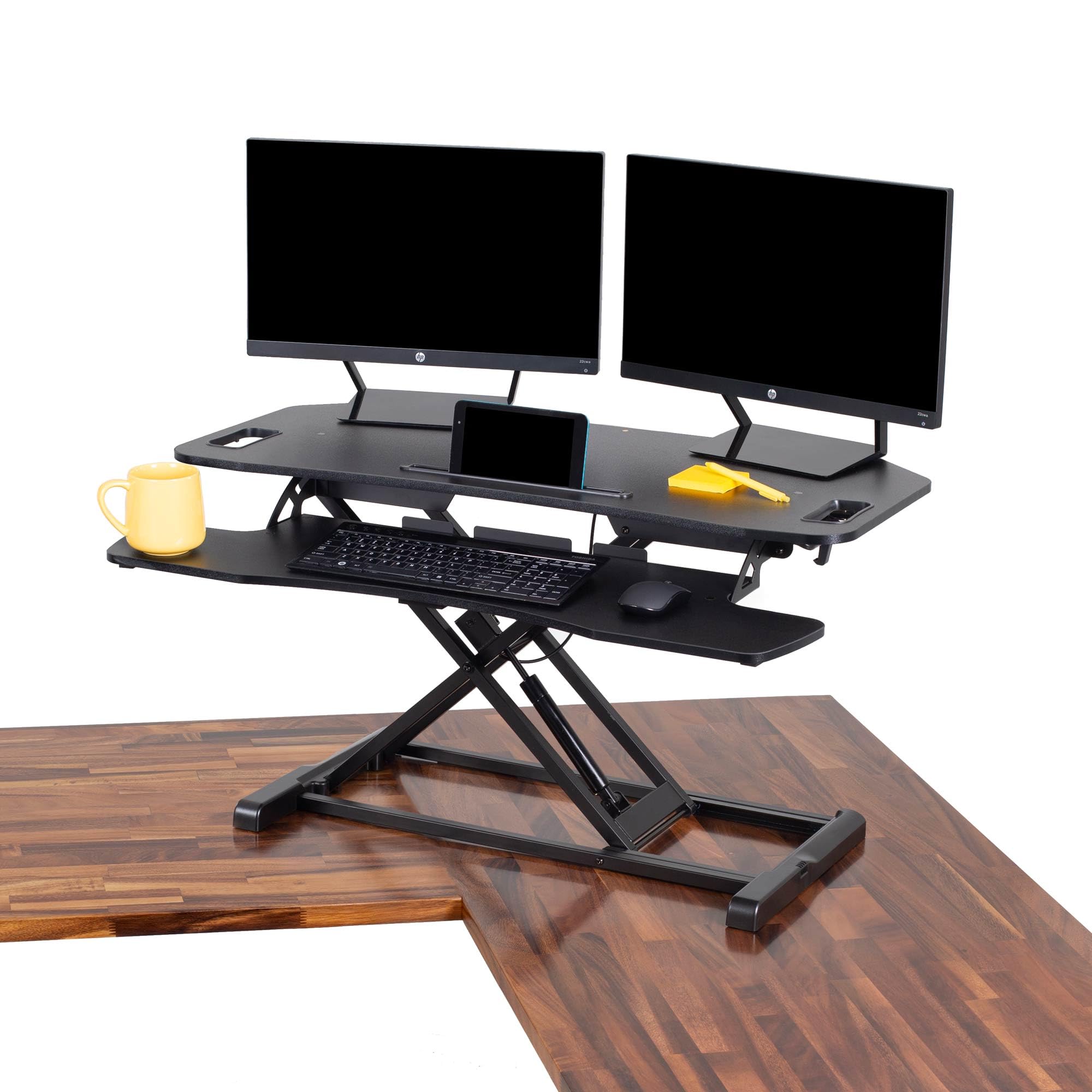
A corner-friendly two-level converter that fits shallow or L-shaped desks, with a hydraulic pump for smooth height changes and a roomy top surface.
Why I picked it: It made the tight front-desk area usable and gave me a large, ergonomic surface without replacing the entire workstation.
Best for: Cubicles, L-shaped desks, or work surfaces with shallow depth where a standard converter won’t fit.
A reasonably priced corner converter that balances surface area and lift performance.
Pros
- Designed for corner spaces
- Hydraulic, smooth lift
- Large 37" surface
- Phone/tablet slot included
- Easy assembly
Cons
- Not sturdy enough for leaning
- Limited weight capacity for heavy setups
- Keyboard tray needs attaching
My take
I used this on a front-desk workspace with limited depth and the converter fit where others wouldn’t — it gave me more usable surface area and a proper keyboard shelf.
The hydraulic pump made height changes effortless and I could lock the unit in several positions; it rises straight up and down rather than in an arc, which I liked for corner placement.
While it’s stable for monitors and a laptop, I wouldn’t use it as a leaning surface during conversations — it’s not built to take full body pressure.
If you need a corner-friendly sit‑stand option that expands usable desk area, this unit worked nicely for my cubicle and L-desk layouts.
How I Choose a Standing Desk or Converter
Primary decisions I made before buying
I always decide whether I want to convert my existing desk or replace it entirely. Converters keep your current surface and require no power, while electric desks replace the tabletop and give a wider height range and presets.
Think about how often you’ll switch positions. If I plan to move multiple times per hour I favor electric desks or spring-assisted converters with easy access handles.
- Converter vs full desk: converters = quick setup; full desks = long-term solution
- Weight capacity matters: add up monitors, arms, and accessories
- Footprint and desk depth: measure before you buy
Features I prioritize during hands-on testing
Stability at standing height is my top concern — a wobbly platform ruins the experience. I check performance both empty and loaded with typical gear.
I also measure noise and smoothness when the unit moves. Quiet, deliberate motion won’t interrupt calls or concentration.
- Height range and stops: ensure the desk reaches your ergonomic standing height
- Adjustment mechanism: electric, spring-assisted, or hydraulic depending on convenience
- Build quality: steel frames and thick tabletops reduce flex
Installation and setup tips I use
I always clear my desk and measure both width and depth before ordering. For frame kits, I factor in two people to place the tabletop.
If a desk doesn’t include cable management, I plan a separate tray or clips to avoid a messy underside after assembly.
- Have a friend help with heavy tabletops
- Buy a cable tray or clips if not included
- Test presets and adjustments right after setup to confirm balance
Frequently Asked Questions
Can a converter support two monitors?
Yes — I’ve used the larger two-tier converters to support two monitors comfortably, but I always verify the unit’s weight capacity and surface width before stacking heavier displays.
Do I need a special desk top for a frame-only system?
You can use many kinds of tabletops; I recommend a thick, rigid top that won’t sag under load and to pre-drill mounting points so assembly is smooth.
How often should I switch between sitting and standing?
I switch roughly every 30–60 minutes while testing; short, frequent intervals keep my legs and back from stiffening more than long standing sessions.
Final Take
After trying converters, frame kits, and full electric desks, I kept coming back to solutions that matched my space and how often I change positions.
If you want to keep your existing desk, a two-tier converter like the Vari models gives the best blend of stability and ergonomics. For a full replacement, the Vari Classic electric desk felt like the upgrade I’d keep for years.
Measure your space, decide whether you want a bespoke top or a ready-to-go unit, and pick the option that makes standing feel effortless — that’s what kept me standing at my desk more days than not.
