
I tested six popular computer desks to find reliable options for tight spaces, gaming corners, foldaway setups, and larger workstations. Here are the desks I kept coming back to and why.
I’ve spent time assembling and using each desk in this roundup, so I can speak to how they perform in real rooms and real setups.
Whether I needed a compact writing surface, a corner gaming station, or a foldaway option for a tiny apartment, I focused on stability, ease of setup, and overall value.
Below I break down what each desk does best, the tradeoffs I encountered, and which model I reached for most often.
If you want a compact, single‑surface desk pick the SHW Mission; if you need corner space for multiple monitors, the Homall L‑shaped desk worked best for me. Foldable desks like the Need and WOHOMO are ideal when storage and quick setup matter.
1. SHW Mission 40‑Inch Home Office Computer Desk, Black – Best Compact Workstation
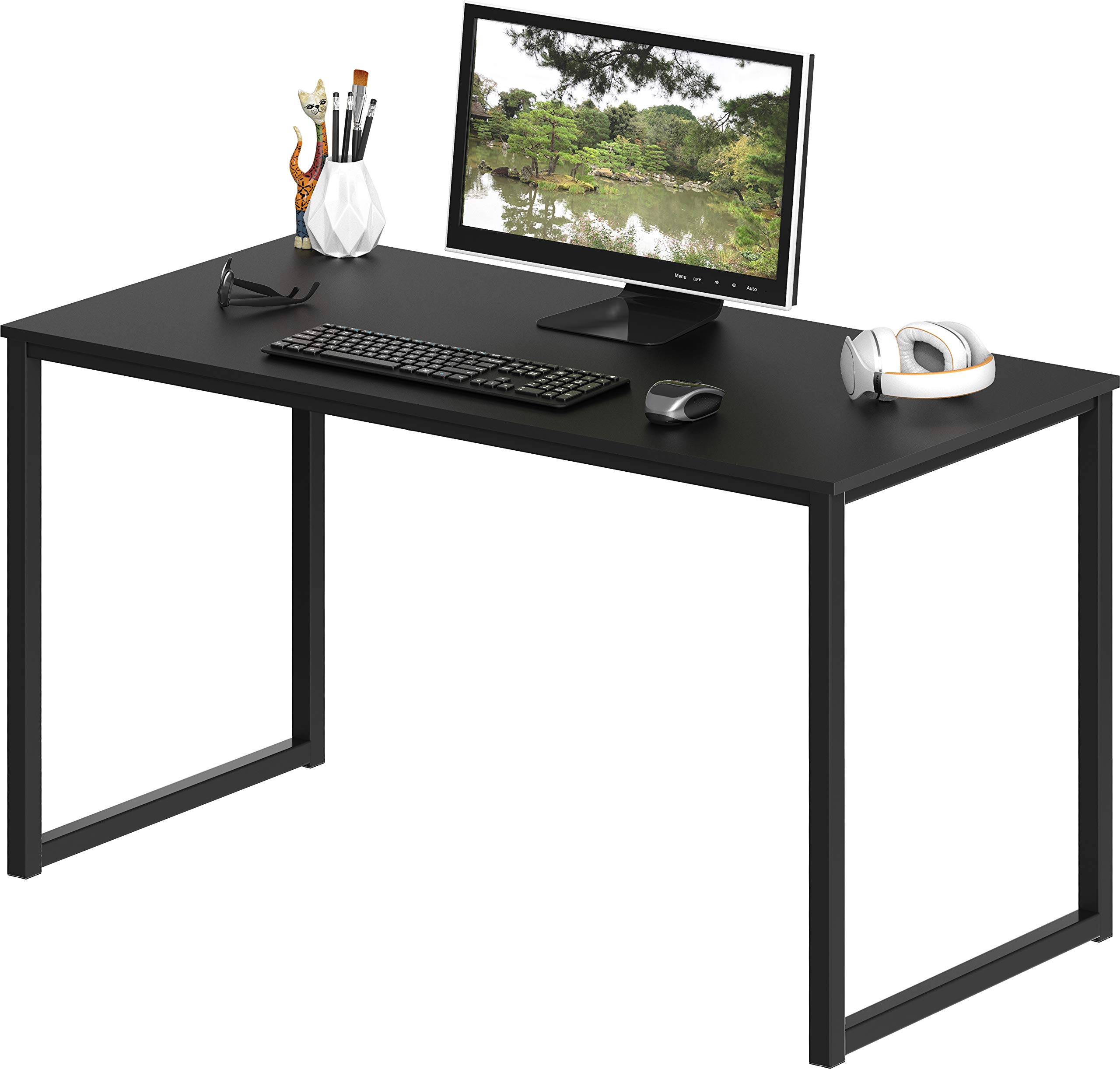
A compact, sturdy 40‑inch desk with a mission‑style look that fits small home offices and dorms.
Why I picked it: Easy assembly, solid steel frame, and a space‑saving 40‑inch top.
Best for: Small rooms, students, and secondary home office stations.
Affordable value for a durable starter desk.
Pros
- Very quick assembly
- Sturdy powder‑coated steel frame
- Clean mission‑style lines
- Compact but usable surface
- 5‑year limited warranty
Cons
- Single fixed height
- Engineered wood top, not solid
- Shows fingerprints on dark tops
My take
I assembled this desk in under ten minutes and appreciated that every piece fit cleanly with minimal fuss.
The steel frame gives the surface a surprising level of rigidity for the size, and it handled my laptop, monitor, and a few accessories without flexing.
The mission‑style aesthetic kept my small office looking tidy rather than cluttered—this is a desk you can keep permanently in a tight space.
My only real quibbles are the single fixed height and that the black top shows fingerprints and smudges more than lighter finishes, so plan for occasional wipe‑downs.
2. Homall L Shaped Gaming Desk, Black 47 Inch – Best for Corner Setups
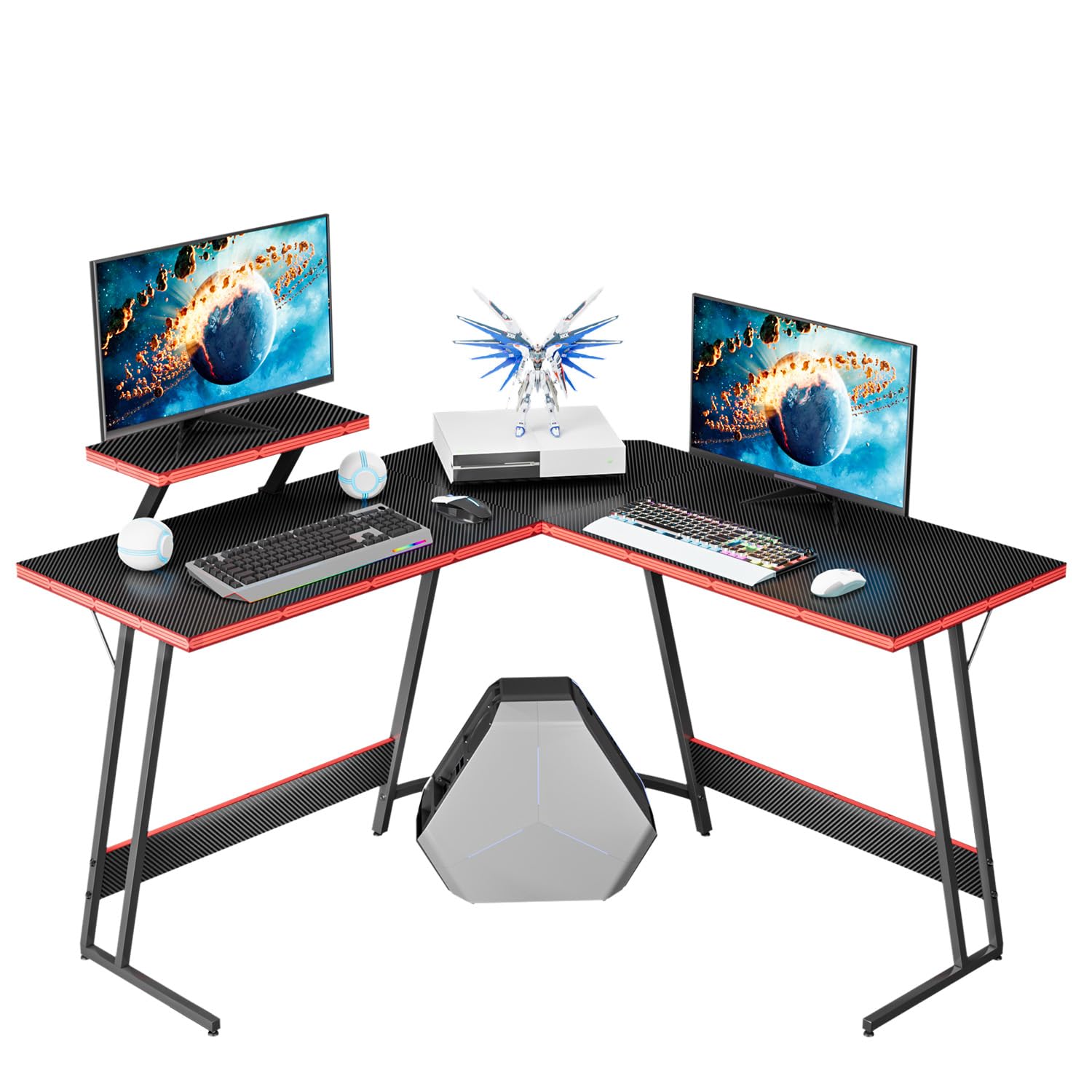
A roomy L‑shaped gaming desk with a glossy carbon‑style finish and a detachable monitor riser.
Why I picked it: Generous corner surface and gamer‑friendly extras like a monitor stand.
Best for: Gamers, streamers, and multi‑monitor desktops.
Budget‑friendly for an L‑shaped gaming desk.
Pros
- Large corner footprint
- Detachable monitor riser included
- Carbon‑fiber finish looks premium
- Adjustable footpads for leveling
Cons
- Not rock‑solid under heavy loads
- Assembly takes longer
- Some shake without wall support
My take
When I set this in a corner it freed up the center of the room and gave me more real estate for monitors and peripherals.
The carbon‑fiber style surface looks glossy and holds up well to mouse movement and daily use, and the detachable monitor riser was handy for lifting my main display.
Assembly required more time than the simple desks, but the result felt well thought out: cable routing, extra shelf options, and levelers on the feet improved day‑to‑day use.
If you plan to lean on the desk heavily or mount very large monitors, I’d secure it to the wall; for most typical gaming setups it felt more than adequate.
3. Need Computer Desk Folding Table, 39 Inch, Black – Best No‑Assembly Foldable Desk
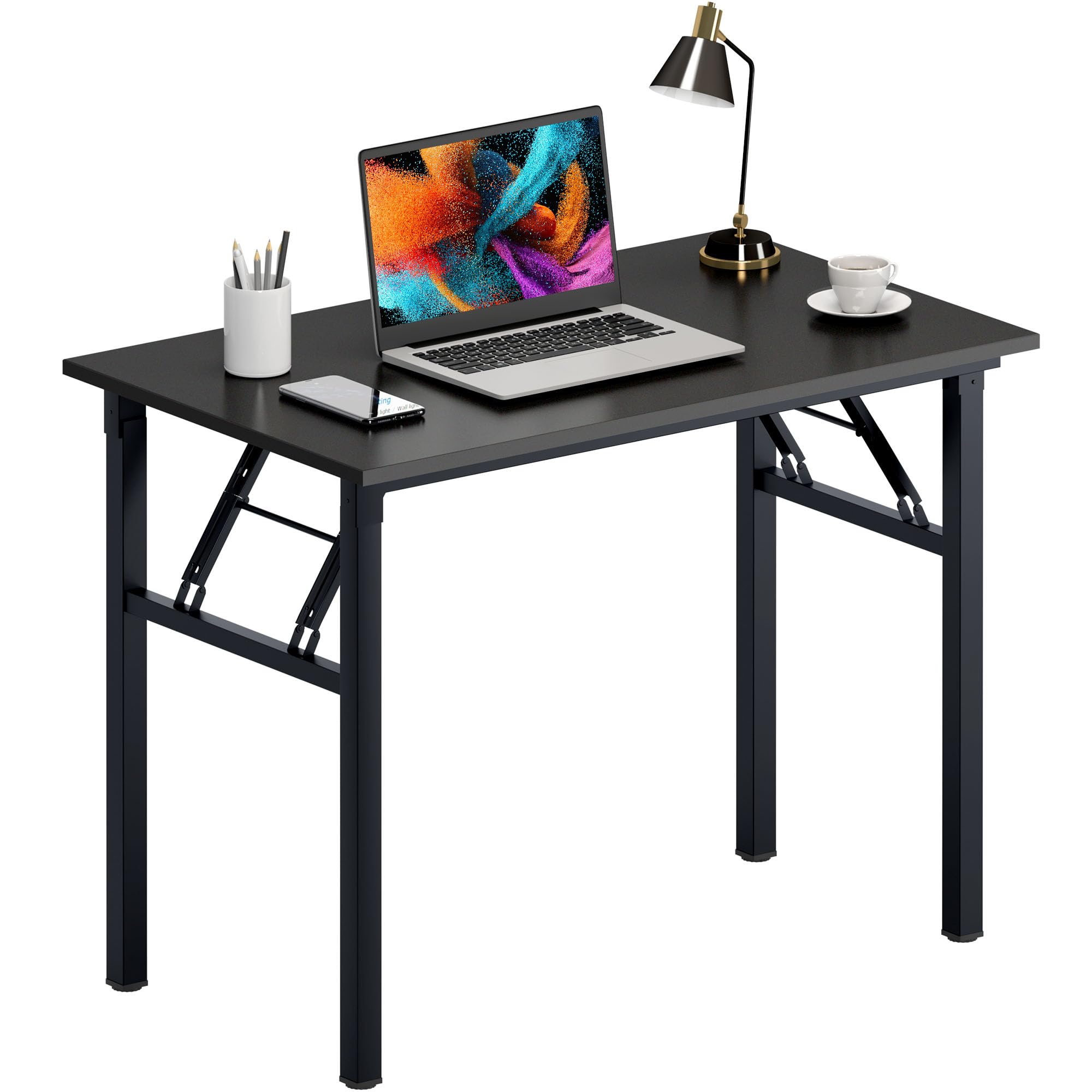
A fully assembled folding desk that collapses to a slim profile for easy storage.
Why I picked it: Ready‑to‑use out of the box and folds flat for storage.
Best for: Tiny apartments, multipurpose rooms, and temporary workstations.
Midrange for a ready‑to‑use folding desk.
Pros
- No assembly required
- Folds to just over 3 inches thick
- 300 lb load capacity
- Thick, scratch‑resistant top
Cons
- Heavy to move for one person
- May wobble freestanding
- Limited desktop area
My take
I loved the instant‑use experience—upright and ready without tools—and the folding action is smooth and solid.
The desk folds to a very slim profile that slides neatly behind doors or under beds, which solved my storage problem in a studio apartment.
Build quality felt reassuring: a thick top and beefy steel tubing, and it carried a surprising amount of weight for its size.
It’s fairly heavy to relocate once out of the box, and I found it most stable when placed against a wall rather than used completely freestanding.
4. PayLessHere 32 Inch Computer Desk, Brown – Best for Tight Spaces
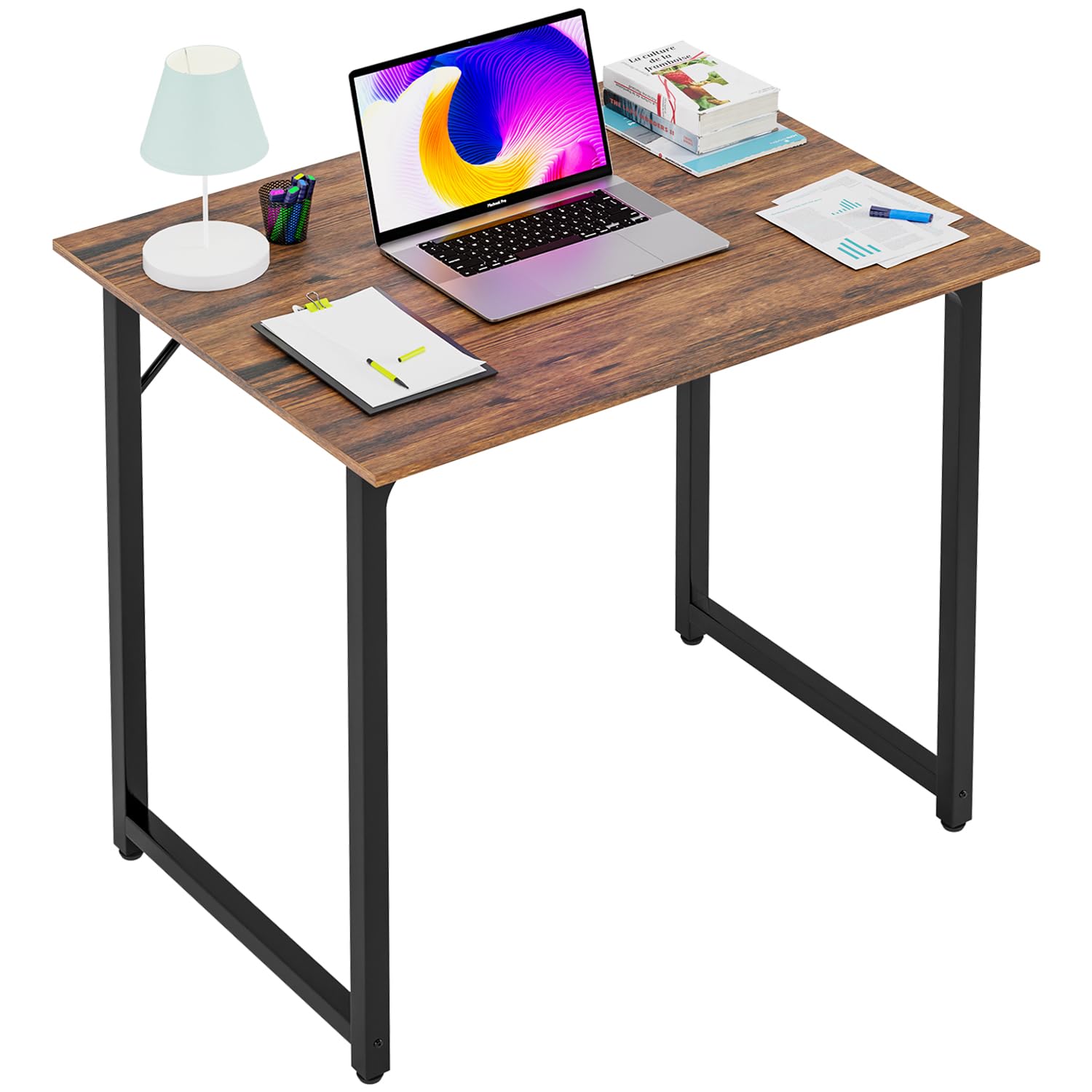
A compact 32‑inch desk with a reinforced frame, adjustable feet, and a scratch‑ and water‑resistant surface.
Why I picked it: Extremely compact footprint with solid build and adjustable leveling feet.
Best for: Students, dorms, and cramped work nooks.
Very affordable small‑space option.
Pros
- Adjustable anti‑slip feet
- Scratch‑resistant, water‑friendly surface
- Triangular support for stability
- Quick, straightforward assembly
Cons
- Height a bit taller than some listings
- Limited surface for multiple monitors
My take
I put this desk together in minutes and appreciated the adjustable feet that let me eliminate wobble on uneven floors.
For a compact surface it feels very solid—the triangular metal brace does real work keeping things steady when I type or move equipment.
One important detail: the height measures closer to 30–30.7 inches in my measurement, so if you’re matching desks for an exact level, plan accordingly.
Overall, it’s a practical, attractive solution when space is at a premium and you still want a durable surface.
5. Teraves Computer Desk, 47.24 Inch, Beige + White Frame – Best for Larger Setups
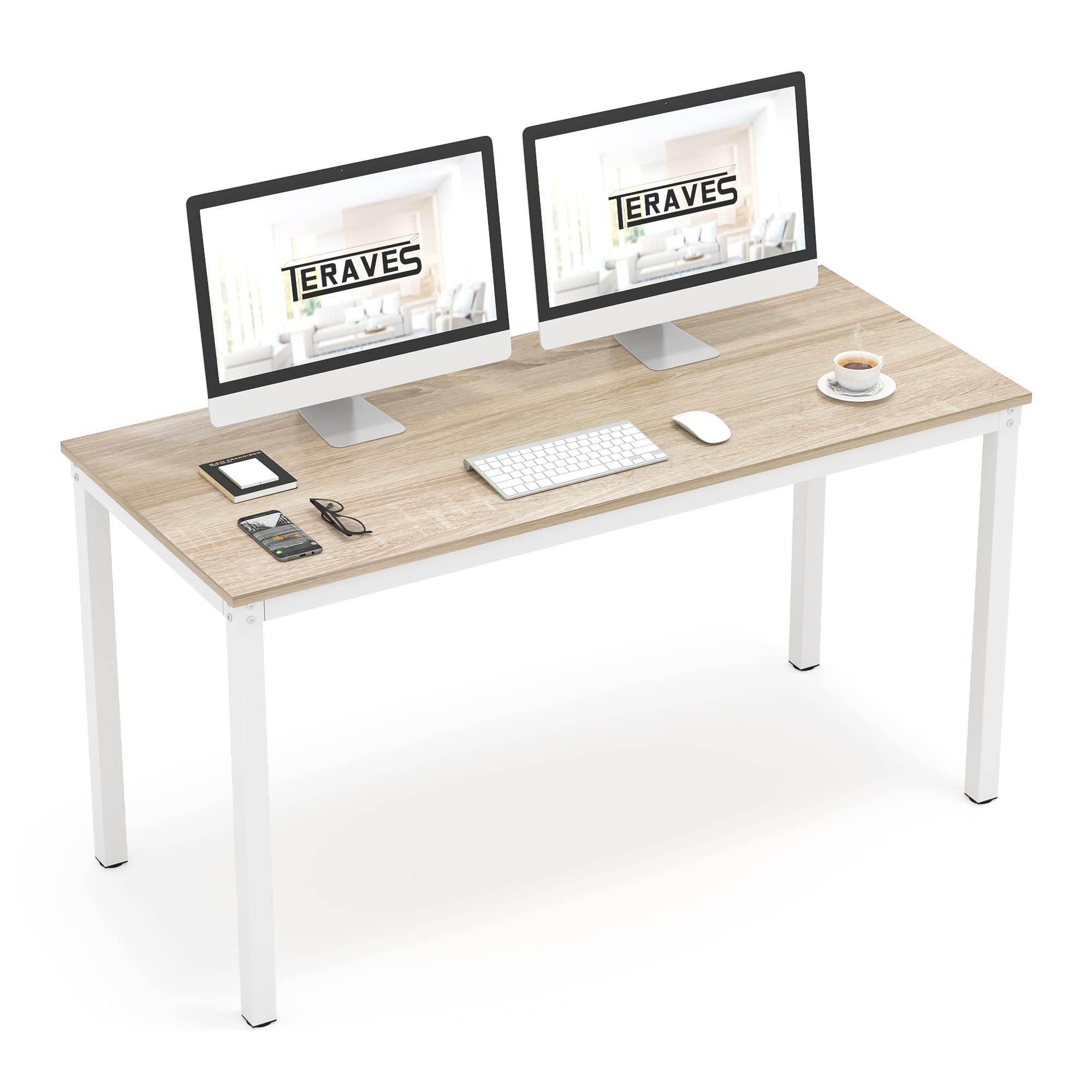
A wider desktop with robust metal legs and a glossy, waterproof surface that doubles as a dining or work table.
Why I picked it: Generous surface area and sturdy metal leg construction.
Best for: Dual‑monitor setups and multifunction rooms.
Reasonably priced for a large, sturdy desk.
Pros
- Plenty of surface for two monitors
- Thick metal legs for good stability
- Waterproof, glossy finish
- Fast, simple assembly
Cons
- Particle board can scratch over time
- Screw alignment can be fiddly
My take
I chose this desk when I needed a long, narrow surface for multiple displays and paperwork, and it delivered a roomy footprint without feeling bulky.
The four thick metal legs and adjustable pads kept the desk rock steady on my hardwood floors, and the assembly was a breeze—just a few screws and you’re done.
The high‑gloss particle board looks sleek and cleans easily, but I did notice it can show scratches more readily than thicker wood alternatives.
For my larger setups and multifunction uses—home office, dining, or crafts—this desk strikes a good balance of size and stability.
6. WOHOMO Folding Desk, 31.5 Inch, Oak – Best Portable Foldaway Option
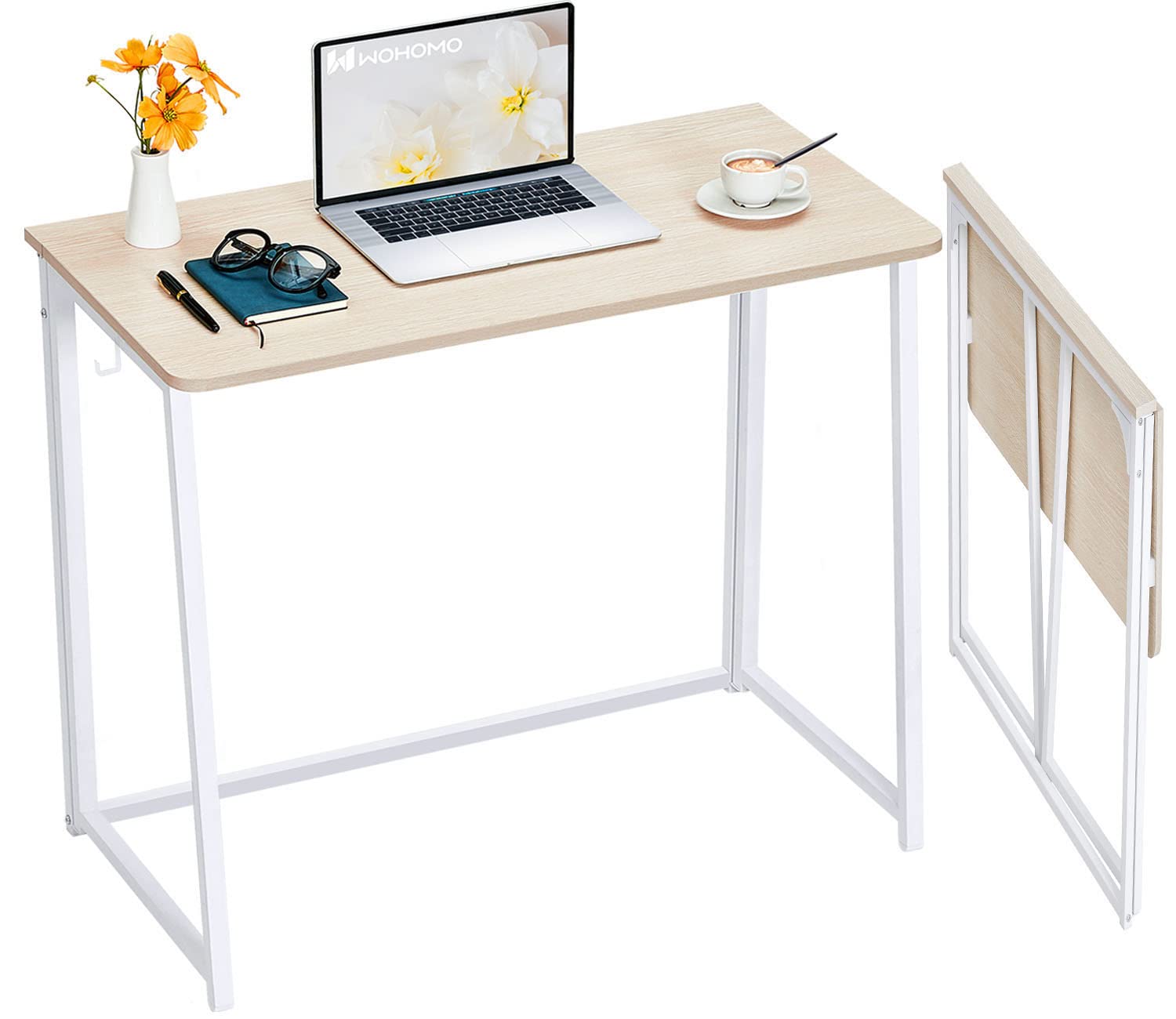
A lightweight, slim folding desk that tucks away easily and works well in tiny living spaces or RVs.
Why I picked it: Very slim folded profile and light enough to move around easily.
Best for: Mobile living, RVs, and temporary workstations.
Budget‑friendly choice for portability.
Pros
- Ultra‑slim when folded
- Lightweight and portable
- Nylon buckle for fast setup
- Triangle supports improve stability
Cons
- Not meant for heavy equipment
- Smaller work surface area
My take
This desk was my go‑to when I needed a workstation that I could fold and hide away in seconds.
The nylon buckle system makes unfolding quick and the triangular supports do a surprisingly good job keeping the surface steady while I work.
Because it’s light, moving it between rooms or into an RV was effortless, but I wouldn’t load it with heavy monitors or gear.
For people who need a temporary or portable desk that still feels solid, this one fit the bill.
How I Pick Desks: Key Things I Checked
Measure Your Space First
I always measure the footprint where the desk will live before anything else.
A desk that looks right online can crowd a room if you don’t account for chair clearance and walking space.
- Allow at least 24 inches depth for a monitor and keyboard.
- Leave 30–36 inches of clearance behind a chair for comfortable movement.
- For corner desks, measure wall lengths to ensure a true fit.
Material and Build
I prioritize a metal frame or reinforced support if I expect heavy use.
Particle board tops are fine for value setups, but expect more surface wear over years.
- Powder‑coated steel frames resist wobble and corrosion.
- Thicker tops reduce sag when supporting monitors or printers.
- Water‑resistant finishes make cleaning easier.
Assembly and Portability
If I need the desk to move or be stored, folding or no‑assembly designs beat anything that needs long installs.
For permanent desks, I look for clear instructions and labelled parts.
- Choose foldable or preassembled desks for multiuse spaces.
- Check for included levelers if your floors aren’t perfectly flat.
- Consider weight—lighter desks move easily but may sacrifice load capacity.
Stability and Ergonomics
A desk that wobbles ruins productivity; bracing and triangular supports matter.
Match desk height to your chair or look for adjustable options to improve posture.
- Triangular or cross braces add meaningful stiffness.
- Adjustable feet give a quick fix for uneven floors.
- If pairing two desks, check exact height measurements before buying.
Frequently Asked Questions
Which desk is best if I need to save floor space?
I recommend the Need folding desk or the WOHOMO model because both fold flat and tuck away; the Need comes fully assembled while the WOHOMO is lighter to move.
Can these desks support dual monitors?
Yes—desks with wider surfaces like the Teraves and the Homall L‑shaped desk handled my dual‑monitor setups comfortably, while the smaller 32‑ and 40‑inch models are better for a single monitor plus laptop.
Are the folding desks stable for everyday use?
They’re stable when used as intended—against a wall or with minimal heavy load. The Need model has a high load capacity and felt most robust; WOHOMO works well for light daily tasks and portable setups.
How difficult is assembly?
I found the SHW and PayLessHere desks assembled in minutes, the Teraves and Homall took a little longer but were straightforward, and the Need desk required no assembly at all.
Final Take
I kept the SHW Mission on hand for compact, everyday work and reached for the Homall when I needed corner real estate for gaming or streaming.
If storage and instant setup matter, the Need folding desk gave me the best no‑assembly experience, and the WOHOMO was unbeatable for portability.
For larger, more permanent workstations, the Teraves combined size and stability well, while the PayLessHere desk solved tight‑space needs without fuss.
