
I tested six L-shaped desks across gaming and home-office use. These picks balance stability, surface area, useful extras, and straightforward assembly.
I spent time assembling and using each desk in real home and gaming setups so I could compare stability, usable surface area, and practical extras like monitor risers or storage.
My focus was on desks that make corners work harder—whether that meant a roomy surface for dual monitors, integrated storage for office clutter, or gamer-focused features like RGB lighting and cup holders.
Below I explain where each desk shines and where it’s worth exercising caution so you can choose the right shape and feature set for your space.
When comparing these models I prioritized usable tabletop area, build feel (frame and desktop), extras that affect everyday workflow, and how easy the desk was to assemble and move into place.
1. Mr IRONSTONE Gaming Desk with LED Lights, L Shaped Desk Corner with Cup Holder & Headphone Hook, Computer Desk Home Office Desks with Large Monitor Stand, Carbon Fiber Surface, Black 51 Inch – Best for RGB Gaming
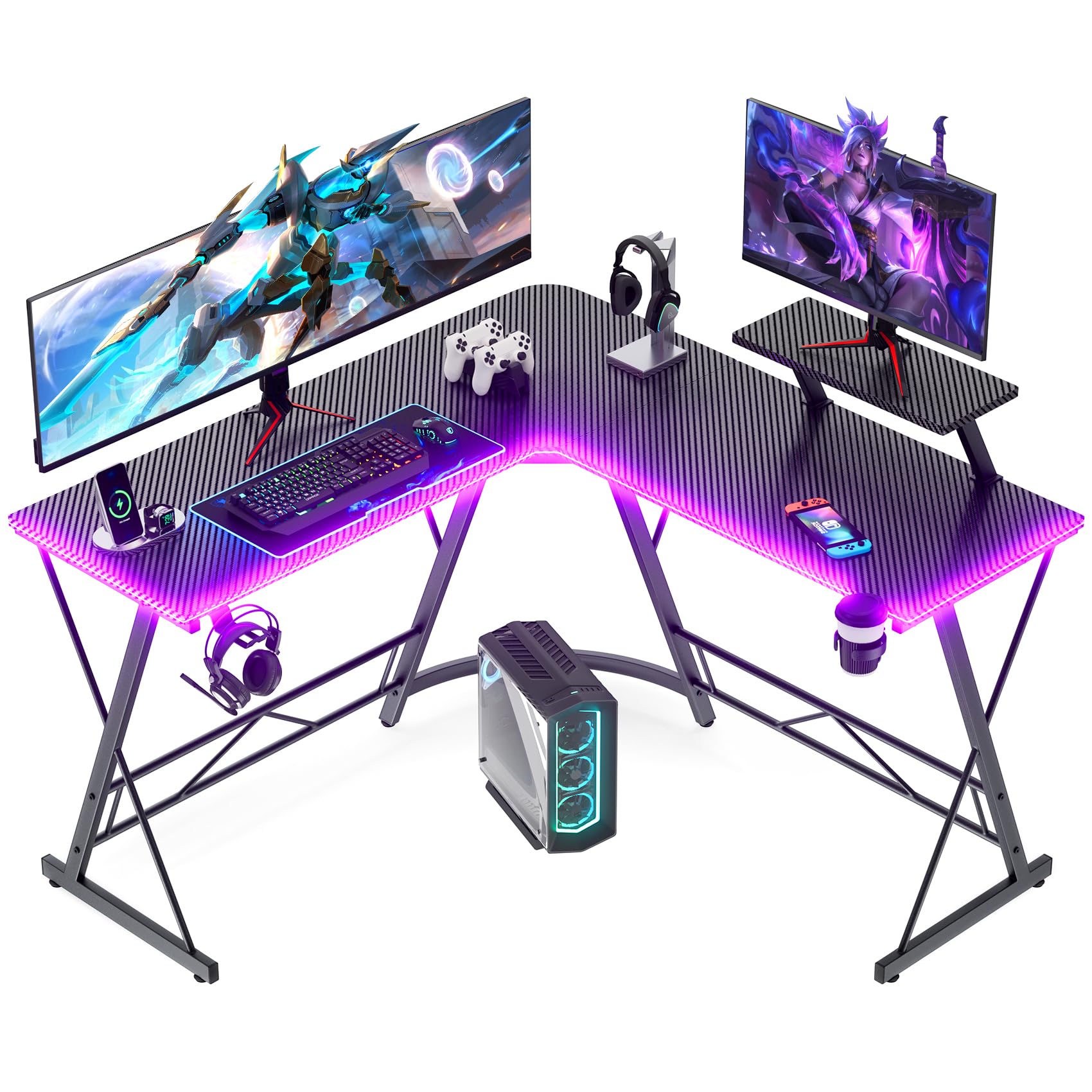
A budget-friendly gaming L-desk with phone-controlled RGB, practical accessories, and a surprisingly sturdy frame.
Why I picked it: Phone-controlled RGB, built-in cup holder and headphone hook, and a solid X-frame that resists wobble.
Best for: Gamers who want an immersive setup with lighting and accessories without spending a lot.
Very affordable, strong value for gamer features.
Pros
- Phone-controlled RGB lighting
- Cup holder and headphone hook included
- Sturdy X-shaped metal legs
- Spacious corner desktop
- Smooth carbon-fiber surface
Cons
- Assembly can be fiddly
- Occasional cosmetic chips if misaligned
My take
I set this desk up in my gaming corner and the first thing I enjoyed was the RGB lighting—controllable from my phone and flexible enough to match the rest of my setup.
The included cup holder and headphone hook actually made a meaningful difference in clearing clutter from the desktop, and the long monitor shelf is handy for smaller speakers or webcams.
The desktop feels smooth under the mouse and the carbon-fiber surface wipes clean easily after snacks or spills.
Structurally the X-shaped legs give real confidence; I’ve loaded monitors, peripherals, and speakers without any noticeable wobble. The listing claims a high load capacity and the frame delivers for typical multi-monitor setups I tested on it. That said, a misaligned screw during my first assembly caused a small chip in the edge—so I recommend patience and a partner for faster, safer assembly.
2. Homall L Shaped Gaming Desk Computer Corner Desk PC Gaming Desk Table with Large Monitor Riser Stand for Home Office Sturdy Writing Workstation (Black, 51 Inch) Black 51 Inch – Best for Simple Gaming Setups
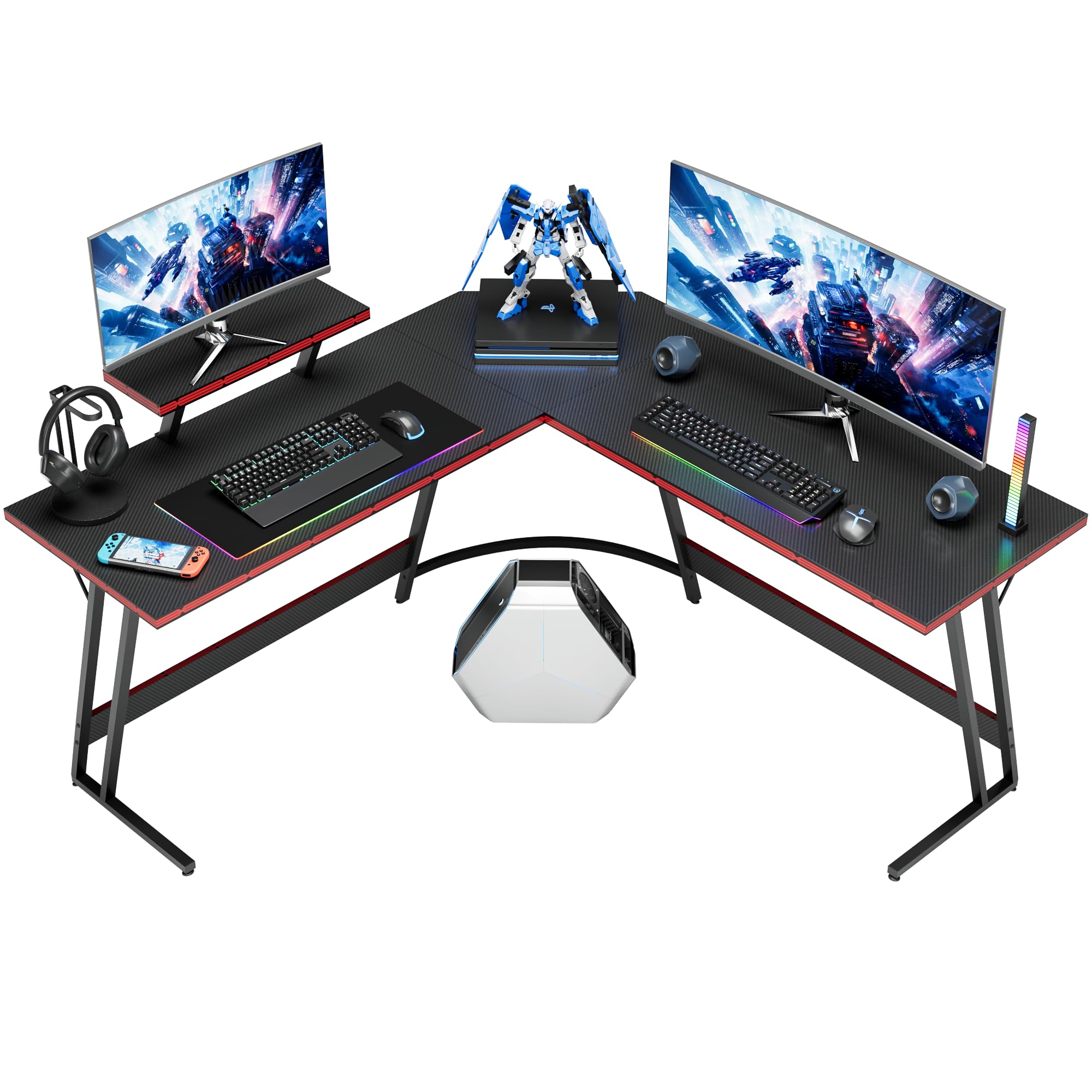
A straightforward corner gaming desk with a carbon-fiber finish and a detachable monitor riser that maximizes usable surface.
Why I picked it: Large gaming surface, detachable monitor riser, and an attractive carbon-fiber finish.
Best for: Students and streamers who need a roomy corner desk on a tight budget.
Budget-friendly option with gamer styling.
Pros
- Detachable monitor riser included
- Sleek carbon-fiber surface
- Makes corner space feel larger
- Easy to assemble
Cons
- Not the sturdiest off the bat
- May need wall anchoring
My take
I appreciated how roomy the Homall surface felt right away—the two-panel layout uses corner space efficiently so monitors and peripherals don’t feel cramped.
The carbon-fiber finish gives the desk a cleaner, more premium look than its price would suggest, and the detachable monitor riser is a useful touch for raising screens without losing workspace underneath.
Assembly was straightforward and I had the desk functioning quickly. With heavier setups I noticed a little flex unless the desk was anchored or placed against a wall, so if you plan on intense typing or a large tower nearby, consider fastening it for extra stability.
Overall this one felt like a smart, inexpensive way to get a gamer-style, corner-friendly workspace that’s easy to live with.
3. SHW 51 x 51 Inches Vista L-Shaped Desk with Monitor Stand and Drawer, Black – Best for Home Office Organization
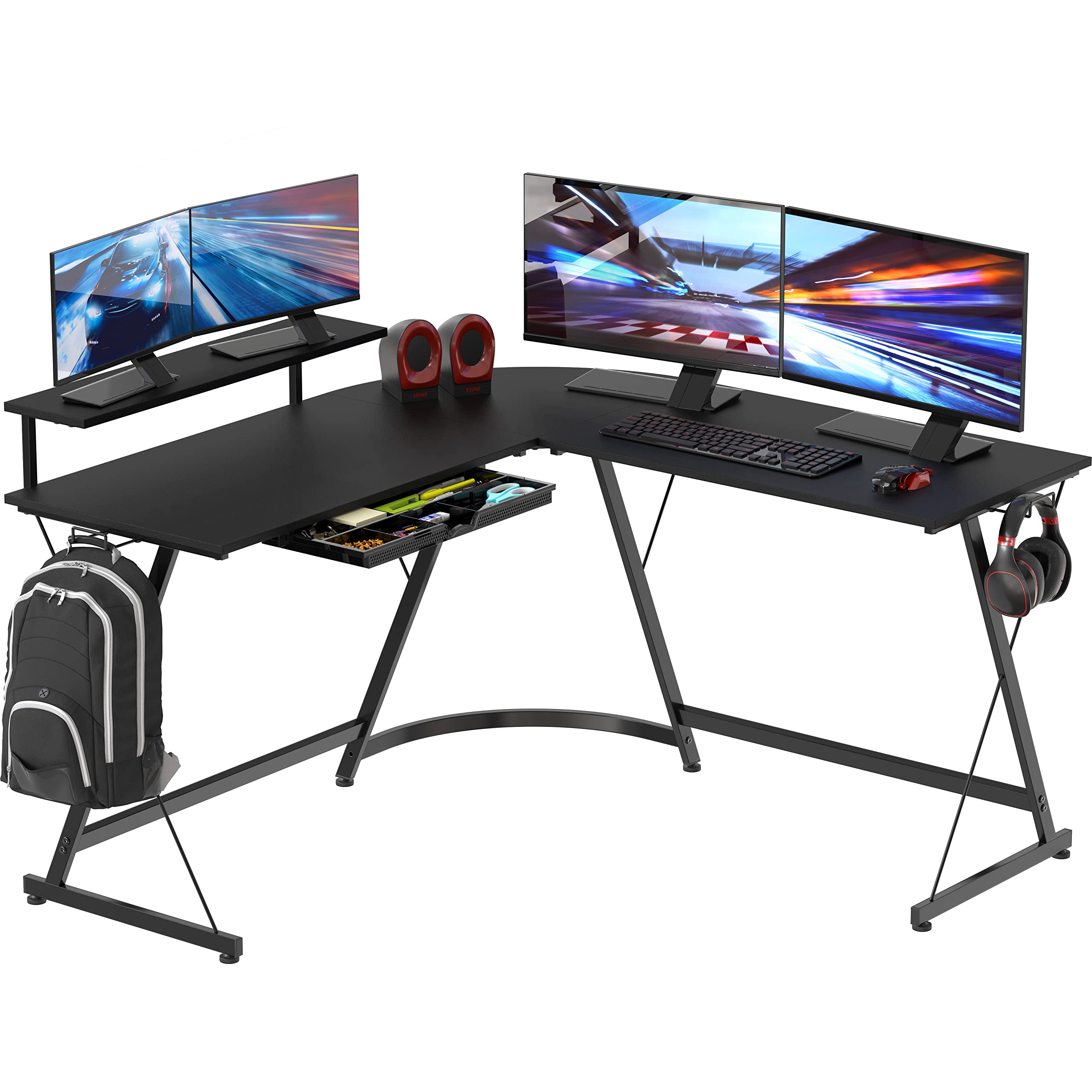
A compact, practical L-desk with a built-in monitor stand and a pull-out drawer for keeping small office items out of the way.
Why I picked it: Integrated monitor shelf and a storage drawer make everyday work neater.
Best for: Remote workers who want a tidy, ergonomically improved corner workspace.
Solid midrange choice for small-office use.
Pros
- Elevated monitor stand included
- Pull-out drawer for supplies
- Sturdy steel-frame construction
- Fits tight corners well
Cons
- Not huge desktop area
- Box may arrive scuffed
My take
I moved this desk into a tight home office and the built-in monitor shelf immediately improved my posture by raising the screen to eye level while freeing drawer space below.
The pull-out drawer is small but very practical for pens, chargers, and other bits that otherwise clutter the surface.
Assembly was easy enough for one person and the steel frame gives a reassuring, solid feel. The footprint is tailored to modest corners—if you need an expansive surface for large monitors or printers, note that this model is compact by design.
In short, I found it to be a neat, efficient solution for organizing a work-from-home setup without overfilling the room.
4. Mr IRONSTONE L Shaped Computer Desk: Corner Desk, Home Office Desk, Gaming Writing Workstation with Large Monitor Stand, Easy to Assemble (Rustic Brown,51 Inch) Rustic Brown 50.8" – Best for Easy Assembly
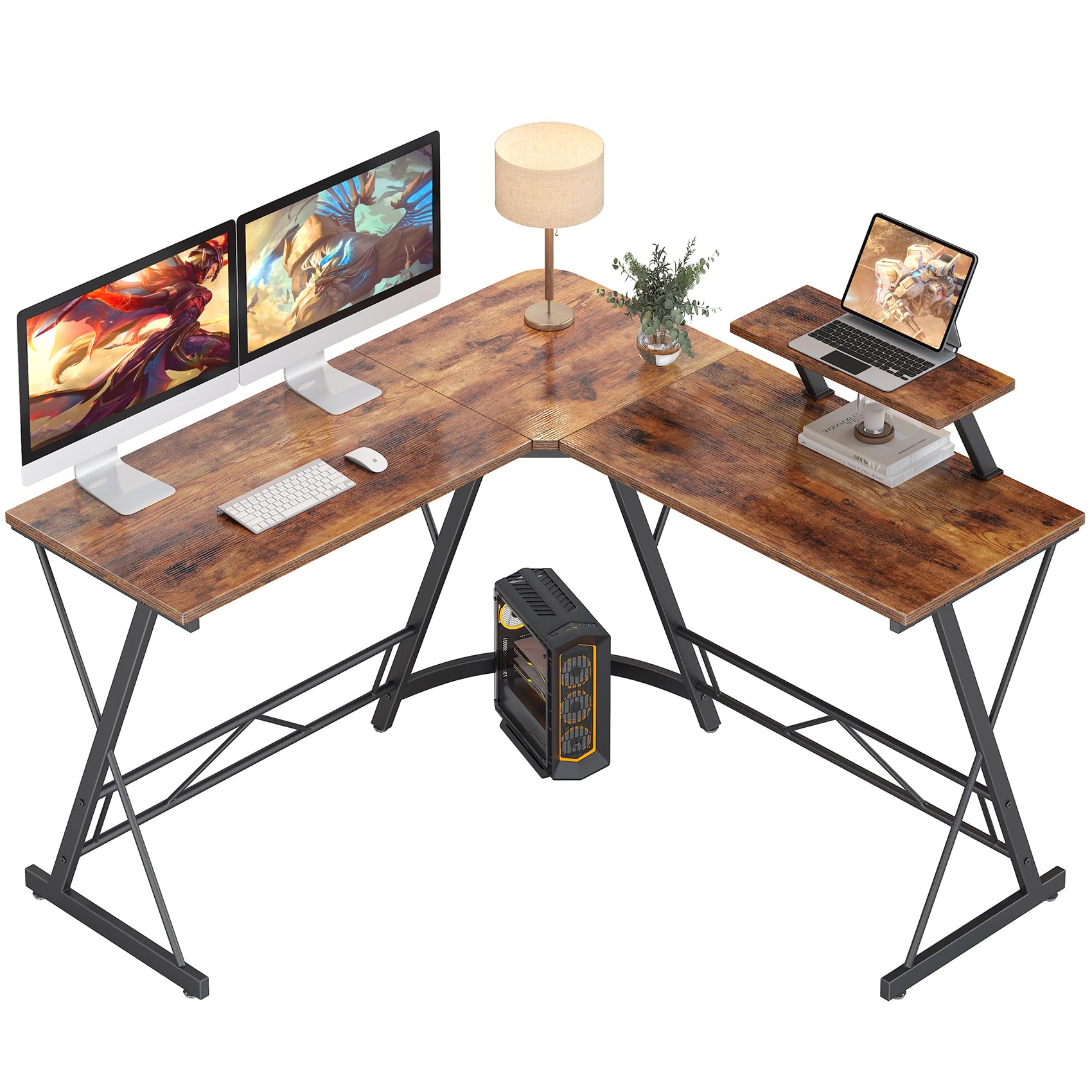
A rustic-finish L-desk that balances a quick, solo-friendly assembly with a sturdy metal frame and roomy surfaces.
Why I picked it: Clear instructions, quick assembly, and a decorative rustic finish make it appealing for small living spaces.
Best for: Anyone who needs a sturdy L-shaped desk they can build alone quickly.
Accessible midmarket price with roomy surfaces.
Pros
- Rustic woodgrain finish
- Fast, single-person assembly
- Strong metal frame
- Ample legroom
Cons
- May require disassembly to fit through tight doors
- Some screws need patience
My take
I assembled this desk inside a compact studio and appreciated how the parts lined up; the instructions were clear and I finished without help in under an hour.
The rustic finish gives the corner a warmer, more finished look than plain black panels and cleans up easily when spills happen.
The metal frame feels solid and the long monitor shelf is useful for putting speakers or small accessories. If your doorway or tight layout is an issue, build it where you intend to place it—trying to move the finished desk through an angled entry added extra work in my case.
Overall it’s a great balance of style, strength, and quick setup when you need a dependable corner workspace fast.
5. SHW 55 x 60 Inches Commercial-Grade L-Shape Corner Office Computer Desk, Espresso 55-Inch L-Shaped Espresso – Best Commercial-Grade Option
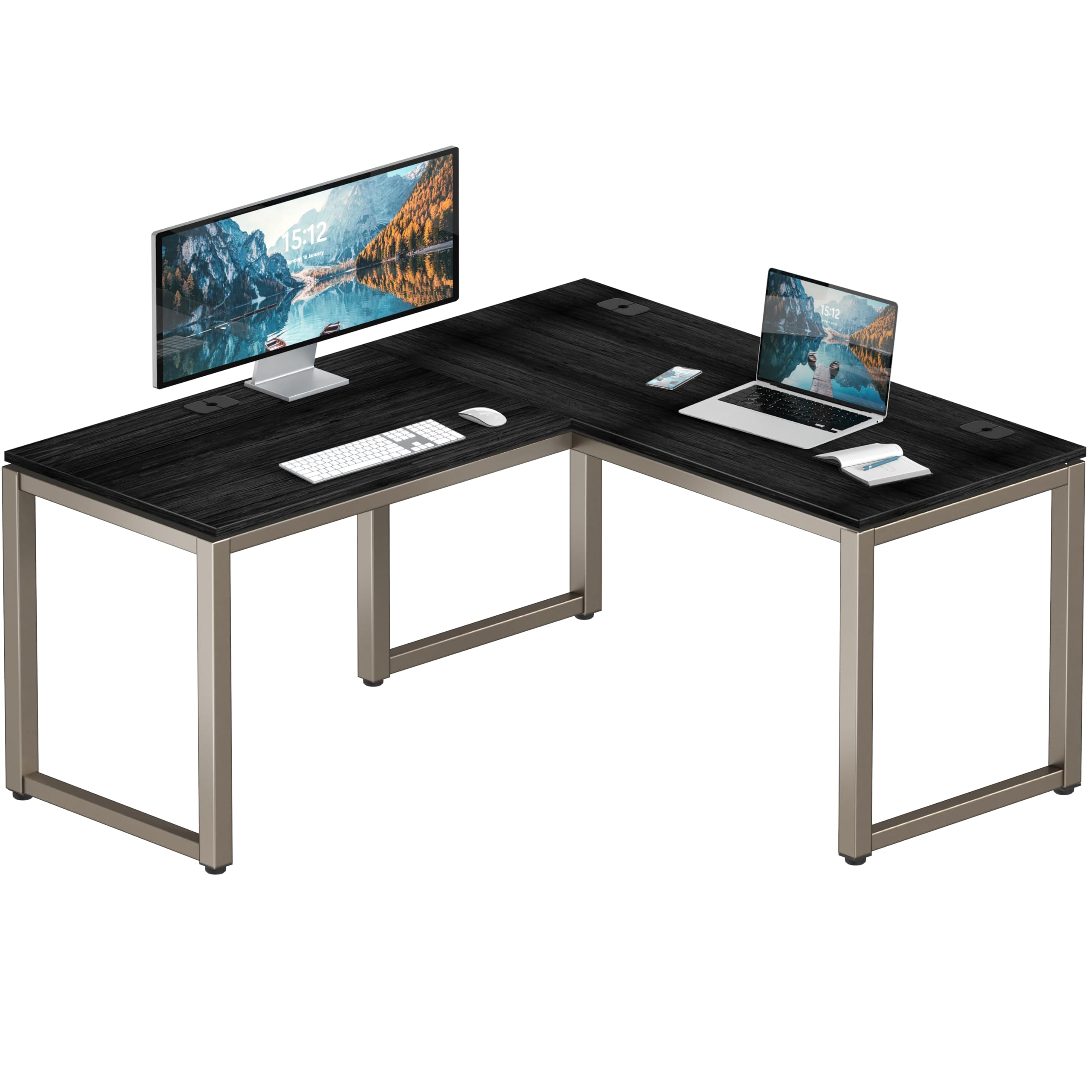
A heavy-duty L-desk with cable management grommets, adjustable glides, and a deeper desktop for larger setups.
Why I picked it: Deep work surface, three cable grommets, and a robust steel frame for heavier equipment.
Best for: Professionals who need a durable corner desk for heavier gear and long-term use.
Higher-end, durable commercial-style desk.
Pros
- Three cable grommets
- Adjustable floor glides
- Deep, roomy desktop
- Solid steel construction
Cons
- Heavy and bulky packaging
- Occasional shipping dents reported
My take
I’ve used this desk for a larger home office and the extra depth made a noticeable difference—printers, dual monitors, and paperwork fit without crowding the work area.
The three grommets helped me route cables cleanly so the desk surface stayed tidy, and the adjustable glides let me level the desk on my uneven floor.
It’s built like a commercial piece; the frame and tabletop feel durable and long-lasting. Do plan for a heavy box during delivery and inspect the surface after unboxing—some units arrive with minor cosmetic dings, though function isn’t affected in my experience.
If you want a workhorse corner desk that will stand up to regular heavy use, this one delivers.
6. Teraves Reversible L Shaped Desk with Large Surface, 69 Inch Sturdy Corner Desk with Storage Shelves, Premium Office Computer Desk Workstation for Home Office Gaming Black Oak – Best for Storage & Large Surface
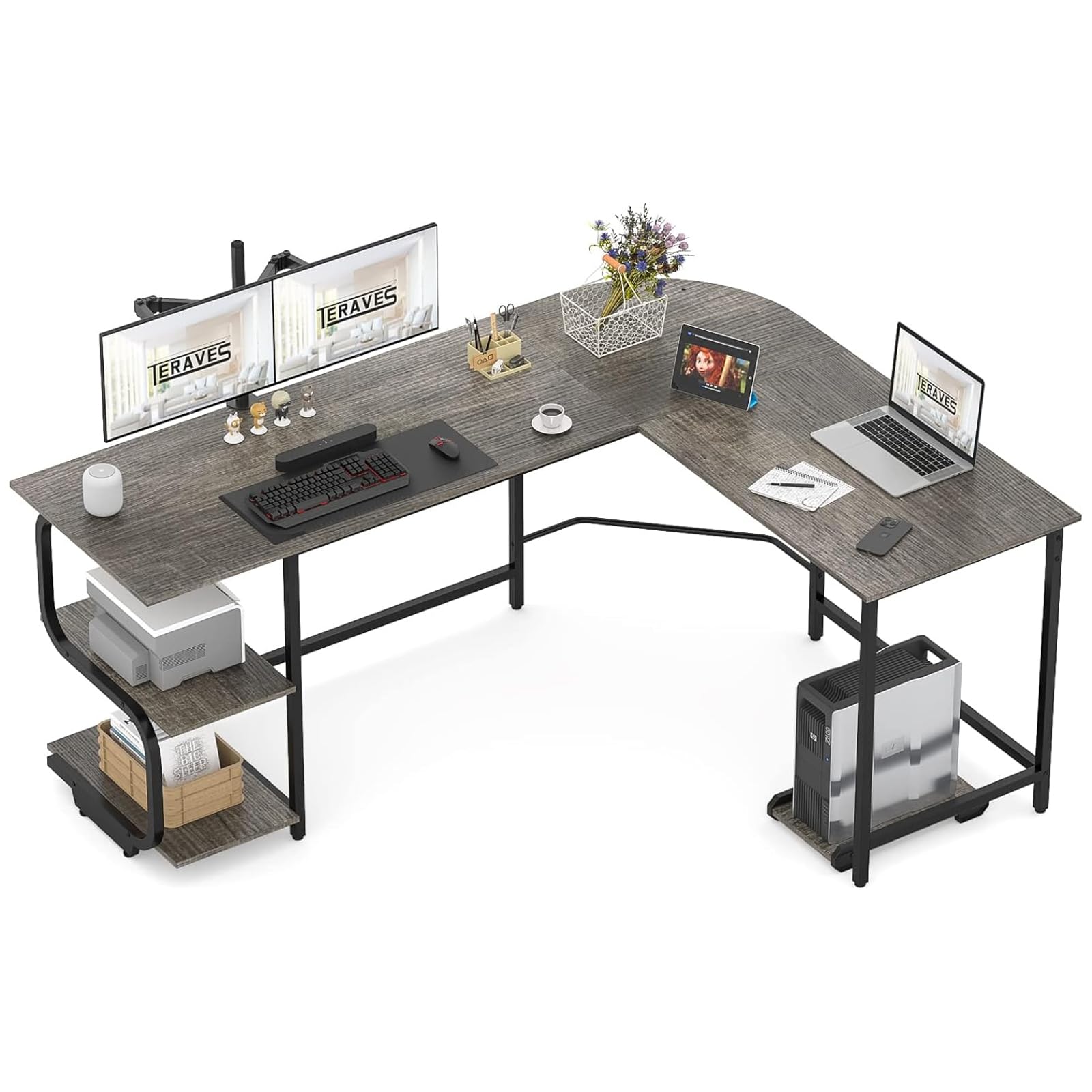
A large, reversible L-desk with open shelving, high weight capacity, and flexible layout for left- or right-handed corners.
Why I picked it: Reversible layout, two-tier shelves, and an expansive surface handle heavy, multi-use setups.
Best for: Creators, makers, and anyone who needs a large, configurable workspace with storage.
Premium-sized desk with substantial capacity.
Pros
- Reversible left/right configuration
- Two open storage shelves
- Very large surface area
- High weight capacity
Cons
- Heavy box to move
- Assembly takes longer
My take
I bought this desk twice—once for a bedroom setup and again for a soldering station—because I liked the size and the way it handled heavy equipment.
The reversible design is genuinely useful: I flipped the layout to optimize my room without hunting for a different model.
The two open shelves are great for books, reference materials, or decorative items, and the frame felt solid enough for larger monitors and tools. Assembly took a couple of hours but the pieces fit together cleanly and the included tools do the job; using a screwdriver bit speeds the process.
If you need a big, flexible workspace with storage built in, this desk is one of the most capable options I tested.
How I Choose the Right L-Shaped Desk
Measure Your Corner and Plan Your Layout
I always start by measuring the corner where the desk will live and marking where chair clearance and walking space are required.
Think about which side you’ll use most and whether a reversible desk matters for room flow.
- Measure doorways and hallways before assembly—some desktops need room to be built in place.
- Allow at least 30 inches of knee space for seated comfort.
- Account for monitor stands and printer or tower placement.
Prioritize Build and Weight Capacity
I prefer desks with a metal frame or reinforced legs if I plan to put heavy monitors or peripherals on them.
Weight capacity indicates how much gear the frame can handle without sag or wobble.
- Steel frames and thicker MDF tops feel more stable.
- Adjustable glides help level the desk on uneven floors.
- If you plan multi-monitor rigs, choose a higher load rating.
Look for Practical Extras
Small additions like monitor risers, drawers, cable grommets, or cup holders can change daily usability more than a slightly larger tabletop.
RGB lighting and headphone hooks matter if you game, while drawers and shelves help office users keep clutter off the surface.
- Monitor risers improve ergonomics and free up surface space.
- Grommets keep cables tidy for a cleaner workspace.
- Shelves or drawers add storage without taking floor space.
Think About Assembly and Shipping
I weigh how easy the desk will be to assemble alone versus needing help; some models are quick and solo-friendly while larger desks benefit from two people.
Expect heavier boxes and inspect packages on arrival for cosmetic damage, even when internals are usually protected.
- Assemble in the room of placement when possible.
- Keep basic tools on hand: screwdriver, ratchet, and a soft mallet can help.
- Allow an hour or more for larger desks; smaller options can be done much faster.
Frequently Asked Questions
Can I assemble an L-shaped desk by myself?
Yes for many of these models—several are designed for single-person assembly—but larger or heavier desks are easier with a helper and sometimes need to be assembled in the final room.
Do L-shaped desks save space?
I find they make corner use much more efficient; they free central floor area while giving you more contiguous surface for monitors and paperwork.
Which extras matter most for everyday use?
I prioritize monitor risers for ergonomics, cable grommets for tidy routing, and storage (drawers or shelves) to keep the tabletop clear.
Final Take
I tested a range of L-shaped desks so you can match features to your needs—go for RGB and accessories if you game, choose drawers or shelves if you need organization, or opt for a deeper commercial-style top for heavier equipment.
Pick the desk that fits your room, supports your gear, and doesn’t make assembly a weekly fight—you’ll be happier the first week you actually use the space.
If you want a single recommendation: prioritize usable tabletop area and a solid frame first, then layer in extras like risers, storage, or RGB lighting based on how you work or play.
