
I tested six popular digital alarm clocks to find the ones that are easiest to read, simplest to set up, and most reliable overnight. These picks cover bedside, wall-mounted, jumbo-display, and dementia-friendly options.
I spent time setting up and sleeping with the most common digital alarm clocks so I could tell you which ones actually make mornings easier.
My testing focused on legibility, how well the dimmer works at night, how alarms behave, and whether the clock keeps settings through outages.
Below I explain which clocks worked best in different situations — from a compact bedside unit to an oversized wall clock for shared spaces or memory care.
When I compared these models side-by-side I prioritized display size and dimming, alarm flexibility, backup power behavior, and whether the clock includes USB charging — those features consistently mattered most across different use cases.
1. DreamSky Auto‑Set Digital Alarm Clock – Best Overall
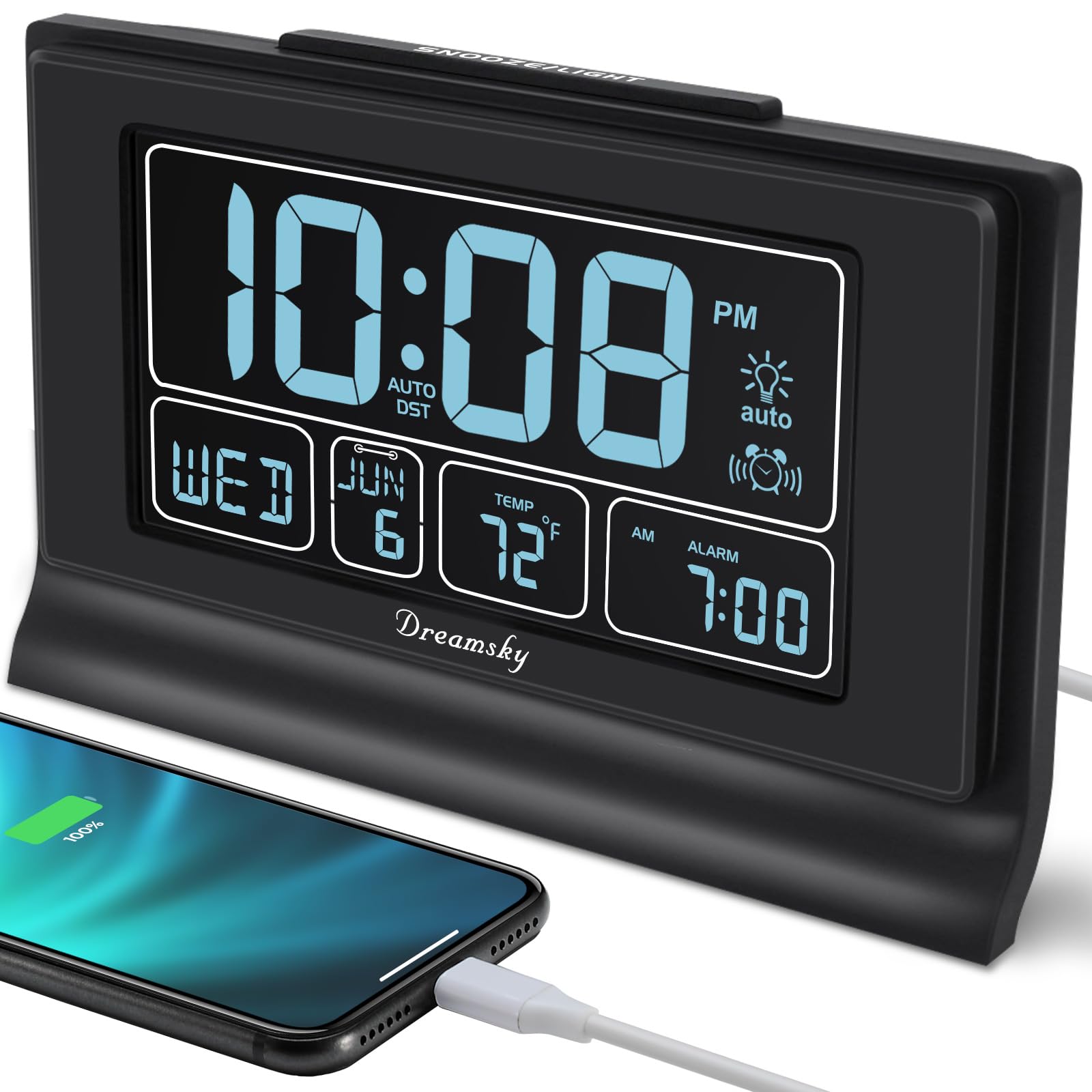
A set-and-forget bedside clock with a big, dimmable display, auto time-setting, and a USB charging port.
Why I picked it: Auto-set time and DST, large 5" display with wide dimming range, and a built-in USB charge port make this my go-to bedside pick.
Best for: People who want a simple, readable bedside clock that mostly sets itself.
Affordable bedside favorite with useful extras.
Pros
- Large 5-inch easy-read display
- Full-range dimmer plus auto-dim
- Auto-set time and DST adjustment
- Secondary USB charging port
- Battery backup retains settings
Cons
- Single beeping alarm only
- Alarm volume is not adjustable
- No radio or multi-alarm support
My take
I plugged this DreamSky in and appreciated that it downloaded the correct time for my zone almost immediately — that saved me setup time and felt truly plug-and-play.
The 5-inch digits are bold and readable, and I relied on the six manual brightness steps plus the auto-dim to keep the display unobtrusive at night.
There are two USB connections used by the unit (one to power the clock and a spare USB port for charging), which kept a bedside phone topped up without an extra outlet.
The alarm is a straightforward beeper with only a single alarm slot and an eight-minute snooze. That simplicity will suit many people, but I did miss adjustable alarm volume and multiple alarm slots for varying schedules.
2. 8" Digital Calendar Alarm Clock – Best for Multiple Reminders
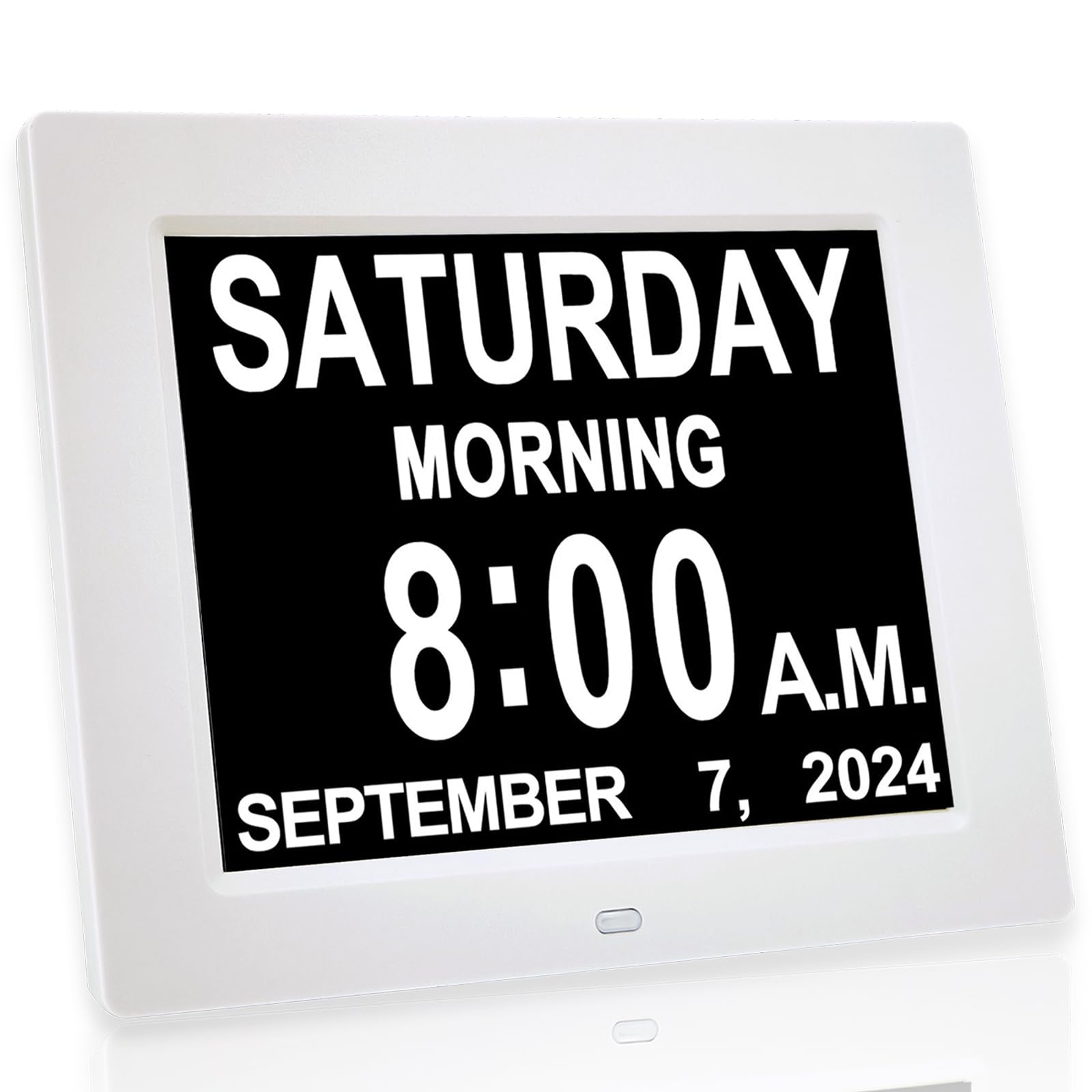
A very large 8-inch screen that spells out time and date with up to a dozen alarms and an hourly chime option.
Why I picked it: Huge display plus 12 programmable alarms and an hourly chime made this the obvious choice for medication or appointment reminders.
Best for: Seniors, people with impaired vision, and anyone who needs many daily reminders.
Mid-range option that excels at reminders.
Pros
- Massive 8-inch readable display
- Up to 12 programmable alarms
- Hourly chime option
- Auto-dimming with night/day schedule
- Wall or desk placement
Cons
- Requires constant power (no battery operation)
- Can be bright in very dark rooms
My take
I mounted the 8-inch clock on a wall and could see the time, day, and date clearly from across the room — the size really makes a difference for anyone with vision challenges.
Programming multiple alarms is straightforward and I found the 12 reminder slots especially handy for medication schedules and repeated daily tasks.
Auto-dimming switches the display down at 7:00 pm and back up at 7:00 am by default; I liked having that built-in routine, though you can disable it if you prefer steady brightness.
A key limitation is that this unit must stay plugged in for full functionality — it isn’t battery operated — so plan for a nearby outlet when using it on a wall or desk.
3. DreamSky Jumbo 9" Digital Alarm Clock – Best Jumbo Display
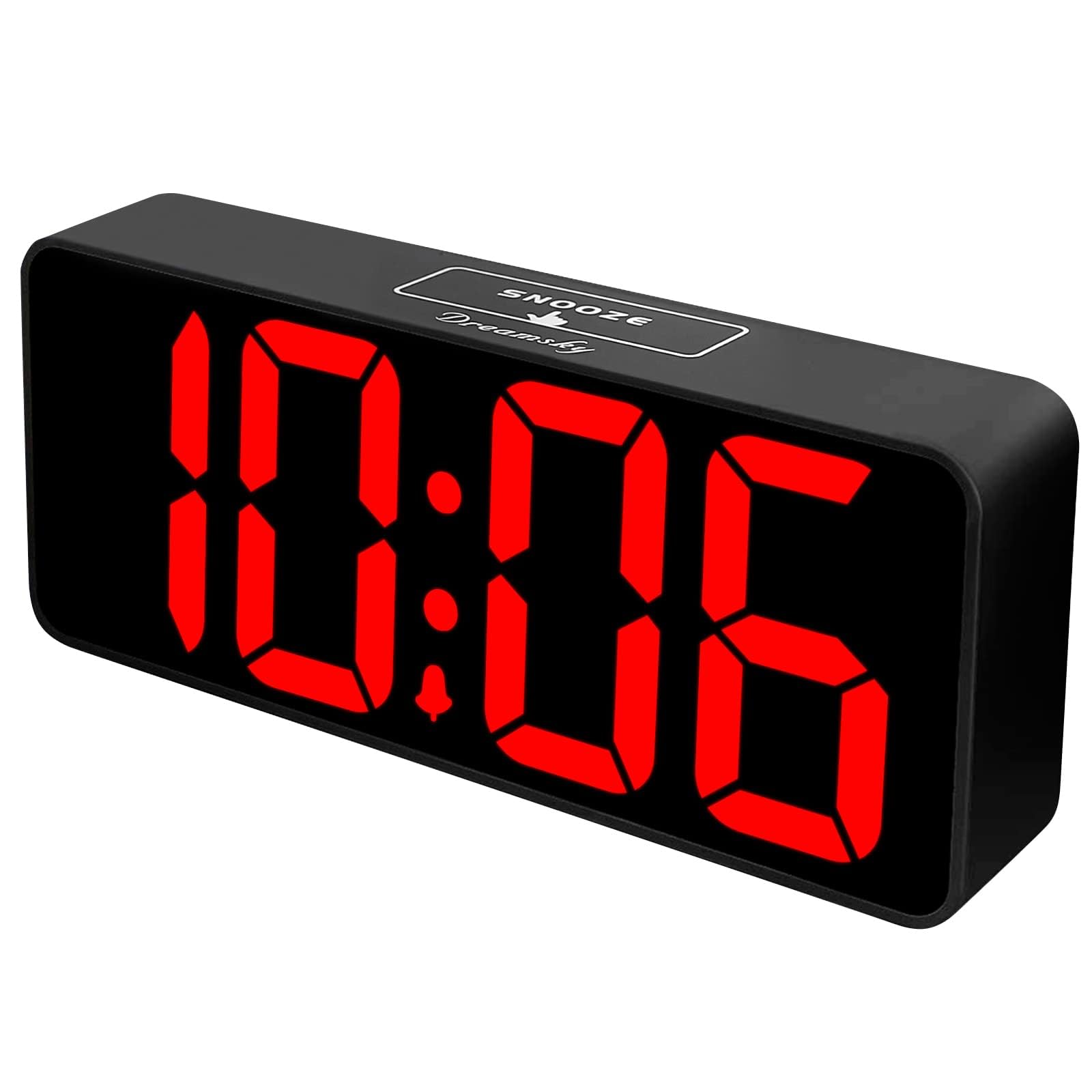
One of the boldest displays I tested: jumbo digits with a smooth 0–100 dimmer and adjustable alarm volume.
Why I picked it: I picked this for its oversized digits and true variable dimmer — excellent when you need to read time from across a room.
Best for: Open rooms, living spaces, and anyone who needs very large numerals.
Budget-friendly option for maximum legibility.
Pros
- Huge 3-inch numerals
- 0–100 level wheel dimmer
- Adjustable alarm volume
- USB charging port included
Cons
- Display goes dark on battery-only power
- Base is narrow and can tip easily
My take
This DreamSky’s extra-large digits are readable from well across a room; I relied on it in my living area and never had to squint.
The roller dimmer is my favorite feature — it lets me dial the exact brightness I want instead of jumping through preset levels.
The alarm has a volume range you can set, which I appreciated after testing other clocks with a single harsh beep.
Do note that the clock needs AC power to illuminate — the backup batteries only preserve settings, they won’t keep the display lit or sound the alarm. Also, the narrow base made it prone to tipping until I widened its footprint.
4. DreamSky Compact USB‑C Digital Alarm Clock – Best Compact
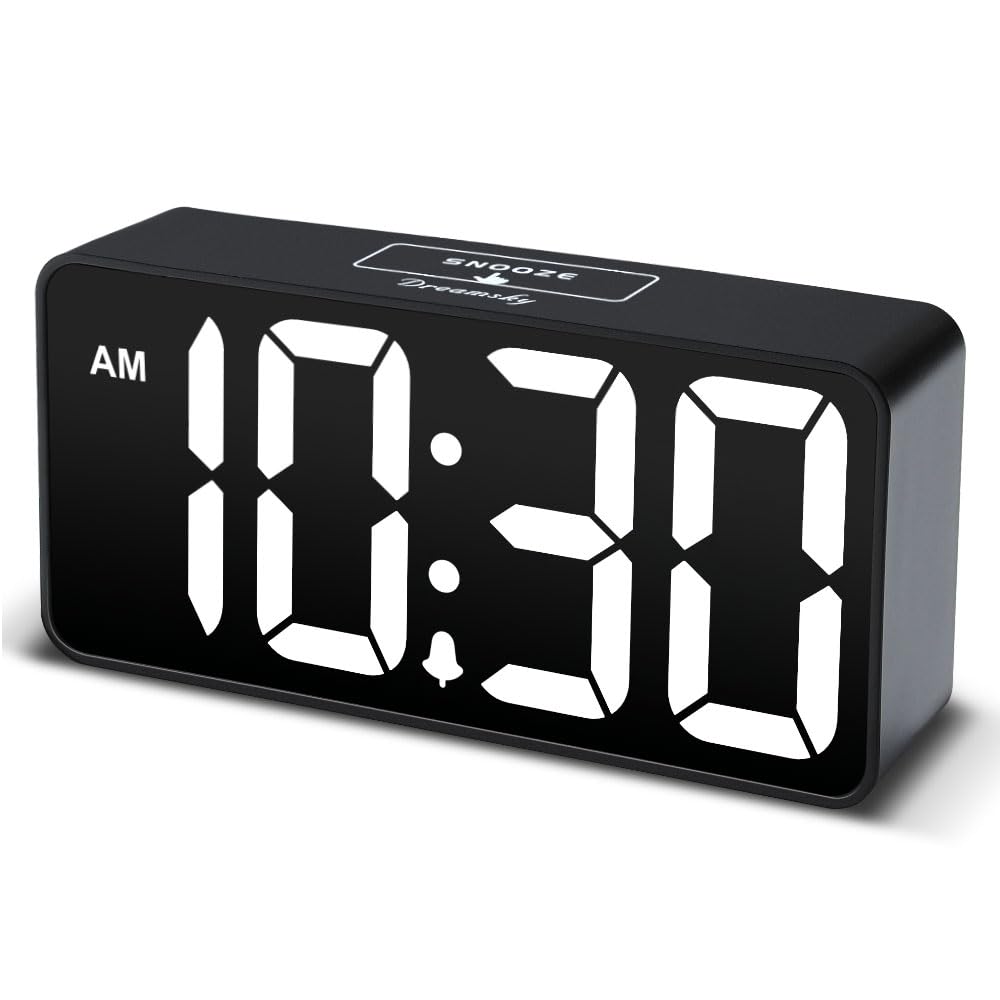
A small bedside unit with clear 2-inch digits, long power cord, USB charging, and multiple dim levels.
Why I picked it: Compact footprint while still offering five brightness levels and a USB charging port — great for tight nightstands.
Best for: Small bedrooms, guest rooms, and travelers who want a clear bedside clock.
Very affordable compact choice.
Pros
- Compact size fits small nightstands
- Clear 2-inch digits
- Long 59-inch power cord
- Five dimmer levels
Cons
- Requires adapter to run
- Screen dark on battery-only power
My take
I liked how this compact DreamSky fit on a narrow bedside table while still presenting large, legible numbers.
The included DC adapter and long cord made placement flexible; the display brightened enough for daytime and dimmed nicely at night.
It also offers an easy USB charging port, which removed clutter and gave me one less charger on the nightstand.
Keep in mind the clock won’t operate without the adapter — the backup batteries are only for memory, not to power the display or the alarm.
5. Mesqool 11.5" Extra Large Wall Clock – Best Wall Clock
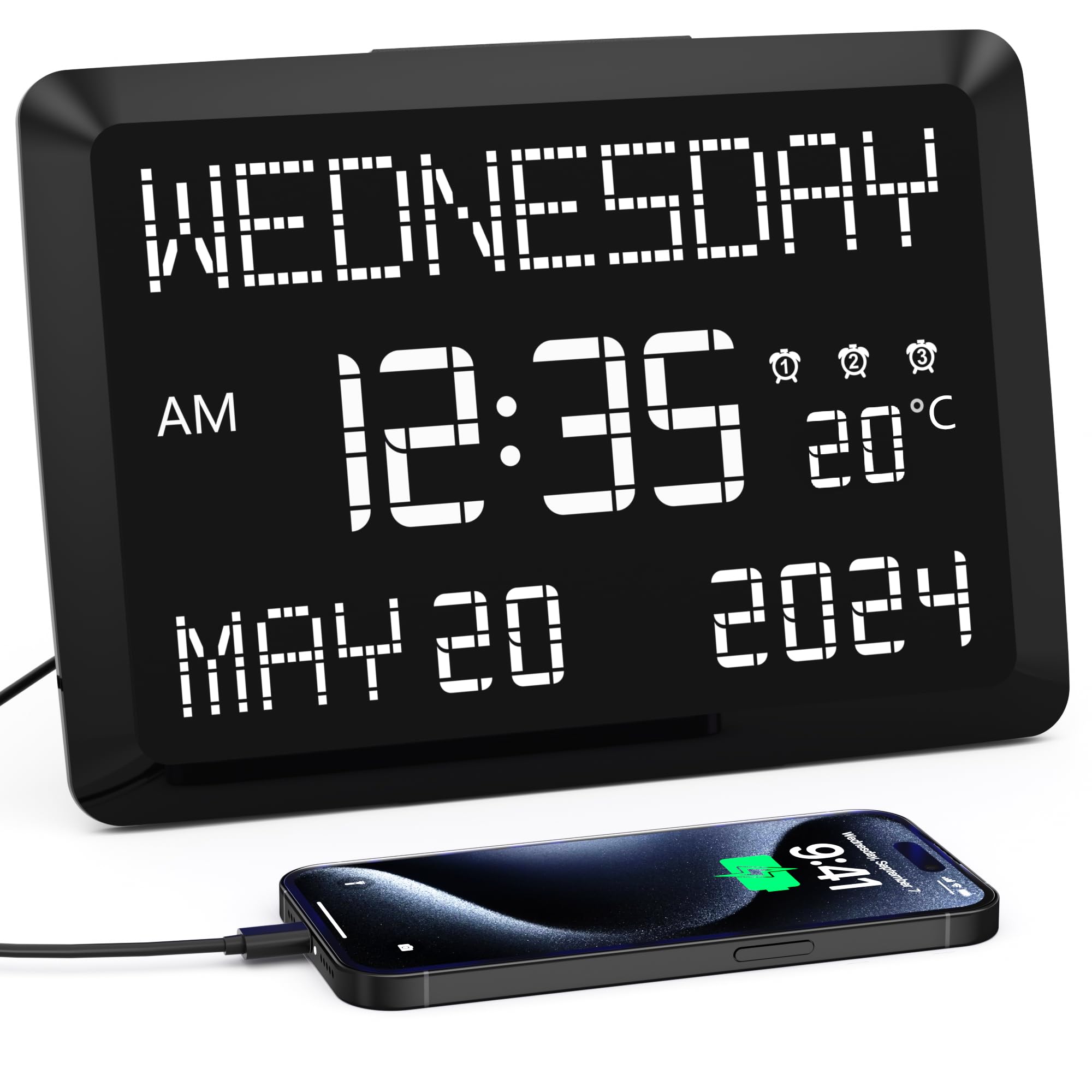
An oversized 11.5-inch display that shows time, full weekday, date, and temperature; mounts on a wall or sits on a desk.
Why I picked it: The largest display here with wall-mount capability, temperature readout, and multiple alarm profiles — ideal for common areas.
Best for: Living rooms, offices, and care settings where visibility from a distance matters.
Good value for a very large-format clock.
Pros
- Huge 11.5-inch display
- Shows day, date, and temperature
- Wall mount or desk stand
- Two USB ports for charging
Cons
- Even dimmed it can light a dark room
- Needs mains power for full features
My take
I placed this Mesqool on a living room wall and could read the time, day, and temperature at a glance from the kitchen — it’s genuinely visible from far away.
The removable desk stand and the wall-mount option gave me installation flexibility, and the two rear USB ports were convenient for daytime charging.
Alarms include weekday/weekend/day settings and are simple to program. The temperature readout matched my kitchen thermometer when I checked it against a high-end sensor.
If you sleep in a very dark room, test the dimmer levels first — even on low the display can be noticeable at night. Also remember the unit requires its adapter for USB charging, alarms, and the display to operate.
6. American Lifetime Large Day Clock – Best for Dementia Care
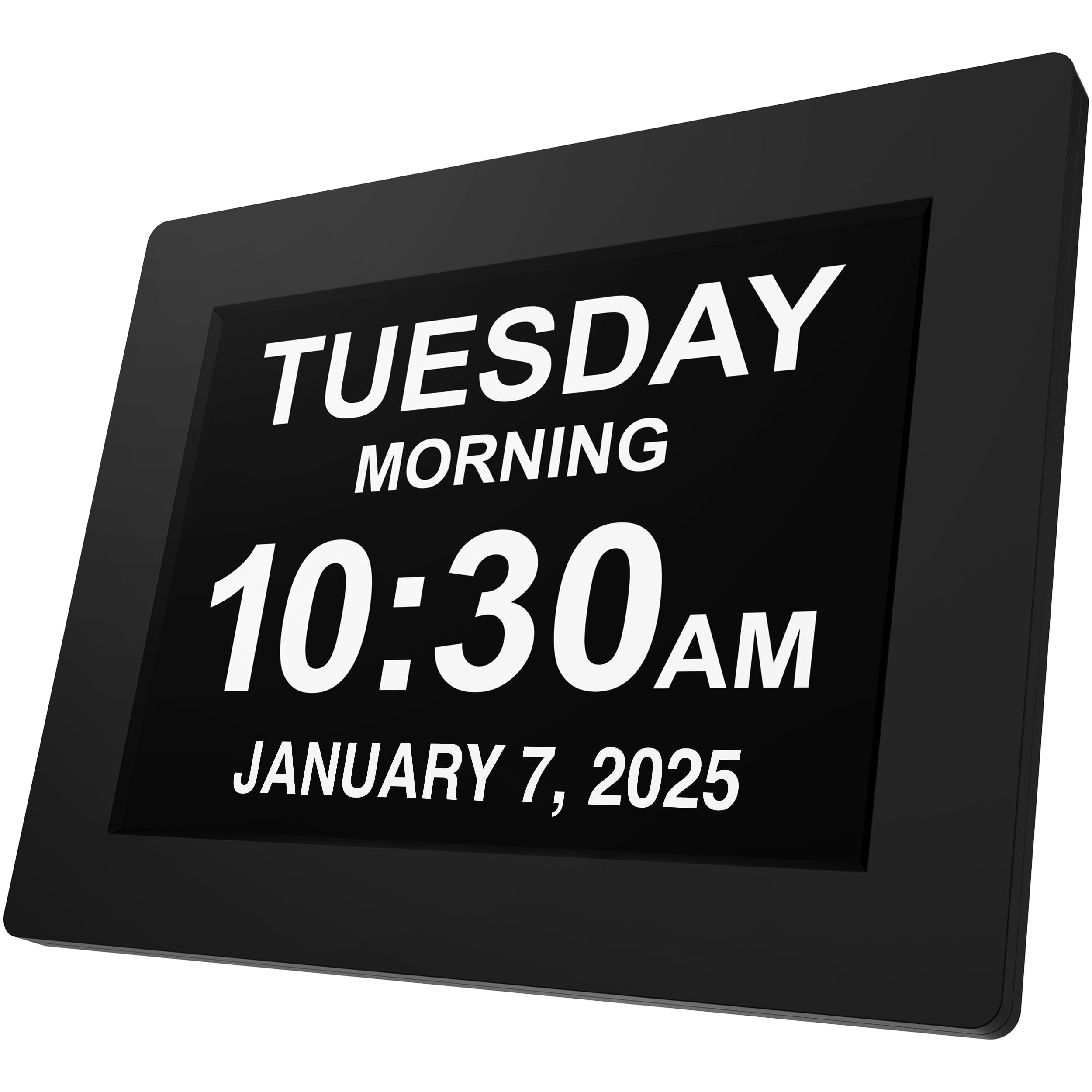
A durable, extra-large day/date clock built for simplicity with multiple alarms, auto-dimming, and multi-language support.
Why I picked it: Durability, a clear day/date display, and up to five customizable alarms made this my top pick for dementia or memory-care situations.
Best for: People with dementia, memory loss, or anyone who benefits from clear day and date cues.
Pricier than basic units, designed for longevity and clarity.
Pros
- Durable, robust construction
- Large, high-contrast day and date
- Up to five daily alarms
- Auto-dimming and multi-language support
Cons
- Higher cost than simple clocks
- Functional design over decorative
My take
I set this American Lifetime clock on a kitchen shelf for an older relative and watched how quickly it reduced day-of-week confusion — the full day name and date are unmistakable.
Setup was painless and the auto-dimming worked well overnight, so the display is readable without being glaring in low light.
The ability to program multiple alarms and different time formats gave me flexibility for medication and appointment reminders, and the build felt like it would withstand daily use.
This is the option I reach for when I want a sturdy, no-nonsense clock geared specifically toward clarity and ease of use.
How I Picked These Digital Alarm Clocks
Key features I look for
I focus first on display legibility and how the clock dims at night. Adjustable dimming or an auto-dim schedule keeps the display useful without disturbing sleep.
Alarm flexibility matters next: multiple alarms and adjustable volume are essential if you or someone you care for needs varied reminders.
I also consider power behavior. Clocks that only preserve settings on battery backup are fine, but I flag units that won’t sound an alarm when unplugged so you can plan placement near an outlet.
- Display size: 2" digits work for bedside; 8"–11.5" are ideal for rooms or shared spaces.
- Dimming: look for multiple steps or continuous dimmer plus auto-dim schedule.
- Alarms: single alarm is simple; multiple programmable alarms help with medications and routines.
- Backup power: confirm whether batteries power the display or only save settings.
- USB charging: handy when outlet space is limited at the nightstand.
Frequently Asked Questions
Can these clocks run on batteries alone?
Most of the models I tested are designed to run from AC power. Many include a small coin or AAA backup battery that preserves settings during an outage, but it typically does not keep the display lit or sound the alarm. If you need a fully battery-powered alarm, check the product notes carefully.
Will a large display keep me awake at night?
A bright display can be distracting, which is why I recommend clocks with multiple dim levels or an auto-dim function. I used the dimmers during testing and found models with continuous or many-step dimming avoid that nighttime glow.
Which features matter most for a dementia-friendly clock?
Clarity of the day and date, a high-contrast, large-font display, simple setup, and reliable alarms are what I prioritize. The American Lifetime and the large Mesqool display stood out in my testing for those exact needs.
Final Take
I found there’s no single best clock for everyone — pick by where the clock will live and how you’ll use it.
For a true bedside all-rounder I rely on the DreamSky auto-set model; for reminder-heavy routines the 8-inch calendar clock performed best; and for memory-care situations the American Lifetime gave me the clarity and durability I wanted.
If you keep those display, dimming, alarm, and backup-power points in mind, you’ll end up with a clock that fits your daily rhythm rather than fighting it.
