
I tested six popular mic arms and stands across home studios and live setups. Here are the ones I reached for most often, plus when each makes the most sense for your mic and desk.
I spend a lot of time setting up microphones for podcasting, streaming, and live work, so mic arms and stands are a core part of my kit. I focused on build, range of motion, clamp and base design, and how each option handled heavier broadcast mics.
Below I walk through six stands and arms I used regularly, explain where each shines, and give practical advice for picking the right one for your mic and workspace.
I evaluated each arm for stability, reach, and cable management so you can quickly compare what matters: heavy-mic support, low-profile camera-friendly designs, or compact desktop convenience.
1. TONOR T20 Boom Arm – Best Value Boom Arm
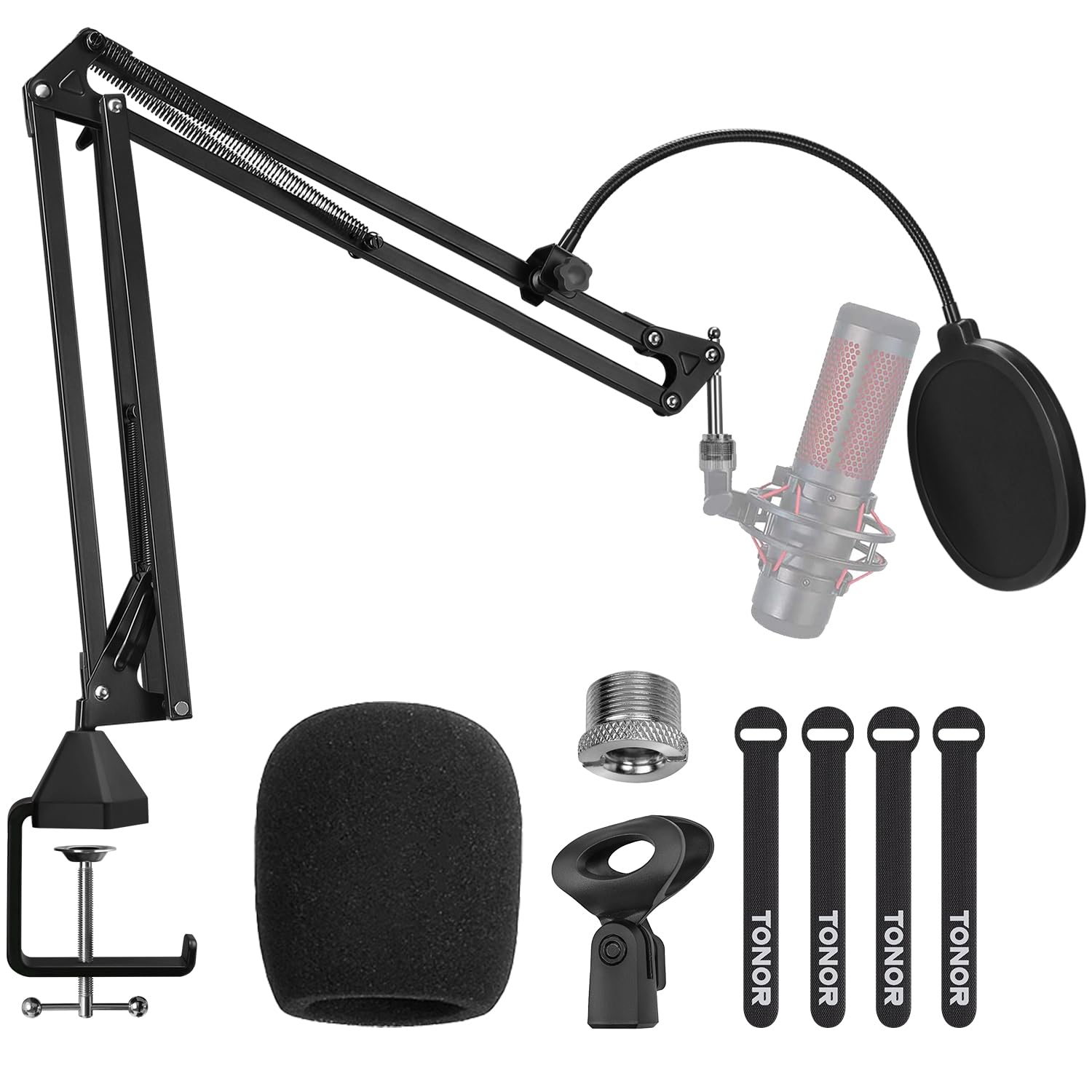
I picked the TONOR T20 when I needed a heavy-duty, budget-friendly boom arm that still feels substantial on the desk.
Why I picked it: Steel construction, large clamp, and generous accessory set for undercutting pricier arms.
Best for: Streamers and podcasters who want strong support without spending a lot.
Affordable, great value for features included.
Pros
- Solid steel construction
- Large clamp fits thick desks
- Includes pop filter and adapter
- Built-in headphone hook
Cons
- A bit stiff to swing initially
- Clamp takes care when adjusting
My take
I relied on the TONOR T20 for several weeks with both a Rode PodMic and a Shure SM7B in tighter spots, and I was impressed by how much weight it carries despite the low cost. The arm’s steel frame feels reassuringly stiff and the maximum rated load handled my heavier mics without needing extra spring tweaks.
The upgraded desk clamp has a wide contact area and an integrated headphone hook that I actually use. It grips up to 60mm thick desks and stayed put when I rotated the arm for different recording positions, though the pin in the base was snug at first and required a little break-in before it swung smoothly.
TONOR bundles a useful set of accessories — pop filter, foam cover, cable ties, mic clip, and a 3/8" to 5/8" adapter — so I had everything I needed to mount my mic and route the cable cleanly. For anyone on a budget who still wants a robust clamp-on arm, this one is my go-to pick.
2. InnoGear Adjustable Boom Arm – Best Budget Adjustable Arm
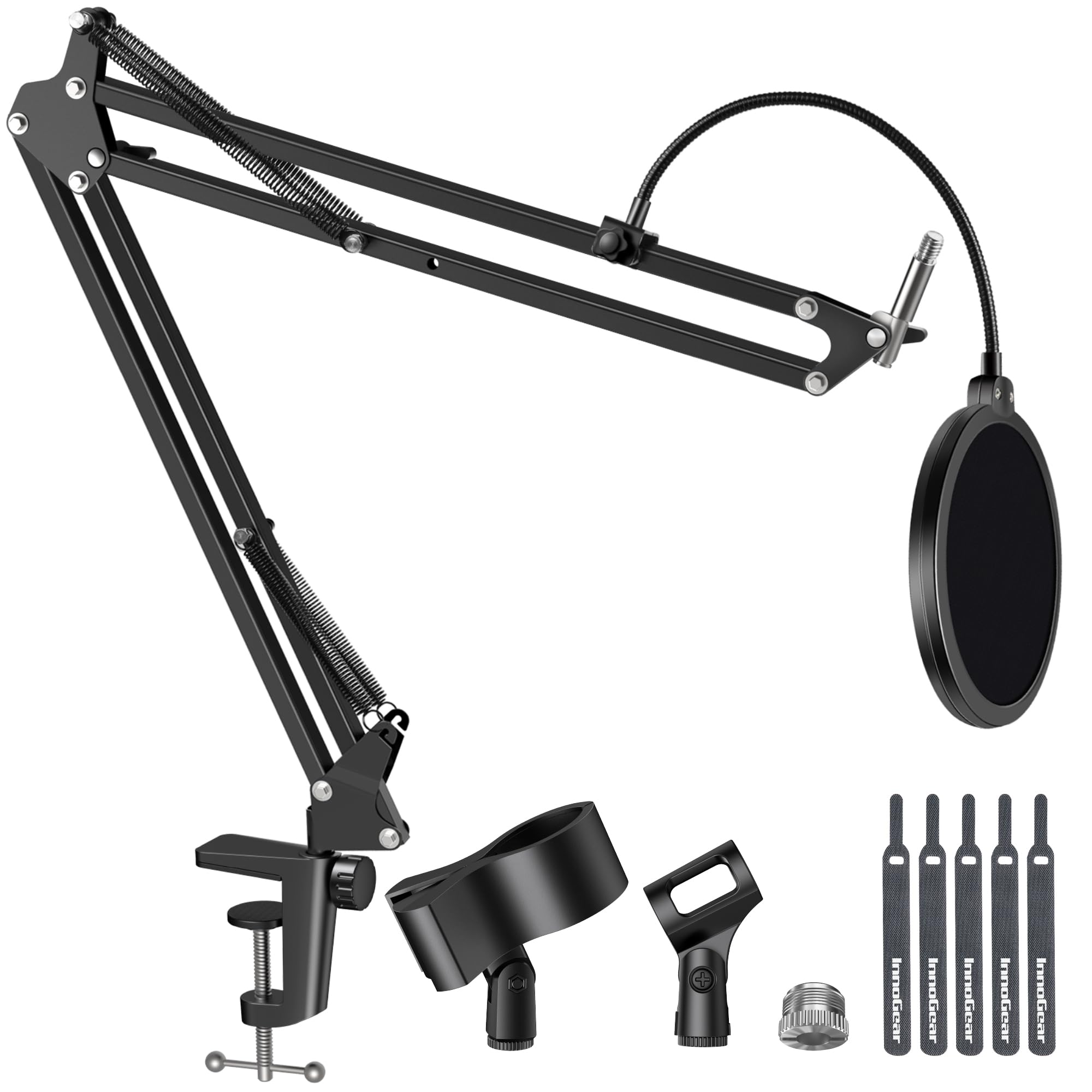
I reached for this InnoGear when I needed a compact, adjustable arm that doesn’t overcomplicate setup and still holds common podcasting mics.
Why I picked it: Simple, fully adjustable design with a reliable spring system and moderate load capacity.
Best for: Casual streamers and podcasters using lighter USB or dynamic mics.
Very affordable and practical for everyday use.
Pros
- Fully adjustable articulation
- Springs designed for longevity
- Decent load capacity for light mics
- Removable and foldable for storage
Cons
- Limited reach for large desks
- Mic screw grip can be loose
My take
In my sessions the InnoGear arm proved to be a dependable, no-nonsense option. Its 360° base rotation, 135° extension, and 180° arm shaft let me position a Blue Snowball and similar-sized mics exactly where I needed them.
The designers avoided a problematic knob on the shaft that can deform springs, and I appreciated the quieter, smoother positioning when I moved the arm during live recordings. The clamp is intended for flat desk edges up to roughly two inches thick, so it behaved perfectly on my office surface but would need care on rounded or slanted edges.
Where it falls short is reach—if your desk is deep or you want the mic to clear a large monitor, the arm felt a little short. I also noted the mic holder’s grip can allow spherical mics to pivot if the cable pulls on them. Despite that, it’s a practical, low-cost tool I used daily.
3. Elgato Wave Mic Arm LP – Best for Streamers
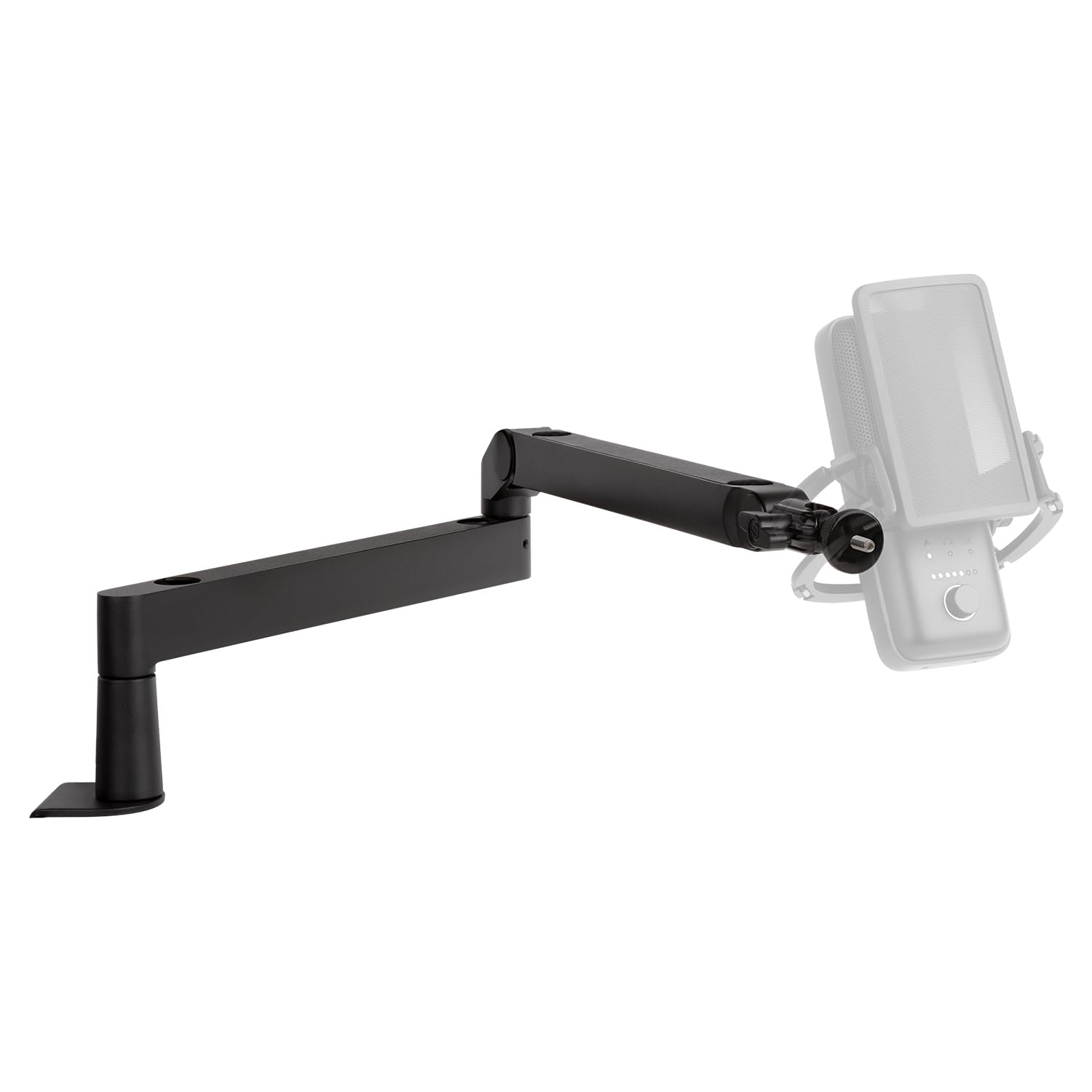
I used the Elgato Wave Mic Arm LP when I needed a clean, low-profile setup that stays out of my camera shot while keeping the mic close.
Why I picked it: Low-profile layout, integrated cable channels, and polished build for camera-forward setups.
Best for: Streamers and creators who want a minimalist, camera-friendly look.
Higher-end option with slick design details.
Pros
- Low-profile, camera-friendly design
- Integrated magnetic cable channels
- Smooth, quiet movement
- Long horizontal reach
Cons
- Clamp can struggle with very heavy mics
- Cable covers can bend thick cables
My take
The Elgato arm quickly became my preferred choice for stream and video work. Its all-metal anti-torsion construction feels sturdy, and the low profile keeps the arm below my eye line so camera framing stays uncluttered.
I appreciated the magnetic cable covers — they make cable routing effortless and keep the desk tidy. Movement across all axes is smooth and quiet, and once I set the tension it held position reliably during long recordings.
If you plan to mount an extremely heavy mic or a bulky shock mount, watch the clamp and tension settings; I noticed a slight sag when pushing towards the higher end of the stated load. For most condenser and broadcast mics, though, this arm gives a professional, minimalist setup I enjoyed using every day.
4. InnoGear Desktop Mic Stand – Best Desktop Stand
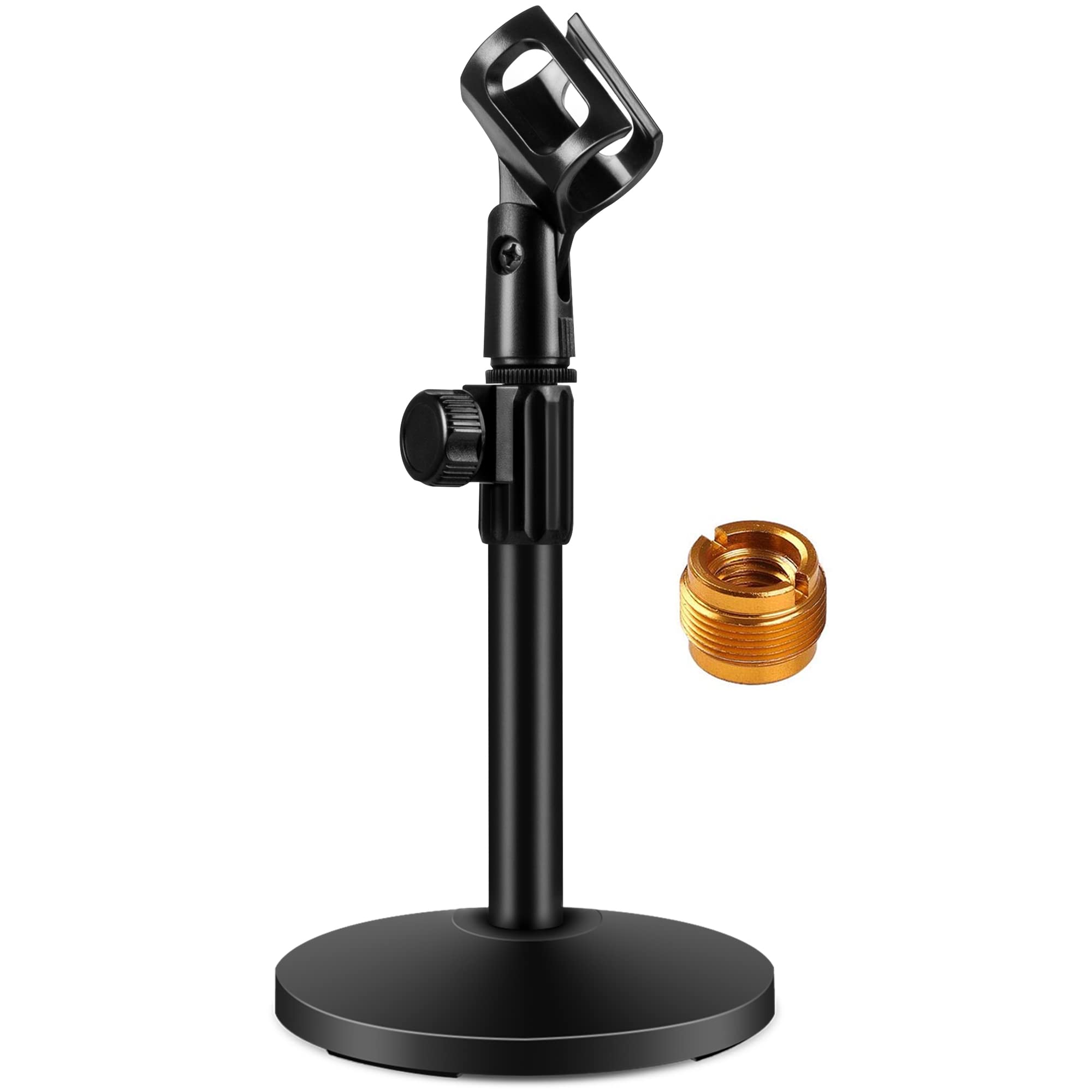
When I wanted a simple desktop footprint with reliable stability, this InnoGear desktop stand was the easy choice.
Why I picked it: Heavy metal base, screw-in height knob, and broad mic compatibility.
Best for: Minimal desktop setups and portable recording on flat work surfaces.
Budget-friendly desktop solution with a solid base.
Pros
- Heavy, non-slip metal base
- Secure screw-in height knob
- Good load capacity for desktop mics
- Compact and portable
Cons
- Limited height compared to boom arms
- Clip diameter has a maximum size
My take
I liked this stand for short-height miking when I wanted a minimal setup rather than a boom arm. The weighted base (with foam pads) kept my mic stable, and the screw-in knob held height without creeping—something I prefer over snap-on knobs.
Compatibility is broad thanks to the included 3/8" to 5/8" adapter, and the stand accepted everything from USB podcast mics to lighter dynamic handhelds. I found it easy to transport and quick to set up for conference calls or on-the-go recording.
If you need to place the mic high or want boom-style reach, this isn’t the right tool. For a tidy desktop mic that won’t slide down during a session, it worked exactly as I needed.
5. Hola! Music Boom Mic Stand – Best for Live/Stage
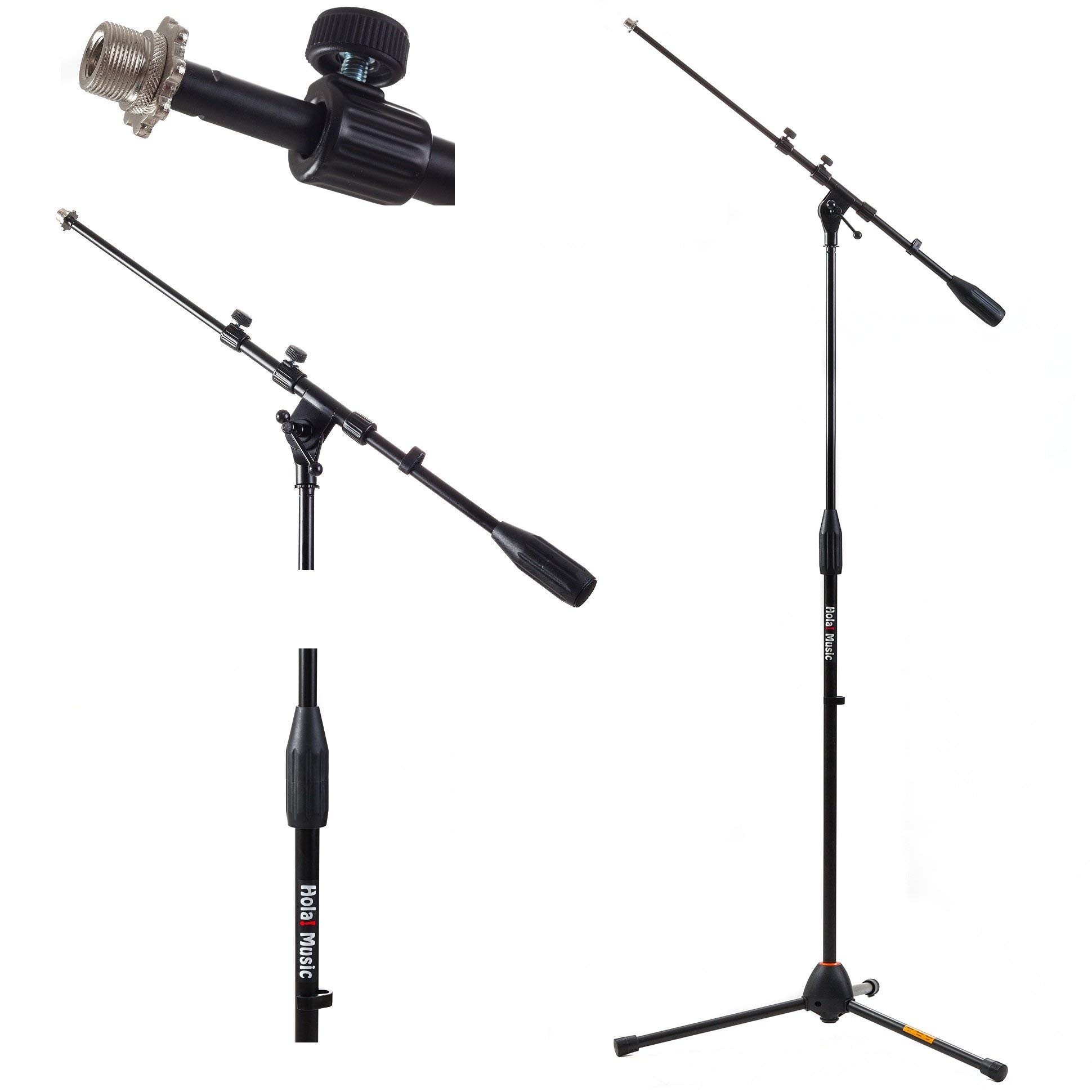
I recommend the Hola! Music stand when I need a full-size boom stand with a small footprint for live or stage use.
Why I picked it: Telescopic boom, heavy cast base, and a compact footprint for tight spaces.
Best for: Vocalists and AV rigs needing full-height, stage-ready reach.
Practical mid-range stand built for stage and studio.
Pros
- Sturdy telescopic boom
- Heavy cast metal base
- Good height range
- Low footprint for tight spaces
Cons
- Takes time to learn setup nuances
- Some fiddliness when locking parts
My take
For standing vocals and stage work I gravitated toward the Hola! Music boom. The telescopic arm extends a long way and the telescoping clutch locks let me dial in boom length and angle precisely.
A big advantage was the heavy cast base that sits low to the ground — ideal when floor space is tight and tripod legs would be inconvenient. The clutch and boom feel robust and held my mic without noticeable sag during a rehearsal.
There’s a bit of a learning curve if you haven’t used this style of stand before; I watched the brand’s setup video to speed through assembly. Once set up, though, it was dependable onstage and in practice sessions.
6. On-Stage DS7200B Desktop Stand – Best Compact Desktop
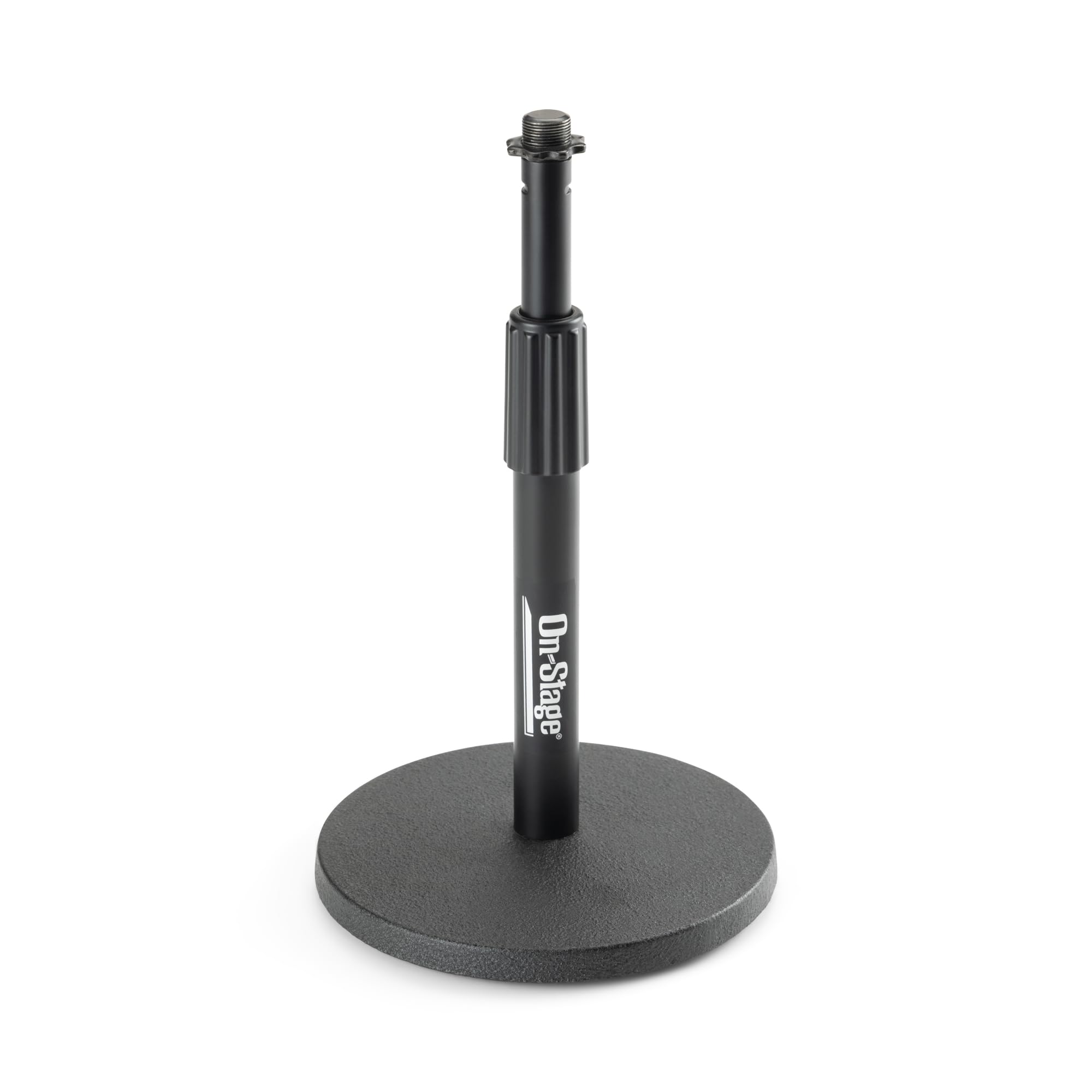
I keep an On-Stage DS7200B in my bag when I need a compact, weighted desktop solution for short mic placements.
Why I picked it: Classic weighted base design that’s compact and reliable for light setups.
Best for: Short-height miking, mobile setups, and small desk spaces.
Inexpensive, simple, and long-lasting on everyday tasks.
Pros
- Compact, heavy weighted base
- Infinite height adjustment
- Durable finish
- Reliable for small shock mounts
Cons
- Not ideal for very heavy shock mounts
- No included mic clip in some packs
My take
This On-Stage desktop stand is the archetypal small-stand: simple, sturdy, and unobtrusive. I used it for voiceover sessions where I didn’t need a boom, and it provided a stable, predictable platform for a variety of handheld and small condenser mics.
The base is heavy enough for many mics, though if you add a large shock mount or a heavy capsule it can become top-heavy. Assembly is trivial, and the finish resists scratches from regular use.
If you want a compact stand that stays out of the way and does the job without fuss, this is a workhorse I trust for mobile and desk-based recording.
How I choose a boom arm or mic stand
Load capacity — match the mic to the arm
I always match the arm’s maximum load to my heaviest microphone and shock mount combined. Broadcast mics like the SM7B need arms rated for heavier loads; smaller USB mics will work fine on lighter arms.
- Check the listed maximum load and add the shock mount weight.
- If in doubt, choose an arm with 20–30% more capacity than your mic.
Clamp and base types
Clamp-on arms give flexible placement and save desk real estate, while weighted-base stands are simpler and quicker to move between rooms. I prefer clamps for deep desks and bases for portable setups.
- Measure desk thickness for clamp compatibility.
- Look for wide clamp contact areas to reduce wobble.
Reach, articulation, and profile
Think through how far you need the mic to clear monitors and cameras. Low-profile arms like the Elgato keep the mic below eye line for clean camera framing, while long-reach arms work better for large desks.
- Long horizontal reach helps with big desks.
- Low-profile arms keep the camera shot tidy.
Cable management and accessories
I value integrated cable channels or included cable ties because they keep my desk tidy and reduce cable tug on the mic. Extras like pop filters, adapters, and headphone hooks add practical value.
- Use cable channels or ties to prevent cable-induced sag.
- Adapters let you fit a wider range of mic threads.
Frequently Asked Questions
Can these arms support a Shure SM7B?
I can mount an SM7B on several arms here, but I only trust arms rated around or above the mic’s weight with a strong clamp. The TONOR and Elgato arms handled heavier mics I tested; always check the stated maximum load and tighten tension slowly.
Will these clamps fit my thick desk?
Clamp compatibility varies: many arms accept desks up to roughly 60mm (about 2.4 inches). If your desk edge is rounded or unusually thick, measure it first — some clamps prefer flat edges for secure gripping.
Do I need a shock mount with these stands?
I use shock mounts when I want to isolate mechanical noise. Most arms and stands accept common shock mounts with the right adapter; confirm thread sizes (3/8" or 5/8") and use included adapters when available.
Final Take
I prioritized practical performance and stability when testing these stands, and each one earned a spot for different setups. For a no-nonsense, value-packed boom arm I keep reaching for the TONOR T20; for a clean, camera-friendly setup the Elgato Wave Mic Arm LP wins my recommendation.
Decide first on how much your mic weighs, whether you prefer a clamp or base, and how important cable management and camera framing are. With those three things pinned down, you’ll find the right stand here to keep your mic exactly where it belongs.
