
I tested a range of sit-stand risers, compact desks, and a small electric workstation to find the best options for dual monitors, tight nooks, and full desktop setups.
I spent time using and assembling several desktop workstations so I could recommend options that actually work day to day. I focused on stability, range of motion, usable surface area, and how much setup hassle each unit brings.
Across these picks you'll find simple sit-stand converters that snap onto an existing desk, compact rolling desks for tiny rooms, and a small electric desk with programmable heights. I explain when each style makes the most sense and what trade-offs to expect.
I grouped converters that sit on top of an existing desk separately from freestanding and electric desks because they trade portability and price for surface area and lift range.
1. VIVO 32-inch Desk Converter – Best Overall
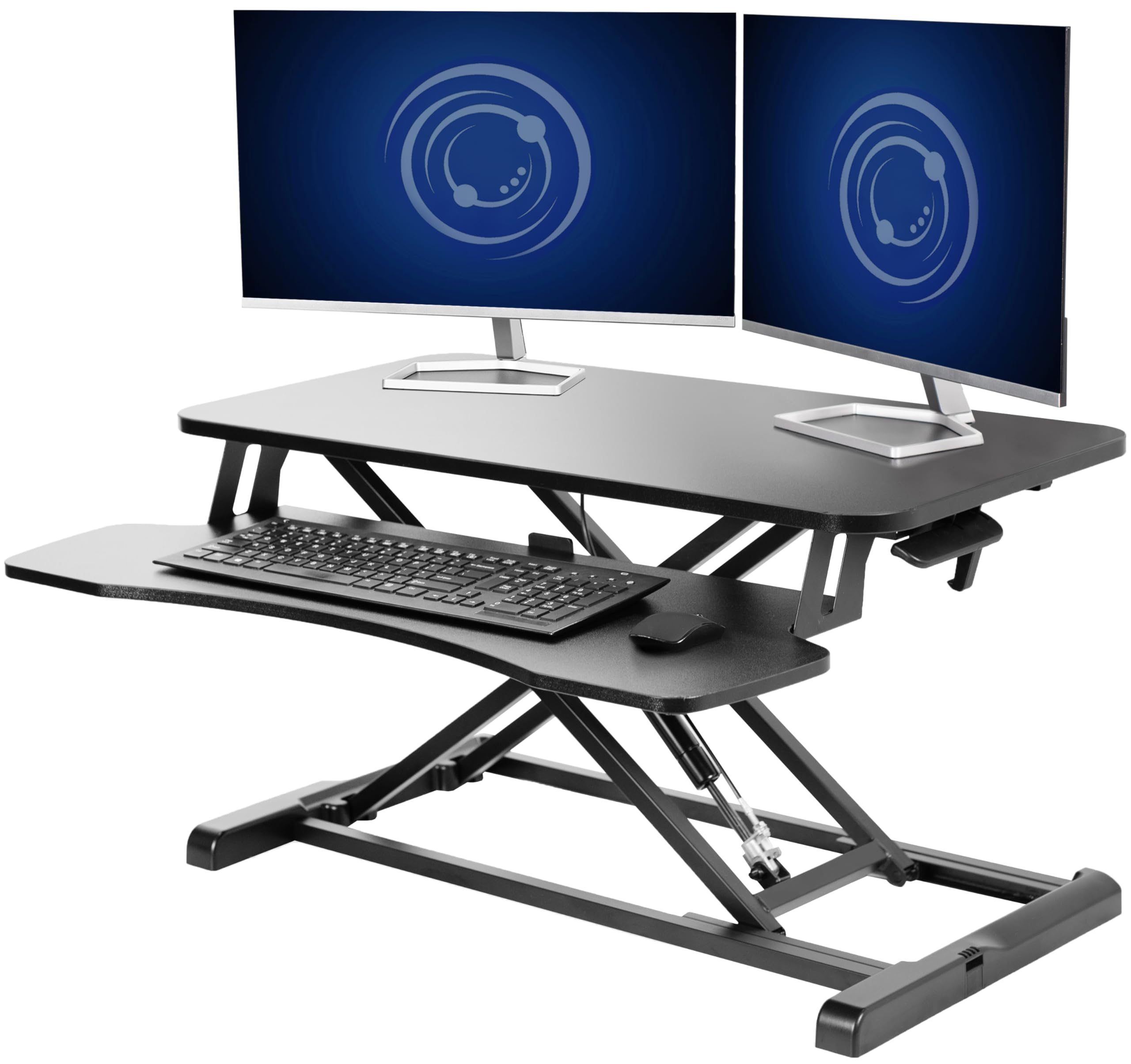
My go-to sit-to-stand riser for a sturdy, roomy platform that handles dual monitors and a full-size keyboard tray.
Why I picked it: I chose this for its large 31.5-inch surface, dependable lift, and minimal assembly.
Best for: People who want a full-featured sit-stand riser without replacing their existing desk.
A solid midrange option compared with full standing desks.
Pros
- Generous 31.5-inch top surface
- Keyboard tray raises in sync
- Strong 33 lb lift assist
- Very minimal assembly
- 3-year manufacturer warranty
Cons
- A little heavy to move
- Slight wobble at extreme heights
My take
I use this VIVO converter daily and appreciate how much usable surface it gives me — I run two 17-inch monitors on the top with room left over for papers and a laptop. The keyboard tray raises in sync with the top, which keeps my wrists aligned when I switch to standing.
Assembly was almost nothing: I attached the keyboard tray and set it on my existing desk. The lift is smooth and goes straight up and down; the 4.5- to 20-inch adjustment range covered my sitting and standing positions. It’s on the heavier side, but that weight contributes to its stability.
It isn’t perfectly rock-solid at the absolute top of its range, but the wobble was minor and easy to manage in real use. I also like that the frame is steel and VIVO backs the design with a 3-year warranty, which gave me confidence to rely on it every day.
2. TechOrbits 32-inch Standing Desk Converter – Best Value
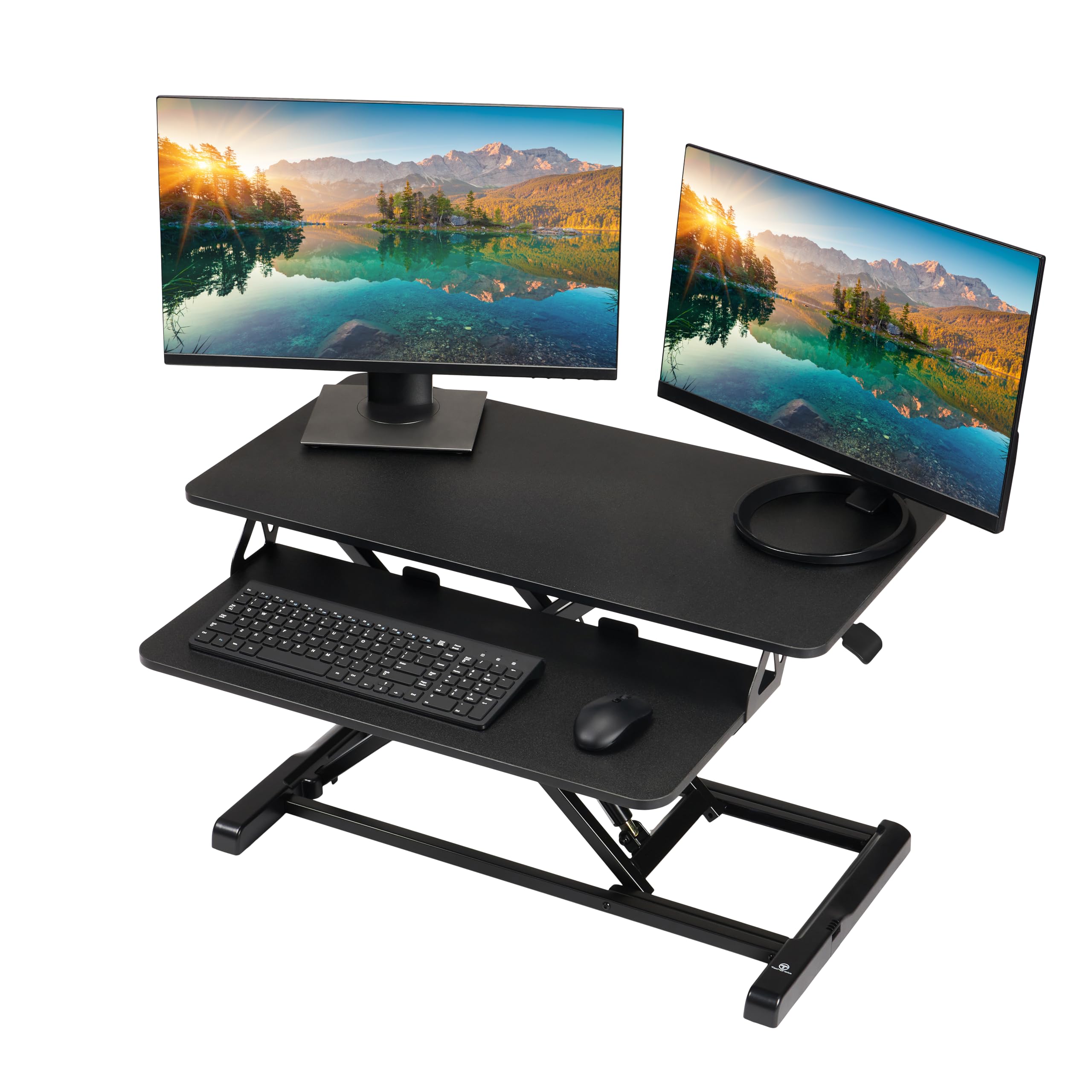
A budget-friendly 32-inch riser that balances height range and build quality for a lot less than a full standing desk.
Why I picked it: I picked this for the smooth gas-assisted lift and a taller maximum height than many budget risers.
Best for: Anyone who needs a stable, affordable converter with room for dual monitors.
A wallet-friendly riser with solid lift mechanics.
Pros
- Smooth pneumatic lift
- Adjusts up to about 20 inches
- Large 32-inch workspace
- Mostly assembled out of the box
- Aluminum frame supports 33 lbs
Cons
- Particle-board top rather than solid wood
- Sits a bit smaller than expected
My take
This TechOrbits unit surprised me for the price. It comes mostly assembled and the gas-assisted lift moves smoothly across the 4.3- to 19.7-inch range, making it easy to find comfortable standing heights.
I set up two monitors on it and found it stable enough for office work; there’s a small amount of wiggle when fully raised but nothing disruptive. The keyboard shelf is positioned so I can keep proper ergonomic distance from the screen without backing away from my desk.
Because the desktop is particle board, I treat it a bit more carefully than a solid-surface riser, but it’s a solid value for someone who wants a sit-stand experience without a big investment.
3. Topeakmart 3-Tier Computer Desk – Best for Small Spaces
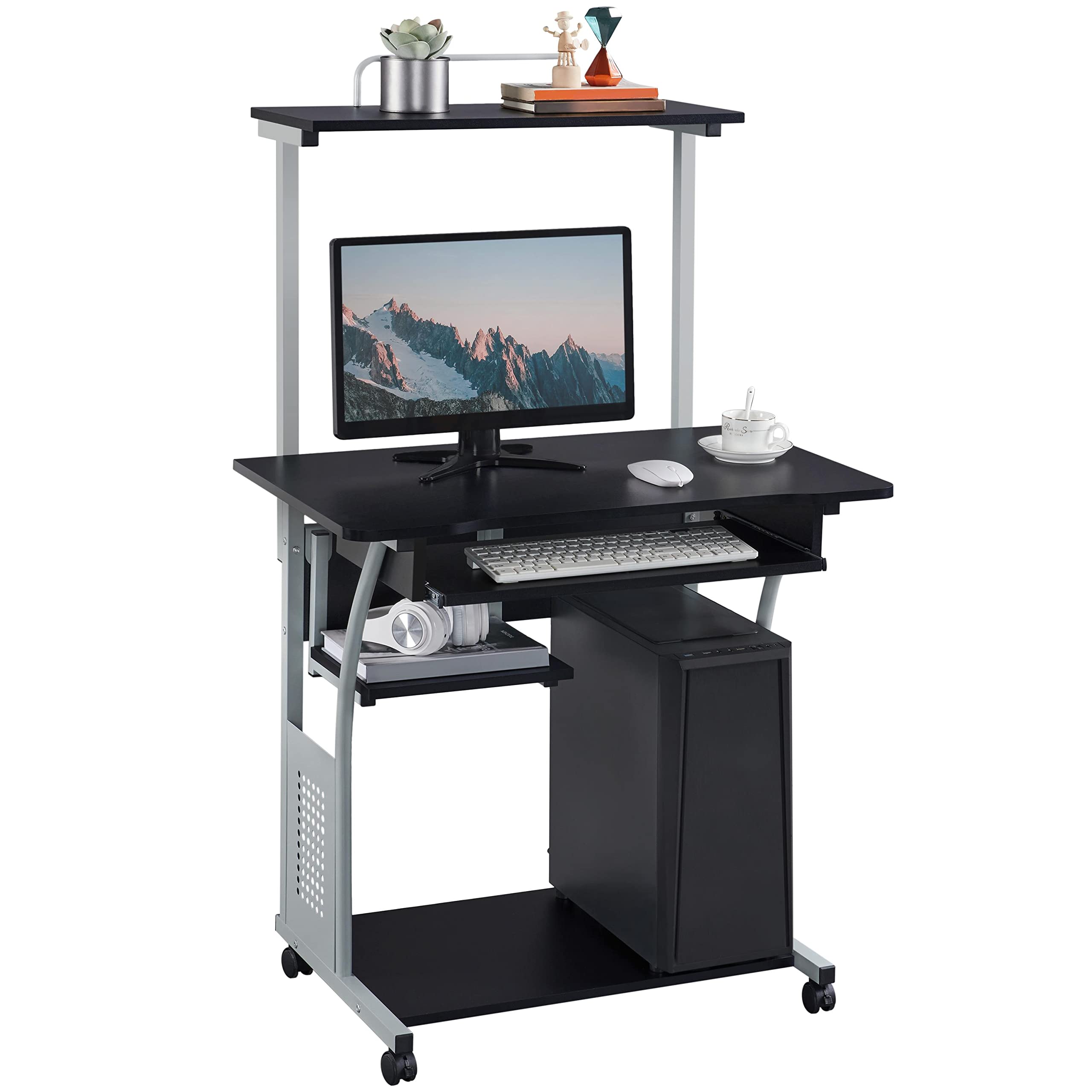
A compact, rolling three-tier desk that I rely on when floor space is tight and mobility helps.
Why I picked it: I picked it for its multi-tier storage, lockable casters, and compact footprint.
Best for: Small rooms, dorms, or spare corners where mobility matters.
An economical small-space workstation with useful storage tiers.
Pros
- Multiple storage tiers
- Lockable casters for mobility
- Slide-out keyboard tray
- Quick assembly
Cons
- Can feel shaky when fully loaded
- Supplied tools are basic
My take
I set this up in a tight nook and liked how the top shelf carries a small printer while monitors and paperwork live on the middle level. The slide-out keyboard tray is smooth and places the keyboard at a comfortable height for me.
Two casters lock so the desk stays put when I’m working, but I caution against piling too many heavy items on it — with a lot of gear the unit can feel a bit wobbly. Assembly was straightforward if you have your own screwdriver; the included tools are serviceable but basic.
Overall, this is the sort of functional, space-saving desk I recommend when you need mobility and tiered storage more than a huge work surface.
4. FITUEYES 36-inch Standing Desk Converter – Best Spacious Work Surface
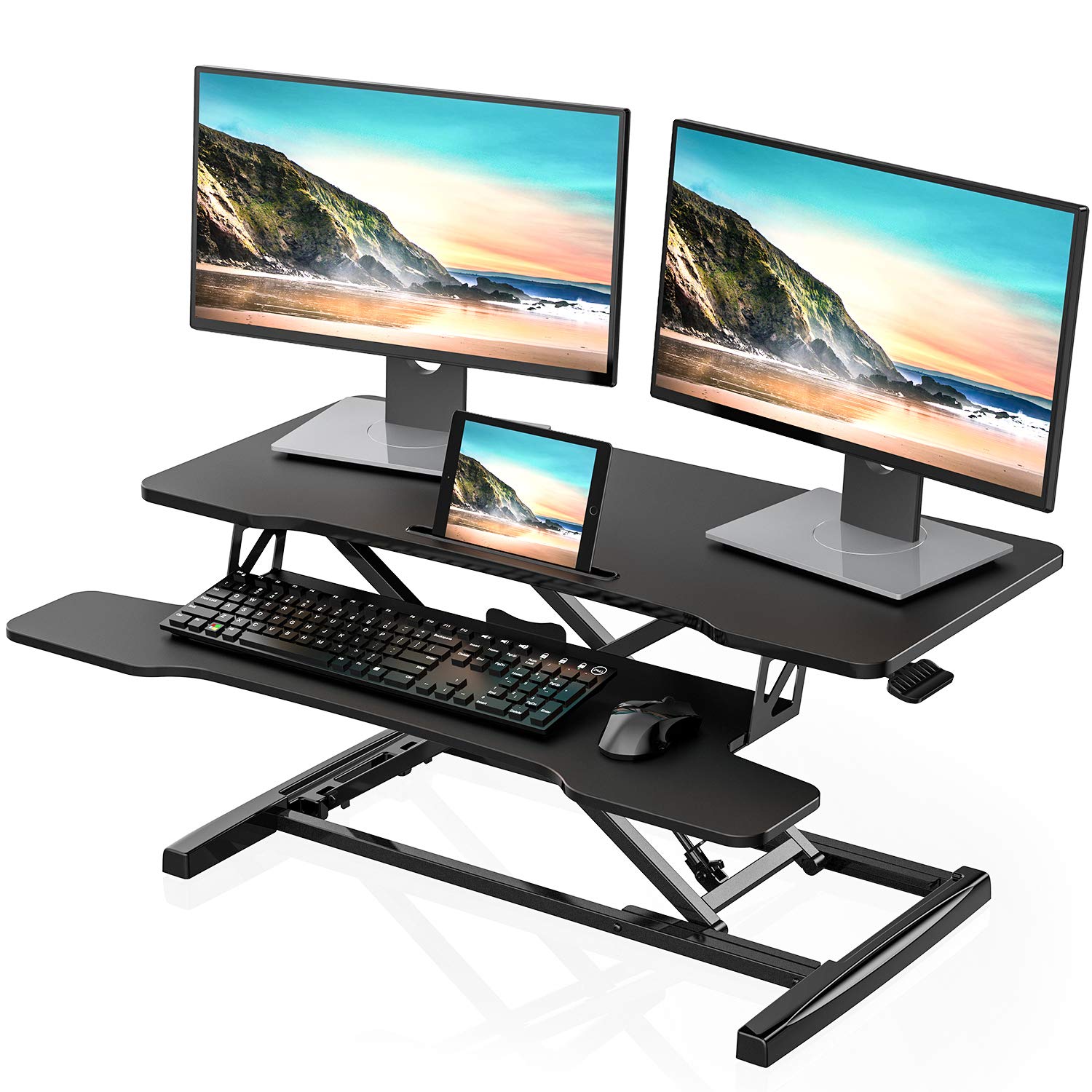
My pick when I need the biggest top area — the 36-inch surface handled two monitors and extra peripherals with ease.
Why I picked it: I picked this for its 36-inch top and roomy layout that fits larger setups.
Best for: Users who want extra surface area for multi-monitor or mixed laptop setups.
A larger converter that trades a bit of remaining desk space for room on top.
Pros
- Very large 36-inch top
- Fully assembled out of box
- Dual gas springs for smooth lift
- Holds up to 33 lbs
Cons
- Consumes most of your existing desk depth
- Keyboard shelf not height-adjustable
My take
I chose the 36-inch FITUEYES when I needed room for a laptop and two monitors plus extras. The top surface gives me real estate to spread out notes, peripherals, and a coffee without feeling cramped.
It arrived fully assembled and the dual gas springs move the platform smoothly between sitting and standing heights. The construction feels sturdy in everyday use; lowering takes firmer pressure but remains controlled.
Because it takes up a large portion of my desktop, I added a monitor arm to reclaim desk space behind the converter. If you want the most usable top area without buying a new desk, this is the converter I reach for.
5. FITUEYES 32-inch Standing Desk Converter – Best Compact Dual-Monitor
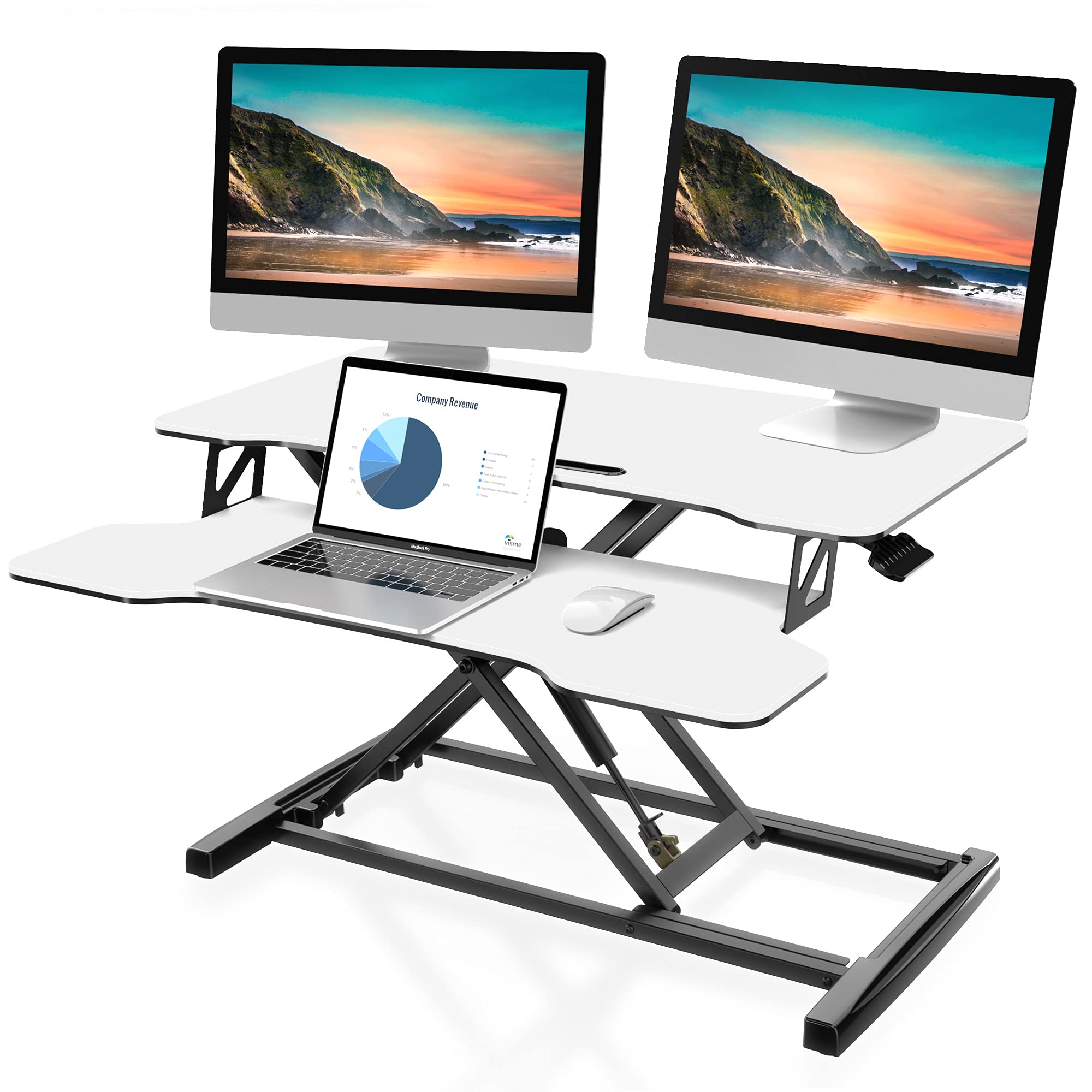
A compact FITUEYES model that balances footprint and capacity — roomy enough for two monitors while staying more desk-friendly than larger converters.
Why I picked it: I picked this for its compact footprint and reliable dual gas spring lift.
Best for: Users who want dual-monitor capability without a huge converter.
A compact option that still supports dual displays.
Pros
- Good balance of size and stability
- Raises smoothly with gas springs
- Fully assembled delivery
- Stable up to 33 lbs
Cons
- Top-to-tray vertical gap not adjustable
- Shipping restraint step can confuse initial setup
My take
This 32-inch FITUEYES riser gave me a pleasing middle ground: big enough for a monitor and laptop but not so large that it dominates my desk. It moves smoothly and felt solid immediately after setup.
One hiccup I ran into is that a shipping restraint can keep the lift locked; removing that strap fixed the issue, but I wish the instructions called that out more clearly. Once unlocked, the motion is silky and the platform holds a single large monitor plus room for notes.
I’ve used it for long days and found the keyboard tray comfortable. For a compact dual-monitor or single-monitor plus laptop arrangement, this model behaves like a more expensive converter.
6. HUANUO 32-inch Electric Height-Adjustable Desk – Best Electric
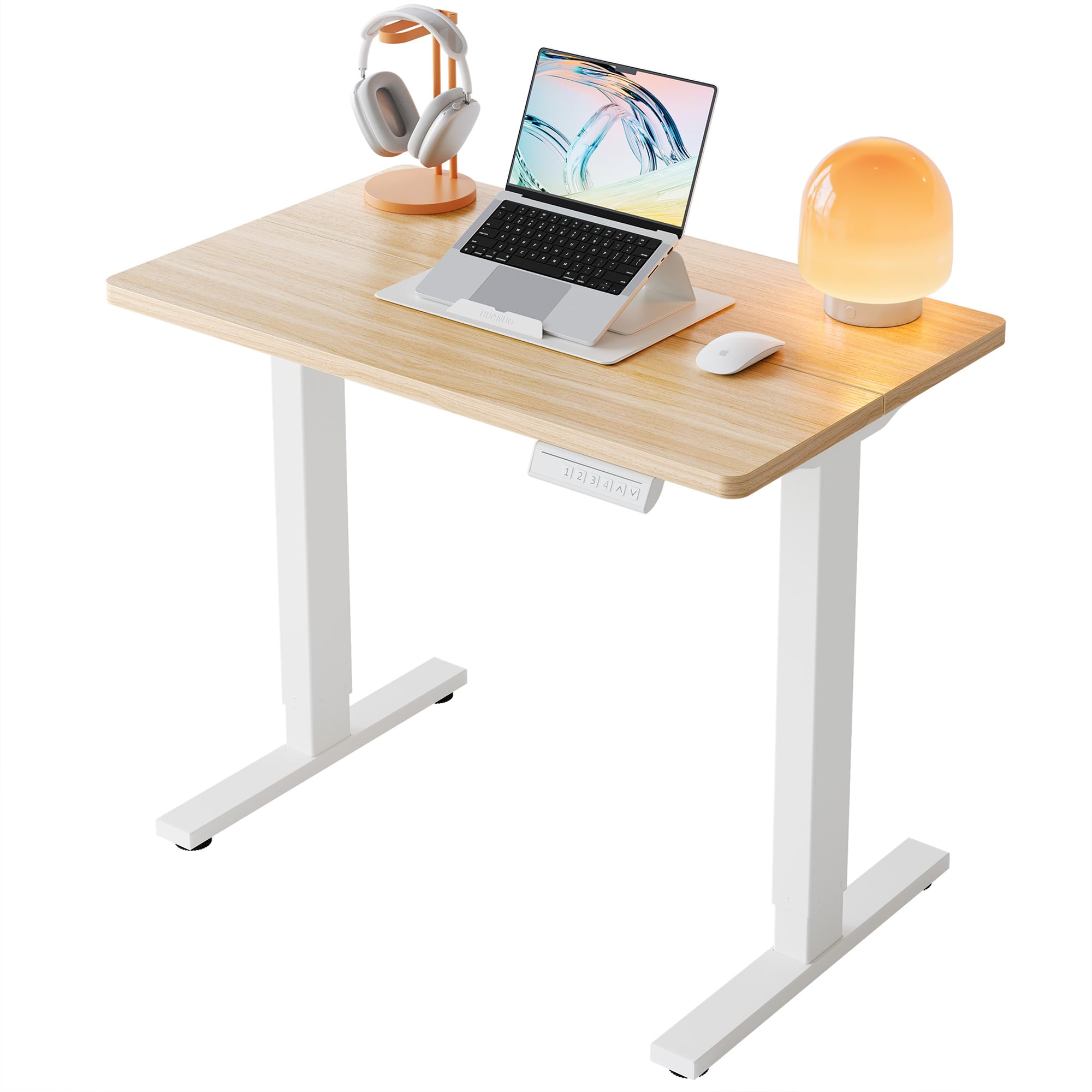
My top pick for a small electric desk: programmable heights, long lift range, and robust steel construction.
Why I picked it: I picked it for the electric motor, four memory presets, and wide height range.
Best for: People who want one-touch height changes and programmable positions.
A cost-effective electric desk when I wanted motorized convenience.
Pros
- Electric lift with four memory presets
- Wide height range for many users
- Durable steel frame
- Tested for many lift cycles
Cons
- Single motor can require leg syncing
- Split top and cable basket are basic
My take
This HUANUO electric desk is the most convenient unit I tested for frequent position changes. The motorized legs move the top from a low seated height up to a tall standing height, and I saved my preferred positions to the four memory presets — I switch postures with a single tap.
Assembly was straightforward and the mechanism felt smooth and quiet. Because it uses a single motor, I spent a minute getting both legs perfectly synchronized during setup; after that it has been trouble-free. The two-piece top is roomy and the rounded corners feel safer in a tight space.
On carpet it can be slightly less steady at the very tallest setting, so I recommend positioning it on a hard, level floor for the firmest feel. For anyone who wants the convenience of electric adjustment without buying a large executive desk, this one gives the features I expect at a reasonable footprint.
How I Picked and Tested These Workstations
What I looked for
I prioritized stability, adjustment range, surface area, and simple assembly because those factors determine whether a workstation is usable every day.
I also considered build materials and lift mechanism — gas springs and electric motors have different trade-offs for smoothness and long-term durability.
- Stability at working height — minimal wobble when typing.
- Usable top surface — room for monitors, keyboard, and notes.
- Range of motion — enough lift to fit your height and chair.
- Ease of assembly — fewer steps and clear instructions save time.
Sit-stand converter vs. electric desk
A sit-stand converter sits on your existing desk and is cheaper and easier to install. I recommend converters if you already have a desk you like.
An electric desk replaces your work surface and offers programmable heights and larger height ranges. I recommend electric desks if you switch positions many times per day or want a single integrated surface.
- Converter: faster setup, smaller footprint, limited range.
- Electric desk: programmable heights, wider range, higher cost.
Ergonomics and setup tips
I position the top so the center of my primary monitor sits at eye level and the keyboard tray keeps my wrists neutral. Small adjustments matter more than exact numbers.
When installing, I tighten hardware evenly and test the lift empty first, then with monitors and accessories in place.
- Measure depth of your desk to ensure converter fits comfortably.
- If you plan to stand on carpet, check stability at the highest setting.
- Use monitor arms if you need more surface area behind the converter.
Frequently Asked Questions
Can sit-stand converters support dual monitors?
Yes — many converters in this roundup support two monitors within a 31–36-inch top, but I always check the listed 33 lb capacity and my monitor stands' footprint before mounting both displays.
How difficult is assembly?
Most converters come mostly assembled and only require attaching the keyboard tray; full desks need a little more time but the electric models I used had clear instructions and straightforward steps.
Will an electric desk wobble at tall heights?
Electric desks can feel slightly less rigid on soft surfaces when fully extended. I recommend a hard floor and following the manufacturer sync steps during setup to minimize wobble.
Final Take
I recommend a sit-stand converter if you want quick standing capability without replacing your desk — the VIVO and FITUEYES models gave me reliable, roomy platforms.
If you need portability and storage in a tight space, the Topeakmart three-tier desk is the compact solution I use. Choose the HUANUO electric desk when you want programmable convenience and a wide height range.
Whichever path you choose, focus on stability, real usable surface area, and a lift range that fits your height — those factors determine whether the workstation will actually improve your day-to-day comfort.
