
I tested four dual-sided cork desk pads for grip, mouse performance, durability and desk protection. Here are the ones I kept on my desks and why.
I swapped my old desk surface for cork-backed desk pads across multiple workstations to compare grip, feel, and real-world durability.
My testing focused on dual-sided mats (cork + PU leather), how well mice track on them, how easy they are to clean, and whether they stay flat and non-slip during daily use.
If you want a sustainable base that also looks clean and protects your desk, cork pads are an easy upgrade. Below I break down which pad I recommend for different desks and setups.
I compared each pad side-by-side for surface texture, non-slip performance of the cork base, ease of cleaning, how quickly they flattened, and any useful extras like cable management or thicker construction.
1. Aothia Dual-Sided Desk Pad – Best Budget
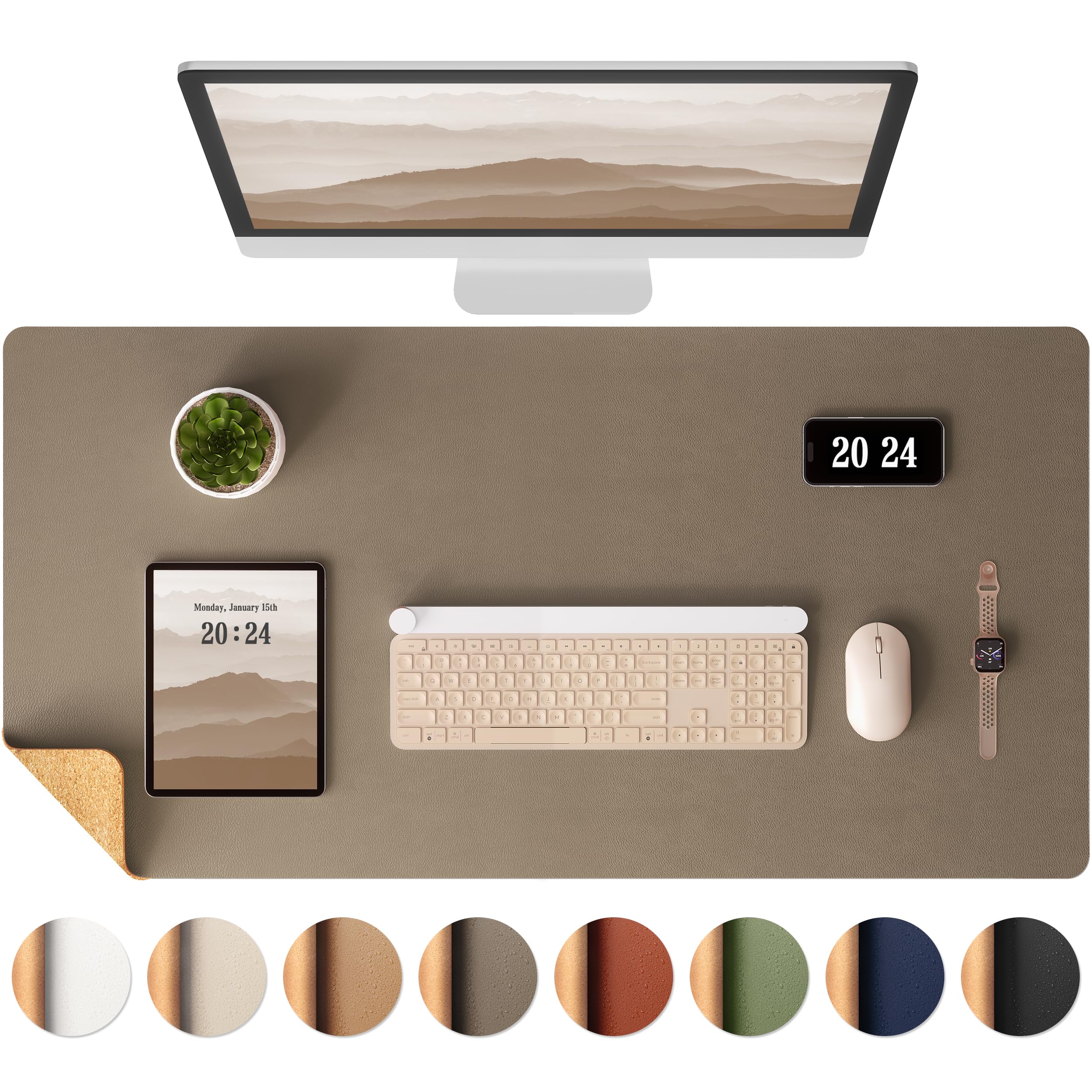
A thin, dual-sided cork and PU leather mat with an FSC-certified cork base that gives great grip and a smooth top surface for mouse use.
Why I picked it: FSC cork backing, reversible surface, very affordable
Best for: Minimalist or small-desk setups that want desk protection without bulk
Very affordable option with solid feature set
Pros
- FSC-certified cork backing
- Reversible cork and PU leather surface
- Waterproof top that wipes clean
- Smooth surface for mouse tracking
- Large enough for keyboard and laptop
Cons
- Thin feel compared with premium mats
- Not durable against pet claws
My take
Out of the box this mat impressed me for the price: the cork underside grips my wooden desk and the PU leather top wipes clean without fuss.
I liked that the surface is reversible—I used the leather side for a smoother mouse glide and flipped to cork when I wanted a warmer, natural look.
The mat is thin, so it doesn’t add padding under my wrists, but that also keeps my desk feeling low-profile and tidy.
Packaging arrived in a tube that prevented extreme curling; if you do see a curl, a day or two under books flattens it quickly. One caveat: I discovered it won’t withstand cat claws, so keep pets away.
2. Nordik Cork Leather Desk Mat – Best for Cable Management
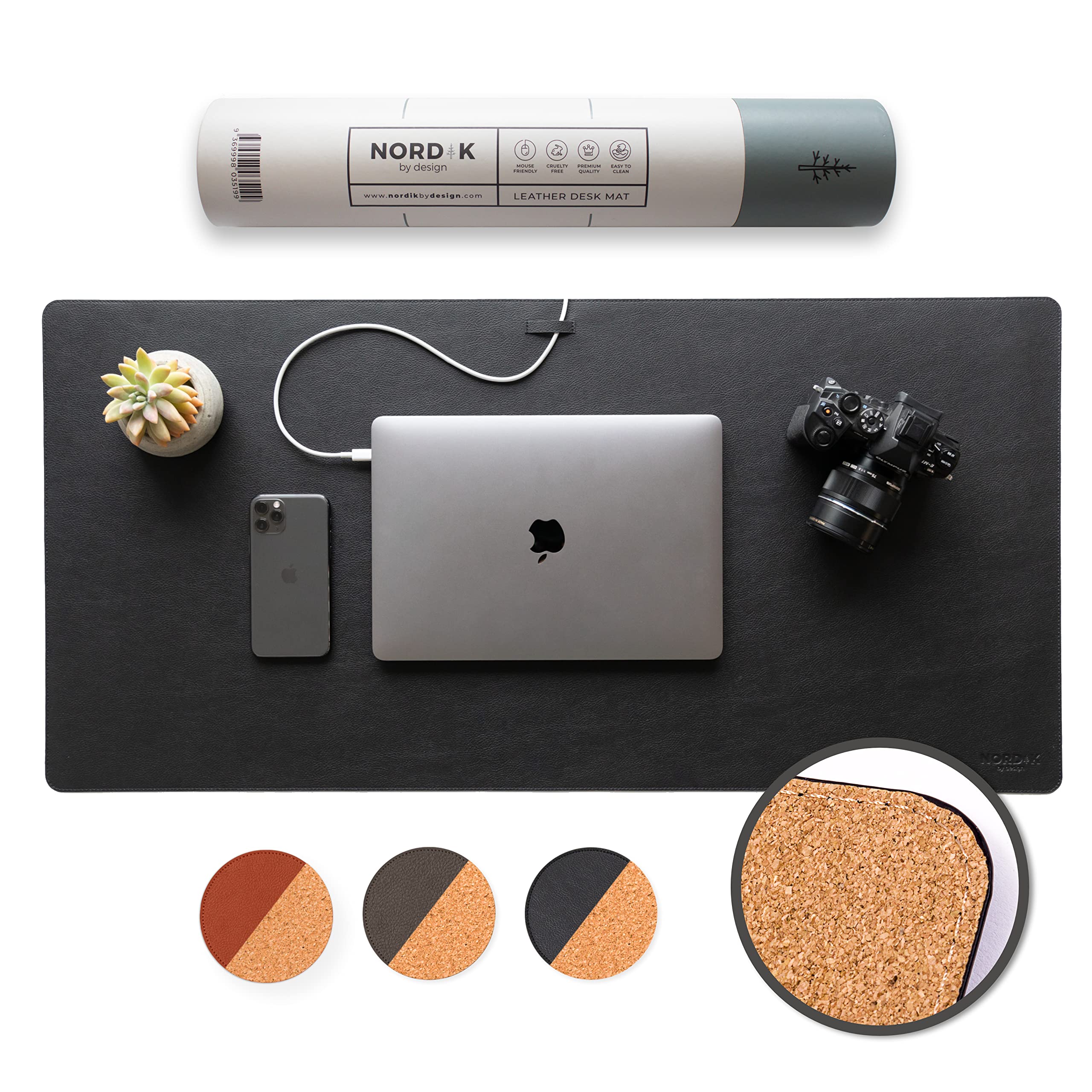
A premium-feeling vegan PU leather mat with a non-slip cork base and an integrated cable organizer for a cleaner desk layout.
Why I picked it: Built-in cable management and premium textured finish
Best for: Home offices that need tidy cable routing and a professional look
Higher tier finish and features
Pros
- Integrated cable organizer
- Non-slip natural cork base
- Premium textured PU leather
- Ergonomic soft cushioning
- Large coverage for multi-device setups
Cons
- May take time to lay flat
- Not genuine leather
My take
I reached for the Nordik when I wanted an executive look plus simple cable management—its channel keeps my charging cable out of the way during zoom calls.
The leather-feel surface is textured and cleans easily with a damp cloth; it also gives a noticeably nicer tactile impression than lower-tier PU mats.
The cork base locks the mat in place on my desk; I didn’t have slipping issues even during heavier mouse motions.
It arrived rolled and took an overnight flattening process; following the maker’s tip to roll gently in the opposite direction works if it doesn’t lie perfectly flat right away.
3. Cork Dual-Sided Desk Mat – Best for Large Desks
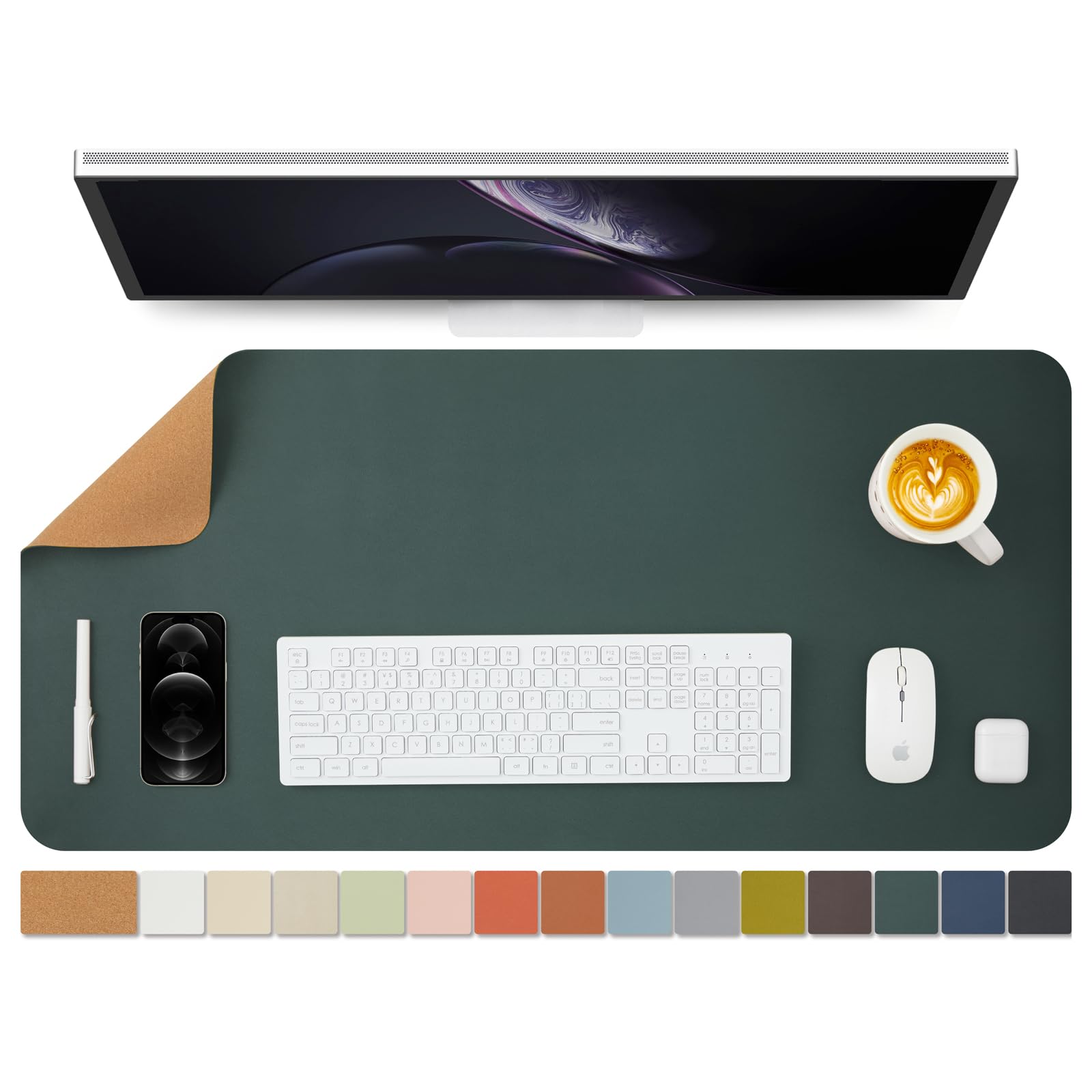
A versatile dual-sided pad offered in multiple sizes and a slightly thicker 2mm construction for more comfort and coverage on wide desks.
Why I picked it: Multiple size choices and comfortable 2mm thickness
Best for: Wide or multi-device desks that need more coverage
Solid mid-range value given size options
Pros
- Multiple size options
- 2mm comfortable thickness
- Dual-sided cork and PU leather
- Waterproof and easy to clean
Cons
- Top material can feel slightly tacky
- Color may vary from listing
My take
I picked this mat when I needed more real estate; the larger sizes truly let me park my laptop, keyboard and tablet on a single surface.
The 2mm thickness gives a reassuring feel under my wrists—noticeably more substance than ultra-thin options—without being bulky.
Mouse glide depended on the top finish: my wireless mouse moved well but felt a touch tacky compared with cloth pads. Some mice will prefer the leather side, others the cork.
I also noted that color representation varied slightly from the online swatch, so I leaned toward darker tones to match my desk.
4. YSAGi Double-Sided Desk Pad – Best Everyday Use
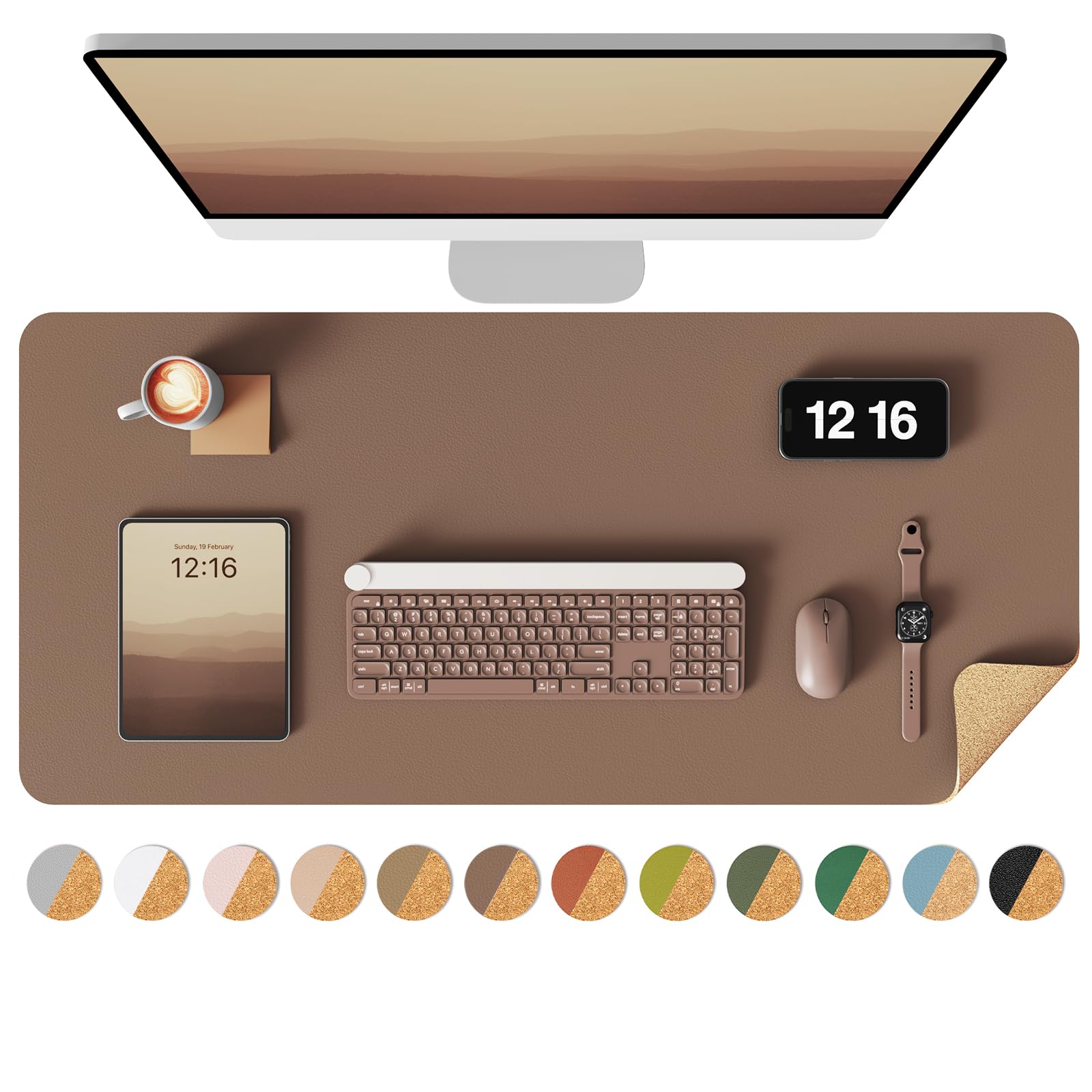
A straightforward, budget-friendly dual-sided cork and PU leather pad that cleans easily and works well across study desks, home offices and craft tables.
Why I picked it: Reliable, easy-to-clean dual-sided pad at a low cost
Best for: Budget-conscious buyers wanting a practical, attractive desk protector
Extremely budget-friendly with dependable performance
Pros
- Waterproof leather surface
- Dual-sided cork and leather
- Thin, unobtrusive profile
- Easy to wipe clean
Cons
- Arrives rolled and may crease
- Not firmly anchored for aggressive mouse use
My take
I bought several of these for different desks because they deliver consistent, no-fuss performance and they look clean in almost any room.
They do arrive rolled; I used a hairdryer on low and gently bent the mat the opposite way to remove creases—an easy fix that made the mat sit flat.
The leather side wipes down quickly after coffee rings and markers, which made this my go-to for craft and photo-backdrop use as well as regular desk protection.
If you drive your mouse aggressively, expect a little movement compared with thicker, more heavily weighted pads.
How I Choose a Cork Desk Pad
Materials and construction
I look for a real cork base paired with a PU leather top for a balance of grip and smoothness.
Cork provides natural non-slip performance and a sustainable story; PU leather is easy to clean and smooth for mouse tracking.
- Choose cork for a secure base and sustainable sourcing.
- Pick PU leather for easy maintenance and a sleek surface.
Size and thickness
I match the mat size to how many devices I put on my desk—keyboard and mouse only, or laptop plus tablet and accessories.
Thickness affects comfort: thinner mats keep a low profile while 2mm+ options add wrist comfort and a sturdier feel.
- Measure your desk area before buying larger sizes.
- Opt for 2mm+ if you want more padding and stability.
Surface performance and mouse glide
I test both sides when a mat is reversible—sometimes the cork gives better tactile control, sometimes the leather provides faster glide.
If you do precision pointer work, try a mat with a consistently smooth top surface.
- Dual-sided mats let you switch feel based on task.
- Consider your mouse type—some sensors prefer smoother surfaces.
Extras and fit
Cable organizers, stitched edges and heavier weight are features I appreciate for long-term use.
Watch out for heavy curling from shipping; let a rolled mat decompress or use gentle reverse-rolling to flatten it.
- Cable channels keep chargers and headphones tidy.
- Stitched edges resist fraying and look more finished.
Care and longevity
I clean PU leather tops with a damp cloth and mild soap, and avoid soaking the cork underside.
To protect thin mats from pet damage, I keep animals off the workspace or choose a thicker, more rugged option.
- Wipe spills promptly to avoid stains on lighter colors.
- Avoid abrasive cleaners that could dull the finish.
Frequently Asked Questions
Will a cork desk pad improve my mouse tracking?
In my experience, a cork-backed mat with a smooth PU leather top gives good tracking for general tasks. Some mice feel slightly tacky on certain PU finishes, so I test both sides—cork for control, leather for glide—and pick what suits my mouse sensor.
How do I get a rolled desk pad to lie flat?
I leave the mat flat with heavy books on the corners for a day or two. For stubborn curls I gently roll it the opposite way or warm it briefly with a hairdryer on low while pressing it flat.
Are cork desk pads easy to clean?
Yes—I wipe the PU leather side with a damp cloth and mild soap for most spills. I avoid saturating the cork underside and gently blot any liquids to protect the material.
Do cork desk pads protect my desk from heat and scratches?
They protect well against scratches and light spills; I don’t rely on them for direct prolonged heat protection from very hot pans, but they handle mugs and routine desk wear effectively.
Final Take
I found each pad here useful in different ways: pick the Aothia for an affordable, reversible option; the Nordik when cable organization and a premium finish matter; the Cork Dual-Sided mat for larger setups; and the YSAGi when I want an everyday, no-frills protector.
Match the mat’s size and surface to your mouse habits and desk layout, and you’ll get a cleaner, more comfortable workspace quickly.
