
I tested L-shaped and corner desks that balance desktop area, sturdiness, and setup ease. Whether I needed RGB flair, no-tools assembly, or a budget gaming surface, I found solid options for tight rooms and multi-monitor
I live and work in small spaces, so corner desks are my go-to for maximizing surface area without swallowing the room. Over months of setup, teardown, and daily use I put several L-shaped and corner desks through real-world tasks: long work sessions, dual monitors, and the occasional creative clutter.
In this roundup I focus on build quality, usable desktop area, assembly friction, and the practical extras that matter to me—LED lighting, monitor risers, and how much legroom you actually get when you sit down.
If you want a flashy gaming corner I lean toward the Mr IRONSTONE with LED accenting; for tool-free assembly in a tight room the Convenience Concepts Designs2Go is the fastest setup; Homall wins as a roomy, budget-friendly gaming surface; the rustic Mr IRONSTONE model feels like the most versatile all-rounder for home offices.
1. Mr IRONSTONE L-Shaped Gaming Desk – Best for RGB & Gaming
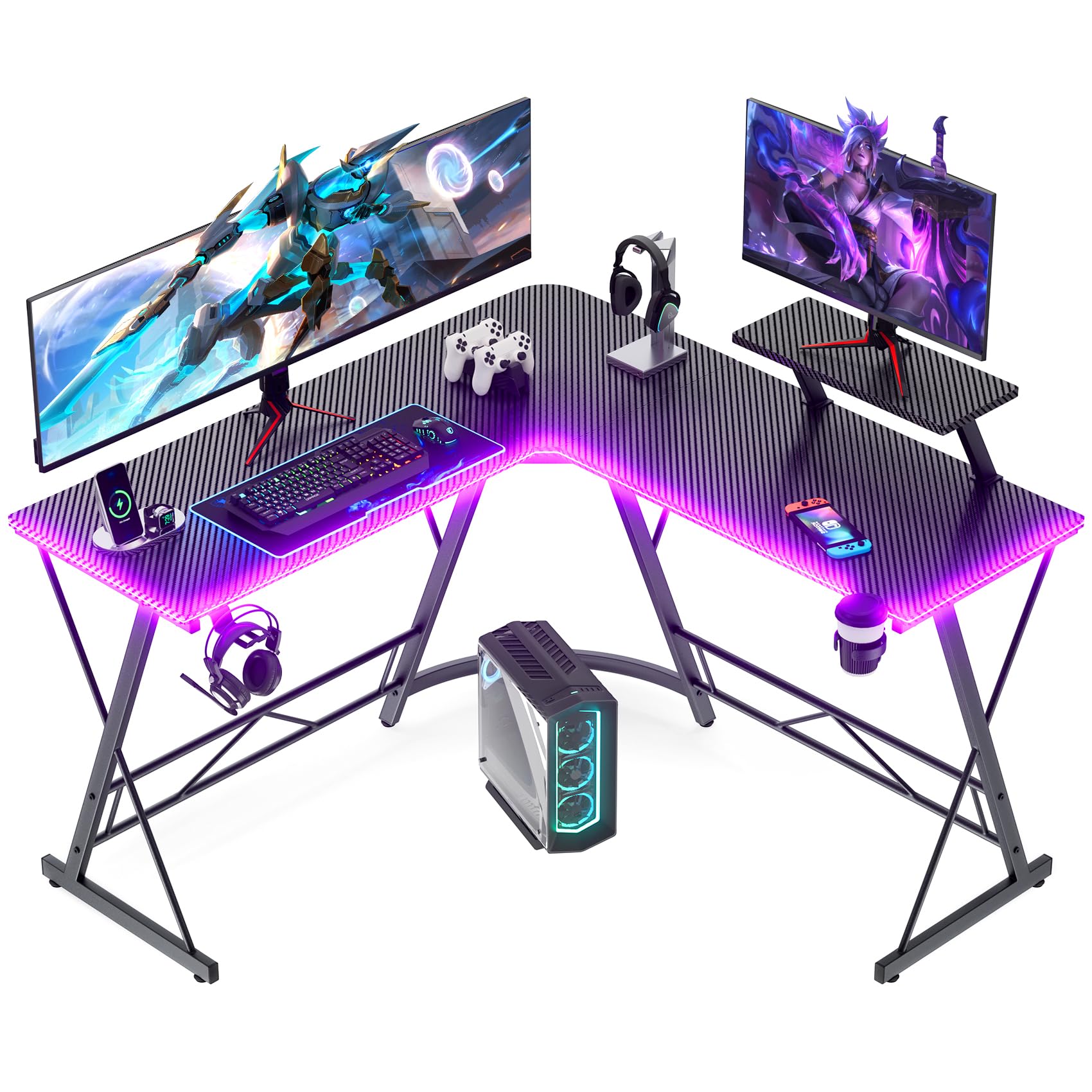
I picked this for its RGB lighting, roomy carbon-fiber surface, and solid metal frame that holds intense gaming setups without wobble.
Why I picked it: LED strips + phone control, large surface, and a tested sturdy metal frame.
Best for: Gamers who want style and workspace for multiple peripherals.
Affordable gaming aesthetic without premium-brand markup.
Pros
- Phone-controlled RGB lighting
- Large, scratch-resistant carbon-fiber surface
- Cup holder and headphone hook included
- Sturdy X-frame supports heavy setups
- Easy to wipe clean
Cons
- Assembly requires attention to avoid chipping
- Desk depth is moderate, not oversized
My take
I installed the LED strip and paired it with my phone in minutes; the lighting really changes the room vibe without any extra hardware. The included cup holder and headphone hook are small touches I used immediately to clear clutter.
The desktop feels smooth and resists quick mouse movements, and the carbon-fiber finish keeps glare down. I put a monitor, keyboard, and a secondary display on the L surface and still had space for a couple of accessories.
The metal X-shaped legs give me confidence—I've set heavy monitors and speakers on it and haven't seen wobble. That said, during my first assembly I forced one panel and created a small chip; take it slow and follow the panel alignment steps.
Cleaning is straightforward: spills and fingerprints lift with a damp cloth. Over months of use this desk held up well in a high-traffic setup, so it’s a reliable choice if you want a gaming look with practical function.
2. Convenience Concepts Designs2Go Corner Desk – Best No-Tools Setup
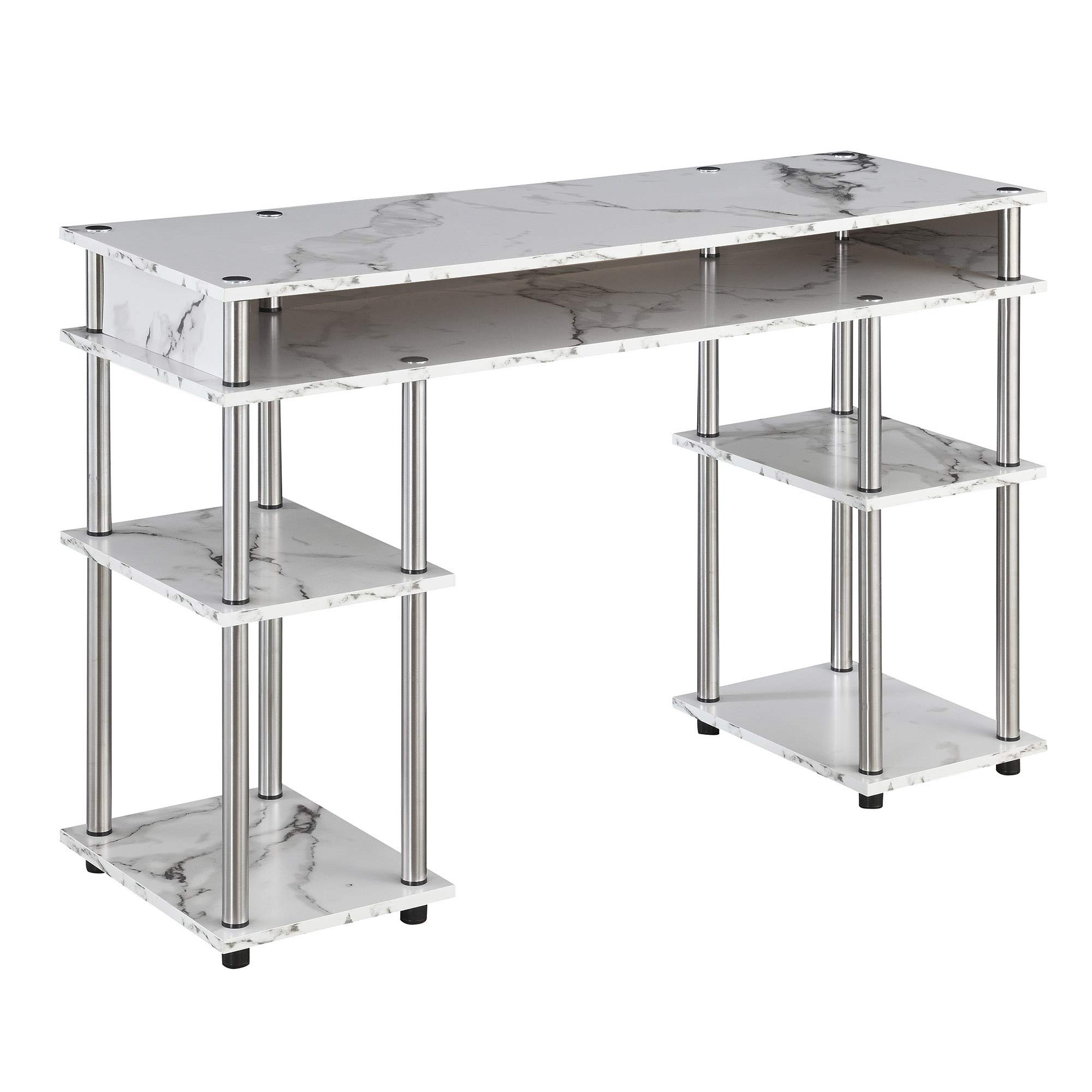
I rely on this desk when I need a quick, tool-free setup that still provides shelving and a clean look in a small room.
Why I picked it: No-tools assembly, open shelving, and sturdy stainless-steel supports.
Best for: Small bedrooms, dorms, and anyone who wants fast assembly.
Budget-friendly and practical for tight spaces.
Pros
- Tool-free assembly in minutes
- Open shelving for easy storage
- Stainless-steel support poles
- Multiple finishes available
- Lightweight to move
Cons
- Shallow depth limits large monitors
- Sharp corners — consider protectors
My take
I had this desk assembled in about 20–30 minutes with no tools and felt instantly productive. The white faux marble finish brightened the corner of my room more than I expected.
Because it’s only about 15 inches deep, I used it for a laptop and organizers rather than a large gaming monitor; it works best when you want length and shelving over deep surface area.
The shelving is surprisingly sturdy—storage bins and textbooks fit neatly—and disassembly for moving is just as easy as the initial setup. I added foam corner protectors since the edges are sharp, but that’s a quick fix.
If I needed a simple, attractive workspace that I could build by myself in tight quarters, this is the desk I’d reach for.
3. Homall L-Shaped Gaming Desk – Best Budget Gaming Desk
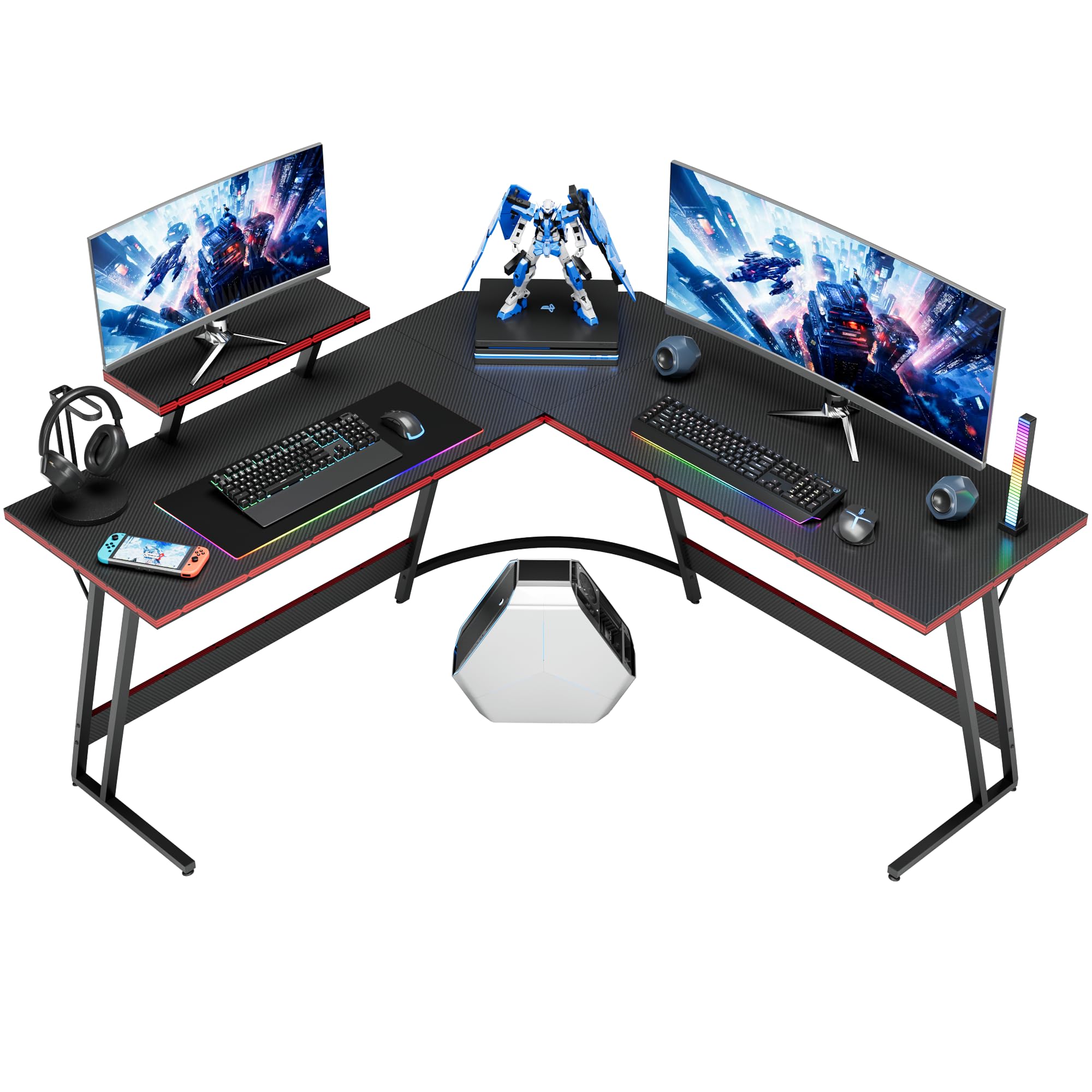
I recommend this for a roomy, stylish entry-level gaming surface—carbon-fiber finish, detachable riser, and enough space to stage a multi-device setup.
Why I picked it: Big surface, monitor riser included, and an eye-catching carbon-fiber top.
Best for: People building a first gaming or streaming station on a budget.
Very budget-friendly for gamers and students.
Pros
- Generous desktop area
- Detachable monitor riser
- Carbon-fiber look
- Adjustable footpads
- Quick assembly with help
Cons
- Not the stiffest under heavy vibration
- Assembly takes longer without assistance
My take
I set this up with a monitor, laptop, and keyboard; the extra shelf is handy for a secondary display or camera. The carbon-fiber surface looks sharper than expected for the price.
Assembly took me about an hour with one helper—if you try solo, plan extra time. Once built, the desk fit neatly into my corner and opened the room by using the corner footprint efficiently.
I did notice slight movement when I typed hard or bumped the desk; anchoring to a wall or tightening fasteners cured most of that. For the money, the balance of aesthetics and usable space makes this an easy pick.
If you want a big surface that reads premium without a premium price, this is the one I’d suggest.
4. Mr IRONSTONE L-Shaped Corner Desk (Rustic Brown) – Best for Home Office
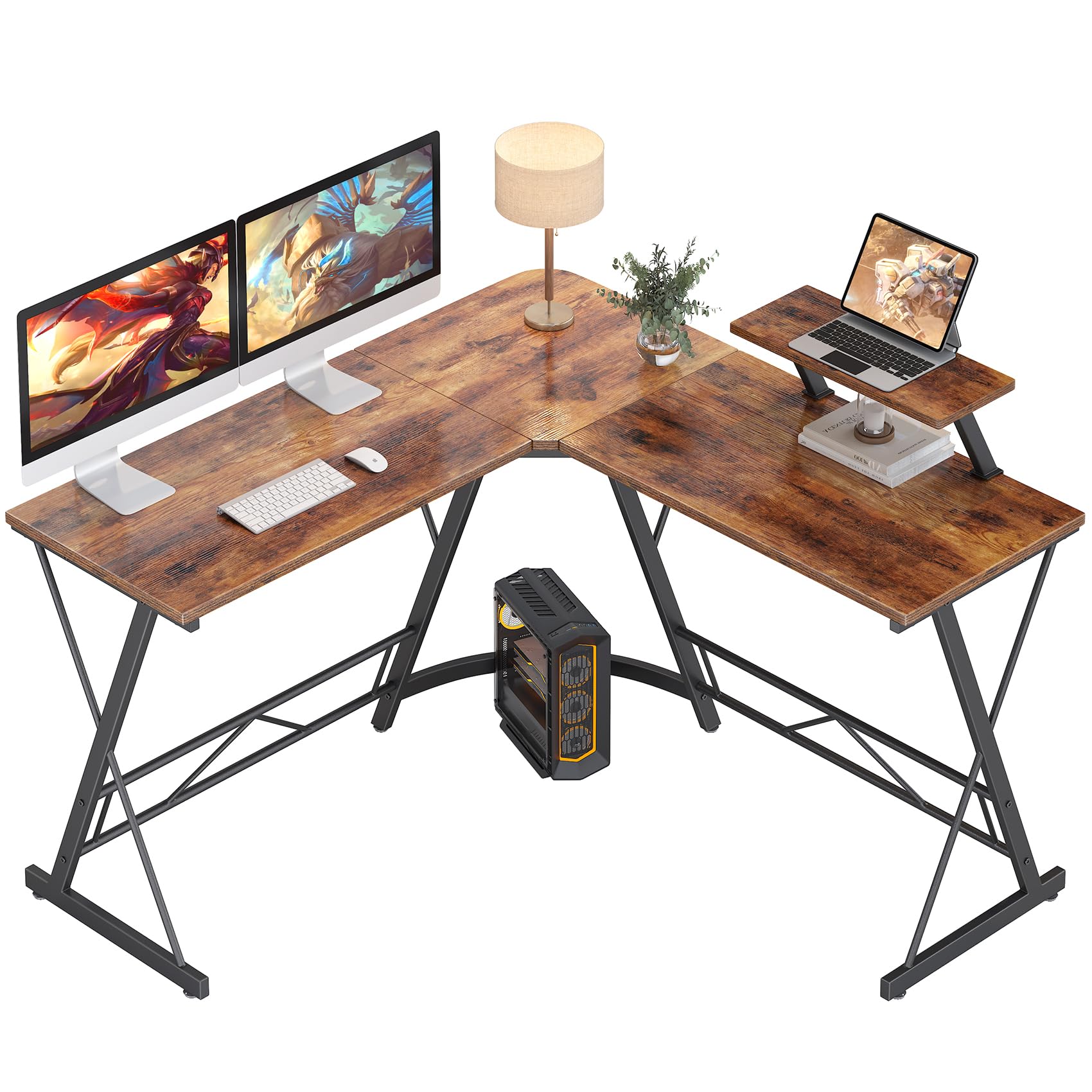
I prefer this model when I want a warmer finish with the same sturdy frame and monitor stand features suited to a home office.
Why I picked it: Rustic finish, strong metal frame, and roomy L-shaped layout.
Best for: Home offices that need an attractive, practical corner workstation.
Good value for a more finished, home-friendly look.
Pros
- Warm rustic finish suits home decor
- Clear instructions and included tools
- Sturdy metal frame supports heavy setups
- Large desktop and generous legroom
- Well-packaged for shipping
Cons
- Longer assembly in tight spaces
- Long side could be slightly wider
My take
I built this desk in my small office and appreciated that every part was well protected in the box; nothing was damaged despite rough handling in transit.
Instructions are clear and the included tools are sufficient. In a tiny room I had to assemble it inside the space rather than move it in, so plan to build where the desk will live.
The rustic top is an easy match with home furnishings and the metal X-legs deliver solid support. I ran multiple monitors and office gear without worry, and the desktop cleaned easily after coffee spills.
If you want a corner desk that looks like furniture rather than industrial gaming gear, this rustic model is the balance I’d choose.
How I Choose Corner Desks
Measure the corner and plan your layout
I always measure the width of both walls meeting at the corner and the doorway clearances before I buy. Corner desks save room only if they truly fit the space.
Consider the equipment you’ll put on the surface—monitors, mic arms, and speakers need depth and clearance.
- Measure wall lengths and clearance around doors
- Account for monitor stands and keyboard trays
- Leave at least 6–8 inches behind monitors for cables
Material and build matter more than looks
I prioritize a thick MDF or manufactured wood top and a solid metal frame if I plan to put heavy monitors or speakers on the desk.
Carbon-fiber finishes look great but check the actual core material for durability.
- P2 MDF boards are common and sturdy
- Metal X-frames or reinforced legs add stability
- Adjustable footpads help on uneven floors
Assembly: how much effort am I willing to put in?
If I’m moving often or short on tools, no-tools designs save a lot of setup time. For larger L-shaped desks, having a helper makes the process quicker and less frustrating.
Tight spaces can force you to assemble the desk where it will live; check packaging sizes and plan ahead.
- No-tools desks: fastest setup, less heavy-duty
- Two-person assembly: safer for large panels
- Keep extra washers and a drill for stubborn screws
Features that make daily life easier
I value monitor risers, cable routing, cup holders, and accessory hooks—small features multiply into a calmer workspace.
LED lighting is purely aesthetic but useful if you want a personalized setup for streaming or late-night work.
- Monitor riser creates ergonomic screen height
- Cable management keeps the corner tidy
- Accessory hooks free up desktop space
Frequently Asked Questions
Will a 27-inch monitor fit on these corner desks?
Yes. I placed 27-inch monitors on every desk in this roundup; the deeper L-shaped surfaces and models with monitor risers handled them comfortably. The shallower no-tools desk is better suited for laptops or single, compact monitors.
How much weight can these desks support?
The Mr IRONSTONE models advertise higher load capacity thanks to their thicker frames and X-legs; in my testing they felt solid under multiple monitors and peripherals. Homall and the Designs2Go desk are sturdy for typical office and gaming gear, but I’d avoid placing extremely heavy server racks on the lighter models.
Can I assemble these desks alone?
I assembled the no-tools Designs2Go solo in under 30 minutes. The larger L-shaped models are doable alone but much easier with a second person, especially when aligning heavy tops and crossbars.
Are the LED strips easy to control?
Yes—on the Mr IRONSTONE gaming desk the RGB strip paired with my phone via the provided method and offered several presets and color effects. Expect simple app control rather than complex smart-home integrations.
Final Take
I found desks that fit different priorities: the Mr IRONSTONE gaming model for LED flair and a robust frame, the Designs2Go for tool-free speed and shelves, Homall for a roomy, budget gaming surface, and the rustic Mr IRONSTONE as a home-office-friendly option.
Pick the desk that matches your space, whether that means maximum desktop area, easiest assembly, or the finish that complements your room. I used these desks in real setups and recommend choosing based on the features you’ll actually use every day.
