
I tested five desks with shelves across tiny apartments, home offices, and multi-monitor setups. Here are the ones I kept using — from a folding portable table to a large reversible L-shaped workstation.
I evaluated desks with shelves for portability, storage, and real-world use. My focus was on how each design solved clutter, supported monitors and keyboards, and behaved during setup and daily work.
In this roundup I cover a compact folding desk that’s ready out of the box, a no-tools student desk with open shelving, an ergonomic model with a keyboard tray and riser, a large reversible L-shaped workstation, and a value-oriented desk with a bookshelf.
If you want something you can fold away, something that improves posture, or something for a full corner setup, I’ve highlighted where each desk shines and what to watch out for.
I grouped these desks by what they do best: instant portability and no assembly, shallow modern desks that maximize surface length, ergonomic desks with keyboard trays and risers, large L-shaped workstations for multi-monitor setups, and budget options that punch above their price. Think about whether you need depth, storage, or modularity before you choose.
1. GreenForest Portable Folding Desk – Best for Small Spaces
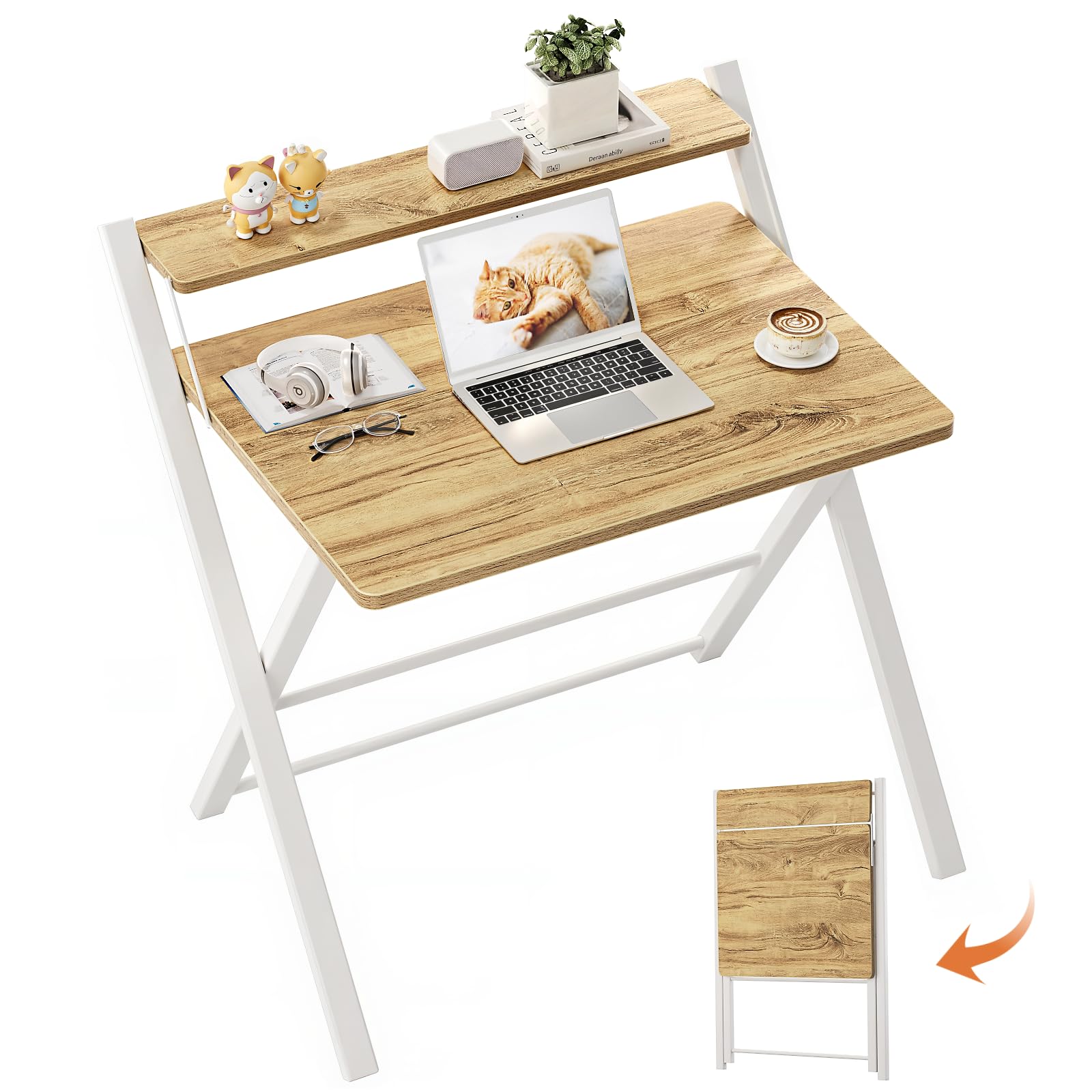
A no-assembly, fold-flat desk with a two-tier shelf that I used in tiny apartments and shared rooms for quick setups and tidy storage.
Why I picked it: No assembly and a monitor shelf that frees desktop space in tight rooms.
Best for: Students, studio apartments, temporary workstations, or craft tables that need to stow away.
An affordable, space-saving choice.
Pros
- Ready out of the box
- Upper shelf for monitor or storage
- Folds flat for easy storage
- Lightweight but sturdy frame
Cons
- Limited desktop area
- Fixed height
- Can feel cramped with many items
My take
I unpacked this and had a usable desk in seconds — no screws, no tools, just unfold and go. The X-frame keeps the surface steady enough for a laptop and papers, and the raised shelf makes room for a monitor without crowding the main surface.
Because it folds flat I pushed it behind a door when I needed the floor space, which is exactly why I bought it for my studio. I added felt pads to the feet so it glides easily on hardwood.
The trade-off is surface area: a full workstation with dual monitors and lots of notes won’t fit comfortably. For single-laptop work, crafts, or temporary setups this desk is hard to beat.
2. Convenience Concepts Designs2Go Desk – Best No-Tools Desk
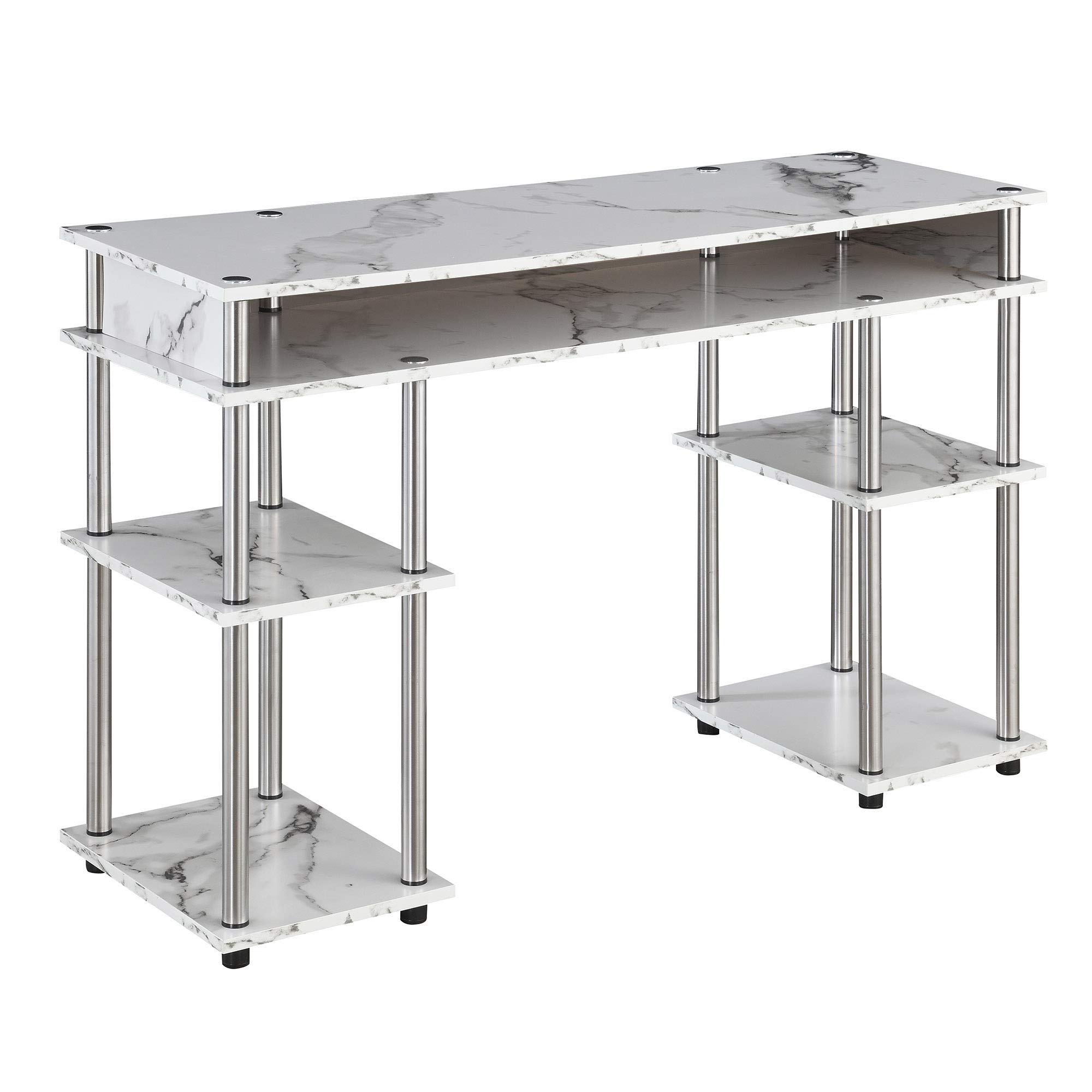
A no-tools assembly desk with stainless-steel poles and open shelving that I relied on for a neat, long workspace in a small room.
Why I picked it: Tool-free assembly with thick shelving and versatile open storage.
Best for: Students, small bedrooms, and anyone who wants quick assembly plus visible storage.
A reasonably priced, stylish option.
Pros
- No-tools assembly
- Spacious open shelving
- Clean modern look
- Holds up to repeated moves
Cons
- Shallow depth (not deep)
- Sharp corners need protection
- Limited under-desk knee room
My take
I built this desk in about 20–30 minutes and appreciated that no power drill was required. The stainless-steel poles feel solid and the thick manufactured-wood shelves give a nice, substantial surface.
The open shelving is useful for bins, books, and decor; I kept frequently used notebooks and supplies within arm’s reach. Because the depth is shallow, I hid my keyboard in the mid hollow section when I needed more elbow room.
This desk handled moves and reassembly without complaint, and the white finish helped brighten the small room where I used it.
3. TOPSKY Desk with Keyboard Tray – Best for Ergonomics
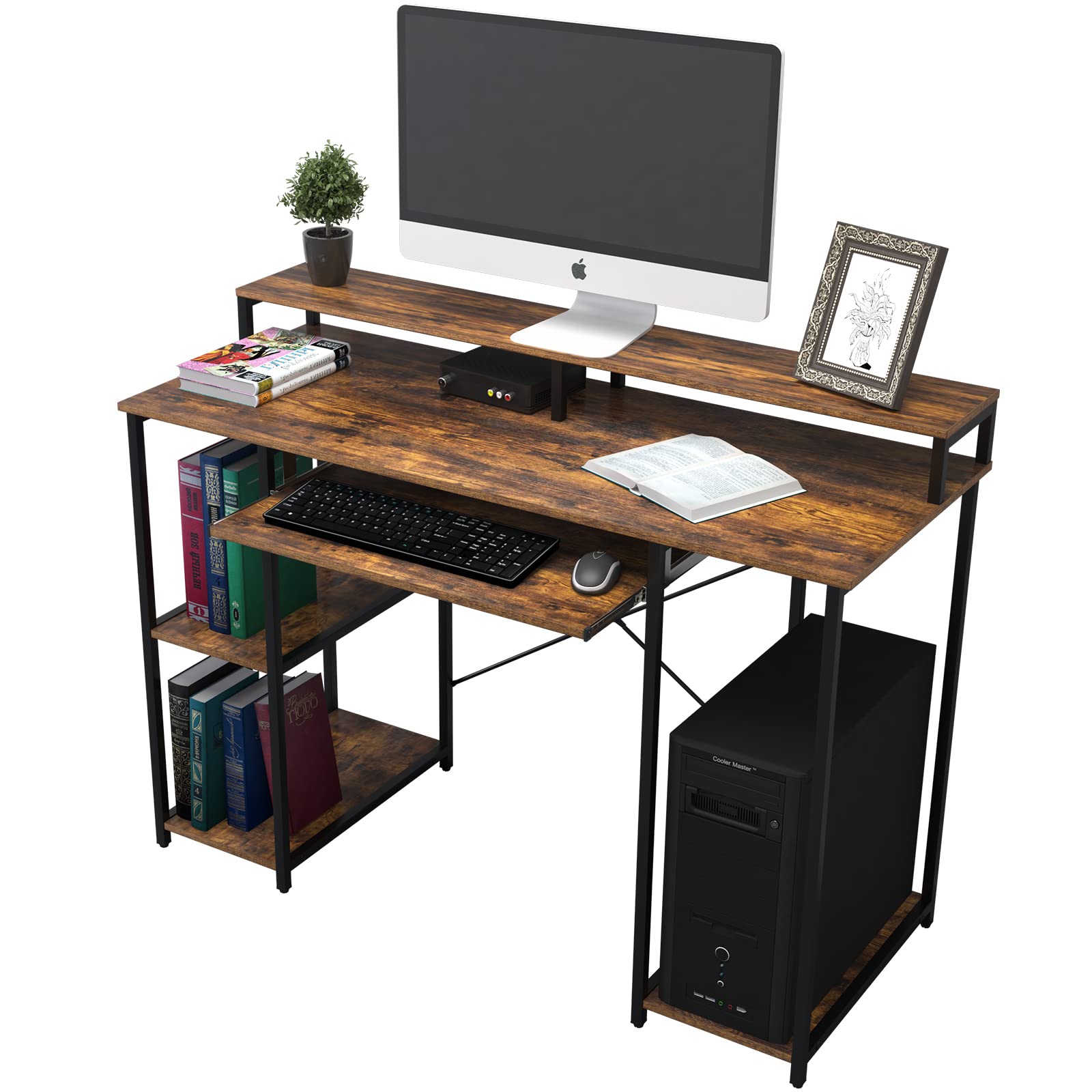
A work-focused desk with a full-size keyboard tray and monitor riser that I use to reduce wrist strain and lift screens to eye level.
Why I picked it: Full keyboard tray and monitor riser for improved posture and typing comfort.
Best for: People who want an ergonomic setup with storage shelves and a slide-out tray.
Solid value for its ergonomic features.
Pros
- Large keyboard tray
- Full-length monitor riser
- Removable center shelf
- 200 lb weight capacity
Cons
- Assembly can be fiddly
- Riser may be low for tall users
- Particle board material
My take
This desk felt like the best online purchase I made for a home office. The monitor riser brought my screens up to eye level and the wide keyboard tray positioned my arms comfortably to cut wrist fatigue.
Assembly took some patience — the instructions weren’t perfect — but the included hardware and tools got me there. I used a longer screwdriver for a couple of brackets, which made life easier.
Once assembled the desk was sturdy and held monitors and peripherals without sag. The removable center shelf gives flexibility for a small PC tower or extra storage.
4. Teraves Reversible L-Shaped Desk – Best for Large Workstations
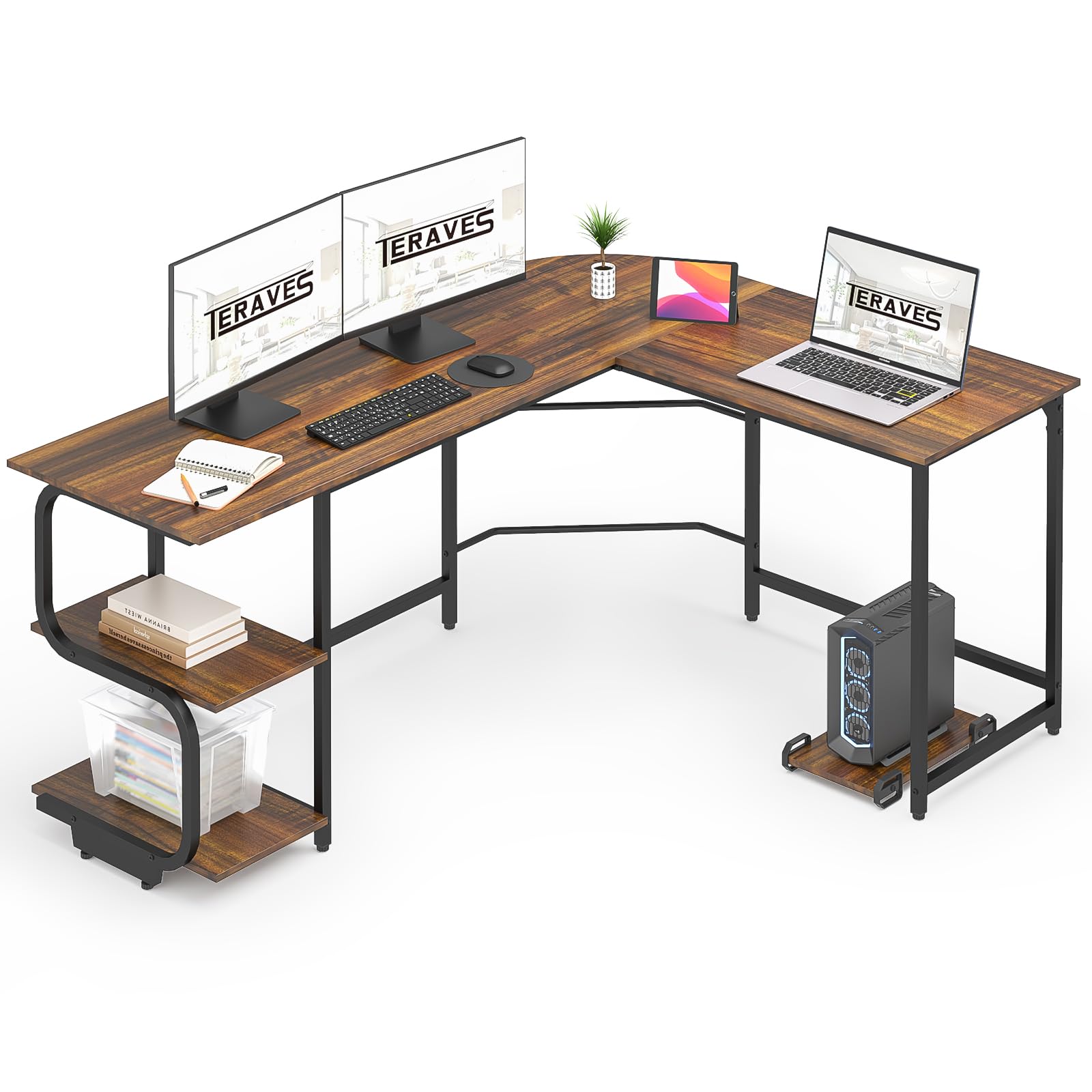
A heavy-duty, reversible L-shaped desk that I put together for a multi-monitor setup and found to be spacious and thoughtful in its details.
Why I picked it: A reversible layout and large surface that accommodate multi-monitor and corner configurations.
Best for: Gamers, creatives, and anyone needing a big corner workstation.
A more expensive option for a full workstation.
Pros
- Reversible L-shape
- Very large surface area
- High weight capacity
- Adjustable leg pads
Cons
- Heavy box to move
- Takes longer to assemble
- Hardware alignment requires care
My take
I built this desk when I needed a corner workstation and appreciated the option to place the long return on either side. The frame is thick and the finished surface looks and feels durable.
The included shelves are useful for printers, decor, or reference books, and the desk handled multiple monitors and accessories with no flex. The corner hole for cables and monitor mounts is a handy touch I used immediately.
Expect to spend a couple of hours on assembly and to have plenty of space to lay out parts — the box is heavy but well organized and everything fit together cleanly if you follow the instructions closely.
5. Cubiker Desk with Bookshelf – Best Budget Desk
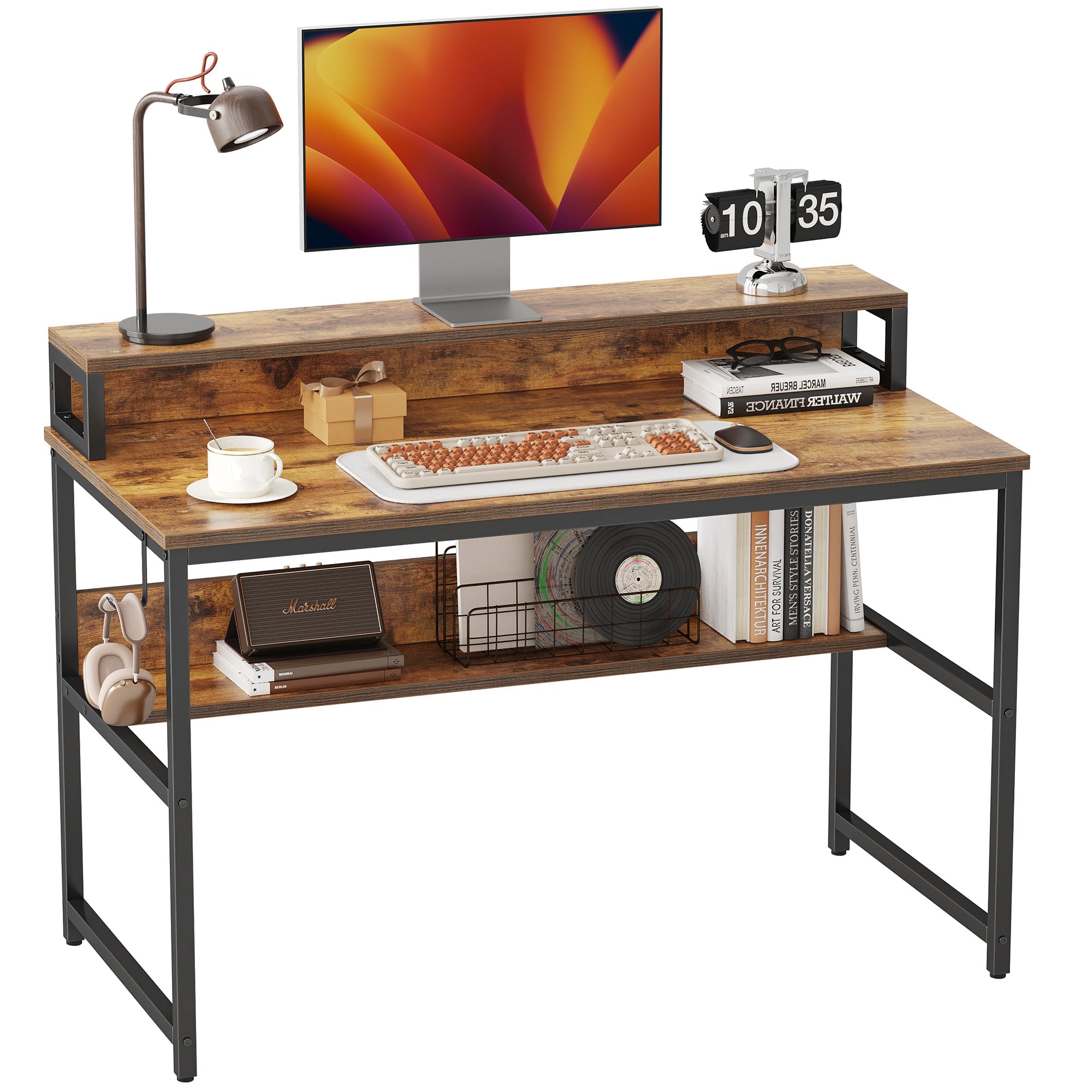
A budget-friendly desk with a top shelf and bottom bookshelf that I assembled quickly and used as a practical, no-frills home office desk.
Why I picked it: Top and bottom shelving plus an easy assembly process at an attractive price.
Best for: Budget-conscious home offices and compact workspaces that still need storage.
An economical option that still delivers on storage and stability.
Pros
- Fast, clear assembly
- Top riser and bottom bookshelf
- Sturdy metal frame
- Great value
Cons
- No built-in cable routing
- Laminate can scratch
- Basic finish
My take
I put this desk together in about 25 minutes and was impressed by how well the labeled pieces and instructions simplified the process.
The combination of a raised shelf and a bottom bookshelf kept my monitors elevated and books accessible, and the frame stayed rock-solid during daily use.
If you want cable holes or a premium finish this isn’t that desk, but for the money it gave me a roomy, functional workspace with sensible storage.
How I Choose a Desk with Shelves
Decide what you actually need
I start by listing how I work: laptop only, monitor plus keyboard, or multiple monitors and peripherals. That list determines whether I need depth, a keyboard tray, a riser, or a large L-shaped surface.
Measure the intended spot and the clearance for your chair. I always check both width and depth — a desk that’s long but too shallow can feel cramped.
- Depth under 16 inches is best for narrow rooms but limits mouse/keyboard space.
- Look for a monitor riser if you use external screens.
- Choose an L-shaped desk for dual setups or corner placement.
Shelving and storage I value
Open shelving keeps frequently used items visible and within reach. I like a raised shelf for screens and a lower shelf or cubby for binders and books.
Consider removable or adjustable shelves. I’ve found removable center shelves are handy when I need to fit a PC tower or taller items.
- Raised shelves free desk real estate for working materials.
- Bottom bookshelves are ideal for bulk storage without adding clutter.
- Open shelves are easier to access; closed storage hides mess.
Assembly and portability
If I frequently move or live in a small place, no-tools desks and folding models are lifesavers. They minimize tool use and reduce setup time.
For heavier, larger desks expect longer assembly and at least one helper for the box.
- No-tools desks: quick setup, good for renters.
- Foldable desks: instant storage, limited long-term workspace.
- Larger desks: require time, space, and care when assembling.
Materials and durability
I prefer thicker shelving and metal frames for longevity. Particle board desks can be perfectly fine if the finish and edge banding are good.
Watch for adjustable feet and reinforced frames if your floor is uneven or you’ll place heavy equipment on the desk.
- Metal frames and thicker boards last longer.
- Adjustable leg pads prevent wobble on uneven floors.
- Check weight capacity if you plan to put heavy monitors or gear on the desk.
Practical extras I look for
Cable routing holes, included hardware, and extra fasteners save time. I always keep a screwdriver handy even if a desk says no tools required.
Consider how easy the desk is to clean and whether you’ll need coasters or protective pads to prevent scuffs.
- Cable holes keep things tidy.
- Extra or numbered hardware speeds assembly.
- Protective pads prolong finish and prevent floor scratches.
Frequently Asked Questions
Do folding desks feel flimsy compared to full desks?
In my experience, quality folding desks can be surprisingly stable for light-to-medium use. They won’t match the rigidity of a heavy-duty L-shaped desk under extreme loads, but for laptops, papers, and occasional monitors they work well — especially when you add felt pads or use them on flat floors.
Are keyboard trays worth it?
Yes — I found that a proper slide-out tray places my hands in a more neutral position and reduces wrist strain during long typing sessions. Make sure the tray is wide enough to hold your keyboard and mouse if you plan to use both there.
How much time should I expect to assemble these desks?
Assembly time varies. No-tools and simple metal-frame desks often take 20–30 minutes; mid-size desks with trays and risers can take 45–90 minutes; large L-shaped desks may take a couple of hours and sometimes a second pair of hands.
Final Take
I chose these desks because each solved a different workspace problem: instant portability, easy assembly, ergonomic typing, expansive corner space, or solid value. Match the desk to how you work and the space you have.
If you need a temporary or truly space-saving solution pick the folding desk. For posture and daily comfort choose a desk with a keyboard tray and riser. And if you want a full workstation with room for multiple monitors, the reversible L-shaped desk is what I’d use.
Whichever route you take, measure your room, check clearance for your chair, and think about where you’ll place monitors and storage before you buy.
