
I tested six monitor stands and risers to find the best ways to raise screens, free desk space, and improve posture—options for clamps, ventilated risers, glass styles, and organizers.
I spent time installing and using a range of monitor stands so I could recommend options that actually make a desk better—whether you need full-motion arms, a ventilated riser for a laptop, or a glass stand that looks sleek in a corner.
In this roundup I focus on real-world fit: desk compatibility, weight and VESA limits, ease of installation, adjustability, and how much usable desk space you get back. I tested each product with everyday workflows—web calls, spreadsheets, gaming sessions, and multi-monitor layouts—so these are practical picks, not theory.
I compared clamp mounts, fixed risers, and tempered-glass stands by how they affected ergonomics, cable management, stability, and workspace footprint during real use.
1. HUANUO FlowLift™ Dual Monitor Stand, Fully Adjustable Gaming Monitor Desk Mount for 13–32″ Computer Screens, Full Motion VESA 75×75/100×100 with C-Clamp & Grommet Base, Each Arm Holds 4.4 to 19.8 lbs Black 13-32 Inch – Best Overall
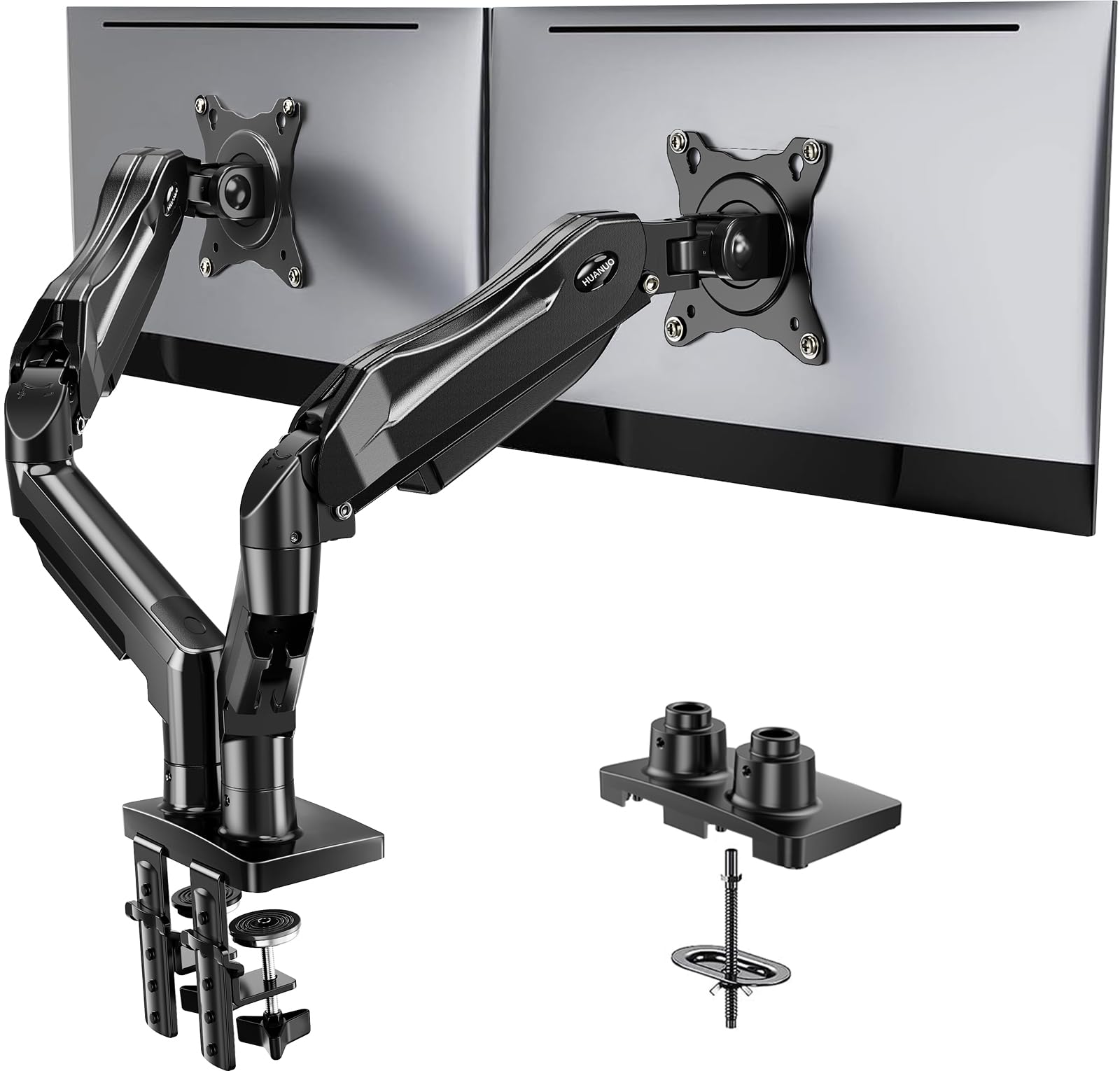
I found this dual arm delivered the most flexibility and workspace gain for two mid‑sized monitors when my desk met the compatibility checklist.
Why I picked it: Full motion, strong dual clamp/grommet base, and tidy cable routing.
Best for: People who need highly adjustable dual-monitor positions for work or gaming.
Solid value for a feature-rich dual arm without premium branding.
Pros
- Full-motion tilt, swivel, rotation
- Sturdy dual C-clamp or grommet base
- Built-in cable management
- Wide compatibility for 13–32" screens
Cons
- Requires a wooden desk
- Needs monitors within weight range
- May struggle with ultra-light displays
My take
I installed this on a wooden desk using both the C-clamp and grommet hardware during setup to see which felt firmer. The upgraded dual-clamp platform locked solidly to the desktop and removed wobble when I typed or reached across the desk.
Moving the screens was effortless—one-hand adjustments let me pull a monitor forward for detail work, tilt for video calls, or rotate into portrait for coding. The arms reach about where I need them and raise up to give meaningful height for healthier posture.
Two caveats I learned: the desk must meet the thickness and material requirements (wood only, and no obstructing cross beams), and each screen must meet the VESA and weight specs. In my testing a very light secondary monitor sat below the stated minimum and required an extra washer to balance; follow the compatibility checklist before committing.
2. HUANUO Monitor Riser for Desk, Desk Organizer,Laptop Shelf w/Vented for Screen, Computer Stand for PC, Printer, for Home & Office Black 1 – Best Budget Ventilated Riser
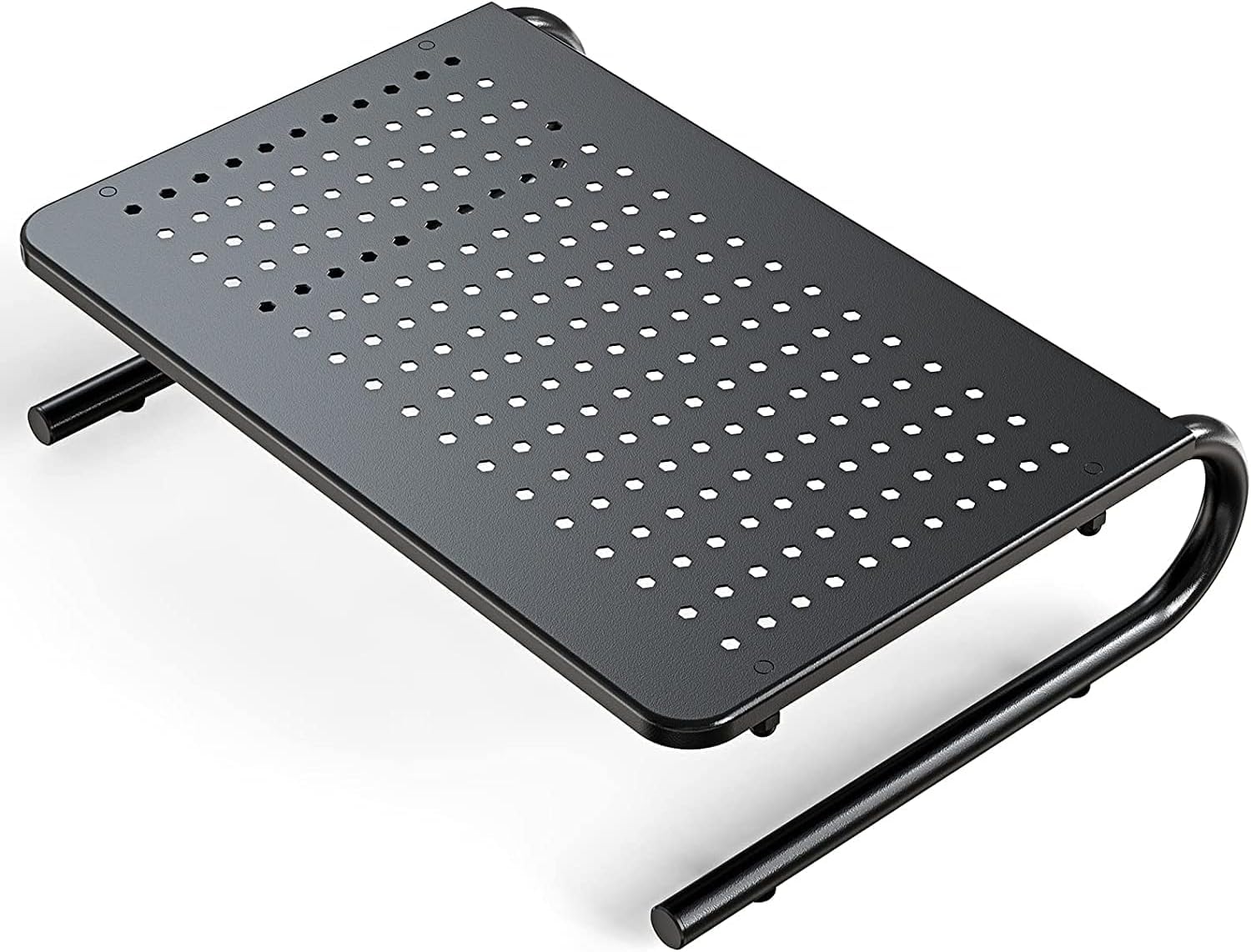
I relied on this perforated steel riser when I wanted airflow under a laptop and a low-profile platform for a monitor or printer.
Why I picked it: Perforated steel keeps devices cooler and feels very sturdy.
Best for: Anyone who wants better airflow and a stable, low-cost riser.
Very affordable option compared with premium steel risers.
Pros
- Perforated steel for ventilation
- Solid, stable construction
- Quick assembly
- Good value
Cons
- Lower height than tall risers
- May need desk depth check
My take
I used the ventilated HUANUO riser under both a laptop and a small printer. The power-coated steel and drilled holes did noticeably improve airflow compared with a solid wooden riser, and the platform never felt flimsy even when I set a heavier device on it.
Assembly took only a few minutes and the attached footing kept the riser from sliding when I nudged my keyboard. I also liked that the platform gives a little under‑desk storage space for a wireless keyboard or a hub.
My main note is practical: measure your desk depth if you plan to put a laptop under the riser. It fit my 20" laptop well, but on narrow desks the footprint matters.
3. Hemudu 2 Pack Computer Monitor Riser with Height Adjustable Multi Media Desktop Stand for Flat Screen LCD LED TV, Laptop/Notebook/Xbox One Clear – Best for a Modern Look
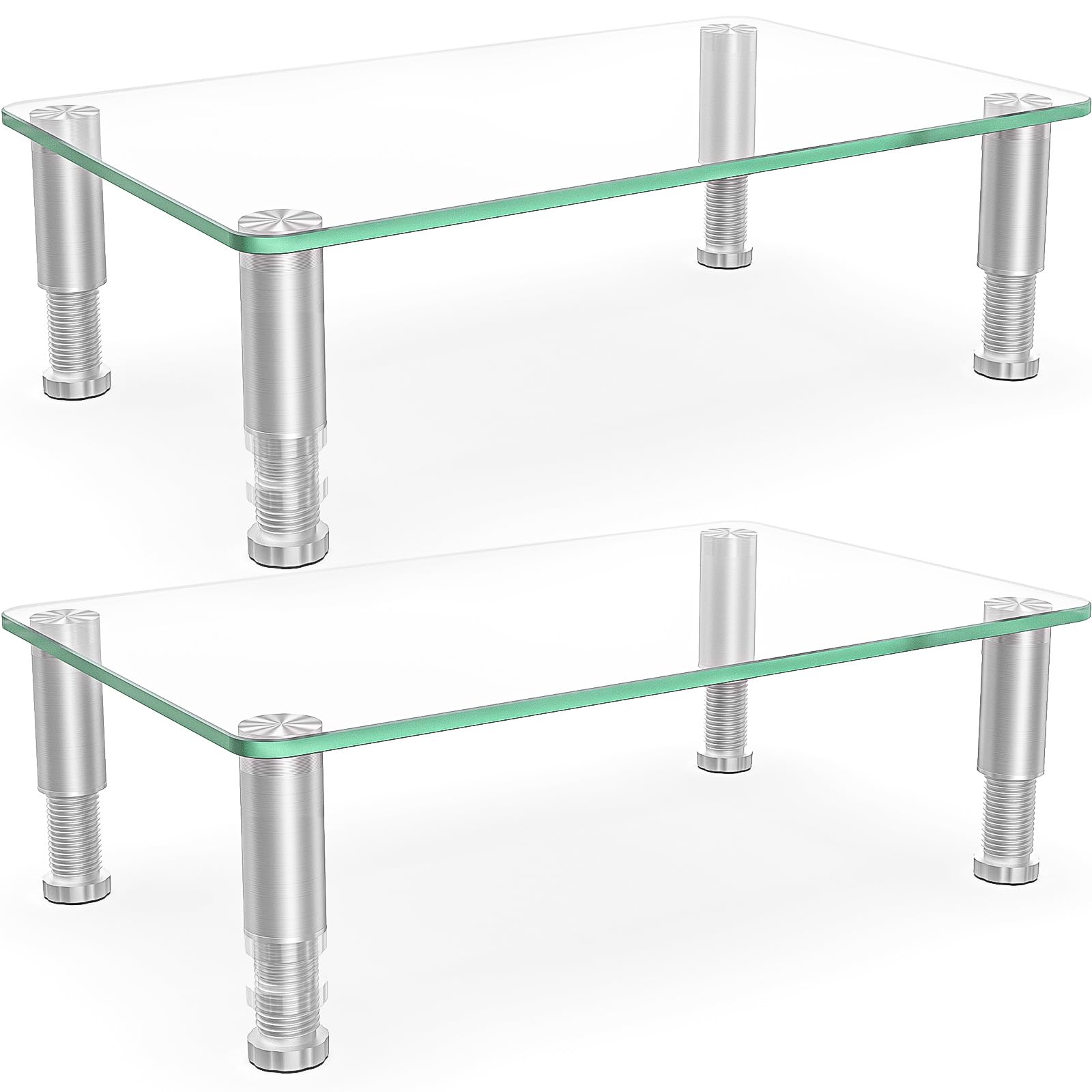
I picked these tempered-glass risers when I wanted a clean, modern aesthetic with adjustable height and very sturdy feeling under a monitor.
Why I picked it: Tempered glass surface, adjustable legs, and space-saving storage underneath.
Best for: Clean, modern desks where appearance matters as much as function.
A midrange choice for a glass, adjustable two-pack.
Pros
- Tempered safety glass top
- Adjustable height legs
- Easy, tool-free assembly
- Space-saving under-platform storage
Cons
- Legs look metal but include plastic
- Limited maximum height range
My take
I assembled the Hemudu risers in under five minutes by screwing the steel‑sleeved legs into the glass top. The connection felt snug and the tops held my monitor and speakers without wobble.
The adjustable legs gave me a couple of height choices that were enough to bring my screen to eye level; tucking a keyboard under the platform reclaimed desk real estate instantly. The tempered glass looks high end and stayed clear of scratches in normal use.
One detail I noticed: the legs have a metal sleeve over a plastic core and the foot threads can feel a touch loose at full extension. It didn’t affect day‑to‑day stability in my setup, but I mention it if you plan to fully extend the feet repeatedly.
4. EVOOMI Back Saver Monitor Stand for Desk – 2 Pack Monitor Riser – Anti-Skid HD Hexagonal Steel Computer Stand – Free Cable Ties – Mesh Metal Computer Item Stand – Printer & iMac Pack of 2 – Best Heavy‑Duty Riser
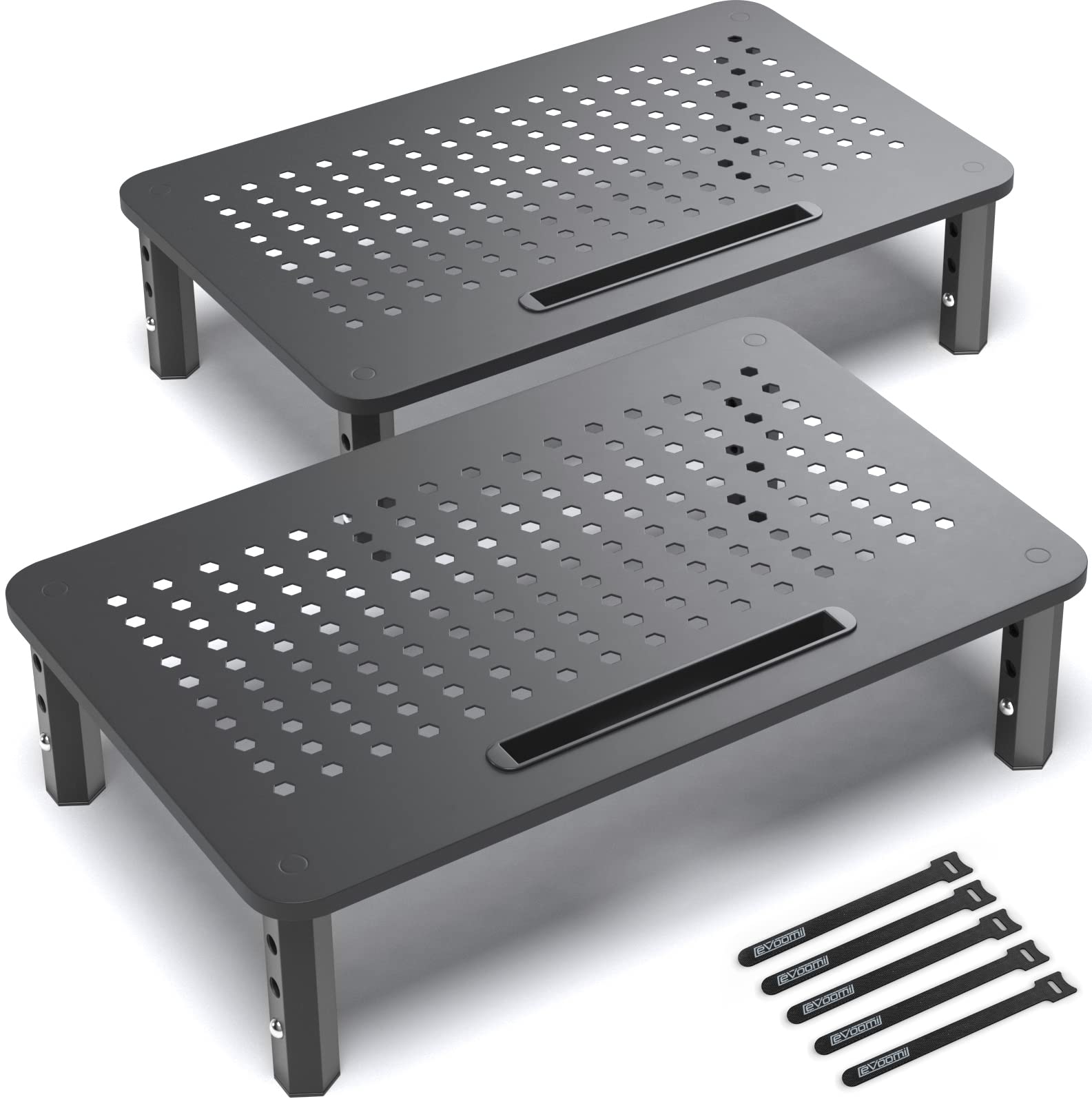
I relied on the EVOOMI riser when I needed unshakeable support for heavier monitors and extra ventilation with adjustable height stops.
Why I picked it: Industrial steel legs, anti‑skid feet, ventilation, and quick adjustability.
Best for: Users with heavier monitors or who need a rugged, stable riser.
A durable, midpriced stand for long-term desk use.
Pros
- Heavy-duty hexagonal steel legs
- Anti-skid and anti-tip design
- Three quick height settings
- Includes cable ties and phone slot
Cons
- Less refined look than glass
- Phone slot may feel small
My take
I put a heavy monitor and a docking hub on the EVOOMI platform and the steel construction never bowed. The hexagonal leg design feels engineered for strength and I appreciated that the stand slid across my desk without scraping the finish.
The three preset heights are simple and fast to change, which made swapping between sitting and slightly higher standing positions convenient. I also hid a USB hub underneath to free surface space.
This stand is practical rather than decorative—if you want something purely utilitarian that will carry heavier gear for years, EVOOMI is what I reached for.
5. Simple Houseware Desk Dual Monitor Stand Riser with Drawer, Rustic Brown – Best Organizer Riser
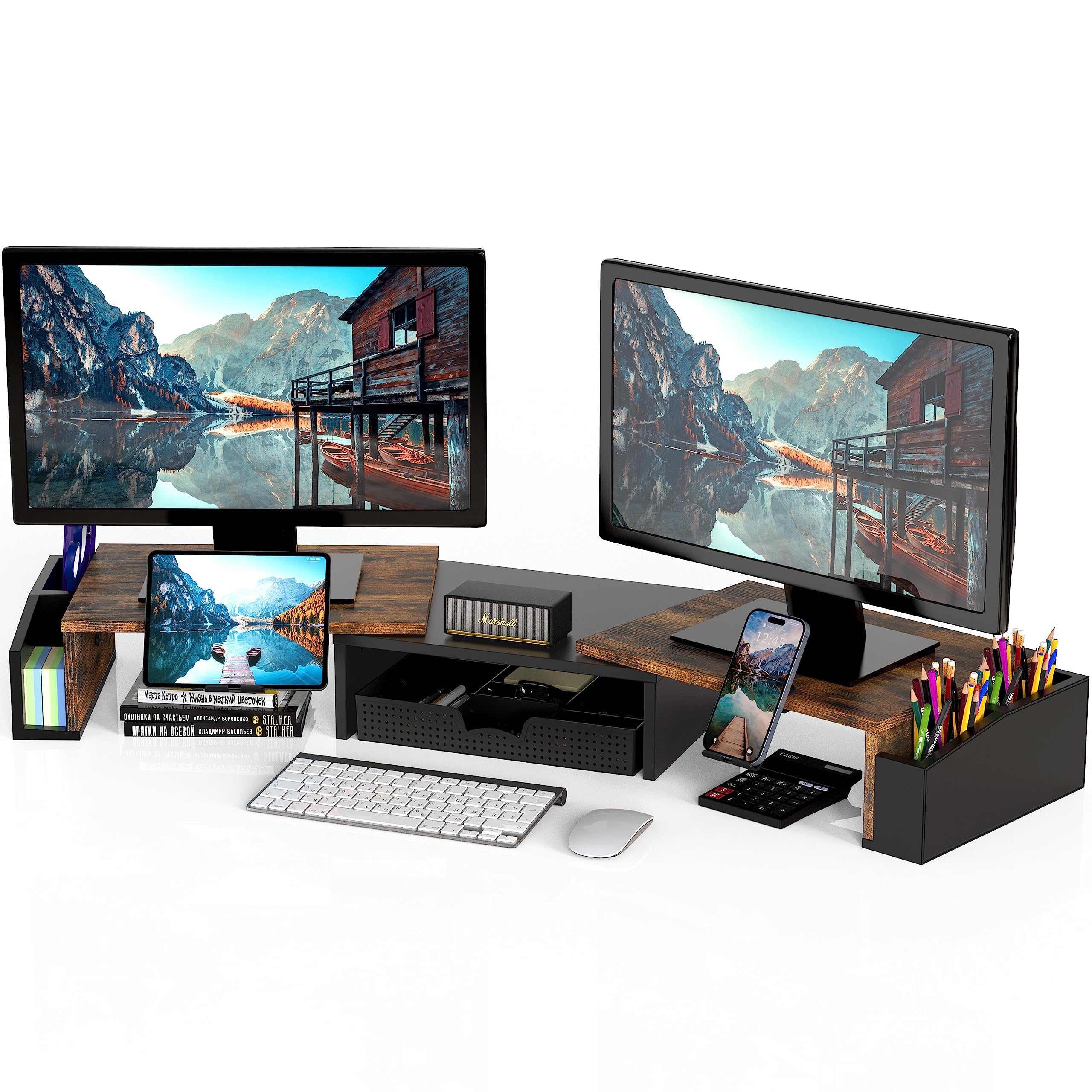
I chose this expandable stand when I wanted monitor elevation combined with active desk organization and phone holders.
Why I picked it: Expandable width, removable dividers, phone/tablet holders, and side caddies.
Best for: People who want monitor elevation plus a catch‑all organizer on their desk.
Affordable organizer-focused riser with flexible storage features.
Pros
- Expandable width for multiple layouts
- Removable dividers in organizer tray
- Built-in phone/tablet holders
- Side caddies for extra storage
Cons
- May slide without desk pad
- Wrench-based assembly can be slow
My take
I expanded the two sliding sections on this stand to create a wider surface for dual monitors and liked the panoramic feel when I angled each section. The rustic finish blends well in a home office and raised my monitors to a more ergonomic height.
The organizer tray with removable dividers made it easy to keep pens, sticky notes, and small chargers within reach. I used the phone holders for both my work and personal phones during calls and video check-ins.
Assembly was straightforward, but if you dislike manual wrenches a quick drill speeds the process. I did notice slight sliding on a very smooth desk surface; adding a desk pad eliminated that movement.
6. Hemudu Clear Glass Computer Monitor Riser / Triangle Desktop Universal Corner Stand for Computer Monitor & Laptop HD01T-003 – Best Corner Stand
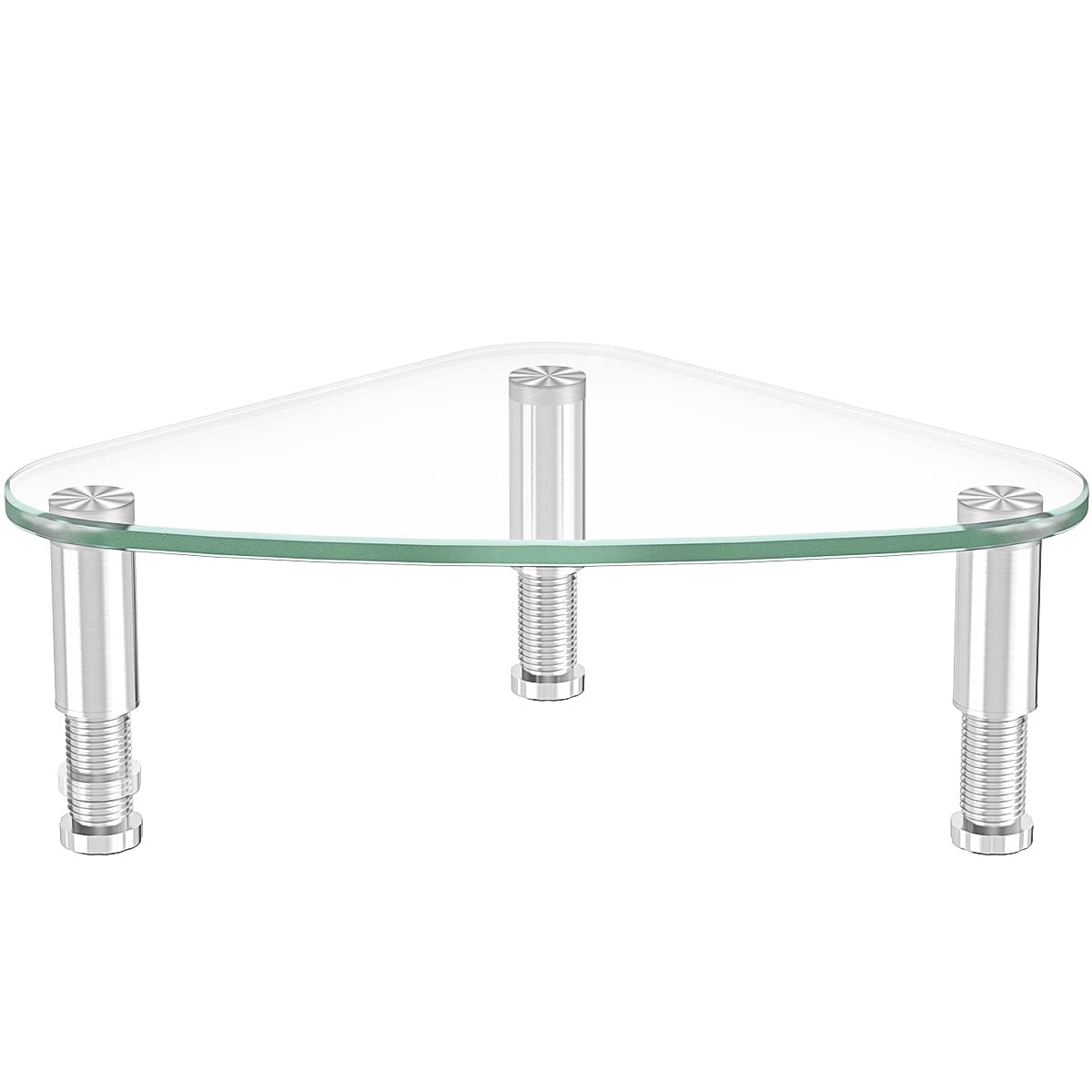
I used this triangular glass riser to clean up a corner workstation and liked the way it fit into tight L-shaped layouts.
Why I picked it: Corner-friendly triangle shape, tempered glass, and adjustable legs.
Best for: Small or corner desks where shape and appearance matter.
A modestly priced, design-forward corner riser.
Pros
- Triangle shape for corner placement
- Tempered glass looks sleek
- Height adjustable legs
- Easy assembly
Cons
- One leg thread can be finicky
- Adjustable parts feel cheaper
My take
I put this triangular riser in a corner of my home desk and it transformed that awkward space into a neat monitor alcove. The tempered glass top elevated the screen and provided useful storage space underneath.
Assembly was quick, though I did encounter one leg with tighter threading that required patience to align. Once assembled, the unit held my monitor solidly and survived daily desk bumps without a hitch.
This stand is ideal when you want a visually light footprint for a corner or L‑desk. Just take a minute during assembly to line up the legs and you’ll be rewarded with a clean, modern look.
How I Picked These Monitor Stands
Key things I checked
I focused on compatibility (VESA patterns, weight ranges), desk attachment or footprint, material quality, and how much usable desktop cleared up after installation.
Adjustability matters: tilt, swivel, rotation, and height range change how long you can sit comfortably without neck strain.
- Measure: confirm VESA pattern and monitor weight before choosing a mount.
- Desk fit: verify clamp/grommet compatibility or available depth for a riser.
- Material: steel or tempered glass resist long‑term sagging better than cheap particleboard.
- Ventilation: choose perforated platforms for laptops to avoid thermal throttling.
- Stability: heavier monitors need steel legs or full‑motion arms with proper clamp support.
Clamp mount vs. riser
I picked clamp mounts when I needed full articulation and a small footprint; they free the desk surface and let me aim screens independently.
I preferred risers when I wanted simple, tool‑free elevation and under‑platform storage for keyboards, hubs, or small peripherals.
- Clamp mounts free the surface and offer more movement.
- Risers are quicker to set up and better for printers or heavy, static screens.
- Check desk thickness and underside clearance before ordering a clamp mount.
Frequently Asked Questions
How do I know if a clamp mount will fit my desk?
I measure the desk thickness and check for cross beams under the desktop. Clamp mounts here need a wooden desk and a thickness within the product’s stated range; if the underside has panels or braces, I choose a grommet mount or a riser instead.
Are glass risers safe for heavy monitors?
I rely on tempered safety glass risers rated for the specified maximum weight. In practice they held my monitors steady, but I confirm the listed weight capacity and leg construction before placing a very heavy iMac or studio monitor on one.
Can I use a ventilated riser for a gaming laptop?
Yes—I put a gaming laptop on perforated steel risers during testing and saw better airflow than with solid wood platforms. Ventilation helps thermal performance but also check clearance for fans and ports.
Final Take
After hands‑on testing I kept different stands for different desks: a dual arm for my main workstation, a heavy steel riser for a monitor that doubles as a secondary display, and a glass corner riser for a neat, minimal setup.
Measure your desk and monitors, decide how much movement you need, and pick the style that frees the most useful space—then enjoy a more comfortable, organized workspace.
