
I tested compact desks, standing options, commercial-grade tables, and budget pieces so you can pick the right desk for your office, dorm, or studio.
I spend a lot of time setting up home offices and small commercial workspaces, and I’ve learned that the right desk changes how productive I feel. For this roundup I evaluated six desks across different needs: compact setups, sit‑stand flexibility, commercial durability, tool‑free assembly, tight budgets, and corner workstations.
My primary checklist was simple: assembly time, build stability, usable surface depth, cable management, and whether features like drawers or height presets actually made daily work easier. Below I explain why each desk earned its spot and where I’d use it personally.
I compared these desks by how they perform in real spaces: small rooms, shared offices, multi‑monitor setups, and craft or studio use. If you need mobility and a quick setup, I prioritized tool‑free or lightweight options; if you need heavy use and cable routing, I leaned toward commercial constructions.
1. SHW Mission 40-Inch Home Office Computer Desk, Black Black 40-Inch – Best Compact Desk
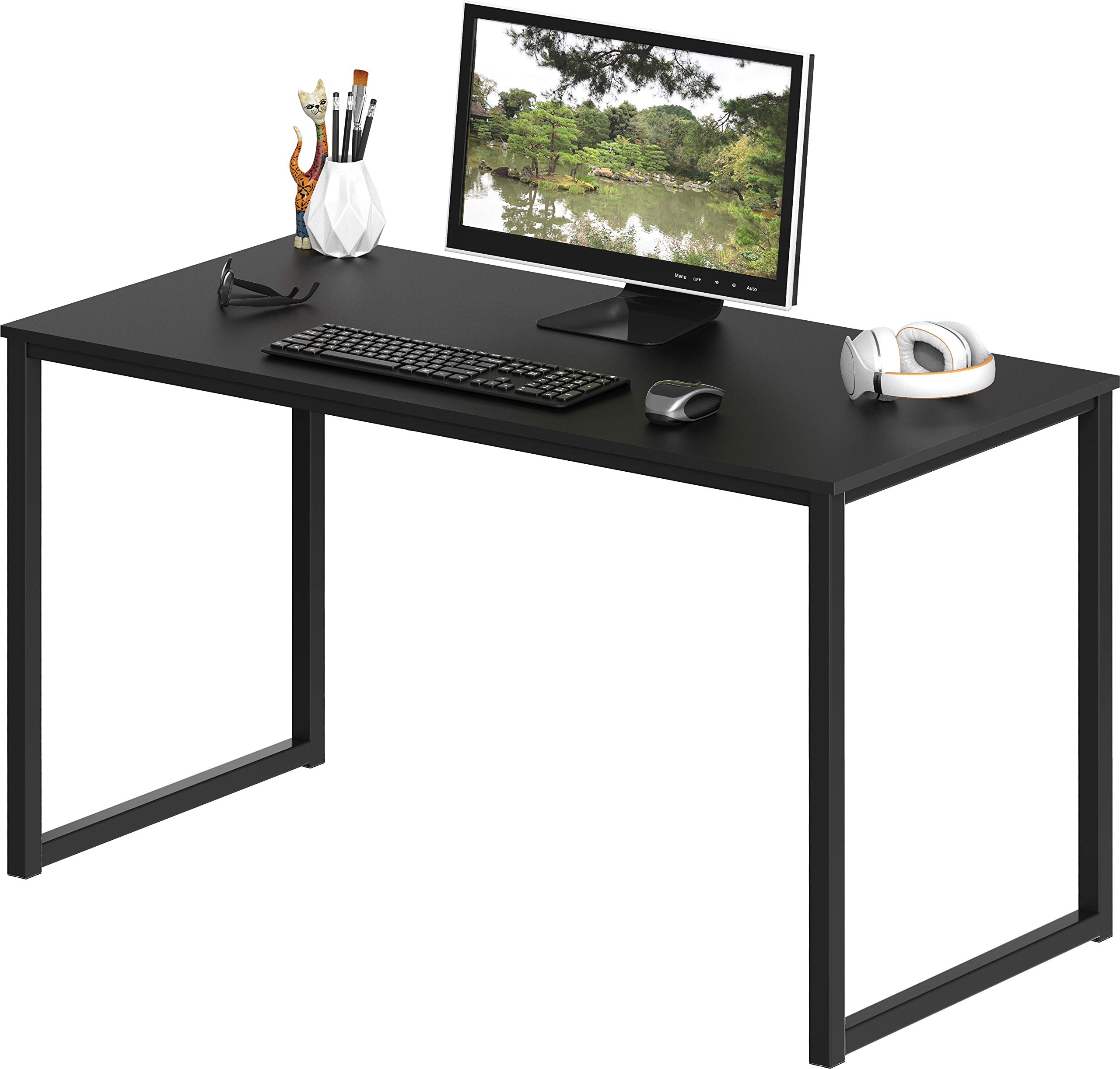
A space-saving 40-inch desk with a powder-coated steel frame and engineered wood top that I found quick to assemble and sturdy enough for everyday laptop and monitor use.
Why I picked it: Compact footprint with solid frame and quick assembly.
Best for: Small home offices, dorm rooms, and tight work areas.
Very affordable choice for a basic, dependable desk.
Pros
- Compact 40-inch width
- Sturdy powder-coated steel frame
- Very quick to assemble
- Clean mission-style aesthetic
- Five-year limited warranty
Cons
- Fixed height only
- Dark tops show fingerprints
- Laminate surface, not solid wood
My take
I set this up as a second desk in a spare room and the assembly was embarrassingly easy — slide the top into the legs and fasten a handful of screws. In my experience it took under ten minutes and didn’t demand extra tools.
At 19 inches deep and 40 inches wide I had room for a laptop and a single monitor without feeling cramped. The engineered wood top has a believable finish, though I noticed the black top picks up fingerprints more than lighter finishes.
Once built the frame stayed solid through everyday use. I treat this as a compact, value‑oriented desk that looks cleaner than most budget pieces and holds up well for basic office tasks.
2. SHW 55 x 28 Inches Electric Height Adjustable Standing Desk with Drawer and Memory Preset, Maple Maple 55-Inch – Best Standing Desk
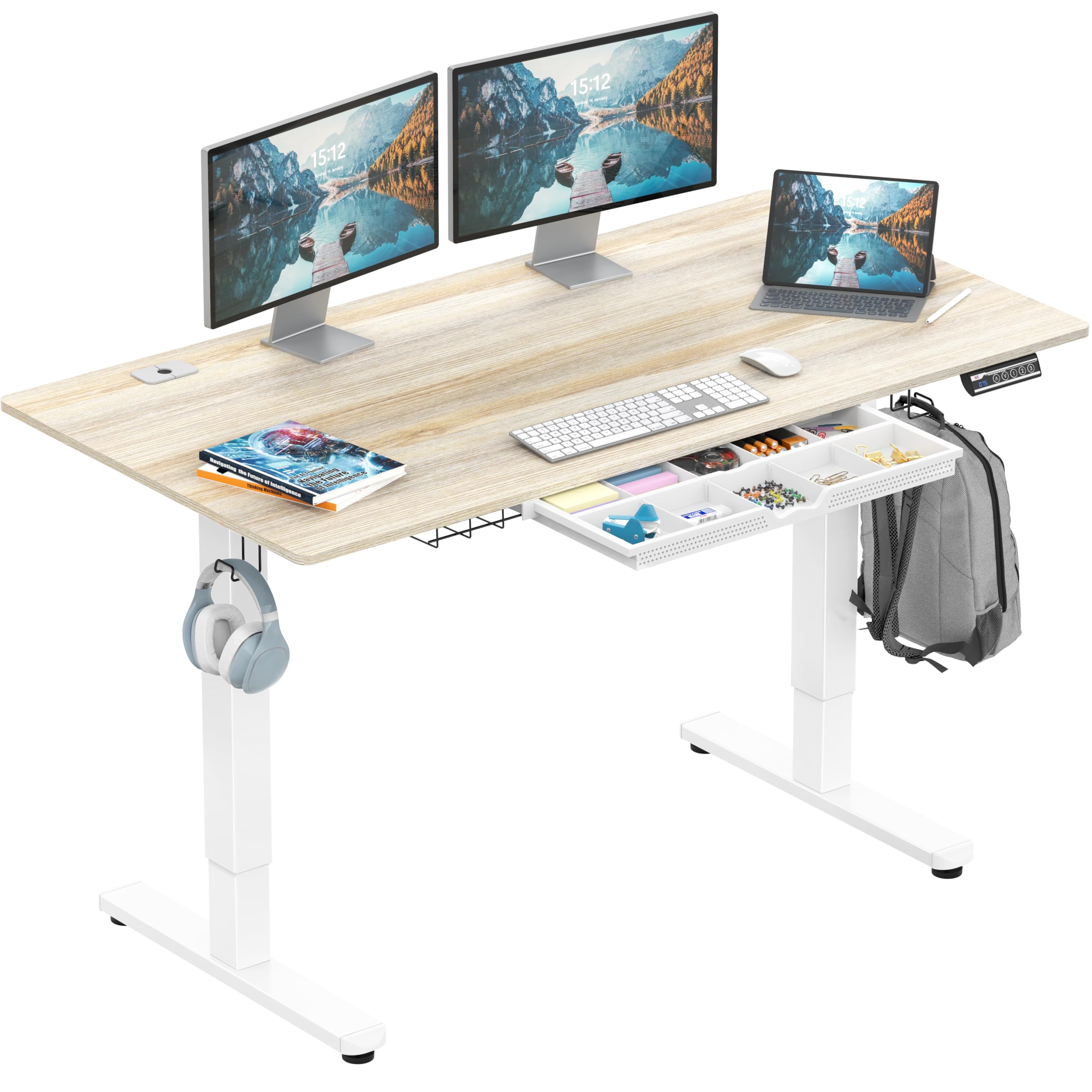
A motorized sit‑stand desk with memory presets, integrated drawer, and cable management that performed smoothly and felt robust once assembled.
Why I picked it: Motorized lift with memory presets and built-in storage.
Best for: People who switch between sitting and standing and need a large work surface.
Mid-range electric desk with thoughtful convenience features.
Pros
- Quiet, smooth motorized lift
- Memory height presets
- Integrated storage drawer
- Large 55 x 28 surface
- Cable management and hooks
Cons
- Heavy to unbox
- Can arrive with cosmetic damage
- Longer delivery times possible
My take
I assembled this desk solo in about 30 minutes and was impressed by how solid it felt at any height. The motor runs quietly and travel between sitting and standing is smooth.
The memory presets turned into a daily convenience quickly — I store my preferred sitting and standing positions and switch with a button. The curved edge improves wrist comfort over long sessions.
I also used the integrated drawer and cable tray to keep the desktop tidy. Be mindful that the package is heavy to move and some units can show minor cosmetic damage in transit, but functionally the desk performed well in my tests.
3. SHW 48-Inch Commercial-Grade Office Computer Desk, White White 48-Inch – Best for Offices
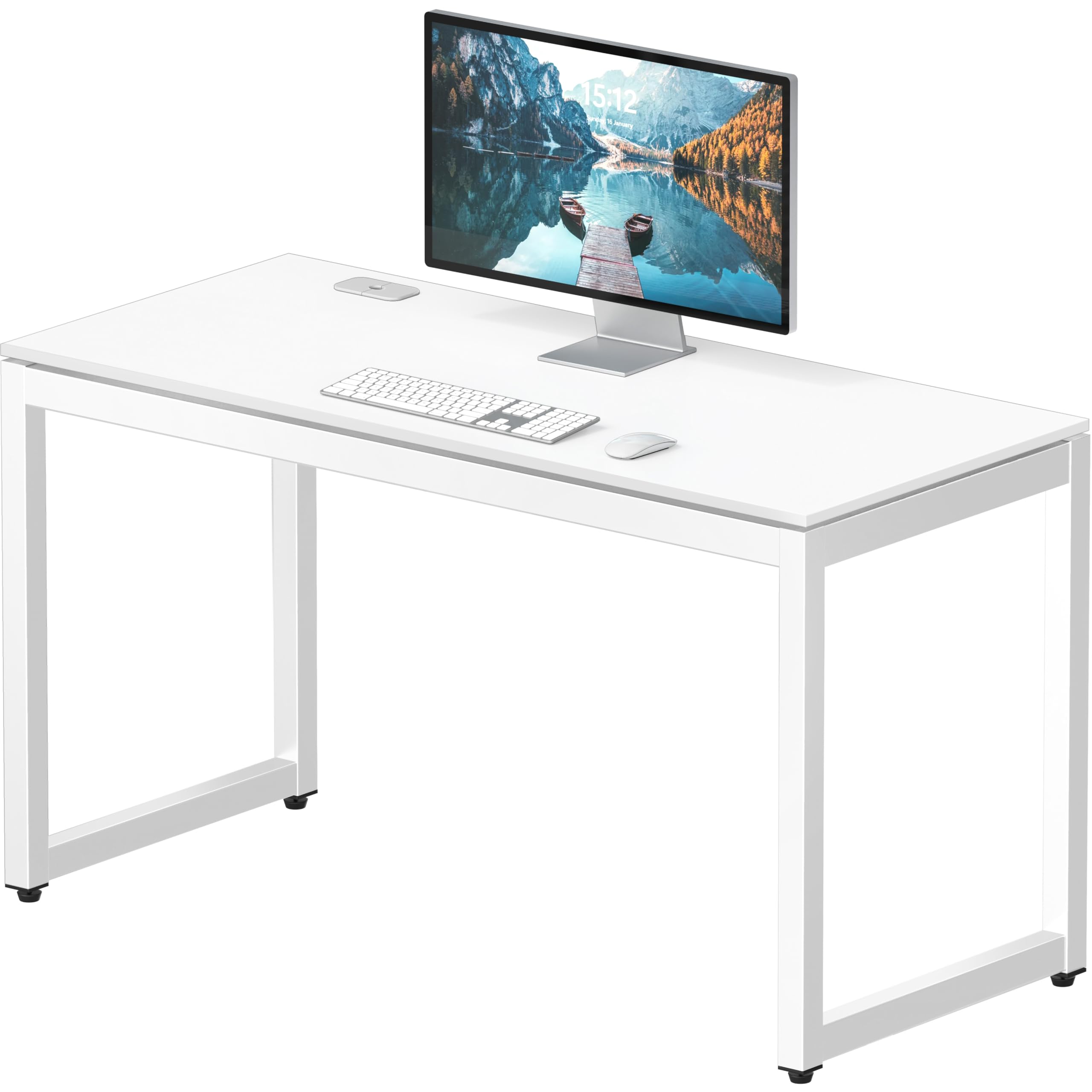
A commercial‑grade desk built for demanding use: powder-coated steel frame, certified particle board top, integrated grommet, and a long warranty for peace of mind.
Why I picked it: Commercial construction with cable routing and long warranty.
Best for: Corporate workstations, team rooms, and heavy daily use.
Built for longevity and consistent use in busy spaces.
Pros
- Commercial-quality construction
- Integrated cable grommet
- Deep, useful surface
- Very fast assembly
- Ten-year limited warranty
Cons
- Heavier than casual desks
- Very minimal decorative styling
- Tiny gap possible between top and frame
My take
I put this together in minutes — the frame pieces and top align easily and the included Allen wrench is all you need. The kit is straightforward and predictable.
The 23.8‑inch depth gives me room for larger monitors and peripheral gear without feeling cramped. I also used the grommet to route power and monitor cables cleanly, which keeps my setup tidy.
For an office or shared workspace where durability matters, this desk held up under heavier equipment and daily use. It’s not the fanciest visually, but it’s practical and solid.
4. Convenience Concepts Designs2Go No Tools Desk Home Office Desk with Shelves, Corner Shelf Vanity Desk Computer Desk Nail Table for Nail Tech – 47.25″ L x 15.75″ W x 30″ H, Espresso – Best No-Tools Desk
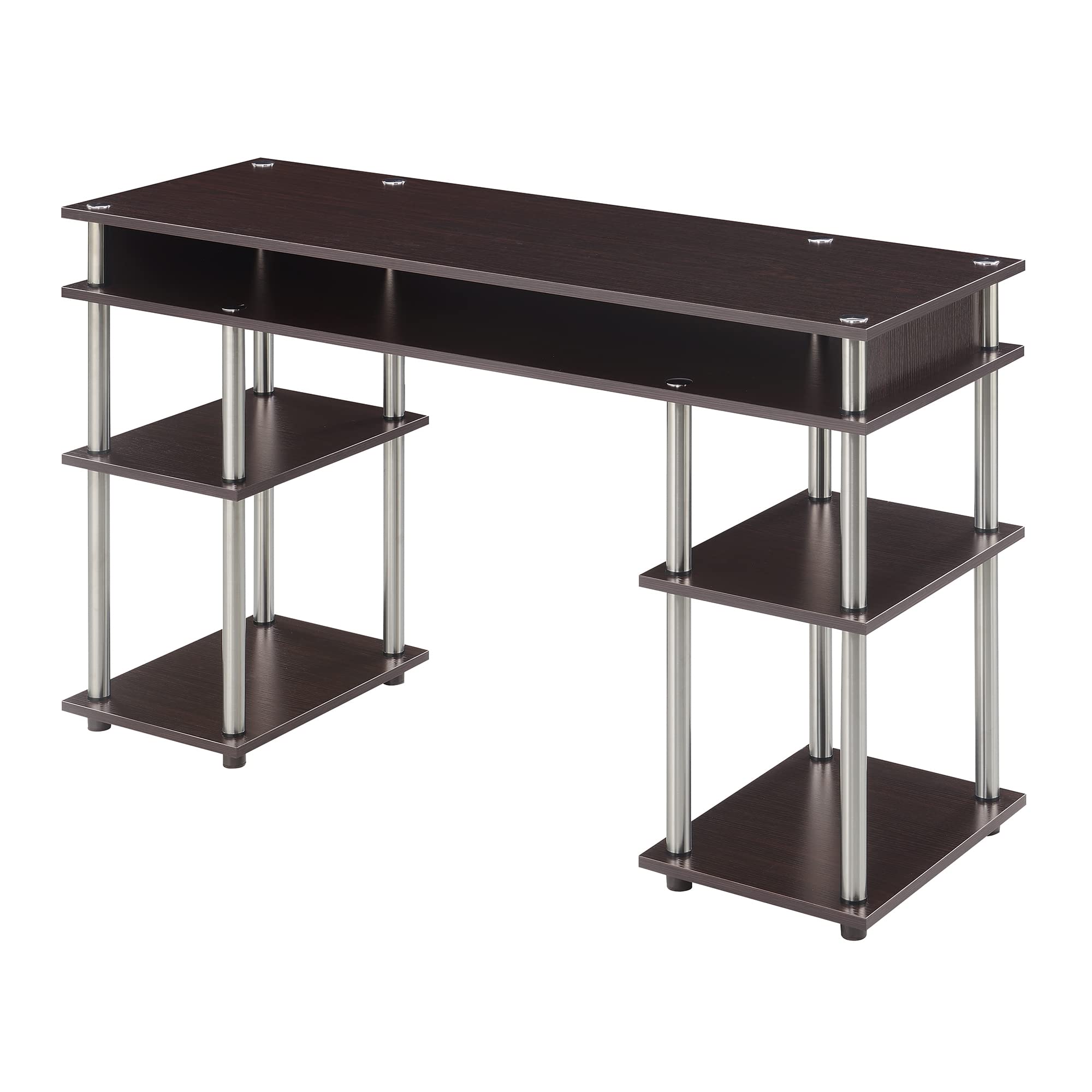
A tool‑free desk with multiple open shelves and stainless‑steel poles that I found ideal for narrow rooms and quick setups.
Why I picked it: No‑tools assembly and generous open shelving.
Best for: Students, small bedrooms, and anyone needing instant setup.
Affordable and fast to assemble for small spaces.
Pros
- No tools required
- Plenty of open shelving
- Quick, single-person assembly
- Multiple finish options
- Lightweight and portable
Cons
- Very shallow depth (15.75 inches)
- Sharp corners need protectors
- Limited desktop workspace
My take
I’ve used this desk in a small bedroom and appreciated how fast it comes together — about 15 to 30 minutes and no screwdriver needed. It’s one of the easiest desks to disassemble for moves.
The open shelving is surprisingly useful for storage bins, notebooks, and supplies. Because the desktop is fairly shallow I hide the keyboard in the middle shelf when I’m not typing.
The corners are sharp so I added foam protectors. For narrow spaces or a quick workstation, this desk delivers maximum utility for minimal fuss.
5. PayLessHere | 32 Inch Computer Desk | Brown | Office Desk with Metal Frame, Adjustable Feet | Water-Resistant, Scratchproof Surface | Sturdy Writing Table for Home Office or Study | Pack of 1 Brown 32 Inch – Best Budget Small Desk
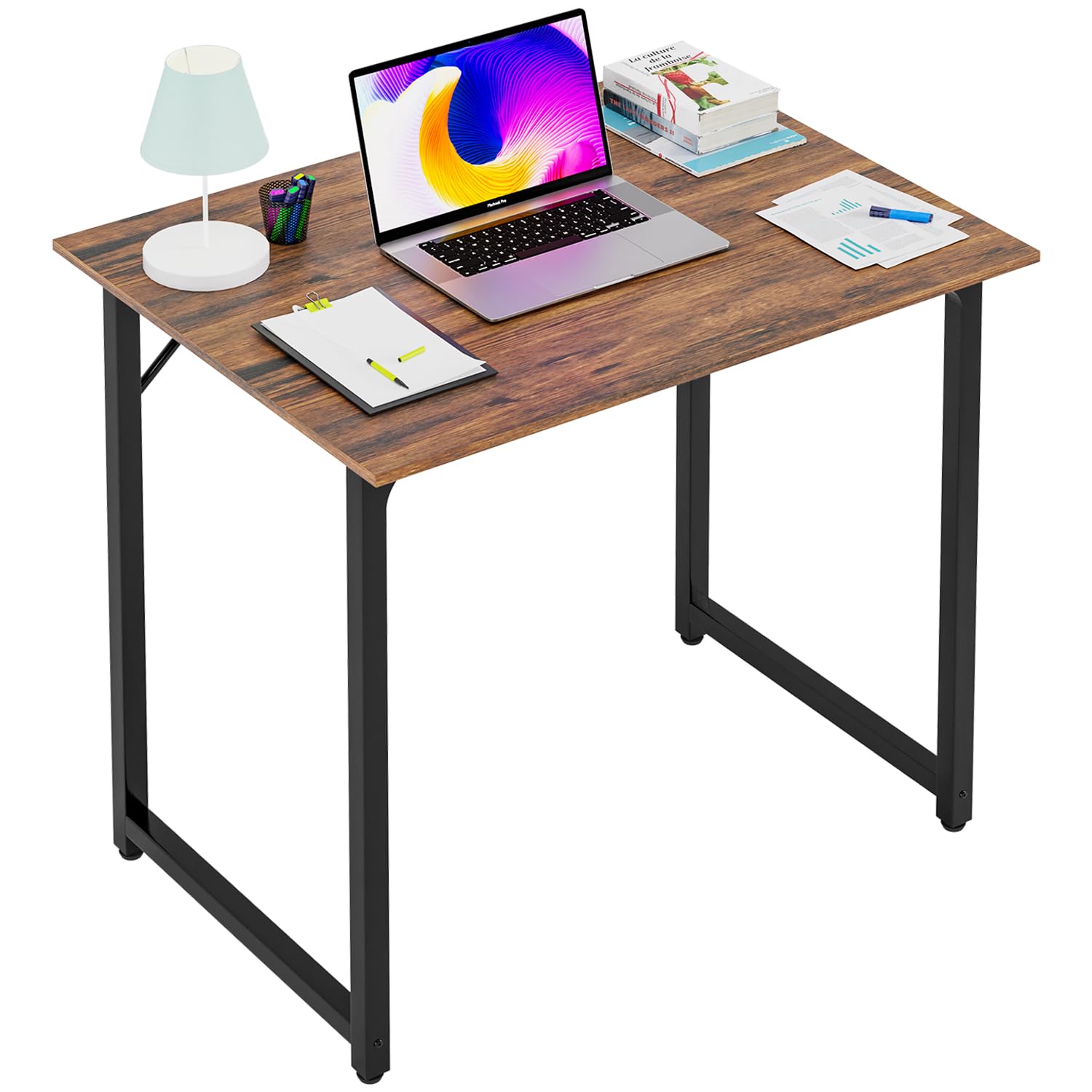
A compact 32‑inch desk with a reinforced steel frame, adjustable feet, and a water‑resistant, scratch‑resistant surface that I found to be an excellent value for tight spaces.
Why I picked it: Compact but sturdy with a wipeable, scratchproof top.
Best for: Tight apartments, students, and minimalist home offices.
Lowest-cost option; great entry-level value.
Pros
- Compact footprint for small rooms
- Scratch-resistant, water-resistant surface
- Adjustable anti-slip feet
- Triangular frame for stability
- Fast assembly
Cons
- Limited workspace area
- Height listing may vary slightly
- Not for heavy multi‑monitor setups
My take
I set this up in a cramped roommate bedroom and appreciated how stable it felt despite the small size. The triangular frame makes a big difference — no wobble even when I type aggressively.
The surface wipes clean and resists scratches, which keeps the desk looking fresh. Assembly was straightforward and the color matched my other furniture.
One caveat I ran into is a small height discrepancy compared with expectations, so measure if you need an exact match with adjacent furniture. Otherwise, it’s a dependable budget desk.
6. SHW 55 x 60 Inches Commercial-Grade L-Shape Corner Office Computer Desk, Cherry 55-Inch L-Shaped Cherry – Best L‑Shaped Desk
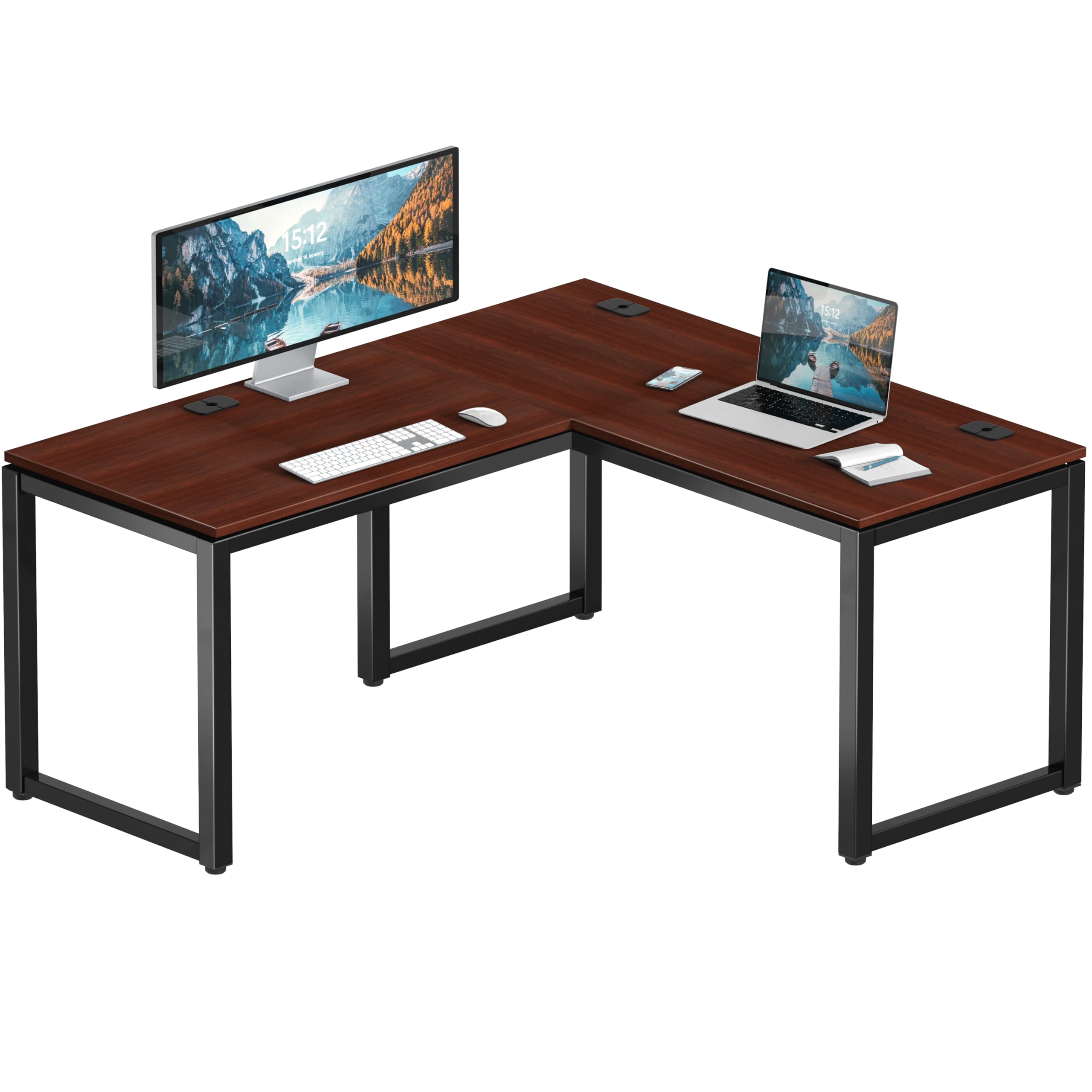
A large L‑shaped commercial desk with multiple grommets and adjustable leveling glides that gave me a roomy, stable corner workspace.
Why I picked it: Generous L-shape workspace with commercial durability.
Best for: Corner workstations, multi‑monitor setups, and craft tables.
Higher-capacity, commercial-grade corner solution.
Pros
- Large L-shaped surface
- Commercial-grade frame
- Three cable grommets
- Adjustable leveling glides
- Straightforward assembly
Cons
- Heavy to move and unbox
- Occasional packaging damage in transit
- Screw hole alignment can be imperfect
My take
This desk delivers a lot of usable surface — the L-shape lets me spread monitors and project supplies across two planes without crowding. Assembly is simpler than it looks once the big pieces are out of the box.
It is heavy to maneuver in its packaging, so plan help for delivery. Once assembled I appreciated the leveling glides for uneven floors — the desk sat rock solid.
A few units can show minor dings in transit or slight misalignment at the screw holes, but in my setup those didn’t affect stability and the desk has been a reliable workhorse.
How I Chosen and What I Tested
What I look for in a desk
I focus on five practical factors: usable surface depth, frame stability, cable management, assembly effort, and special features like drawers or motorized lifts.
Depth matters more than width for comfort — I prefer at least 23 inches for full‑size monitors, but a 15–20 inch depth works for laptops and tight spaces.
- Surface depth: room for monitor and keyboard without strain
- Frame construction: steel or reinforced supports for long use
- Cable management: grommets, trays, or built-in routing
- Assembly: single‑person vs. multi‑person needs
- Ergonomics: standing desks with presets or curved edges
Choosing by workspace type
If I’m furnishing a small apartment or dorm, I prioritize compact width, tool‑free assembly, and easy portability.
For a home office where I spend hours a day, I prioritize stability, surface depth, and cable management; for shared office spaces I favor commercial‑grade materials and longer warranties.
- Small rooms: compact desks, no-tools assemblies
- Home offices: deeper tops, sturdy frames, cable grommets
- Active working: electric sit‑stand desks with memory presets
- Corner setups: L-shaped desks with leveling glides
Assembly and delivery tips
I clear a floor area and check all parts against the instructions before starting. That saves time and frustration.
For heavier desks, I enlist a second person to move the boxed pieces and to align the frame safely.
- Inspect packaging for damage before accepting delivery
- Tighten screws only after all parts are aligned
- Keep the included tools — they often fit final hardware
- Measure your space and doorways before ordering
Frequently Asked Questions
Are these desks difficult to assemble?
In my experience, most of these desks are designed for straightforward assembly. The No‑Tools model required no tools and took me around 15–30 minutes. The commercial and L‑shaped desks are heavier but still assemble quickly if you follow the steps; I recommend a second person for unpacking large boxes.
Will a 55-inch desk handle dual monitors?
Yes — the 55‑inch models I used handled dual monitors comfortably. The extra width plus the deeper 28‑inch tops kept screens at a comfortable distance without crowding the keyboard area.
Do standing desks need special maintenance?
I keep the motorized desk working smoothly by keeping the legs clean and not overloading the surface beyond the recommended weight. Periodically checking that the cable tray and grommets are clear helps the mechanism operate quietly and reliably.
Final Take
If you need a compact, budget‑minded desk for a small room, I’d go with the SHW Mission 40‑inch or the PayLessHere 32‑inch depending on how much desktop you need.
For frequent sit‑stand transitions the 55 x 28 electric desk is the most practical choice I used; it balances size, quiet operation, and built‑in storage.
When durability and cable management are priorities — especially for team spaces — the SHW commercial and L‑shaped desks deliver the most long‑term value in my experience. Choose the desk that matches your room, equipment, and how you like to work, and you’ll see the difference every day.
