
I tested a mix of full electric desks, L-shaped desktops, desk converters, and a desktop frame to find durable, practical sit-stand solutions for home offices and gaming setups.
I spent time with a variety of sit‑stand options so I could recommend the right solution for different setups. I evaluated full electric desks, L‑shaped desktops for big corner workstations, spring‑assist converters that sit on top of your desk, and a freestanding frame you pair with your own desktop.
My focus was on build quality, stability across the height range, ease of setup, and how each option fits real workflows—gaming, heavy monitor arrays, or simple laptop + keyboard setups.
If you want a complete electric replacement I lean toward a dual‑motor desk for stability and convenience. If you want to keep your existing desk, a VariDesk converter gives instant sit‑stand without installation. L‑shaped desks are great when surface area and storage matter more than height adjustability. The ErGear frame is for people who want electric lift but want to choose their own desktop.
1. Teraves Reversible L Shaped Desk — Large Surface with Storage Shelves – Best Corner Desktop
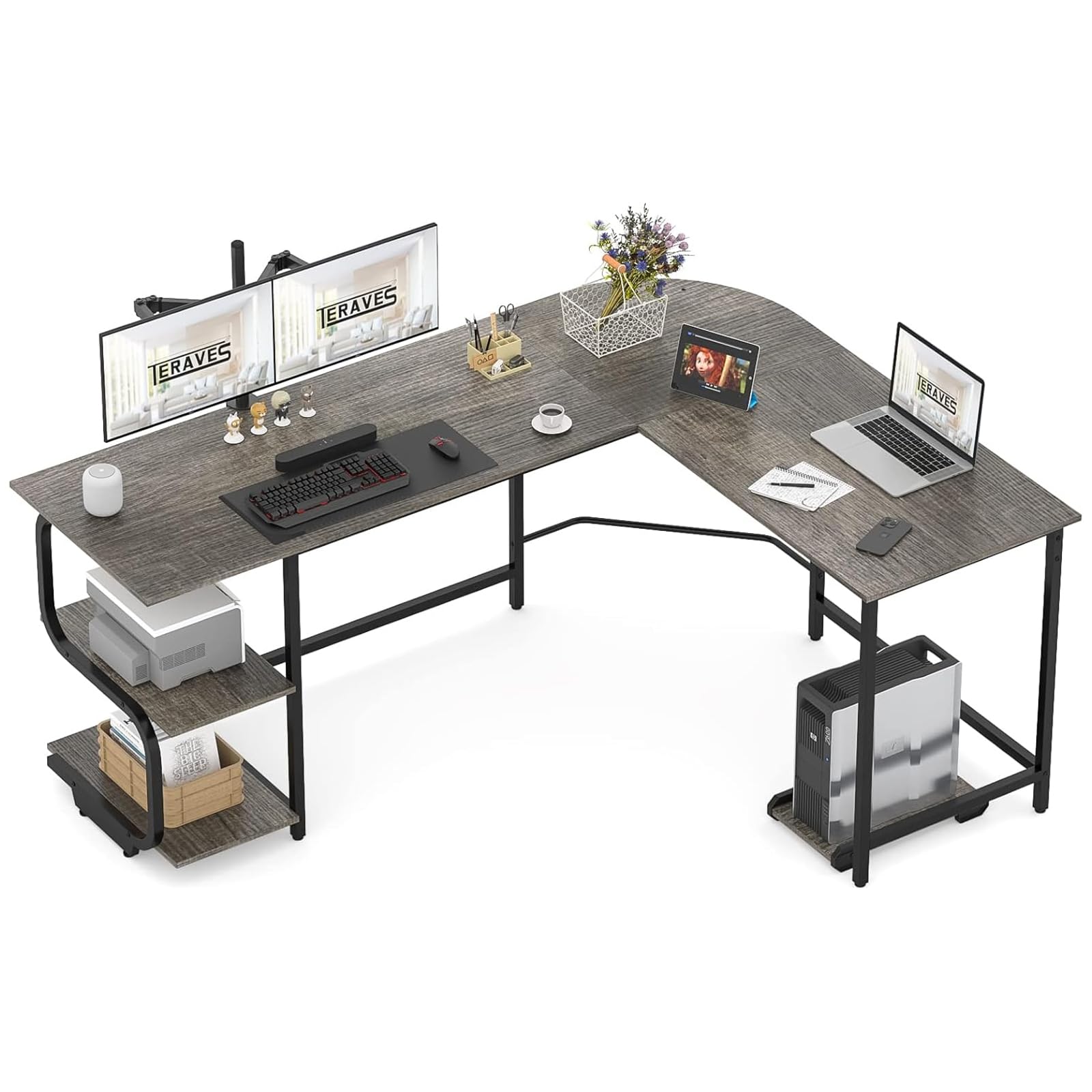
I recommend this L‑shaped desk when you need maximum surface area and built‑in shelving in a corner layout.
Why I picked it: Massive reversible work surface with integrated shelves and sturdy steel frame.
Best for: Home offices or gamers who need corner real estate and open storage.
A budget‑friendly large‑surface option.
Pros
- Generous L‑shaped surface
- Reversible left/right configuration
- Built‑in two‑tier open shelves
- Solid steel frame and edge tech
- High weight capacity
Cons
- Very heavy to move
- Large footprint
- Fixed height, not adjustable
My take
This Teraves desk is the one I reach for when surface area beats adjustability. The reversible L configuration let me orient the corner to suit my room layout and the two open shelves are genuinely useful for books and peripherals.
Assembly took me a couple of hours but the parts were labeled and fit together cleanly. The top and metal bars feel heavy and solid—this is not flimsy particleboard furniture. I appreciated the adjustable leg pads for uneven floors and the predrilled hole for a monitor stand.
Expect a big box and a heavy lift; moving it alone is possible but awkward. Once assembled it handled my multi‑monitor setup without bowing and the overall look is modern and restrained. If you need height adjustment, this won't do that, but for a stable, spacious corner workstation it performs very well.
2. Vari VariDesk Pro Plus 36 — Spring‑Loaded Dual‑Tier Converter – Best Sit‑Stand Converter (36″)
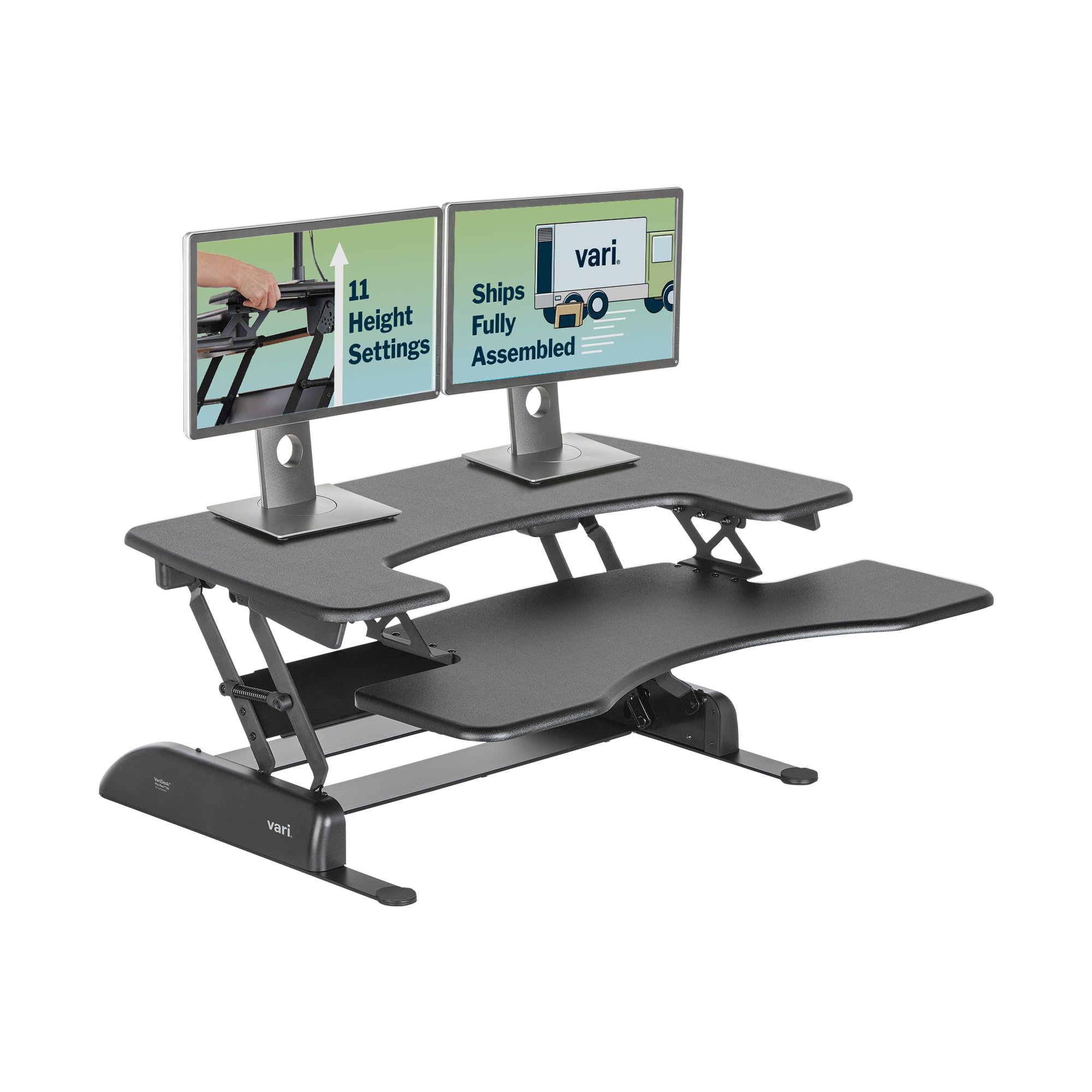
I picked the Pro Plus 36 when I wanted an instant sit‑stand solution that needed no assembly and supported two displays.
Why I picked it: Ready‑to‑use two‑tier converter with smooth spring‑assisted lift.
Best for: People who want to keep their current desk and add sit‑stand capability fast.
A premium converter worth the investment for convenience.
Pros
- Zero assembly required
- Smooth spring‑assisted lift
- Two tiers for monitor + keyboard
- Stable even at elevation
- Quick height adjustments
Cons
- Heavy to move
- Consumes desk surface underneath
My take
I like the Vari Pro Plus 36 because it converts my existing desk into a stable sit‑stand workspace in seconds. I put a monitor and my laptop on the top tier and the keyboard on the lower deck and the unit lifts smoothly with a rowing motion.
The construction feels premium—thicker steel and laminate—and the base keeps everything from wobbling, even at higher positions. I never had to fuss with assembly, which means I was standing within minutes of opening the box.
Worth noting: it takes up a fair amount of the desktop beneath it, so you need clearance and a sturdy desk surface to place it on. For anyone who wants instant sit‑stand without replacing furniture, this is one of the most reliable converters I’ve used.
3. Vari Classic Electric Standing Desk — Dual Motor, Memory Presets – Best Full Electric Desk
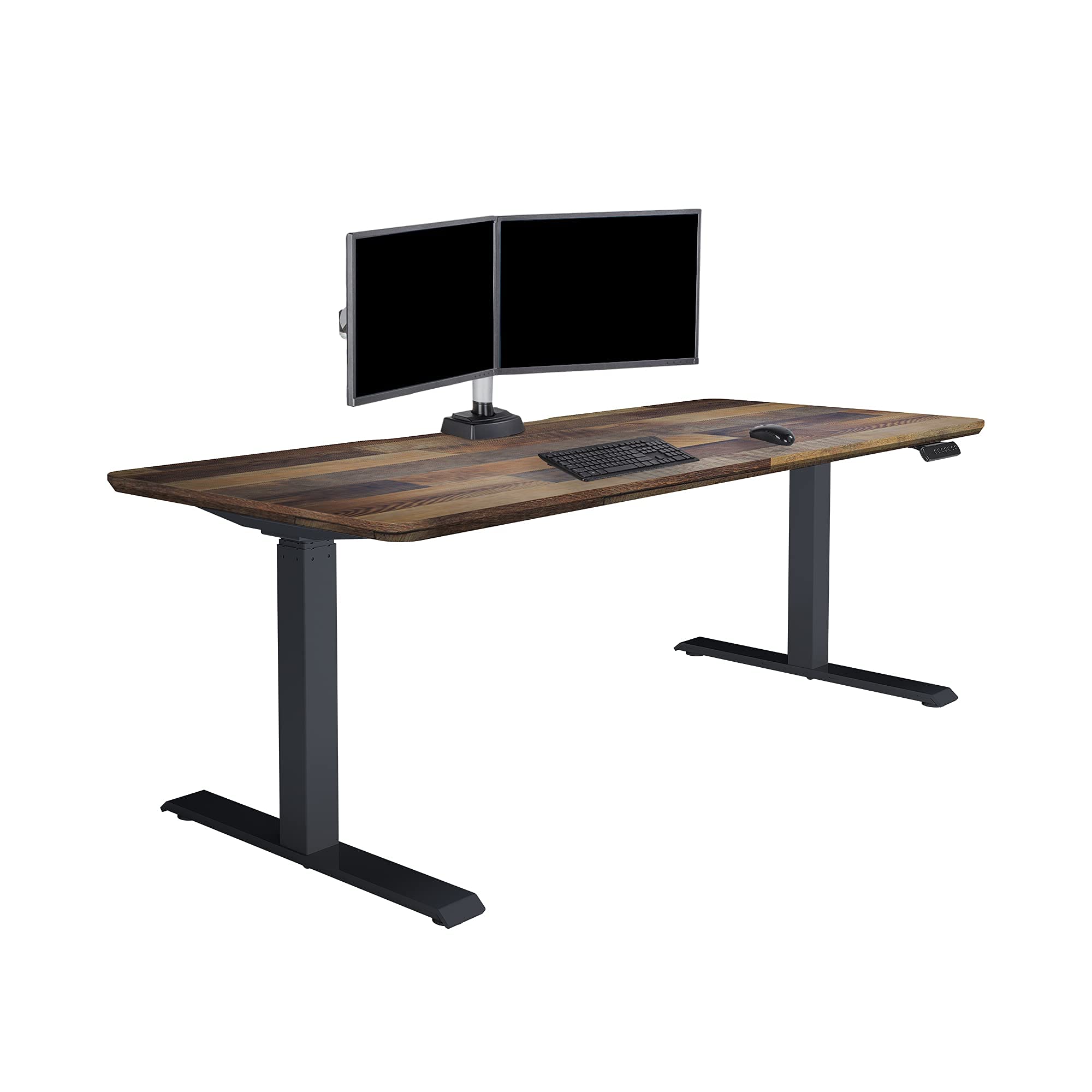
I recommend this as a full electric replacement when I need quiet motors, programmable heights, and rock‑solid stability.
Why I picked it: Dual motors, easy assembly, and dependable stability across heights.
Best for: Anyone replacing their desk for a long‑term sit‑stand solution.
A premium, long‑term investment.
Pros
- Extremely quick assembly
- Very stable T‑style legs
- Quiet dual‑motor lift
- Four memory presets
- Large, solid tabletop
Cons
- Heavy to handle during setup
- Takes up full desk replacement budget
My take
This Vari Classic desk feels like high‑end office furniture. I assembled it in under half an hour thanks to the quick‑attach system, and the preinstalled frame made the process trivially simple.
The dual motors raise and lower the desk quietly and smoothly; I programmed my preferred sitting and standing heights into the presets and use them multiple times a day. The thick tabletop and T‑style legs give me confidence to lean on the desk and mount monitor arms without flex.
Because the unit is heavy, I recommend a helper for moving the box and positioning the assembled top. If you want a durable, reliable, fully electric sit‑stand desk that replaces your existing surface, this was my top pick for overall performance.
4. FATORRI L Shaped Computer Desk — Rustic Oak with Metal Frame – Best Industrial Corner Desk
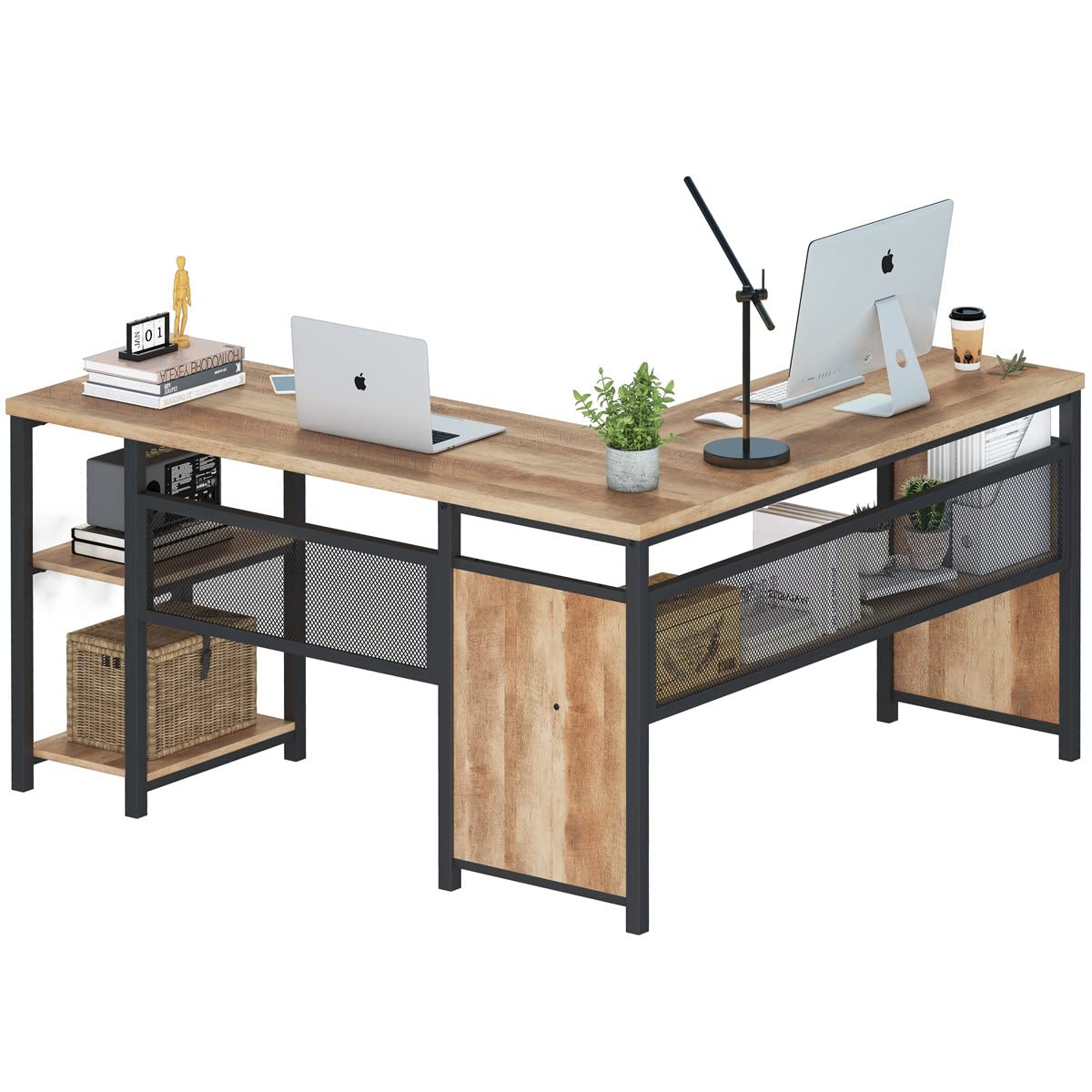
I favor this desk when I want industrial styling, quick assembly, and good storage without spending on adjustability.
Why I picked it: Industrial look, reversible layout, and reinforced stability.
Best for: People wanting a stylish corner desk with open shelving.
An affordable, stylish corner desk.
Pros
- On‑trend industrial design
- Reversible L configuration
- Two‑tier shelving and long side shelf
- Solid metal frame
- Straightforward assembly
Cons
- Tabletop depth slightly shallow
- PC shelf may not fit mid towers
My take
The FATORRI L desk gave me the look I wanted without a lengthy build. Parts were clearly labeled and I had it together in under an hour. The chunky 1.18‑inch top and support tube under the surface deliver a reassuringly solid feel.
I like the mesh modesty panel and the shelf arrangement for keeping books and accessories off the main surface. The desk supports multiple monitors, though I wished the depth were a couple inches deeper for extra keyboard clearance.
If you want style and storage in a corner footprint without spending on height adjustment, this desk hits the mark for form and function.
5. Vari VariDesk Pro Plus 48 — Wide Dual‑Tier Converter for Large Setups – Best Sit‑Stand Converter (48″)
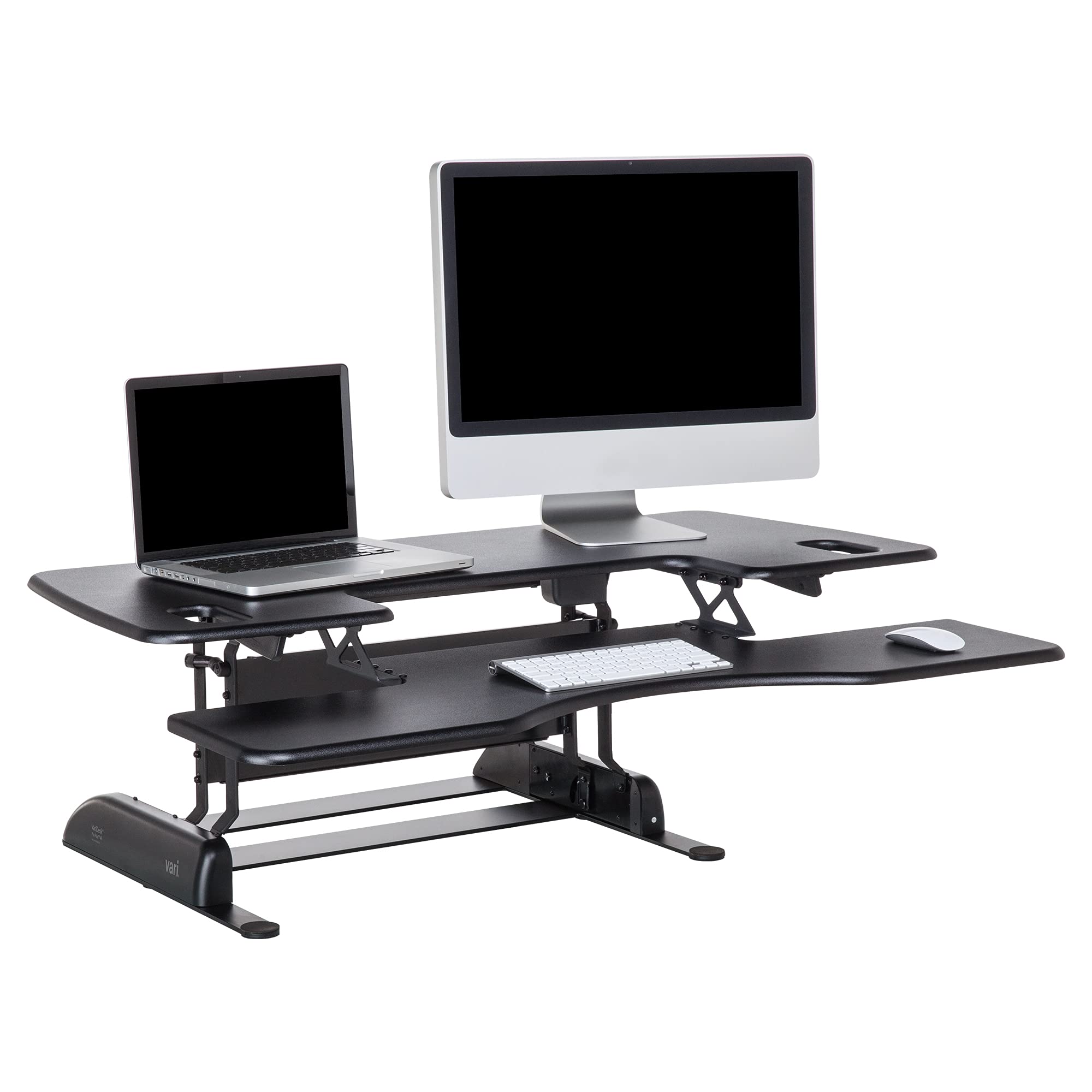
I picked the Pro Plus 48 when I needed a larger converter surface for two big monitors and extra desk real estate.
Why I picked it: Widest converter surface in the lineup for bigger monitor arrays.
Best for: Users with wide monitor setups or large laptops plus peripherals.
Premium converter sizing for larger setups.
Pros
- Extra‑wide top tier
- Fully assembled out of box
- Smooth spring‑assisted lift
- Very stable base
- Good for dual monitors
Cons
- Heavy and bulky
- Requires large desk surface
My take
When I needed more horizontal real estate without replacing my desk, the Vari Pro Plus 48 was the obvious pick. The wider top lets me place two large monitors side‑by‑side while keeping my keyboard and mouse on the lower deck.
It came ready to use and raised and lowered smoothly with very little effort. The construction is rugged and the platform stayed steady even at higher positions. The tradeoff is size: it’s a heavy, wide piece that needs a roomy desk to sit on.
For anyone running multi‑monitor setups who still wants a converter, the 48‑inch model gives the most flexibility and surface area I tested.
6. ErGear Electric Stand up Desk Frame — 4 Memory Settings, Adjustable Width – Best DIY Electric Frame
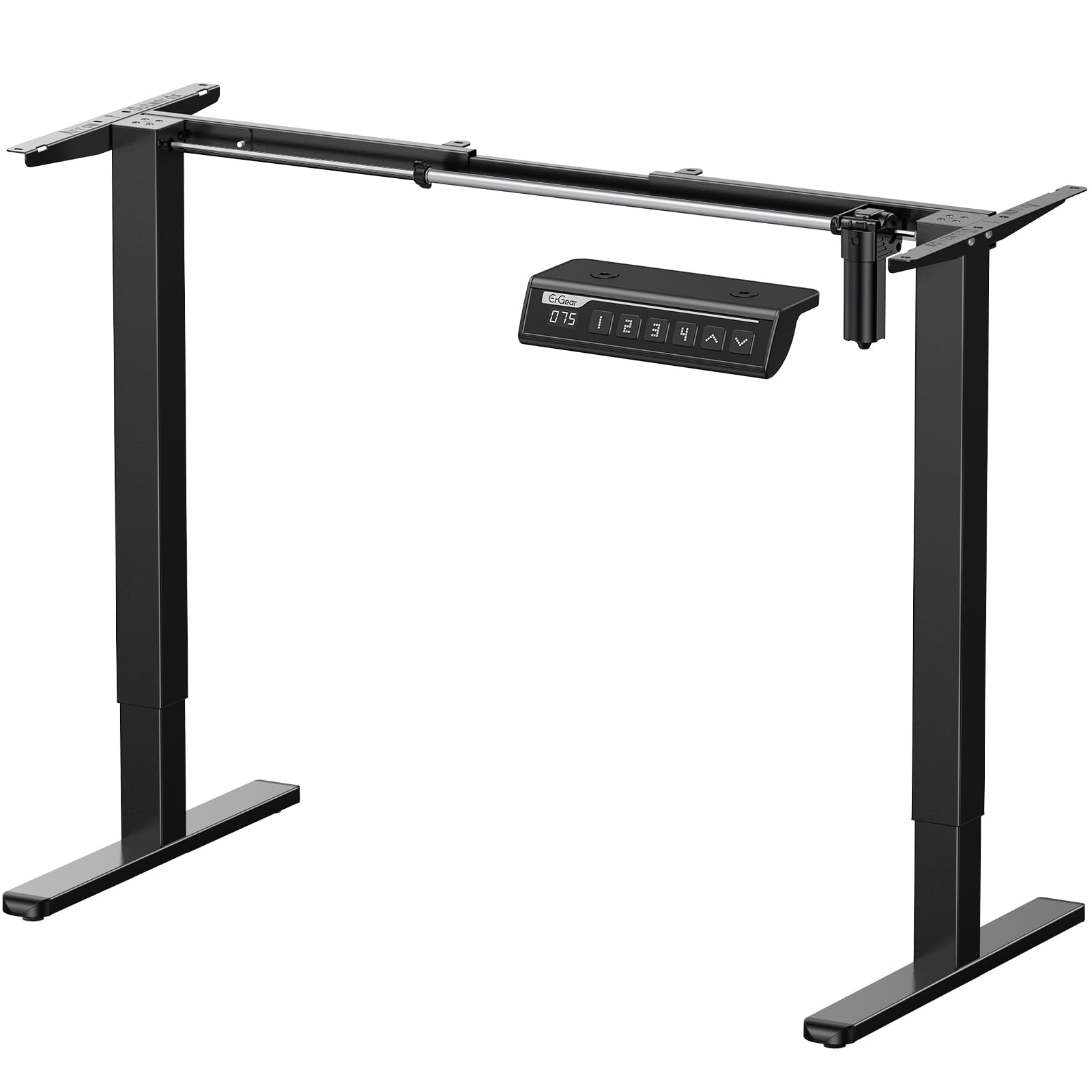
I chose the ErGear frame when I wanted electric lift but wanted to pick my own desktop material and size.
Why I picked it: Affordable motorized frame that accepts custom desktops and stores height presets.
Best for: People who want electric lift with a custom desktop.
A budget‑minded electric frame option.
Pros
- Custom desktop flexibility
- Four memory presets
- Anti‑collision protection
- Quiet operation
- Adjustable width crossbars
Cons
- Slight wobble at full extension
- Requires purchase of desktop
My take
I liked that the ErGear frame let me choose my own desktop material and size. Installation was straightforward with labeled parts and clear instructions, and the control panel with four memory buttons made switching heights effortless.
The lift is quiet and anti‑collision technology gives me extra confidence during adjustment. I did notice a small, perceptible wobble when the legs were fully extended—centering the legs and ensuring a properly supported top reduces it, but it’s worth knowing if you plan very tall setups.
Overall this frame delivers strong value if you want motorized sit‑stand functionality without buying a full manufactured tabletop.
How I Chose These Sit‑Stand Options
Decide what you need from a sit‑stand solution
I separate options into four categories: full electric desks (replace your top), desk converters (sit on an existing desk), fixed L‑shaped desktops (maximum surface, no height change), and frames (motorized base for a custom top).
Knowing whether you want to keep your current desk, need corner storage, or want a complete replacement helps narrow the field quickly.
- If you want instant sit‑stand with no build, choose a converter.
- If you want programmable convenience and permanence, go full electric.
- If surface area and storage matter most, pick an L‑shaped desktop.
- If you want a custom look, buy a frame and pick your own top.
Key features I focused on
Stability across the full height range is non‑negotiable for me—especially if I mount monitors or lean on the desk. I prefer dual‑motor or well‑reinforced frames when possible.
Build materials and warranty matter: thicker steel, quality laminates, and clear support terms indicate furniture that will last.
- Weight capacity: make sure your monitors and accessories are supported.
- Height range & presets: pick a desk or frame that fits your ergonomic needs.
- Noise and smoothness: motors and spring assists should be quiet and fluid.
- Assembly: check whether you want ready‑to‑use or an easy setup.
Practical tips from my testing
Measure your room and monitor arm clearance before choosing a converter—many take up desk depth and require a sturdy surface.
If you plan to move the desk often, consider weight and packaging; heavy L‑shaped tops are sturdy but harder to reposition.
- Keep cable management in mind—many desks don’t include trays.
- If you use a PC tower, verify shelf dimensions on L‑shaped desks.
- For tall users, check maximum extension and wobble at full height.
Frequently Asked Questions
Do sit‑stand desks really make a difference?
From my experience, alternating between sitting and standing reduces stiffness and helps posture when done consistently. The desk itself is only part of the equation—timed switches and proper monitor height matter too.
Can I use a frame with my existing desktop?
Yes—frames like the ErGear let you reuse or buy a custom top. I paired a solid wood top with the frame and got the look and height control I wanted, but be mindful of weight limits.
Which is better: a converter or a full electric desk?
I pick a converter when I want zero installation and to keep my current desk. I choose a full electric desk when I want permanent stability, larger worktops, and programmable heights.
Final Take
I tested a range of solutions so you can pick what fits your room, budget, and workflow. For instant sit‑stand, the Vari converters are nearly effortless to adopt; for a permanent, premium desk I favored the Vari Classic dual‑motor model. If surface area and storage are priorities, the Teraves and FATORRI L‑shaped desks deliver solid value.
Decide whether you want a quick upgrade or a full replacement, measure your space, and pick the option that matches how you actually work day to day.
