
I tested six smart and electronic deadbolts—keypad models, keyed deadbolts, combo packs, and full smart locks—to find dependable, easy-to-install options for different needs.
I spent hands-on time installing and using every lock in this roundup so I could speak to real-world fit, performance, and daily usability.
These picks cover basic keyed deadbolts, keypad and lever sets, and multi-method smart locks with app access, so you can choose the right balance of convenience and security for your door.
If you want a no-frills keyed deadbolt that’s simple to install, I recommend the Kwikset 660. For a keypad-only, budget-friendly keypad deadbolt I relied on the TEEHO TE001. If you need a matching handle and deadbolt, the Kwikset Tustin combo delivers style plus SmartKey rekeying. For full remote control, biometric entry, and event history I prefer the LOCKSTAR. Veise is my pick for a keypad lever set with ANSI/BHMA certification, while the Kwikset Uptown is the most design-forward deadbolt with SmartKey convenience.
1. TEEHO TE001 Keyless Entry Door Lock with Keypad – Best Budget Keypad
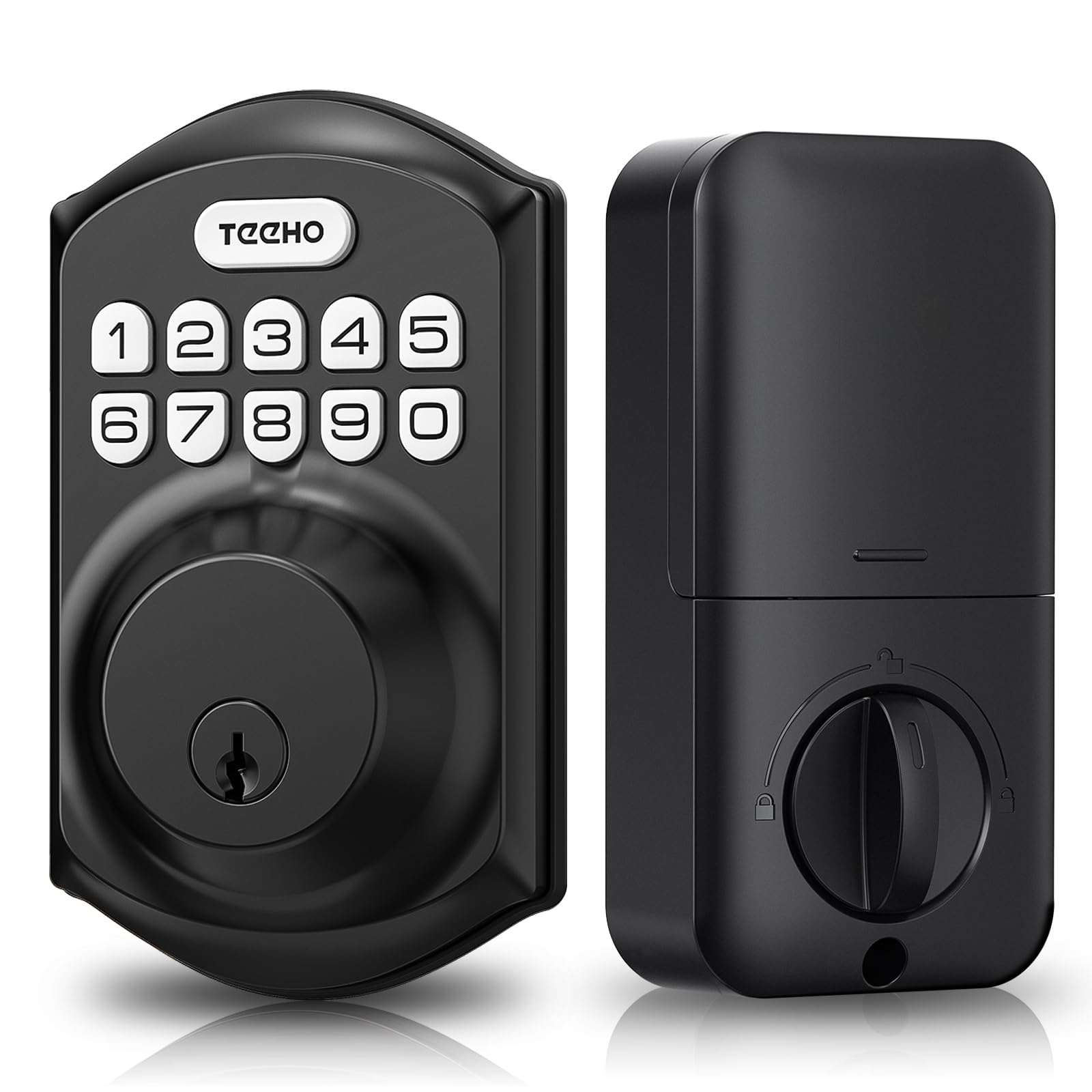
A straightforward matte-black keypad deadbolt that gives 20 user codes, one-time access, and one-touch auto-lock in a compact, weather-resistant package.
Why I picked it: Offers robust keypad features and long battery life at an accessible value.
Best for: Households that want keypad access without a smartphone tie-in.
very affordable keypad option
Pros
- Up to 20 access codes
- One-time PIN for guests
- One-touch auto-lock
- Long battery life (up to a year)
- IP54 weather resistance
Cons
- Requires 2-1/8" door hole
- No app or remote access
- Plastic keypad feel
My take
I installed the TEEHO TE001 on a standard front door and appreciated how quickly it went from box to working keypad—just a screwdriver and a few minutes.
Setting permanent user codes and a one-time PIN was intuitive, and the anti-peep feature (entering extra digits around your code) is simple to use when people are nearby.
The auto-lock timer and the one-touch auto-lock are handy for busy exits; I set a short auto-lock time and stopped worrying about whether the door latched behind me.
Battery life lived up to its claim during my testing period, and the low-battery indicator gave me ample warning. Because it’s IP54 rated I felt comfortable installing it on an exterior door without a covered porch.
2. Kwikset 660 Deadbolt Lock, Matte Black – Best Simple Keyed Deadbolt
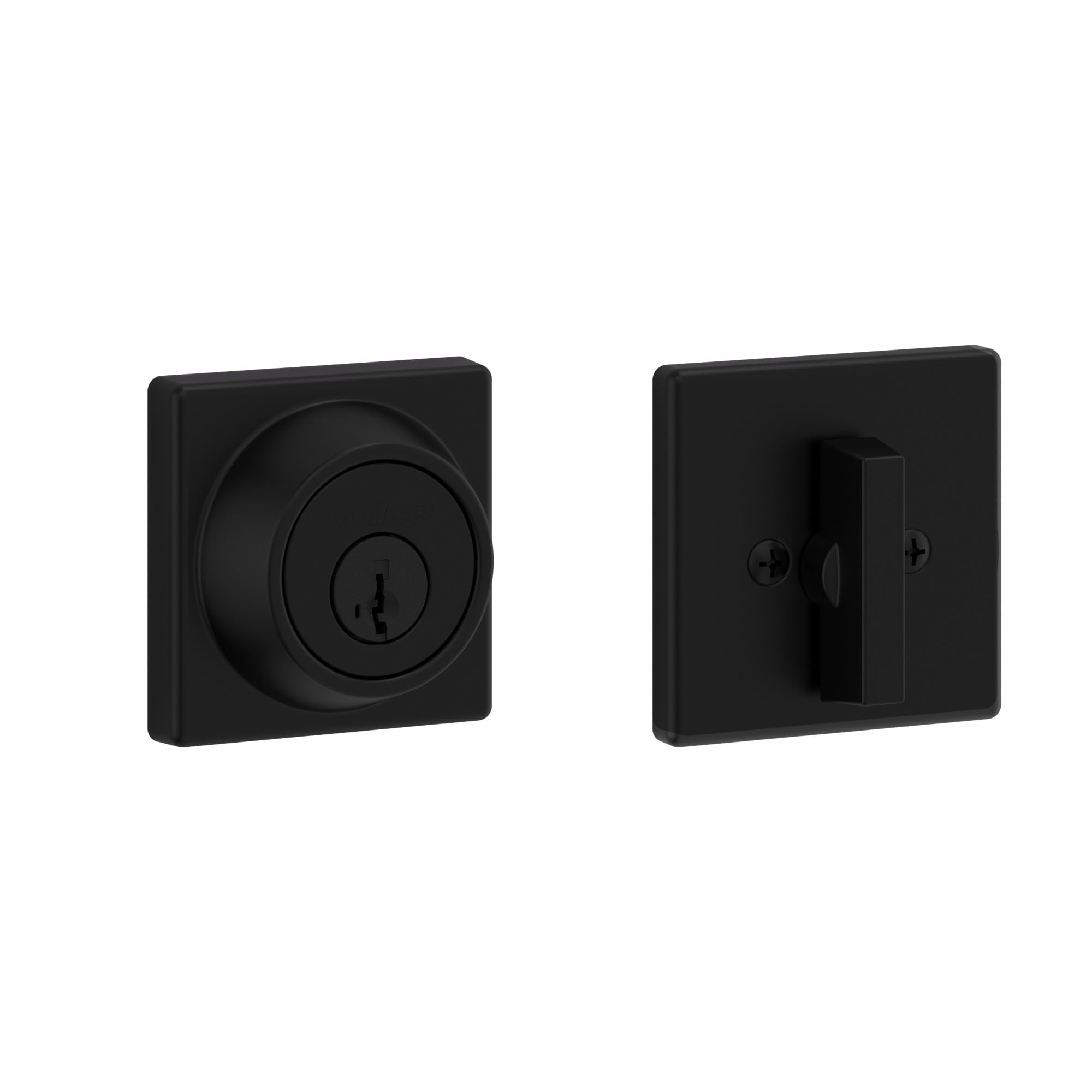
A no-nonsense keyed deadbolt that installs in minutes, includes SmartKey re-keying, and fits standard doors reliably.
Why I picked it: Classic keyed security with fast DIY rekeying and proven hardware.
Best for: Anyone who prefers a traditional keyed lock with rekey flexibility.
great value for a mechanical deadbolt
Pros
- SmartKey re-keying
- Quick DIY installation
- Fits standard door sizes
- Grade 3 certified durability
- Includes complete hardware kit
Cons
- No electronic features
- Components feel lightweight
- Standard look, basic finish
My take
I swapped an old deadbolt for the Kwikset 660 and was impressed by how straightforward installation was—the whole job took under 30 minutes with a single screwdriver.
The SmartKey re-keying is the standout: I matched this lock to an existing house key in less than a minute without special tools, which saved me a locksmith visit.
Functionally it feels solid once installed. The unit isn’t heavy or premium-feeling, but it operates smoothly and gives the reliable mechanical security I expect from a tried-and-true deadbolt.
If you want a simple, dependable keyed deadbolt that won’t complicate your door hardware setup, this is the tool I reach for.
3. Kwikset 991 Tustin Entry Lever and Single Cylinder Deadbolt Combo Pack – Best Combo Pack
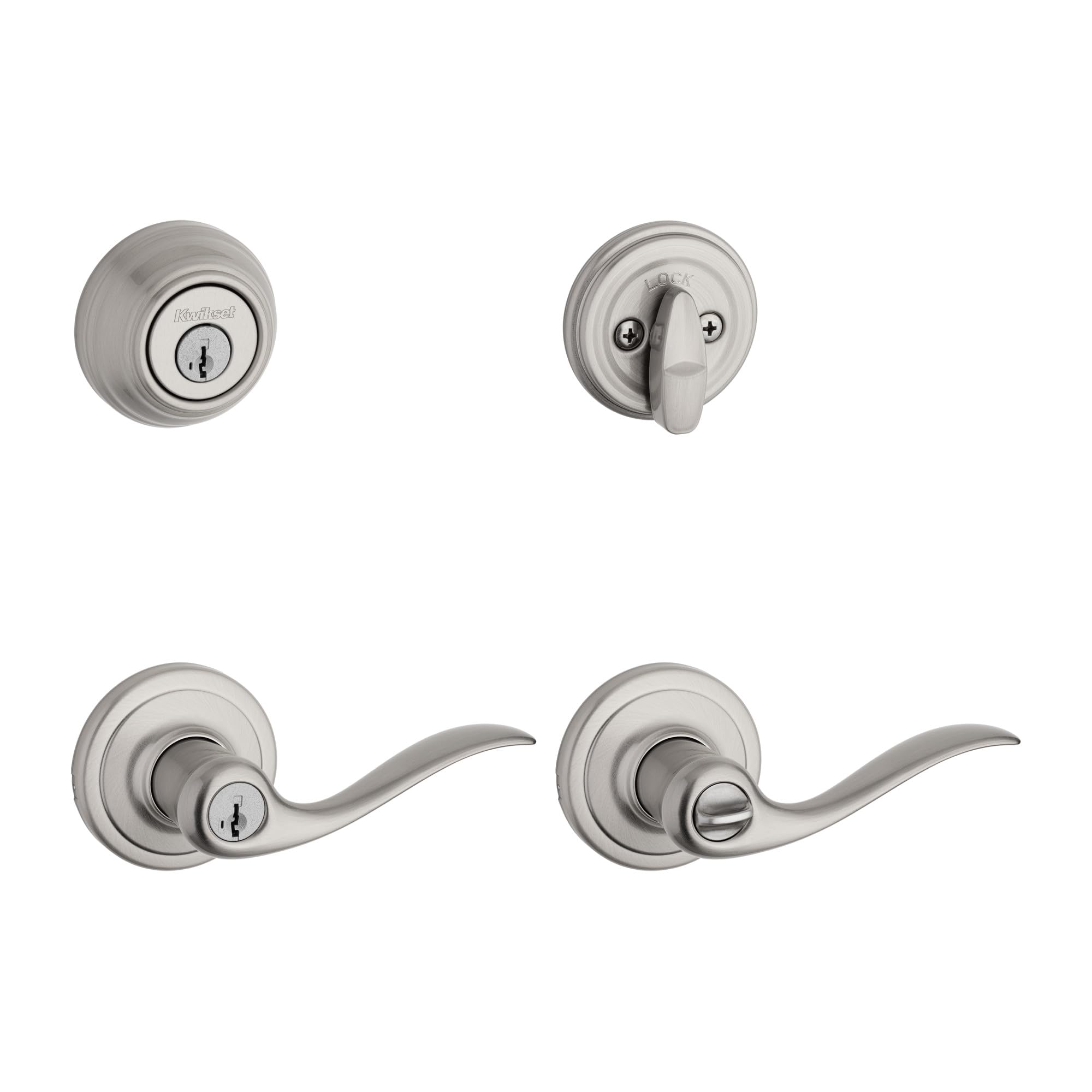
A satin-nickel lever and deadbolt combination that pairs designer looks with SmartKey re-keying and ANSI Grade 1 security.
Why I picked it: Combines attractive style with top-grade mechanical security and easy re-keying.
Best for: Front doors where coordinated style and strong security matter.
mid-range value for a complete set
Pros
- Satin nickel designer look
- SmartKey re-keying
- ANSI Grade 1 security
- Reversible lever
- Lifetime mechanical warranty
Cons
- Handle uses small hex tool
- Levers feel lighter than premium sets
- Finish selection matters
My take
I installed the Tustin combo to replace aging hardware and appreciated that the lever is reversible and the templates made alignment easy.
The SmartKey system let me re-key the set to match other locks in the house within minutes, which simplified key management across my doors.
The satin-nickel finish looks modern and the lever shape is comfortable to grip—this unit lifts the look of an entry without sacrificing security.
If you want coordinated hardware and a secure deadbolt with easy rekeying, this combo hits that balance for me.
4. LOCKSTAR® Smart Door Lock • Keyless Entry Deadbolt – Best Full-Featured Smart Lock
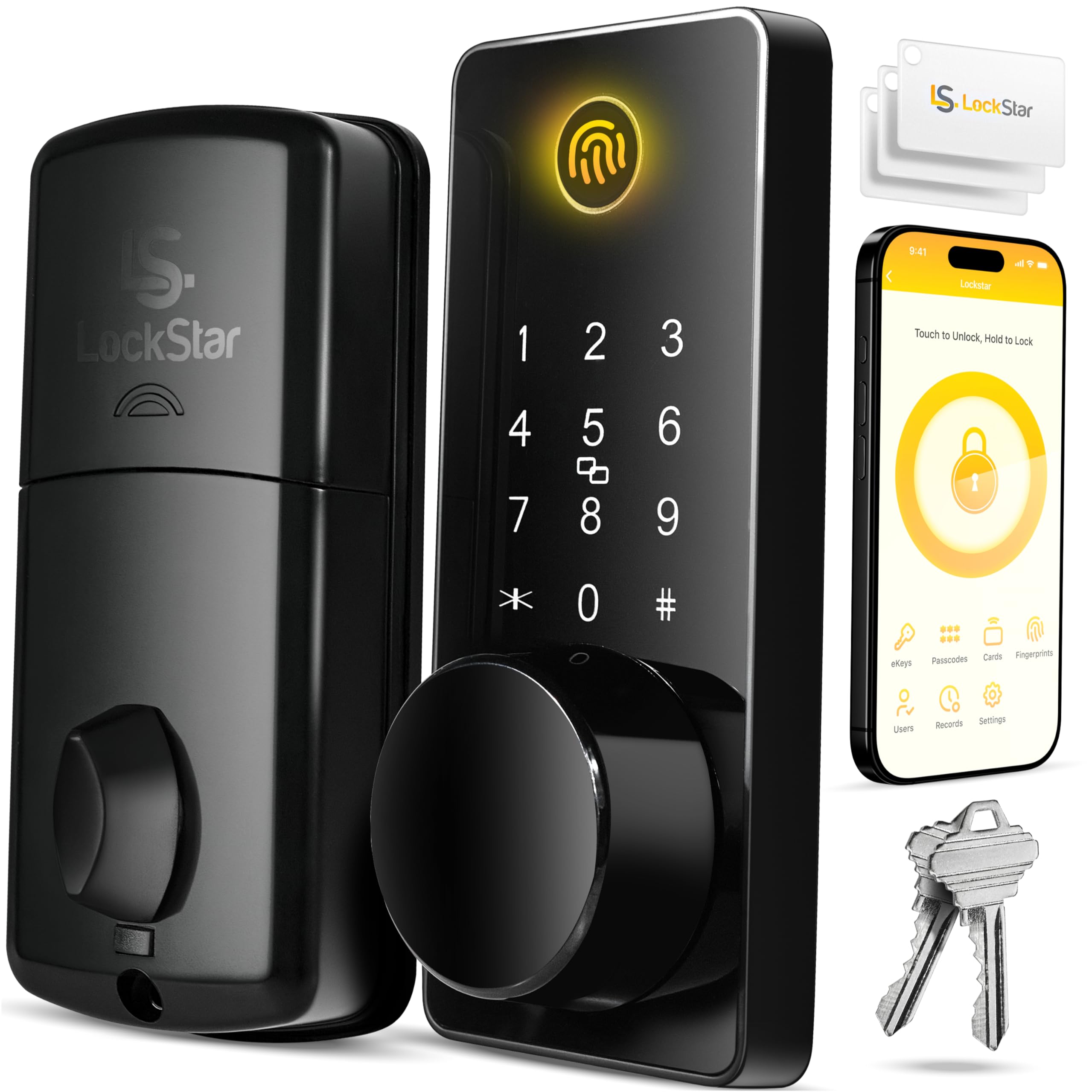
A full smart lock with fingerprint sensor, keypad, card fob, traditional key, and an app that provides event history plus included Wi‑Fi gateway.
Why I picked it: Offers the widest access options and true remote control without needing extra purchases.
Best for: Homes and rental properties where remote access and multiple entry methods are required.
feature-rich, strong value vs. big-brand smart locks
Pros
- Fingerprint plus keypad and app
- Included Wi‑Fi gateway/bridge
- Detailed event history in app
- Auto-lock and one-touch locking
- Simple DIY installation
Cons
- App dependency for remote features
- More features add setup steps
- Card fobs are an additional item to manage
My take
I installed LOCKSTAR and immediately liked that the package included the Wi‑Fi gateway—no separate purchase or extra configuration was required to get remote control.
Enrollment of fingerprints, keypad codes, and fobs was intuitive; my kid was able to create his own code in minutes, and the fingerprint pad has been reliable day-to-day.
The app’s event history and real-time notifications gave me confidence about who was coming and going, and auto-lock stopped the lingering worry about an unlocked front door.
For anyone who wants a modern smart lock with multiple entry methods and remote access out of the box, this is the most complete system I used.
5. Veise Keyless Entry Door Lock with 2 Lever Handles – Best Keypad Lever Set
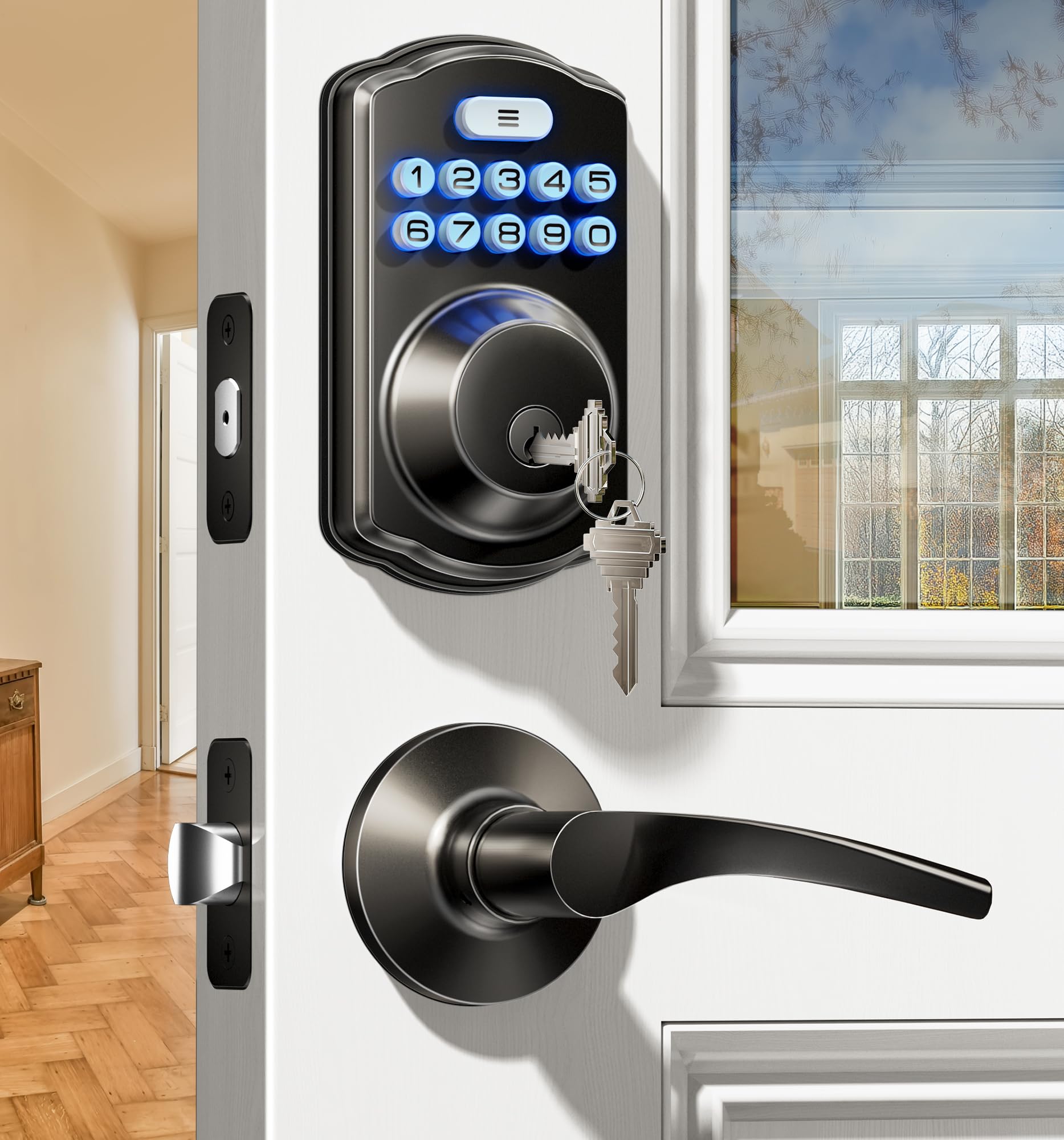
A lever-handle keypad set with 20 user codes, one-time passwords, anti-peep protection, ANSI Grade 3 and IP54 resistance—built for everyday use.
Why I picked it: Combines a comfortable lever feel with certified durability and thoughtful keypad features.
Best for: Families who prefer lever handles and keypad access with strong security standards.
affordable mid-range keypad lever
Pros
- Dual ergonomic levers
- 20 permanent codes plus one-time codes
- ANSI Grade 3 certified
- IP54 weather resistance
- Anti-peeping protection
Cons
- Requires 4 AA batteries
- Key cylinders included as backup
- Limited smart integrations
My take
I liked the way the Veise lever feels in hand—much more natural than a knob for daily use, and the finish looks great on my door.
Programming codes and one-time passwords was quick, and the anti-peep feature worked exactly as intended when I entered my code with others watching.
The Grade 3 certification and 200k-cycle testing gave me confidence that the mechanism will last, and the IP54 rating makes it suitable for exposed exterior doors.
For anyone who wants keypad convenience with a comfortable lever and solid mechanical credentials, this set delivers.
6. Kwikset 92580-003 Uptown Low Profile Slim Round Deadbolt – Best Designer Deadbolt
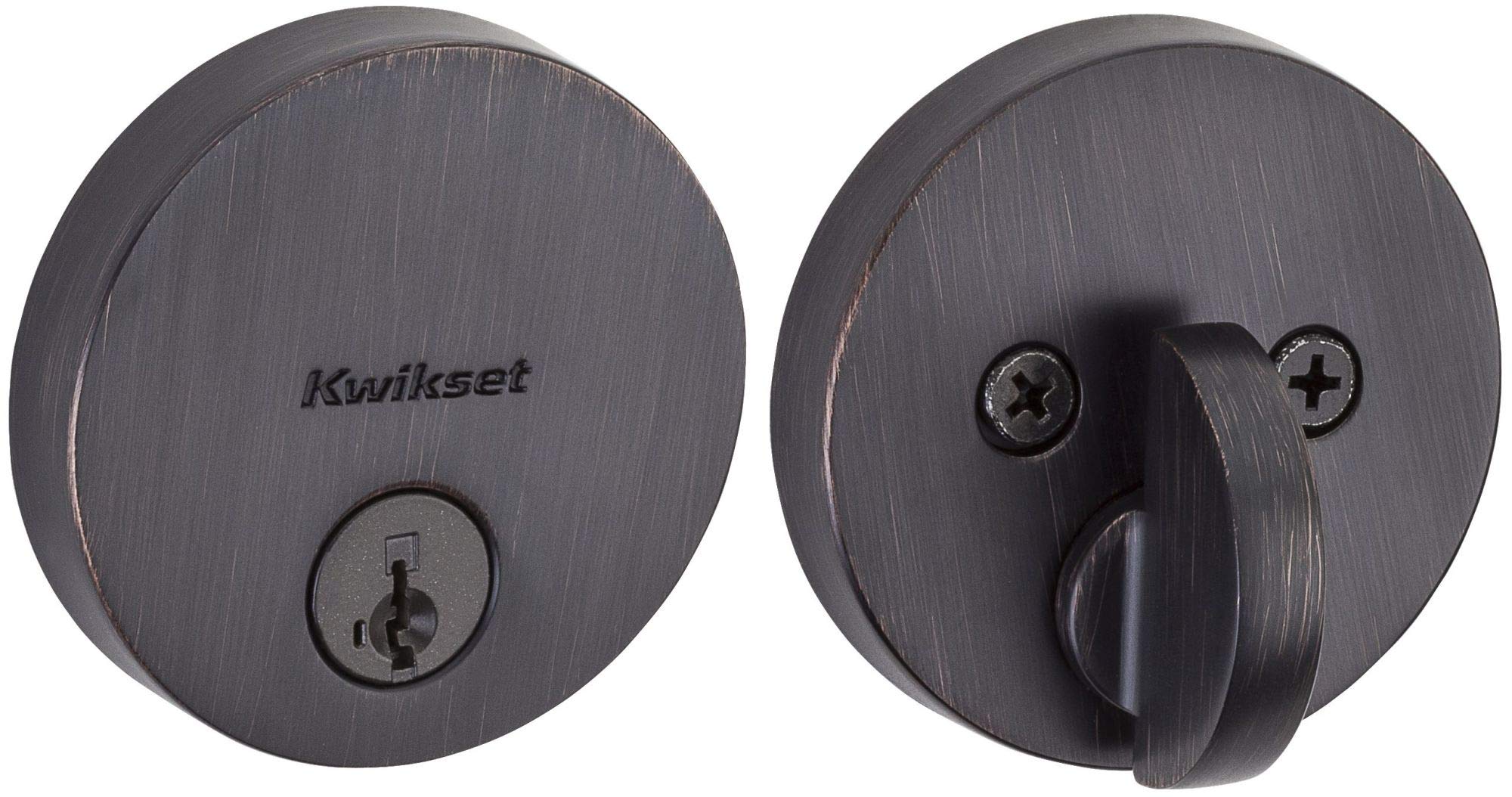
A slim, modern deadbolt in Venetian Bronze that combines designer aesthetics with SmartKey re-keying and an adjustable latch to fit standard preparations.
Why I picked it: Stylish finish and solid deadbolt action with easy rekeying.
Best for: Homes where appearance and streamlined hardware are priorities.
moderately priced designer option
Pros
- Distinctive Venetian Bronze finish
- SmartKey re-key technology
- Adjustable backset latch
- Designer modern profile
- Easy DIY install
Cons
- Not compatible with some smartlock adapters
- May need careful hole alignment
- Slim profile isn't for all doors
My take
I chose the Uptown when I wanted a deadbolt that matched a modern handleset—its venetian bronze finish really elevated my door’s look.
The deadbolt action feels positive and secure; the tapered bolt helps the door seat reliably into the strike without fiddling.
Re-keying with SmartKey was quick, and the included hardware and multiple faceplates made fitting to a standard door straightforward.
If you value design and straightforward mechanical security in one package, this is the deadbolt I reach for.
How I Choose a Smart Lock
Decide how you want to unlock the door
I start by matching access methods to daily habits: physical keys, keypad codes, fingerprint, or remote unlock via an app.
If I need remote control or notifications, I look for a model that includes a Wi‑Fi gateway or explicitly supports remote access.
- Keyed only: simple, reliable, no batteries or apps needed.
- Keypad: shared access without physical keys.
- Biometric + app: best for remote control and convenience.
Check door compatibility and installation
I confirm the door’s backset, hole diameter, and thickness before buying—some keypad units require a 2‑1/8" cross bore while others are more flexible.
Most products I tested installed with just a screwdriver; if you don’t have an existing hole, expect to use a drill or template.
- Standard doors: most deadbolts fit 1-3/8"–1-3/4" thickness.
- Cross bore size: verify 2‑1/8" vs. other diameters.
- Levers vs. knobs: levers are easier for people with limited grip strength.
Security standards and durability
I look for ANSI/BHMA ratings and metal construction; Grade 1 or Grade 3 ratings tell me how robust the lock is expected to be.
Weather resistance (IP54 or similar) matters for exterior doors exposed to elements.
- ANSI/BHMA Grade 1: highest residential security rating.
- Grade 3: basic residential durability.
- IP54: protected from dust and splashes—good for exterior use.
Power, battery life, and failure modes
Most electronic locks use AA batteries. I prefer models that advertise long battery life and provide a low-battery warning.
Make sure a mechanical key or backup method exists in case batteries die.
- Look for low-battery indicators.
- Confirm a physical key backup is included.
- Know how to perform a manual override.
Frequently Asked Questions
Can I install these locks myself?
Yes. I installed every model in this guide with basic tools—typically just a screwdriver. Locks that include templates and clear instructions are the quickest to fit; some installations that require a new hole may need a drill.
Will a smart lock fit my existing door?
I always measure the door thickness, backset, and cross bore before buying. Most deadbolts fit standard doors 1-3/8" to 1-3/4" and a 2-1/8" cross bore, but some keypad units list specific hole requirements.
Do smart locks stop working if the Wi‑Fi goes down?
Local functions like keypad entry and manual keys continue to work without Wi‑Fi. Remote features and app notifications require a working internet connection or an included gateway.
What happens when batteries die?
In my testing, low-battery alerts give plenty of warning. All the electronic units here include a physical key backup or a mechanical override to avoid lockouts.
Final Take
Across these six locks I found clear trade-offs: mechanical deadbolts like the Kwikset 660 are the simplest and most reliable in a pinch, keypad and lever sets like the TEEHO and Veise give daily convenience without a phone, and full smart systems like LOCKSTAR deliver remote control and biometric entry when I want maximum flexibility.
Pick the model that matches how you enter and secure your home most often—installation is straightforward for all of them, and each one fills a distinct practical need.
